yes sorry thats what i meant i think it was the " but it also had [ and ^ in
struggling to get the scenes effects to work consistently now though?
Can you elaborate on that?
Does it work sometimes or only on some devices. Are the devices setup to use cloud control for the scenes/Diy's ect.
The recent change really just ensures that both LAN API for local control and the switch to control scenes/Snapshots ect locally are turned on to use the local file and submit the scene action through thr LAN APi. If not it will use the cloud API to submit scene changes.
Just for clarity here is a screen shot of tbr options i am talking about.
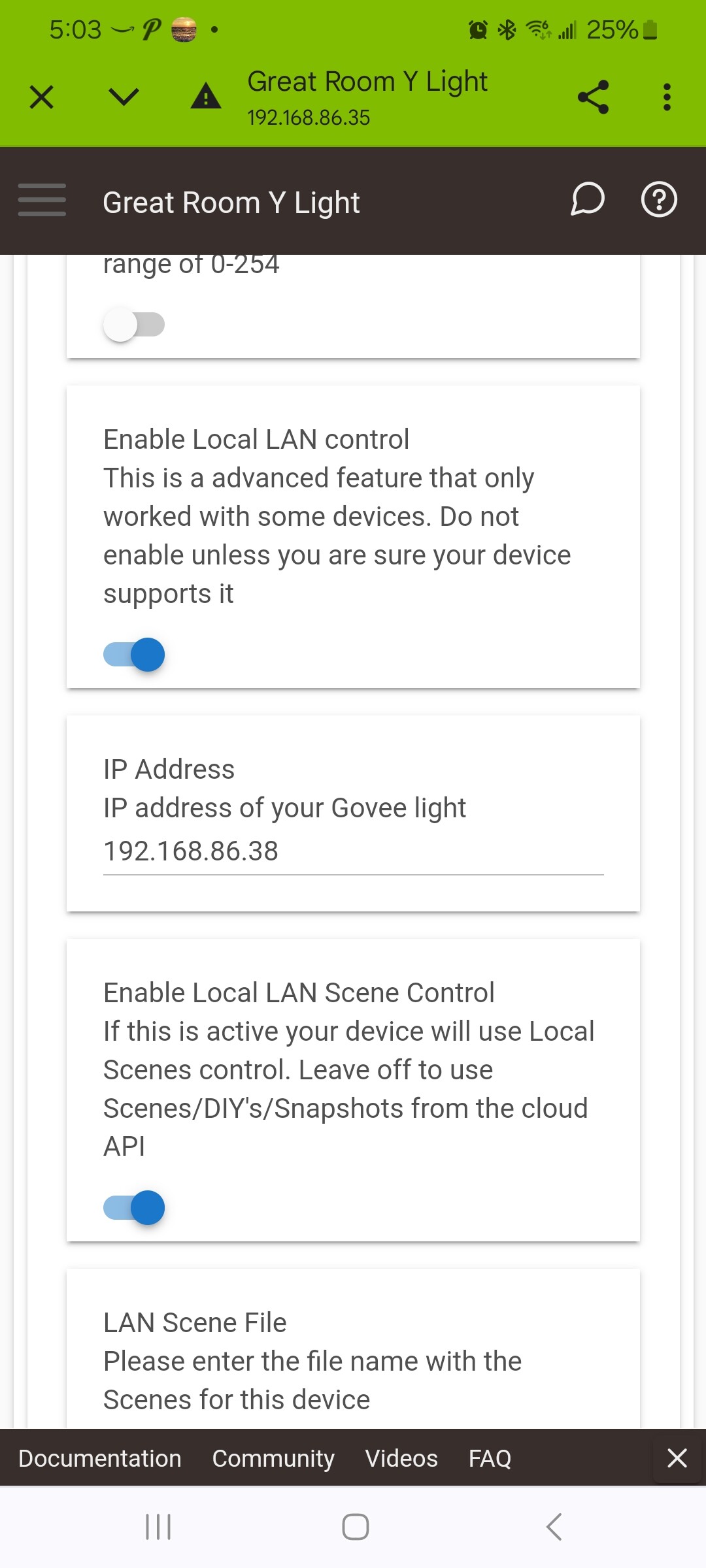
The two switches in that screen shot are the ones that need to be set to the right(on) to be 100% local. If the lower one is to the left the. The driver will still try to use the cloud to activate the scene.
I will check and see if either of those charecters are part of the password check i have for special characters and if not I will look to see what needs to be done to enable them.
Tried both, what I did see is in one state all the effect number changed and were 4 digits rather than 3.
What seems to happen is if you send a effect it works but then you can't send a new one to change it for a period of time, maybe a rate limiter?
Just tried it now (its been off for a while) and i was able to change it. Then tried to select another and it didn't change.
Is it using LAN API to submit the effect or cloud API
How fast are you trying to change it.
Do you see any errors in the log when it fails to submit?
should be the LAN right?
15-20 seconds was trying to see what they looked like.
nope, the current state shows that it "took" but lights don't react.
Is there a reason why the state variable won’t show up on a light strip that I currently have set to a snapshot using the Cloud API?
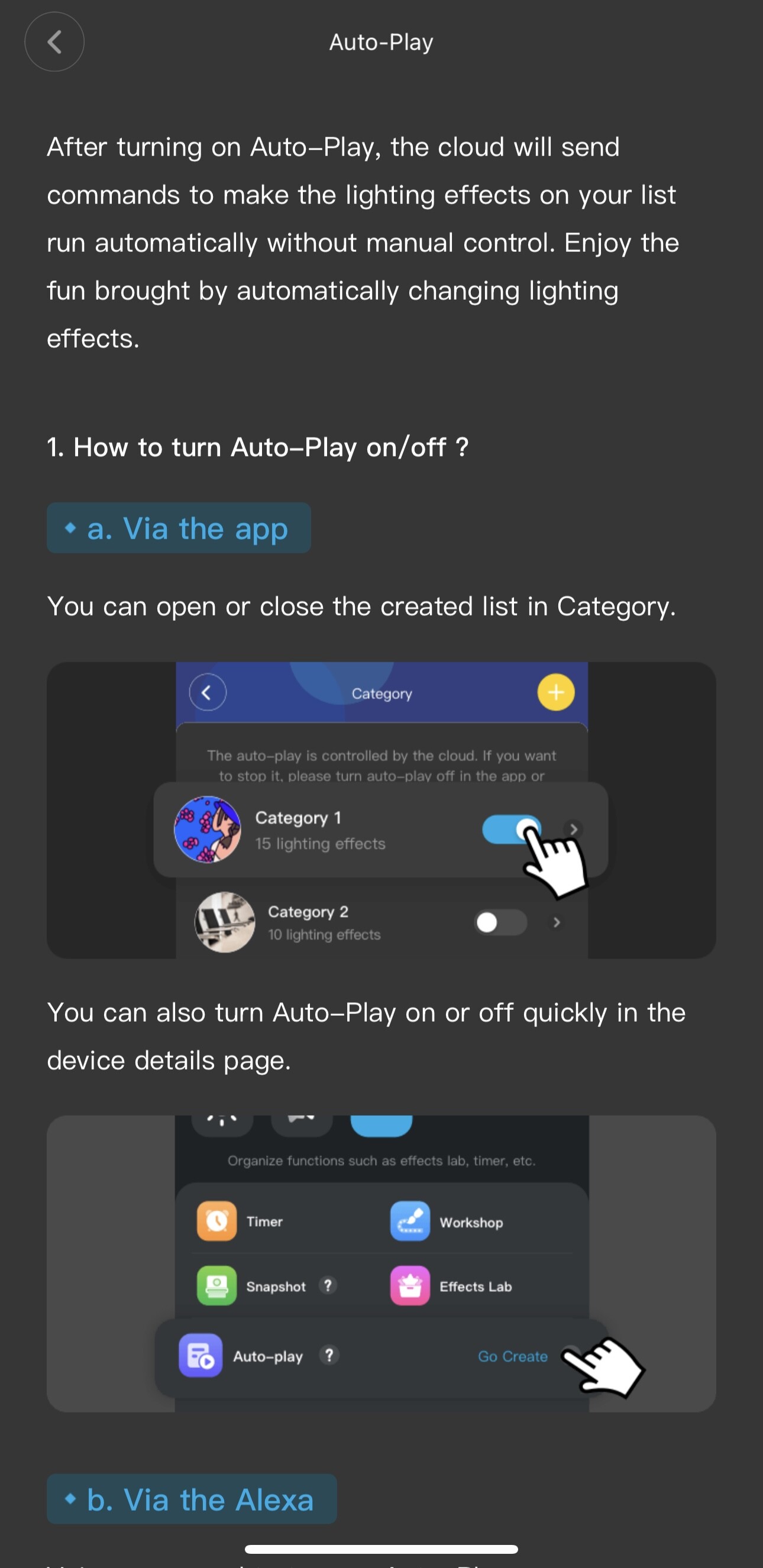
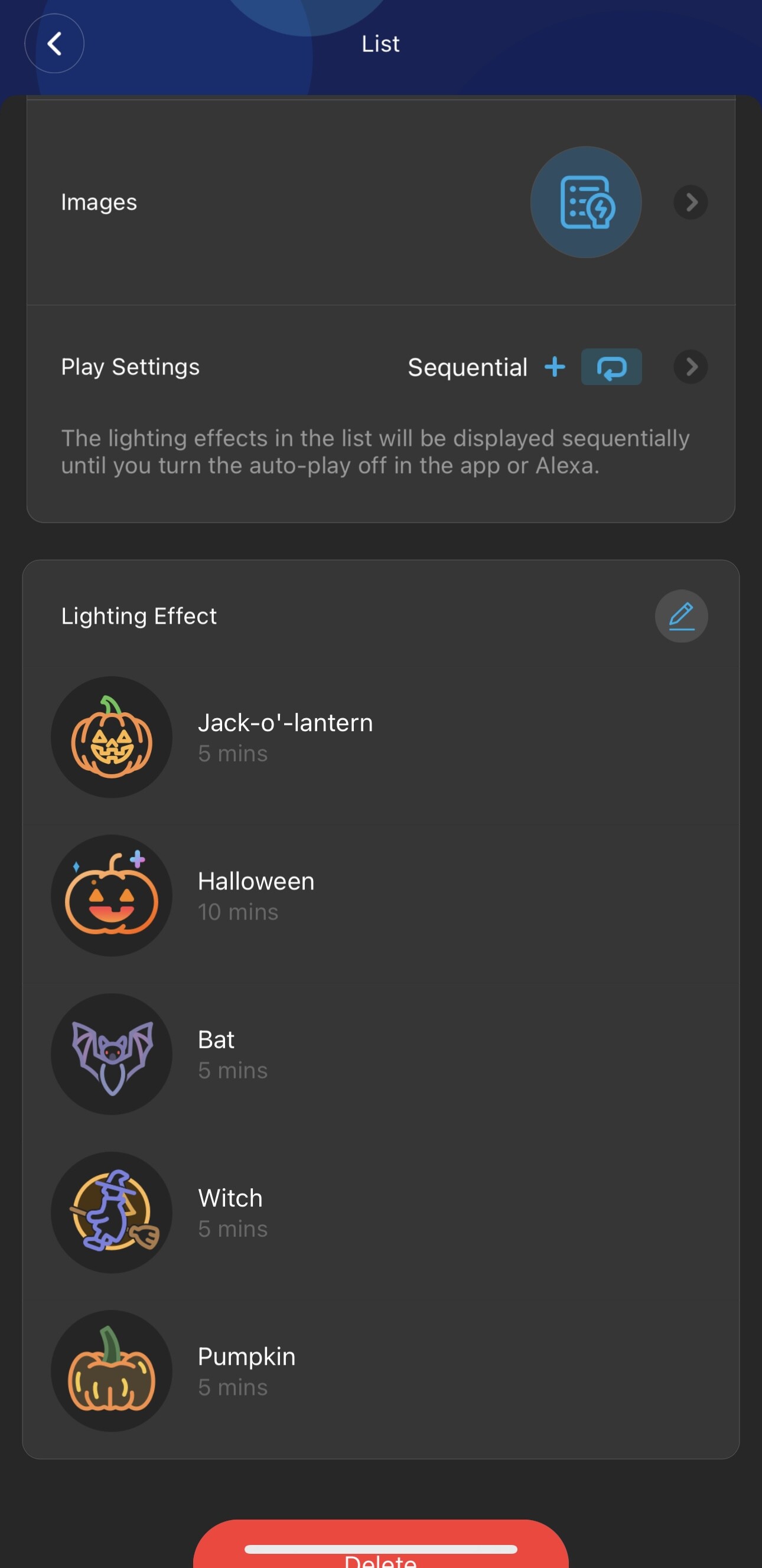
Auto Play is a setting that cycles through scenes. So for instance, on my curtain lights I have it set so that each scene plays for 5 mins and then cycles to another scene, etc. Here’s a screenshot and info from the app:
One other question, if I’m purely using the Cloud API, is there a reason why on one of my light strips I can’t see certain scenes? On my H70A1 light strip, I don’t see the “Halloween A” scene, but I do see the “Halloween B” scene in the device details. There’s also quite a few others missing in the device scenes although they’re available in the app.
Thank you!
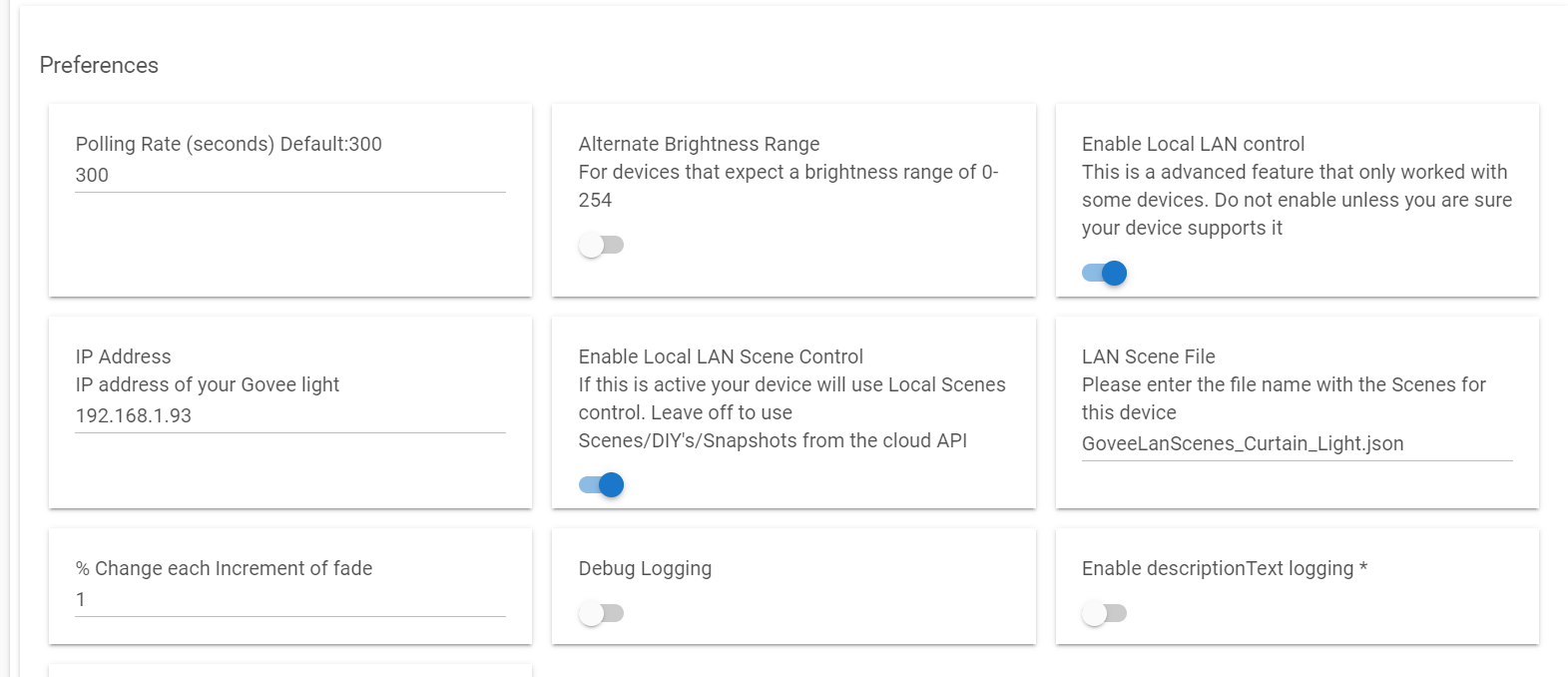
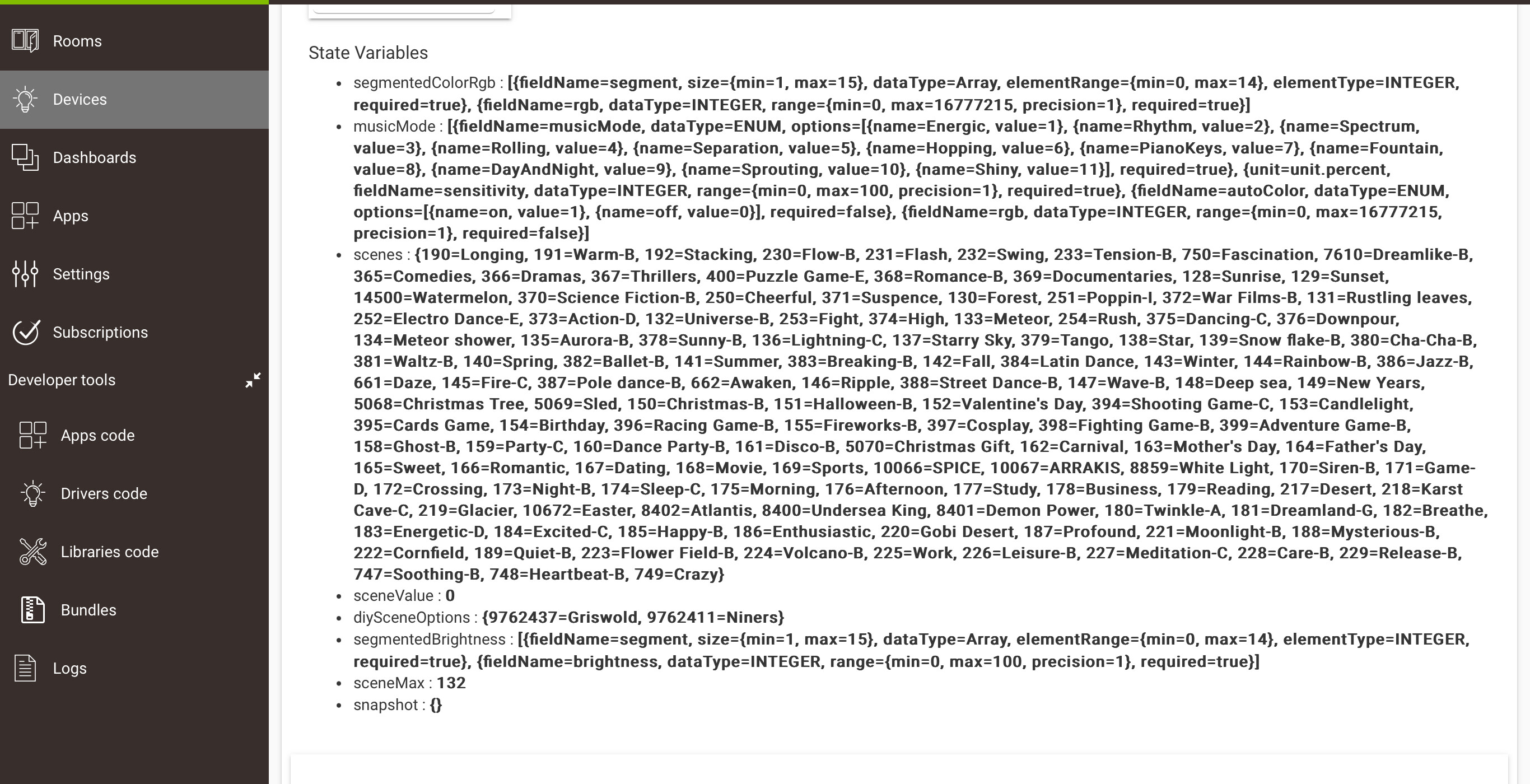
The Image actually says allot. It shows that driver defaulted to the Curtain light device. I suspect this is related to issues with some of the curtain light Scenes being very flacky to work right with LAN API. I would ask that you try turning off the option to "Enable Local LAN Scene Control" and then initialize the device to refresh the scenes associated. Then let me know if the problem persists with Cloud API. The Curtain lights is actually the reason I created that switch to allow Scenes control with the Cloud API while using LAN API is used for everything else..
Likely becuase i didn't code it to do so since the Cloud API doesn't provide what govee scene is active. So i have to write that into the code. I would guess i missed snapshots when setting it up for Scenes and DIY's woops
So that looks to be a completely Cloud based thing where Govee is cycling you through a list of scenes. This isn't presented through the Cloud API as a controllable thing. It could probably be done with a app in hubitat, but i don't think that exists today.
This is likely related to the scenes you have enabled on the device from the Govee Home App. Some devices have additional scenes/effects that are hiding that are variations of the main one. You can edit your scene list and add the missing ones. I don't think this is the case for all devices though. Look in the Govee Home App for ways to enable more Govee Scenes and i think that will fix what you are asking.
1 Like
Got it, thanks! Wasn’t sure if it was possible since it’s possible to activate Auto-Play from Amazon Alexa or Google Home in a routine, so wasn’t sure if that was a part of the API that could be done with Hubitat
I’m a little confused, what I’m trying to say is that the Govee app has lots more scenes available to choose from than what the Hubitat Govee integration has or shows. So I’m trying to turn on a scene in Rule Machine, but it doesn’t exist in the Hubitat integration, it only exists in the Govee app standard scenes. Is there a way of pulling all available scenes from the Govee app into this integration via the Cloud API so I can use them in Rule Machine, etc? Thank you so much for the help!
It isn't part of the Cloud API functionality, but that doesn't mean you can't duplicate the functionality if you want to. You should be able to do the same thing in RM if setup properly.
As far as the scenes go the integration simply calls a cloud api and then parses all of the returned values. If it isn't there then Govee isn't telling Hubitat. My thought was i have seen were the app didn't show all the scenes by default and was hopping that could be related. If that isnt the case then i am not sure. You could follow the process to extract the missing scenes then activate them locally via LAN API.
You can edit the scenes avaliable on a device by tappijg the pin icon as show in the below image
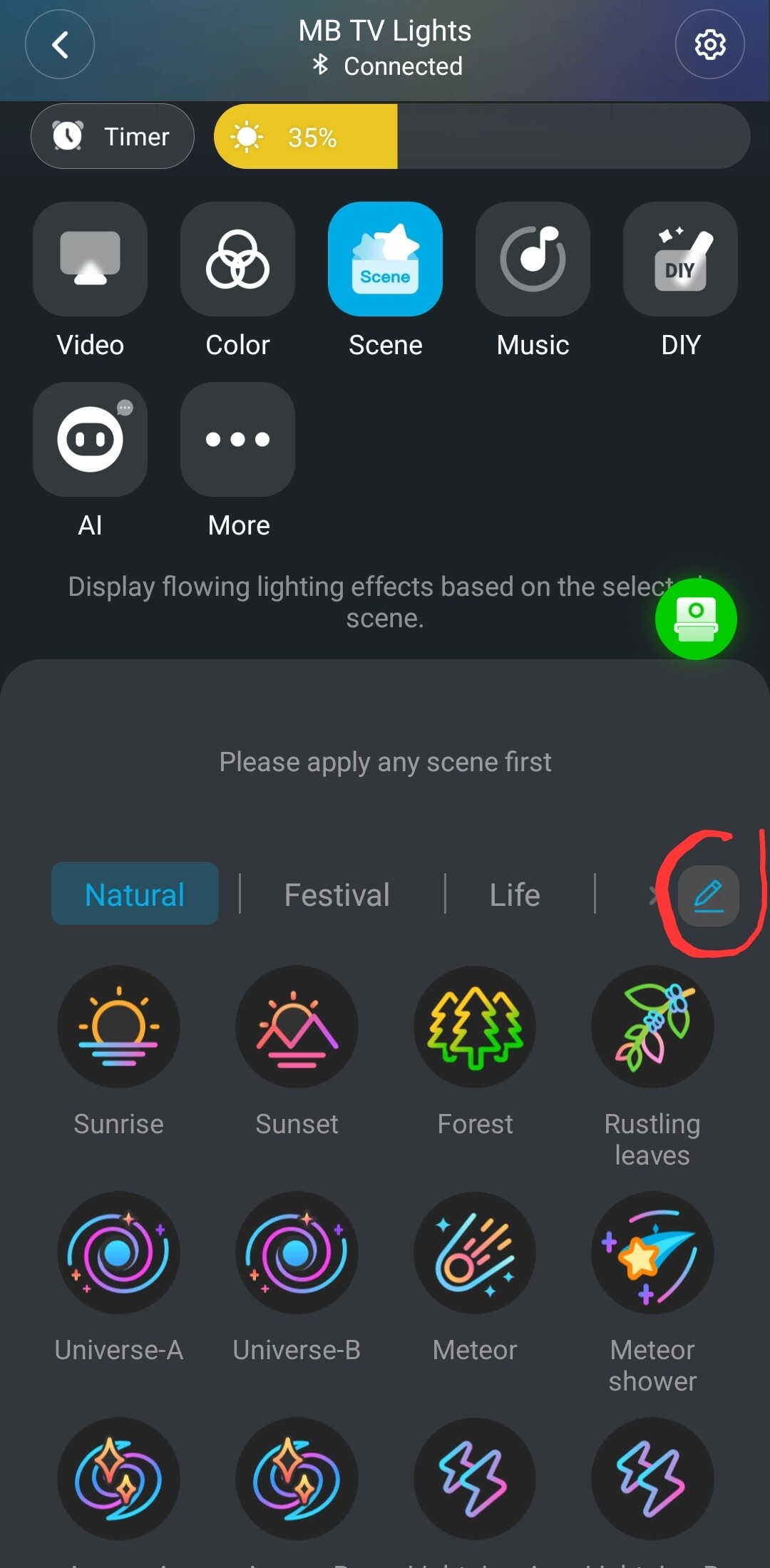
Once you tap on the pin a new screen comes up that allows you to change the avaliable scenes.
If all of the scenes are already showing in the app though it is a limit of the new API for some reason.
Also can you confirm if you are controlling the scenes via the cloud API, or Lan API. Ie do you have both those flags turned on as shown above a few posts ago.
Ah got it. Yeah, every scene is already showing without going to this screen. It's just not showing up in the Hubitat integration. So must just be a limitation of the Cloud API.
Hmm, I'll have to play around with it to see if I can duplicate that functionality in RM. Thanks
I just had a opportunity to test this and it does seem to display the snapshot name when you set the device to a snapshot from Hubitat. Did you set the snapshot from Hubitat, or from the Govee Home App. There is no way for Hubitat to know what scene/DIY/Snapshot is set if you do it from the Govee App.
I did it from the Govee app initially because that's the only place I can do it. How do you set the snapshot from Hubitat when it's not showing up as available or doesn't even work? The snapshots section is blank in the device details. See the screenshot I posted earlier:
When you have snapshots setup in the Govee Home app they should appear on the device page in the hubitat UI. It is a state value and would like like the below image.

Then you just use the number given for the snapshot to call it using the command.
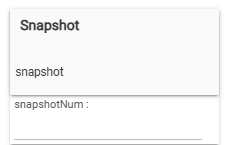
If the snapshot is not showing up please open up the integration and click on the option to add a standard device. That will load the page to select a device to setup and if it hasn't been opened in the last 30 min should refresh all device data for your account from the API. You can just cancel all the way back out and then go back to the device page. Click on the option to initialize and wait a min or two to make sure it completes fully. Refresh the device page and see if the snapshot is now showing in the states section. Let me know if it still isn't showing.
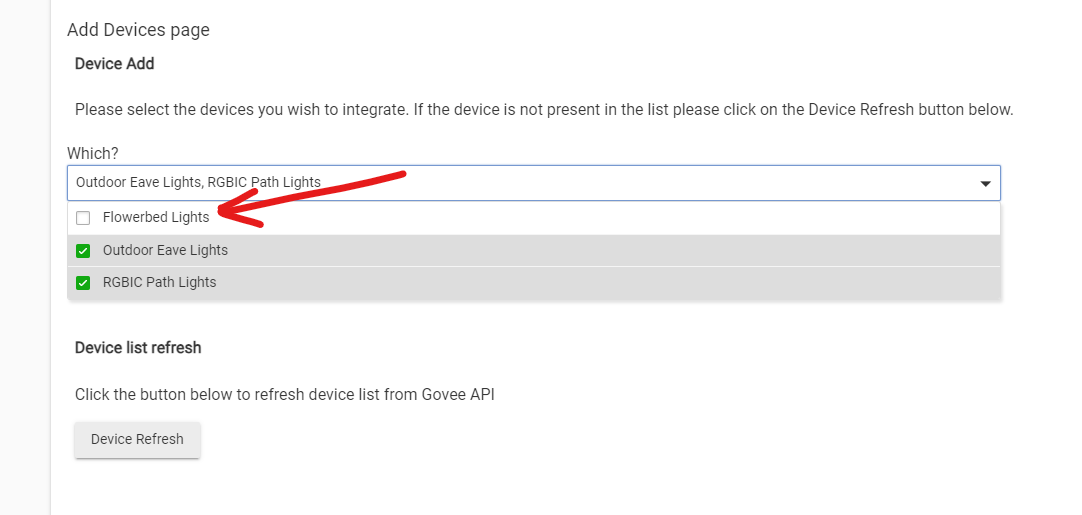
What a happy day!!!! After buying the Outdoor Ground 2 lights (H7052) a few months ago, neither this integration nor Home Assistant's would find them. I resorted to using the LAN Device option. I periodically checked to see if the Outdoor Ground Lights would be found and periodically, I would be disappointed. However, TODAY IS THE DAY!!!!!!
2 Likes
That worked to have the snapshot show up, thank you!
1 Like

