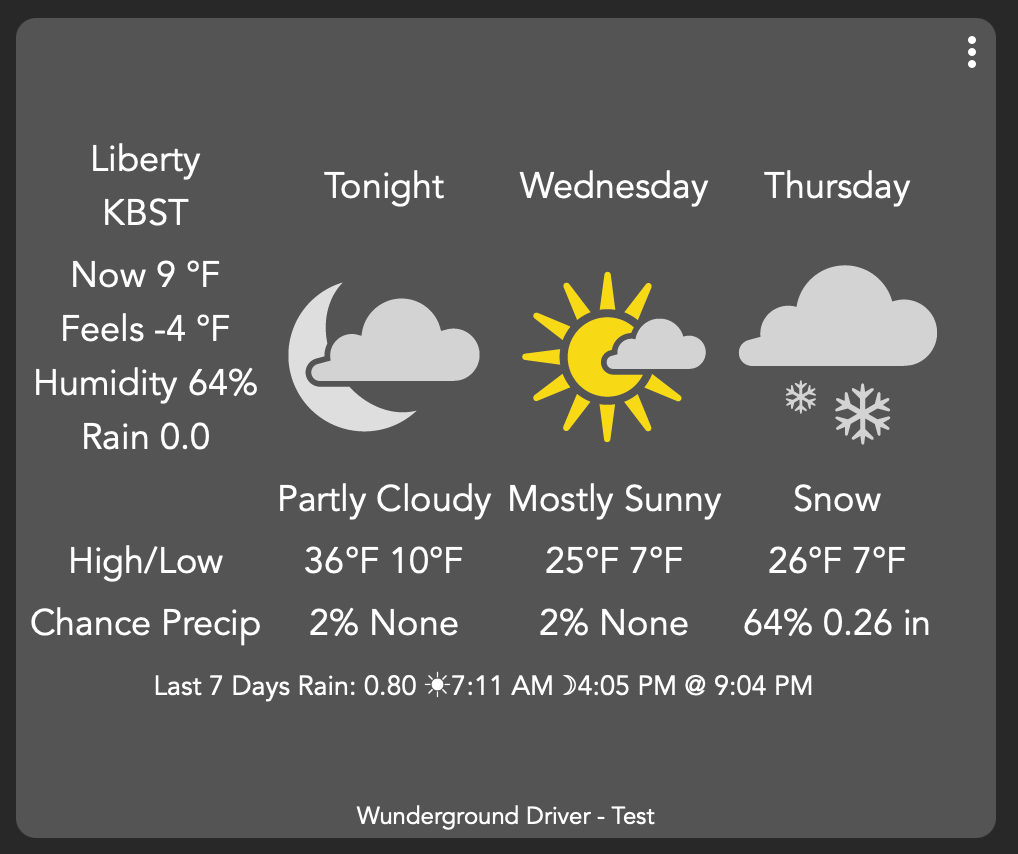
My much-loved weather information from Weather Underground, courtesy of the driver maintained by @dJOS@sburke781 (Thanks again, gents!) hasn't been updating for a few months now, and I couldn't figure out why but was too busy to deal with it. What I really wanted to most use from that is the forecasted cloud coverage data, as I can't figure out how to get this from any other source, and being off-grid, that's some important info. I finally had some time over Christmas eve and day to work on it while we sat around and relaxed, and lo and behold, I finally got it working again. That was a great gift!
And here's the real kicker: I had even resorted to asking ChatGPT to help me write code to pull the cloud cover data in from this source to Home Assistant, and after HOURS of back-and-forth with it, it finally told me that WU was no longer providing cloud cover data to users via a PWS API key. I even argued with it, but it was insistent and sent me down a path toward Open Meteo. Well, I seem to be getting cloud cover data via the driver now that I've got it all working again, so hats off to the fine folks that maintain it. That was a great Christmas gift, and I appreciate it. Thank you!
Yep. I don't think it had anything to do with the driver (which is excellent, btw - thanks again for maintaining it). WU was showing my old key expired in 2020, which had to be wrong, but after I regenerated it things were fine with your driver. Earlier in the year it kept insisting I didn't have an account, even though I could log in and see it, including forecasts and the key. It eventually just resolved itself on their end. I think it all goes back to weather.com (which I think is owned by IBM, but I'm not sure) purchasing WU some time ago. Things sort of went off the rails for my system after that, but hopefully it will be better going forward.
ChatGPT wrote yaml code for Home Assistant that tried to pull from the weather.com v3 API, and it doesn't work. But it keeps insisting that's the correct URL and that WU no longer allows use of a PWS API for pulling this data. I finally worked with it to get hourly cloud cover data from Open Meteo, but I don't find that it's as accurate for my location. I'll work on getting the Hubitat data into HA this weekend, using the Maker API.
Well gents, something's amiss on my end. The forecast data is not updating on its own; however, if I push the Poll button in the Device Commands section, it updates right away. I've set the update interval to both 5 minutes and 1 hour, but neither work. Thoughts? Suggestions? What info do you need to diagnose further, if I may be sold bold as to ask for such help? Thanks!
Well, I cant seem to remember how to download the log file so I can send it and will need to go search for that, but things improved (I got a full download from WU) when I unchecked the option to use WU icons and did a manual poll. I get a full set of data that's used by the driver and it looks clean except for one error (the only one I see, even with detailed logging enabled):
error
java.lang.ClassCastException: class java.lang.String cannot be cast to class java.lang.Throwable (java.lang.String and java.lang.Throwable are in module java.base of loader 'bootstrap') on line 1457 (method updated)
BTW, before I unchecked that I was getting an error referencing, as I recall, line 411. But that's no longer showing up.
But... it's just not auto-polling! I just set that to hourly and will see what happens. Is there some other HE setting, outside the driver, that could affect that? All else on my C7 seems to be working fine. Thanks for any ideas or input.
Btw, one thing that might help, is copying the API keys into a notepad file set to plain text, they copying them from there to the WU driver. Some websites don’t copy the text as plain text and you get a bunch of HTML crap coming along for the ride.
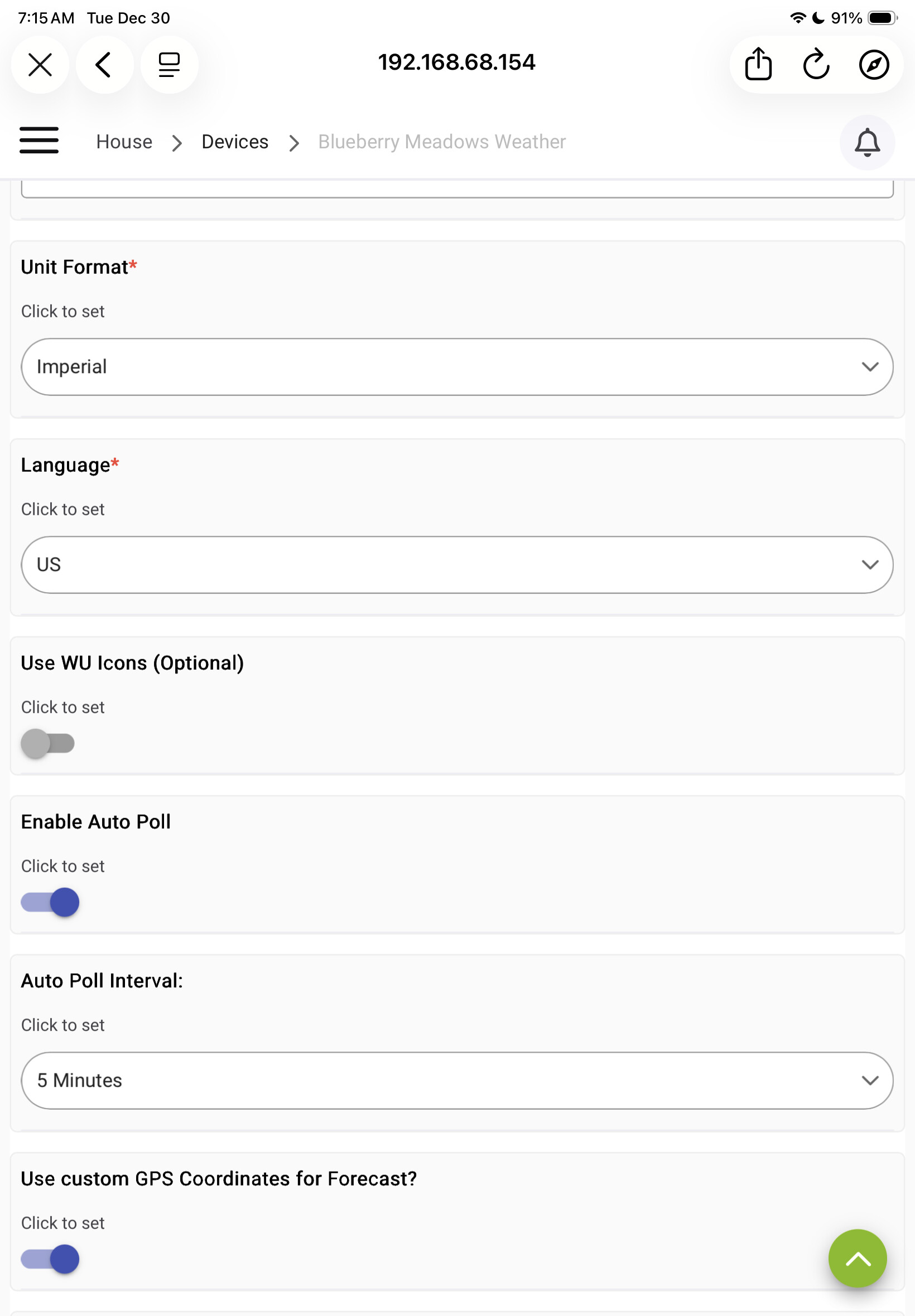
Hi Derek, and thanks for any insight you can provide. If you mean my Preferences, here are shots of the info that doesn't give my personal info such as API key, and I'm happy to send that in a direct message if that helps. The weird thing is that polling works fine if I press the "Poll" button in Commands, so I'm reasonably confident my API key and coordinates are fine It just won't auto-poll no matter what frequency I set. Thanks!
Well, the mystery deepens... In a workaround attempt, I set up a rule in Rule Manager to run the Poll command in the device every 5 minutes, and it's working like a charm. Updates just fine, with the only error being the one shown below, which I think is unrelated and doesn't seem to harm anything important. I just can't get the auto-poll feature to work correctly within the driver itself.
java.lang.ClassCastException: class java.lang.String cannot be cast to class java.lang.Throwable (java.lang.String and java.lang.Throwable are in module java.base of loader 'bootstrap') on line 1457 (method poll)
Hmmm, I think there may be some error handling issues in the code that occasionally make pests of them - I've run the code through Claude, and it found a few issues which have been fixed and my testing of it looks good so far.
Try importing this test version of the driver, "clearing state", and see if it helps.
---removed--- (7.3.2 has been released with fixes)
If it works for you, I'll publish v7.3.0 to HPM.
Edit: I think the driver was tripping over your rain data and the updated error handling doesnt fall over now: Insufficient rain data values.
PS, I found an issue with the data if Airport locations are used - Im attempting to fix it atm.
Hmmm, the Airport code seems a bit dorked up - Im not really sure why. I've released v7.3.1 anyway and recommend ppl use their PWS, not the airport data until I can sort it.
EDIT: I think I've fixed the issues with Airport locations and I've added logic to remove info if the 1024 char limit is exceeded.
Release: v7.3.2 - Only show 3day forecast size on tile when over 1000
v7.3.1 - Minor Bug fixes - public release
v7.3.0 - Bug fixes generated by Claude
Release: v7.3.4 - Moved ICAO airport code to display under suburb name instead of centered across columns
v7.3.3 - Replaced image-based sunrise/sunset icons with Unicode symbols to save ~300 characters
I think I'm going to try Claude, Chat GPT told me we couldn't get that exact data using a PWS API key, when I tried to get it for Home Assistant. But first it wasted my time for a few hours tweaking code. It was just blatantly wrong.