I bought these cool ceiling lights that have night lights built in that get activated by turning the switch on/off quickly. I'm currently using Inovelli Dimmer Switch that has a slow ramp rate when the lights turn on and off. This is not ideal if I want to engage the night light function.
I already set a double tap rule in rule machine for that switch. The issue is that I'd like the switch to treat the double tap as an on/off switch, rather than a dimmer with the ramp rate.
I know I can change the ramp rate and make the switch act more like an on/off switch, but I want to keep the ramp rate as is for regular light use. Anyone know how to do this in rule machine?
What is the reason for wanting to use Rule Machine? Button Controller has nearly identical functionality and is usually a better choice for rule-type automations "triggered" by button events (because it keeps the button device together and frees you from needing to manually specify each trigger).
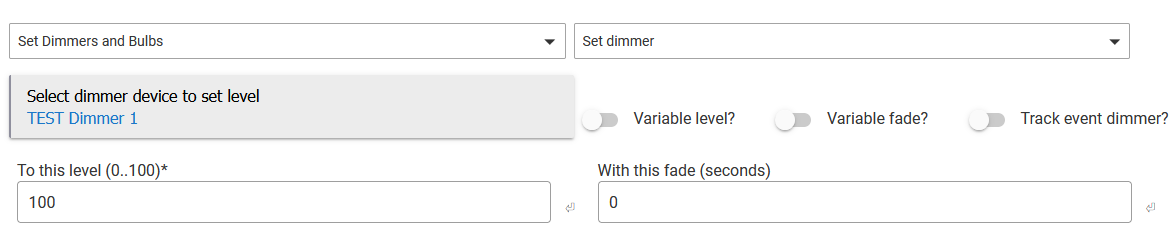
In your case, you should just be able to use the "Set Dimmer" action with a fade of and (assuming this is what you want) 100%:
Thanks for your input. Honestly, I don't really have a need for rule machine other than setting the doubletap option to control the switch differently, essentially creating a secondary function to control the night light independant of whether the lights are on or off.
For example, if the lights are already on and I want the night light turned on, switch off and on.
If the lights are already off, then it would be switch on, off, on.
I don't want the dimmer functions when getting the night light to trun on. The switch needs to function like an on/off switch quickly cycling between those button presses.
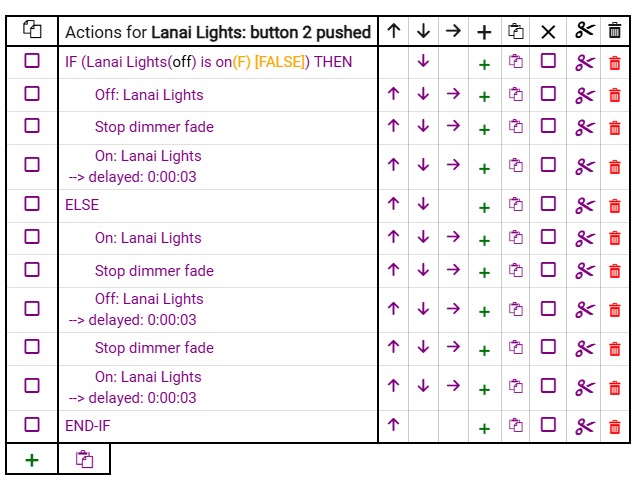
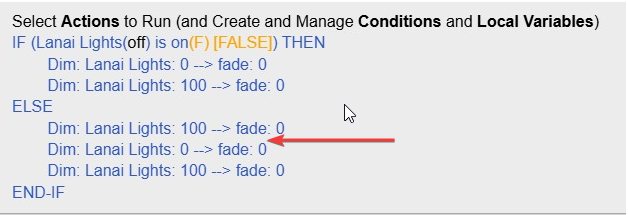
I set up a button rule, very similar to rule machine.
I used a condition based on whether the light is already on or off.
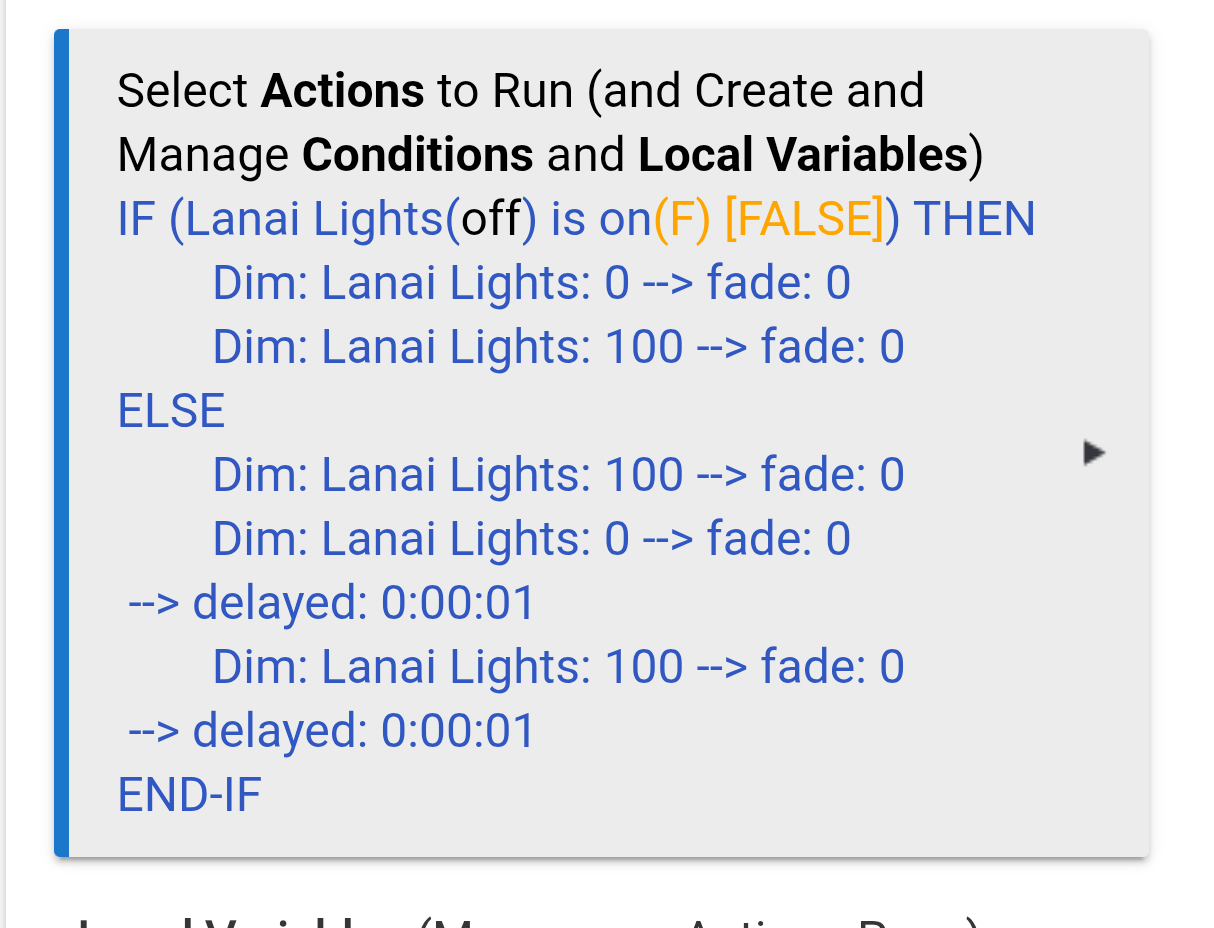
I can get the light to switch to night light when the light is on, but when the light is off the lights just come up once. I have delays set in to wait for the dimming to shut the switch off. Not sure if the stop dimmer action works stopping the ramp rate.
I'm confused what you want this rule to do; I don't see the action I suggested in use anywhere, and there's no point in using "Stop dimmer fade" when you don't have a "Fade over time" action going on in the first place. I suspect you really just want the action I indicated above instead of the "on." A "set level" will also turn the device on, and with 0 fade as I specified, it should be instant.
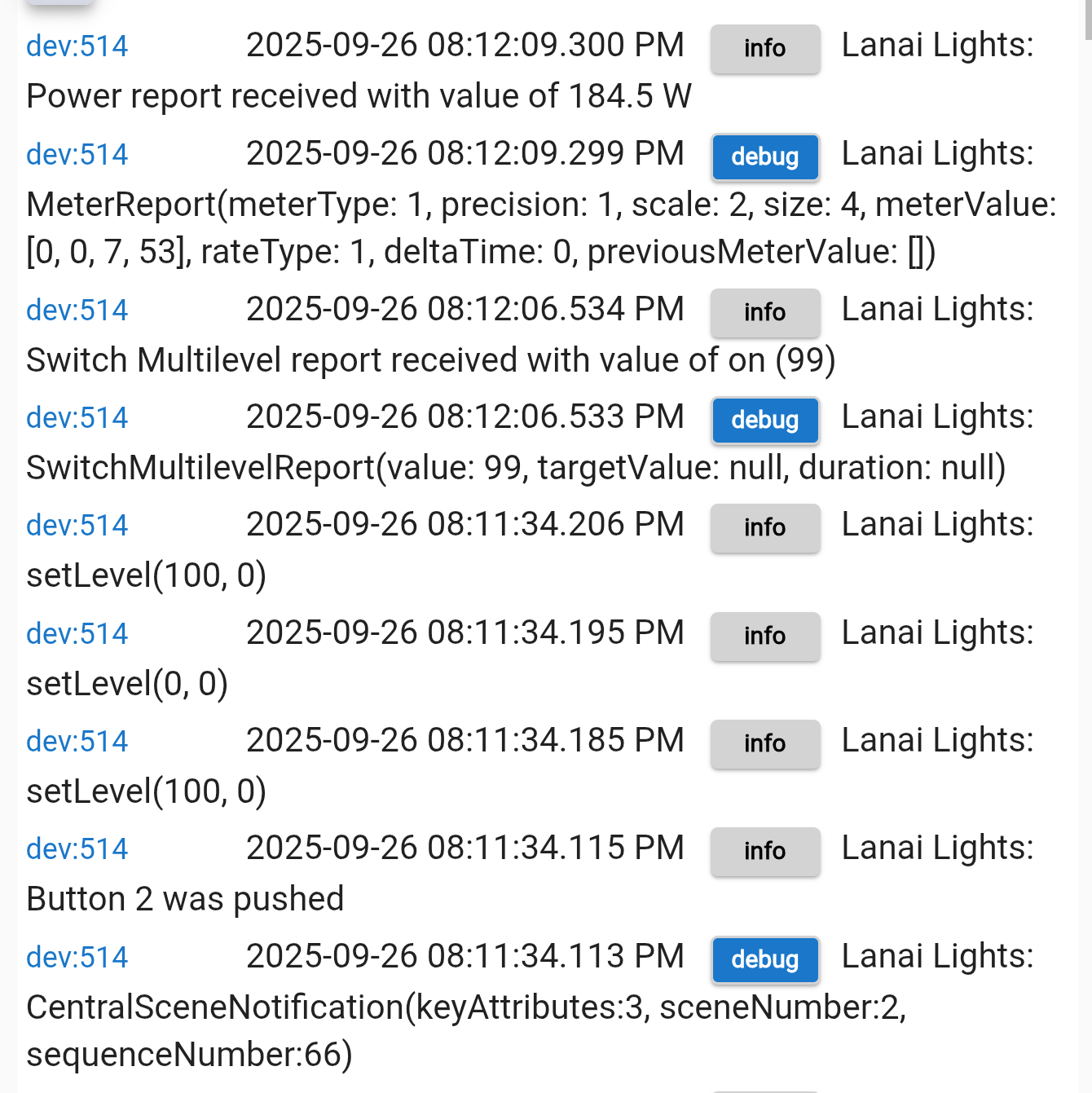
As a good step in troubleshooting rules, including button rules, I'd suggest enabling all logging (and "display current values" as is already on), then look at the output of Logs to see what is happening when.
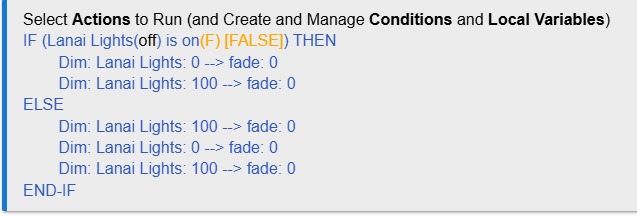
I'm trying to get the lights to go into night light mode, that requires the light turn on, then off, and then turn on again. The rules I'm trying to create are so that I can turn that night light mode on whether the light is on (off, on) or of f (on, off, on).
I rewrote the rule using your suggestion and that works with the switch changes happening quickly when the light is on. Thank you.
I'm only stuck now trying to get it to work the same way if the switch is off. Right now, the light turns on and nothing else happens.
I really meant logs for the app, but since these show the commands sent, it's almost as good.
Do you need any delay between the effectively on and off (really set level) actions? I'm not familiar with how this device responds in real life, but maybe it's happening too fast.
You could start with 1s and see if that works, then go up and down from there to get it to a reliable spot. Adding a small delay between the off and on might make it more reliable too, if it is not working 100% of the time for you. Sometimes even just 0.2s will do the trick.
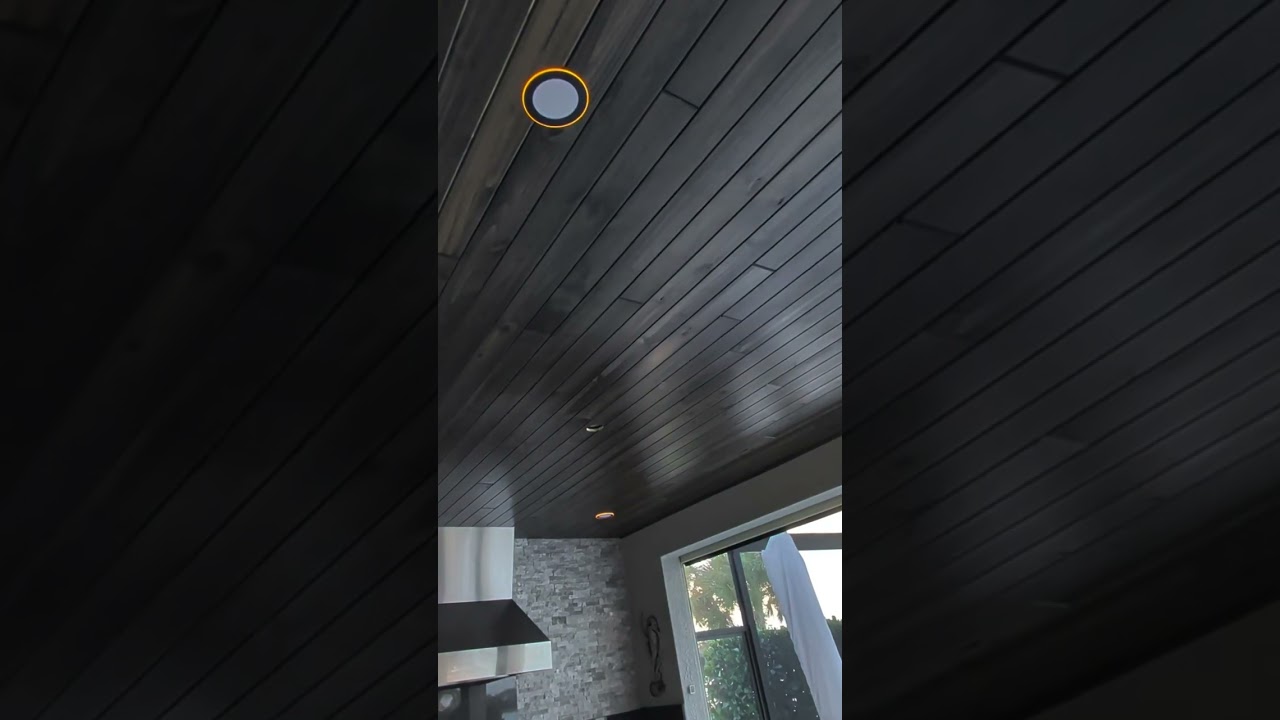
As shown in the attached video, with the dimmer set commands it happens quickly. But that only works if the light is already on. I'm having issues getting it to work when the light is off.
Just did and it worked. Thank you. Didn't think to add it back in because the original rule I posted at the beginning of this post which had delays didn't work.
Appreciate both your help. Just learned something new about button rules and dimmer set actions.
My next question, how to I add a device that would mimic the double tap?
This is because you used them wrong, at least assuming you wanted them separated. A "delay" on an action schedules that action for the future, the moves on to the next action immediately. You'd need to slightly increase the delay on subsequent actions to make them not still effectively happen right after each other; or you can use the "Delay" action (my preference), which will pause at that point. This is spelled out in the documentation, which I'd encourage you to read.
Pardon my ignorance, but I was initially trying to pause them to make sure the switch had time to turn either on or off before the next command because of the obvious ramp rate or dimming. Using your dimmer set action removed that delay so I didn't think to add the delay back into the rule. I used a 1s delay at the 2nd and 3rd action to and it appears to be working now.
As far as what I mean creating device, I'm thinking along the lines of creating a virtual switch that would allow me to emulate the physical double press so that I don't have to physically do it. My switch is located inside the house while the lights are outside. I would just like to link up to Google or Alexa and use voice commands to control them.
Keep in mind that, as I stated above, the second delay as you wrote it doesn't really add anything: both of those actions will happen right after each other because you scheduled them both for 1 second in the future. There is no delay between them (other than the milliseconds or less that inherently elapse as the rule moves between actions). A standalone "Delay" action before the first of these or two standalone "Delay" actions, one between each, would be a clearer way of showing whichever of these possibilities that you want.
Why not just call the push(2), i.e., "Push button 2," command on the button device (the switch/dimmer) itself? You can do this from a Rule, including a Button Rule. I don't see a reason to add another device, virtual or otherwise, into the mix. This command essentially generates a virtual event in lieu of the physical action that ultimately generates the same events.
There is a rule action to push a button. That is what I meant. You can find it in the menus like other actions.
You don't need a virtual button for the above, and I don't think you really need one at all. But this might be clearer if you said exactly how you want to do this (an English description of your entire automation) if the above isn't helpful to figure it out.
The only way I can see getting this to work with Alexa and Google is to create a virtual device so they can treat the button press like a switch.
The button rule only defines what the physical button presses do, I don't see how creating a rule would achieve what I want above. If you can share how I can accomplish this in a rule, that would be helpful.