My first post - Sorry if in the wrong place!
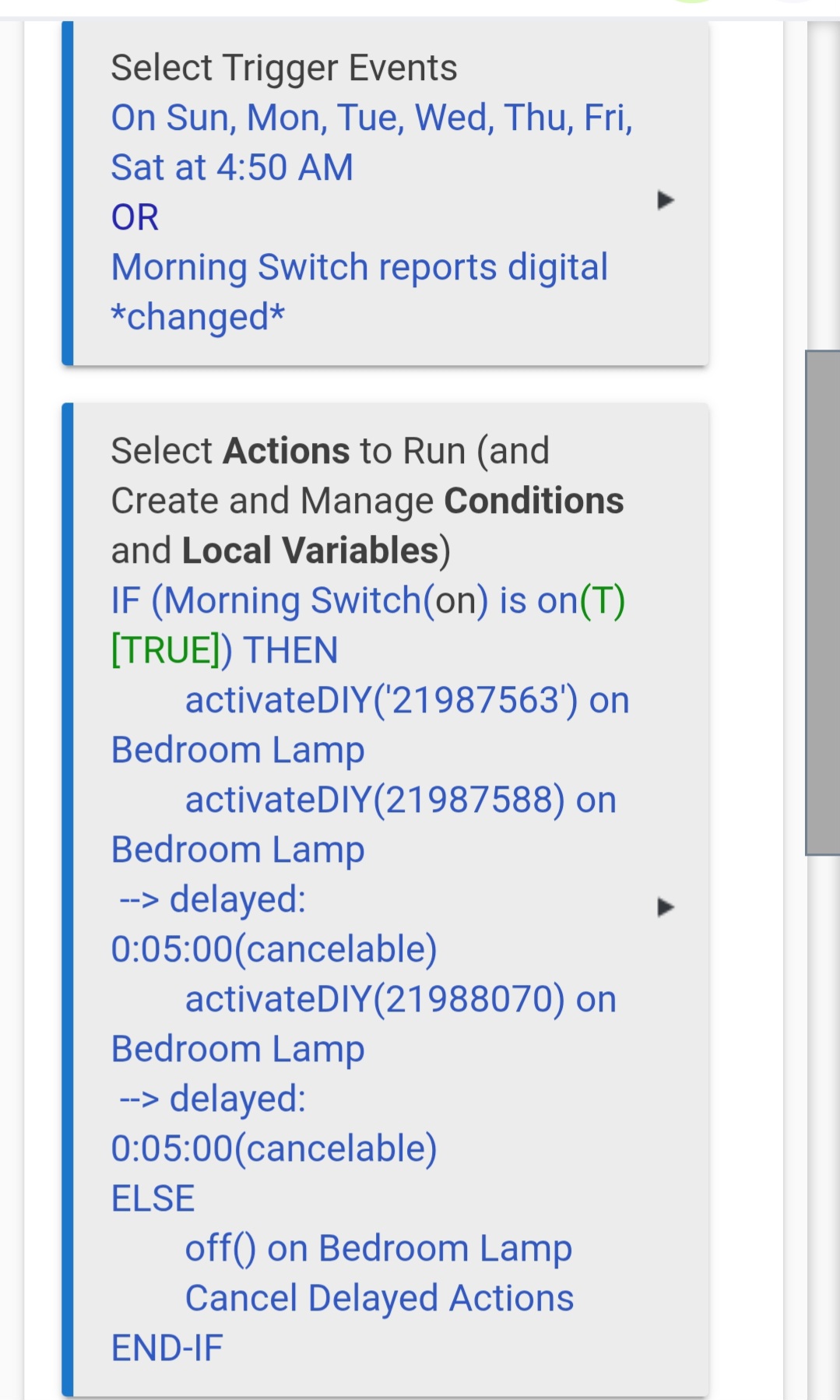
Trying my first rule to set a series of actions in the morning that I can stop at any time. (Like an alarm on/off button, which is the trigger)
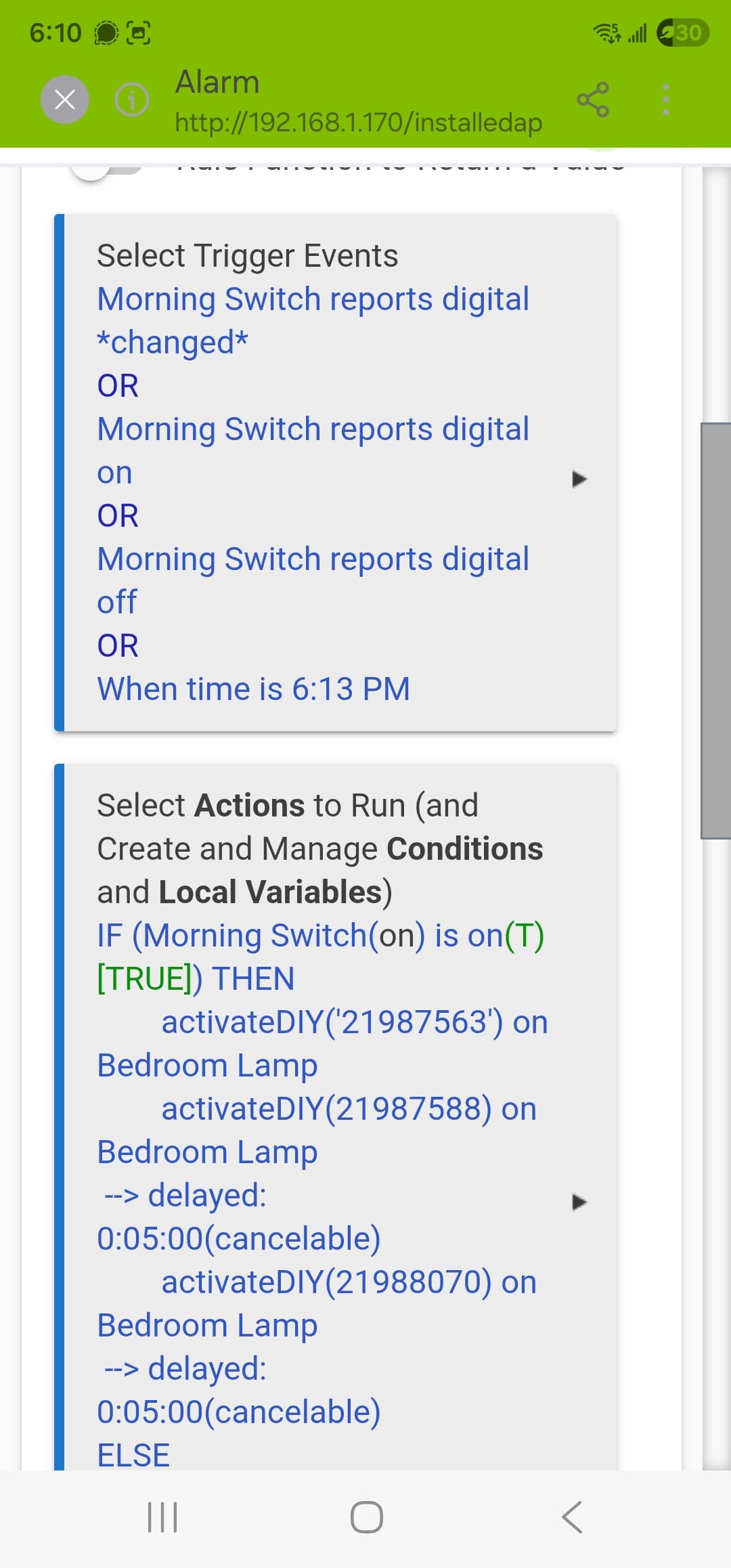
So far I have this - all the actions run, but the virtual switch won't trigger it no matter what I do.
I'm also not certain that any change to the switch (like turning it off) once it is running would stop it as desired.
The only thing the switch is doing correctly right now is determining if the lights need to be on or off. So they are talking...
Is there something I'm doing wrong here with the trigger or the switch itself?
Thanks for any help in advance!
Was there a particular reason you chose digital as the trigger here? The distinction between that and a physical change may not at first seem relevant to a virtual switch, but it comes down to what is the virtual switch driver reporting when you toggle it on/off...
Try a different trigger and see what happens. Also, keep an eye on the Events tab for that switch, as well as Logs to get an overview of how the system is trying to react, e.g.:
1 Like
Yes, exactly.
I want the time to trigger it (that doesn't work either), or a voice automation with google home (that works to change the switch okay back and forth but nothing happens).
Everything runs the rule, and all the pieces seem to be working, but nothing is working trigger the rule...
going to try setting the trigger to the lamp turning on and see if that works.
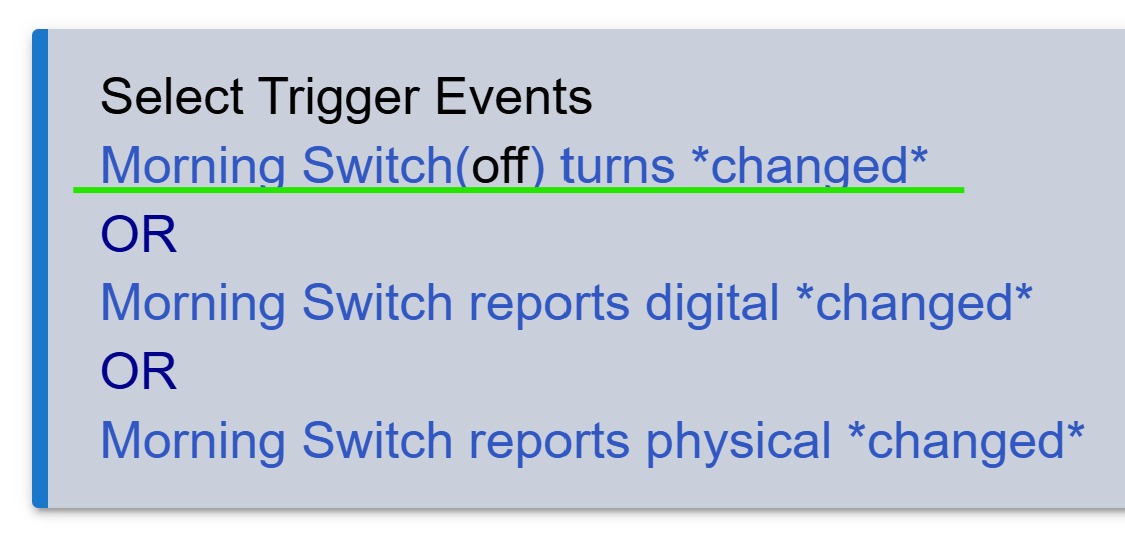
To further illustrate, this RM rule has three different triggers for the same Morning Switch device:
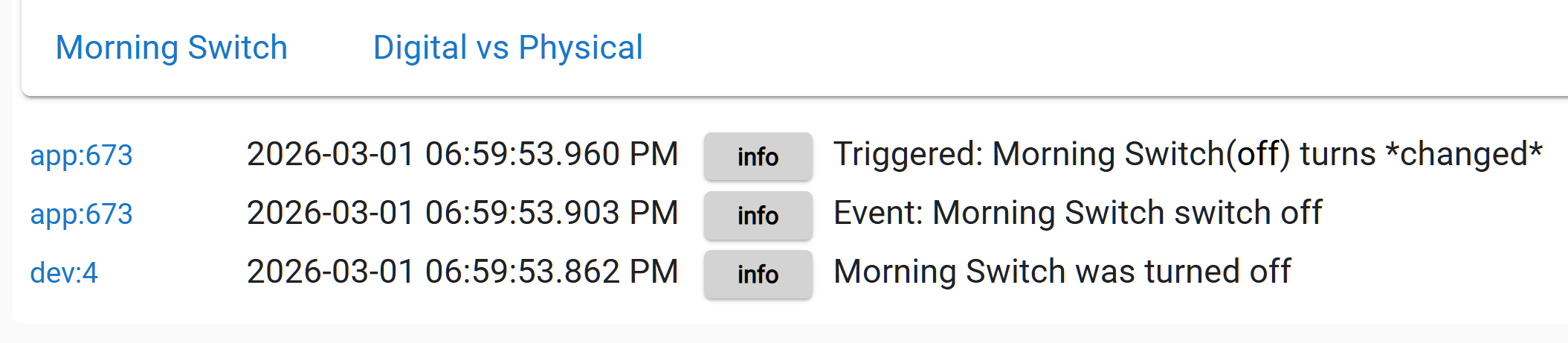
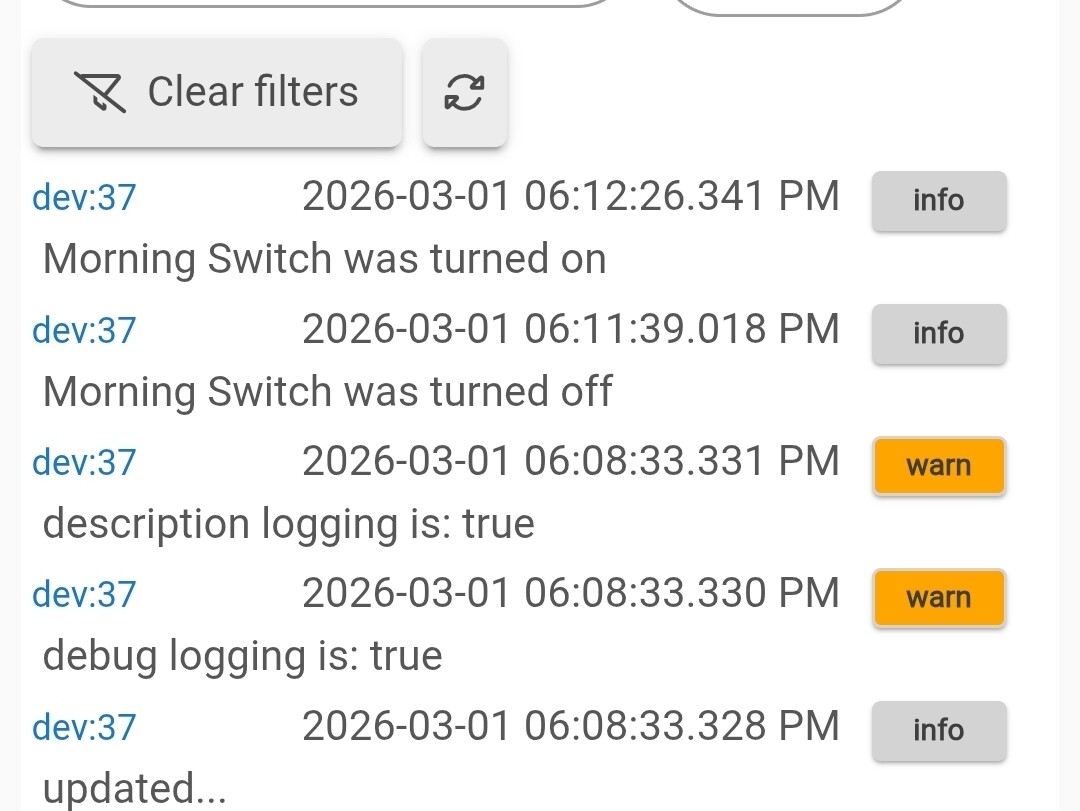
But toggling that device off (using its Device Details page), gives this response in Logs, meaning only the green-underlined trigger fired in Rule Machine:
1 Like
Thanks so much for your ideas.
Update:
Deleted the triggers and adding a physical switch instead didn't help. Same issue.
Now wondering if I need a command to wake the lamp up or something, if the trigger looks like it's programmed correctly. It's a Govee lamp, I don't know if they are particular or not.
Checked the logs and events on everything and the digital switch is logging off/on correctly.
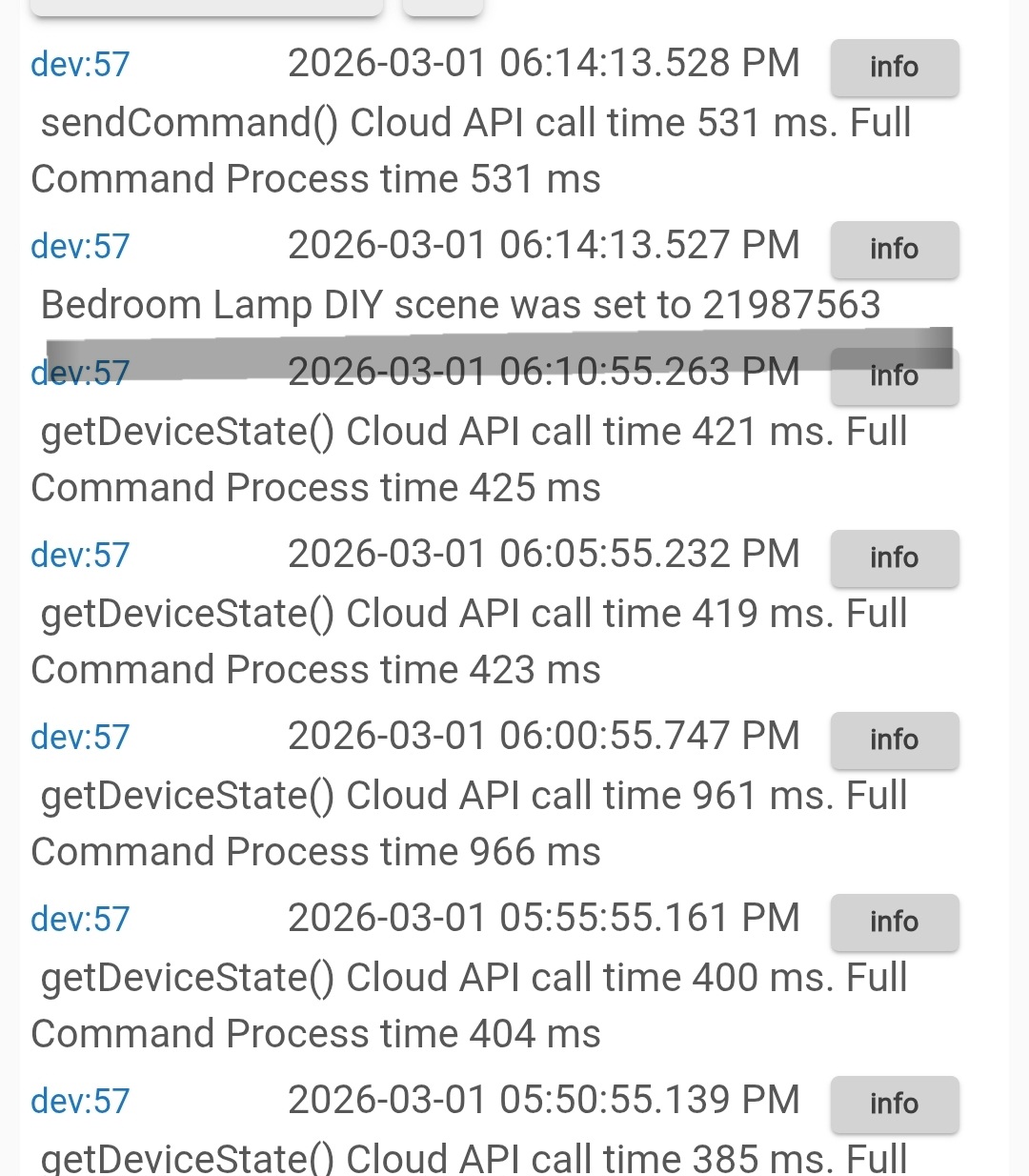
The lamp logs are totally silent, except for successful tests of the run commands button. Those I see.
A good first project, no? 
Maybe show us a screenshot of the logs for that timeframe?
To make it clear, I changed the triggers ro cover all bases:
I manually turned on/off the digital switch a few times (nothing)
And these are the lamp logs - at 6:14 I went into the rule and hit run actions, and you can see it started there:
I'm still seeing all three Triggers of type Digital Switch. Mind trying plain 'ol Switch instead? Your Logs suggest this is the issue IMO.
(It's OK to select changed as the comparator, but I really think you need to get away from Digital Switch or Physical Switch capability.)
1 Like
Well, that is interesting. I didn't see the option for regular ole switch. I'll use that from now on.
I tried that. Sadly, still didn't work.
Going to scrap this method for now and try to re read the Govee home integration docs again. I think there has to be something to do with that app - will report back if I figure it out, but I have to put this down for today.
Thank you for your help.
1 Like
Okay, so I didn't take that break, but the good news is I figured it out.
I made a new virtual switch and added everything back in piece by piece.
EVERYTHING works exactly how I started with it except using "switch" instead of digital switch, and using a new virtual switch I named "test switch".
Something about that initial Morning Switch was not working, and it's crazy that hours spent trying to figure this out came down to just making a fresh switch!
Thank you for your help and patience, and for the tip on the different types of switches. I also learned where all the logs are! I'm Up and running for my work wake-up tomorrow 
1 Like