Is there a way to find out if a particular method in my app already has a CRON job coming up and at what moment is it programmed to fire? I know this has been asked a few times before but those are like 3-4 years old. So just hoping that something new has been implemented or if a whitelisted library has this functionality in it?
http://<hubIPaddress>/logs/json jobs key will give you a list of pending jobs.
Thanks thebearmay! Do you have an app that uses this method so I can have a working example? If you don't, I'll figure it out 
127.0.0.1:8080
1 Like
I remember using it for a one off, need to look around and see if I can find it.
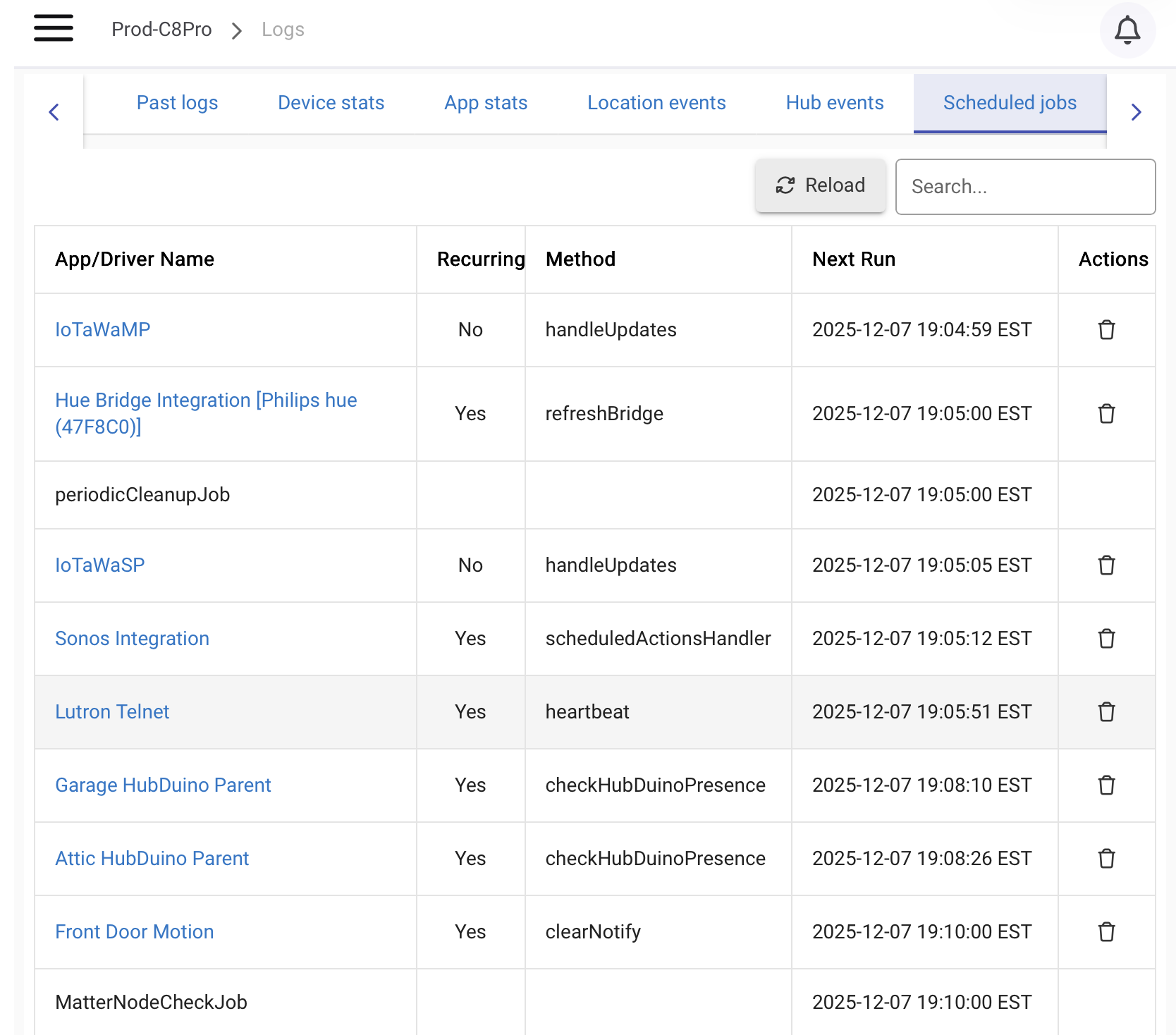
I thought @nclark wanted to get those programmatically:
If that's the case, here's some code to get you started:
def fetchCurrentStats() {
    try {
        def params = [
            uri: "http://127.0.0.1:8080",
            path: "/logs/json",
            contentType: "application/json"
        ]

        def stats = null
        httpGet(params) { resp ->
            if (resp.success) {
                stats = resp.data
            }
        }
        return stats
    } catch (e) {
        log.error "Error fetching stats: ${e}"
        return null
    }
}

def getCurrentStatsSummary() {
    def stats = fetchCurrentStats()
    if (!stats) {
        return "Unable to fetch current stats"
    }

    return """
        <b>Uptime:</b> ${stats.uptime}<br>
        <b>Devices Runtime:</b> ${stats.totalDevicesRuntime} (${stats.devicePct})<br>
        <b>Apps Runtime:</b> ${stats.totalAppsRuntime} (${stats.appPct})<br>
        <b>Total Devices:</b> ${stats.deviceStats.size()}<br>
        <b>Total Apps:</b> ${stats.appStats.size()}<br>
        <b>Scheduled Jobs:</b> ${stats.jobs.size()}
    """
}
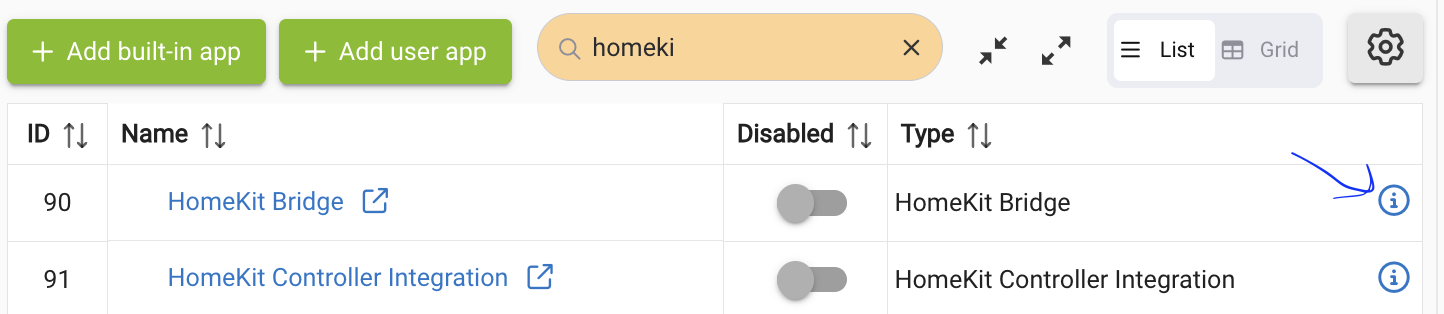
If via the UI, easiest is to go to the app status page and scroll down to the list of the app's scheduled jobs.
3 Likes
Ahhh, yes! I should have read the question more carefully!
1 Like
Using that snippet status.jobs.each should give you a set of jobs information that looks similar to {"id":"app2382Recur.clearChldCaches","name":"webCoRE HE","link":"/installedapp/configure/2382","recurring":true,"methodName":"clearChldCaches","nextRun":"2025-12-07 20:19:22 EST","nextRunDt":"2025-12-08T01:19:22+0000"},…
1 Like
@ogiewon, this was programmatically as @hubitrep pointed out, reason it's in coding questions but I did learn something that I did not know or noticed that you can find them there also.
Thanks @hubitrep and @thebearmay, I'll look into that code, should get me started so that I don't need to keep score in a state variable of what is already scheduled and the cleanup that is needed each time one is fired from CRON, this will be a lot easier!
4 Likes
Do you really need to perform an API request to get infromation from the hub?
Is there no hubitat sdk available that would allow developpers to access hub functionalities directly ?
Yes.
1 Like
I'd say "sort of. 
Assuming the new post is continuing the original topic of discussion, it's your app or driver code, and you're in complete control of if and when things are scheduled, so you ultimately know what they would be. Whether you find that convenient for your particular use case (the exact one here being unclear) may be a different story -- but doesn't change this. 
(But starting from a completely arbitrary state, yes. Note that there is a way to unshcedule a specific runIn-type job, as compelling use cases for that have come up; so far apparently none for this.)
1 Like

