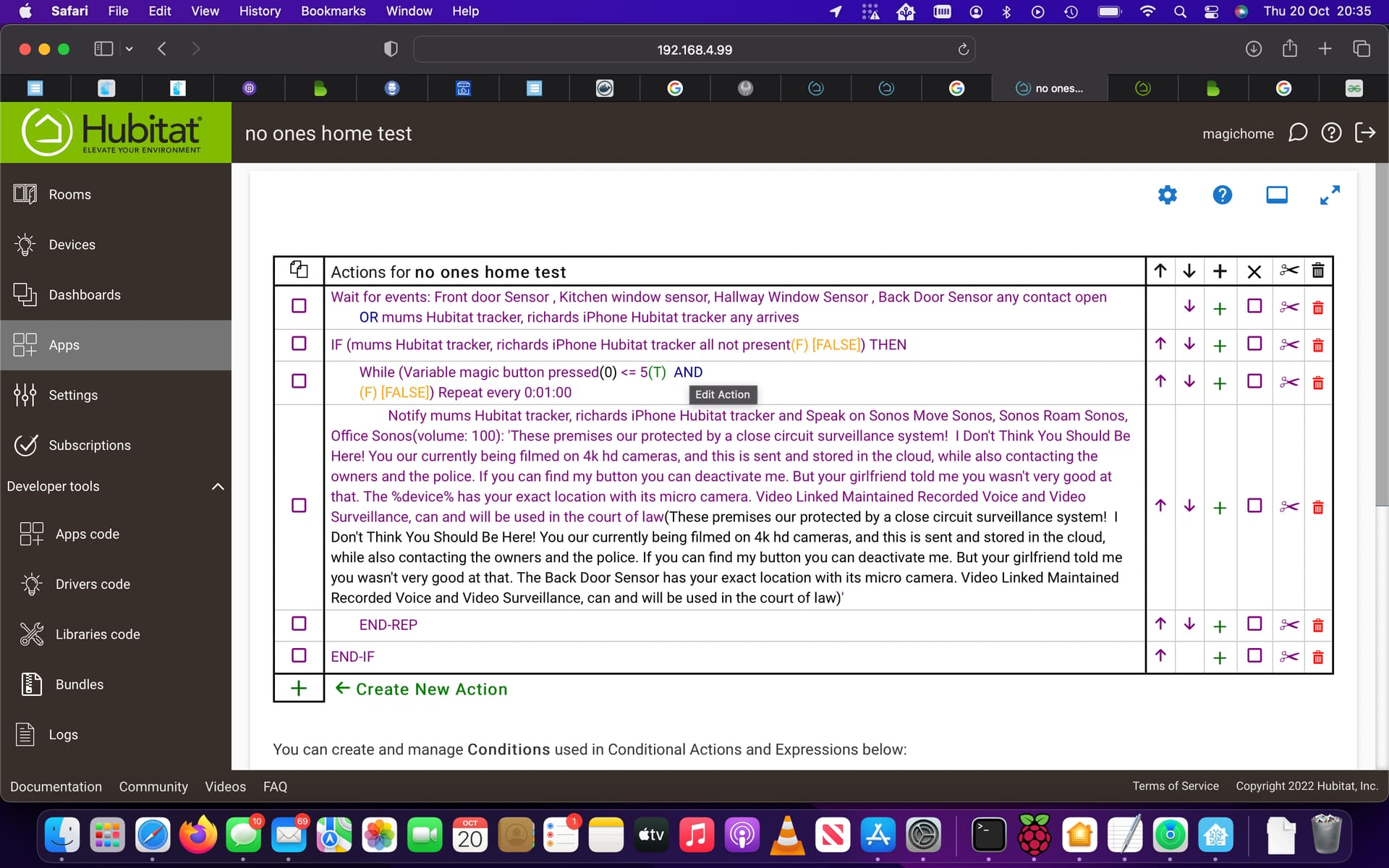
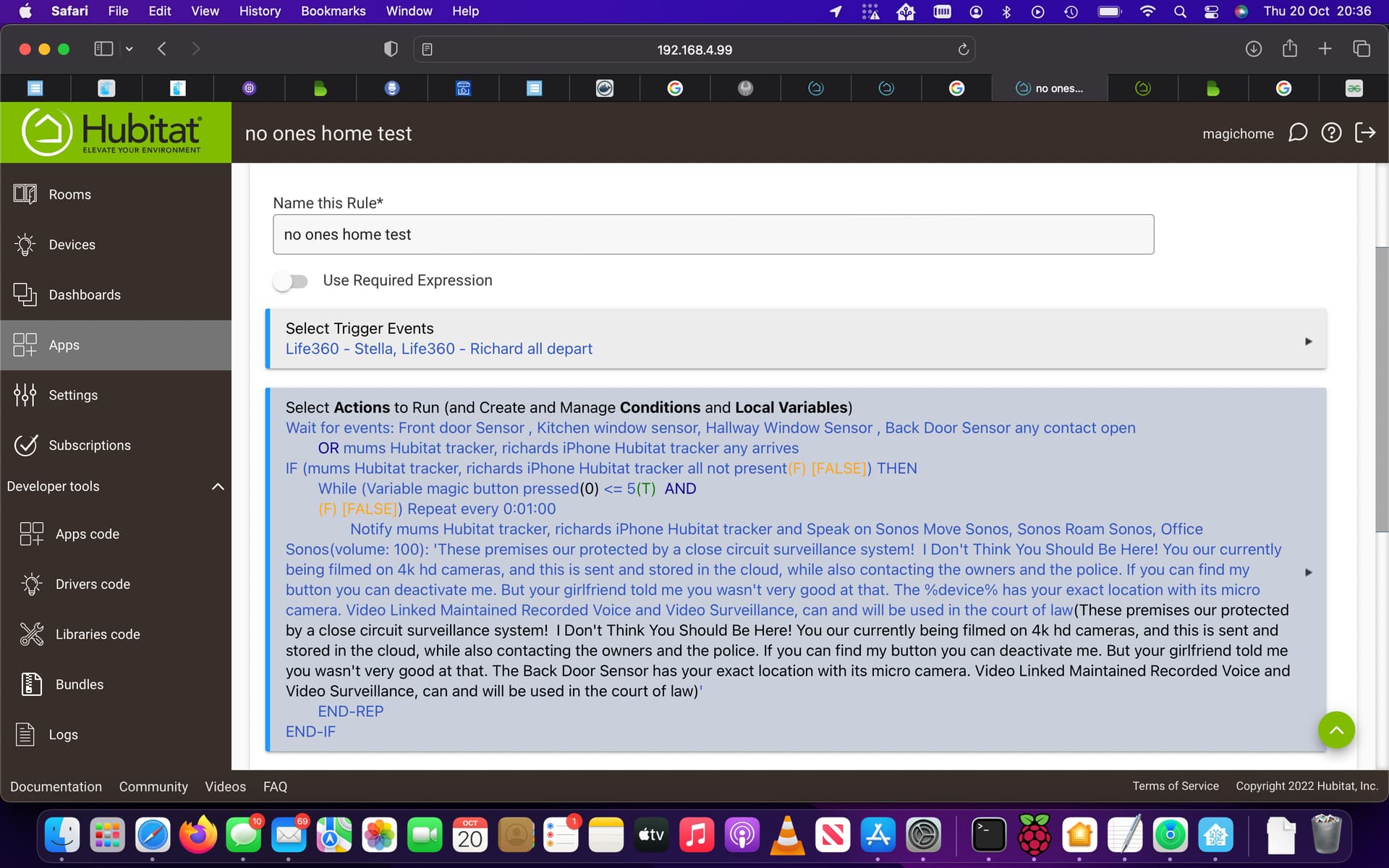
cool I will remove one, you have the working on presence again thank you 
I have a rule for a single press could this be interfering with this new button rule, does this other rule need to be paused for this button rule to work
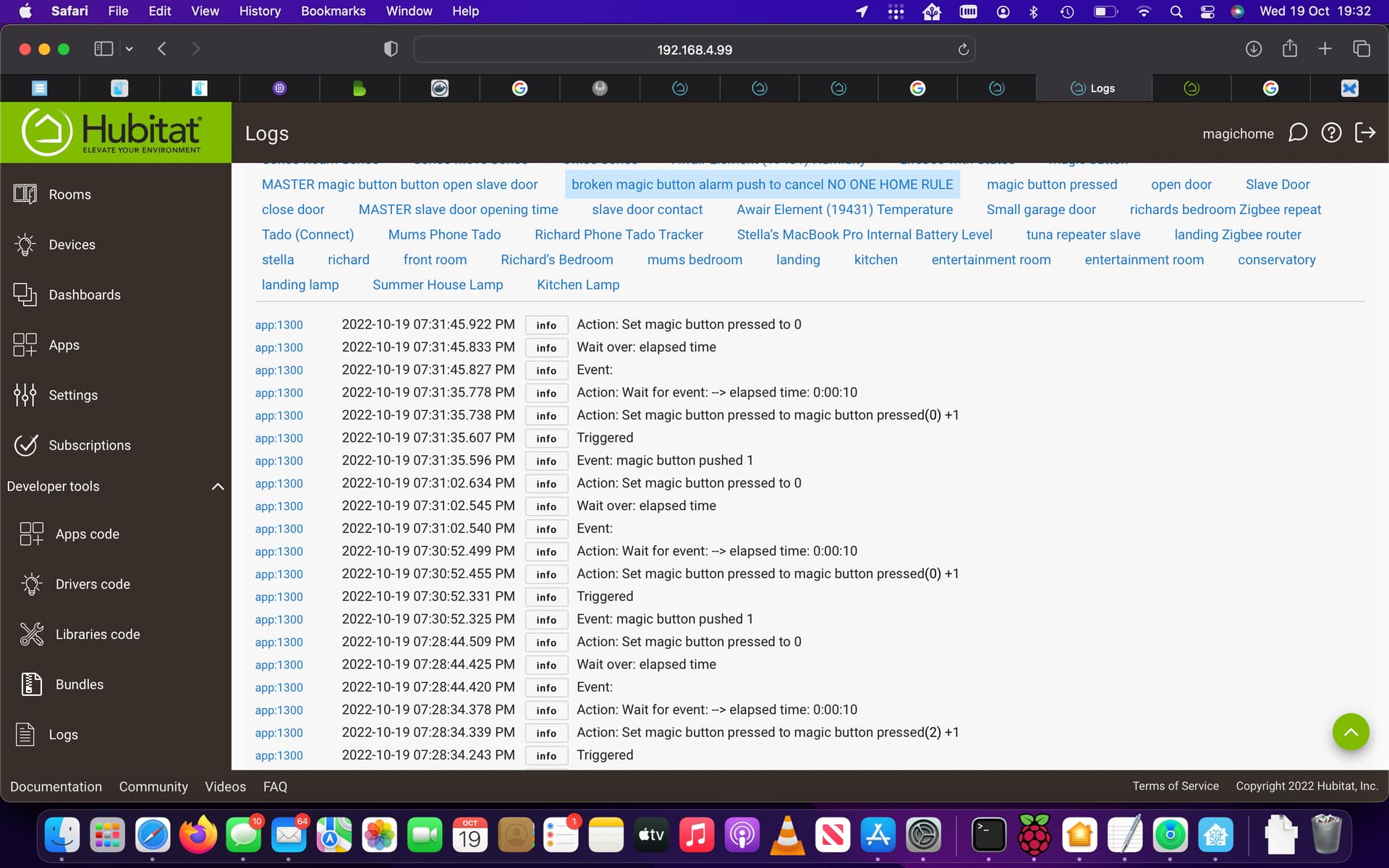
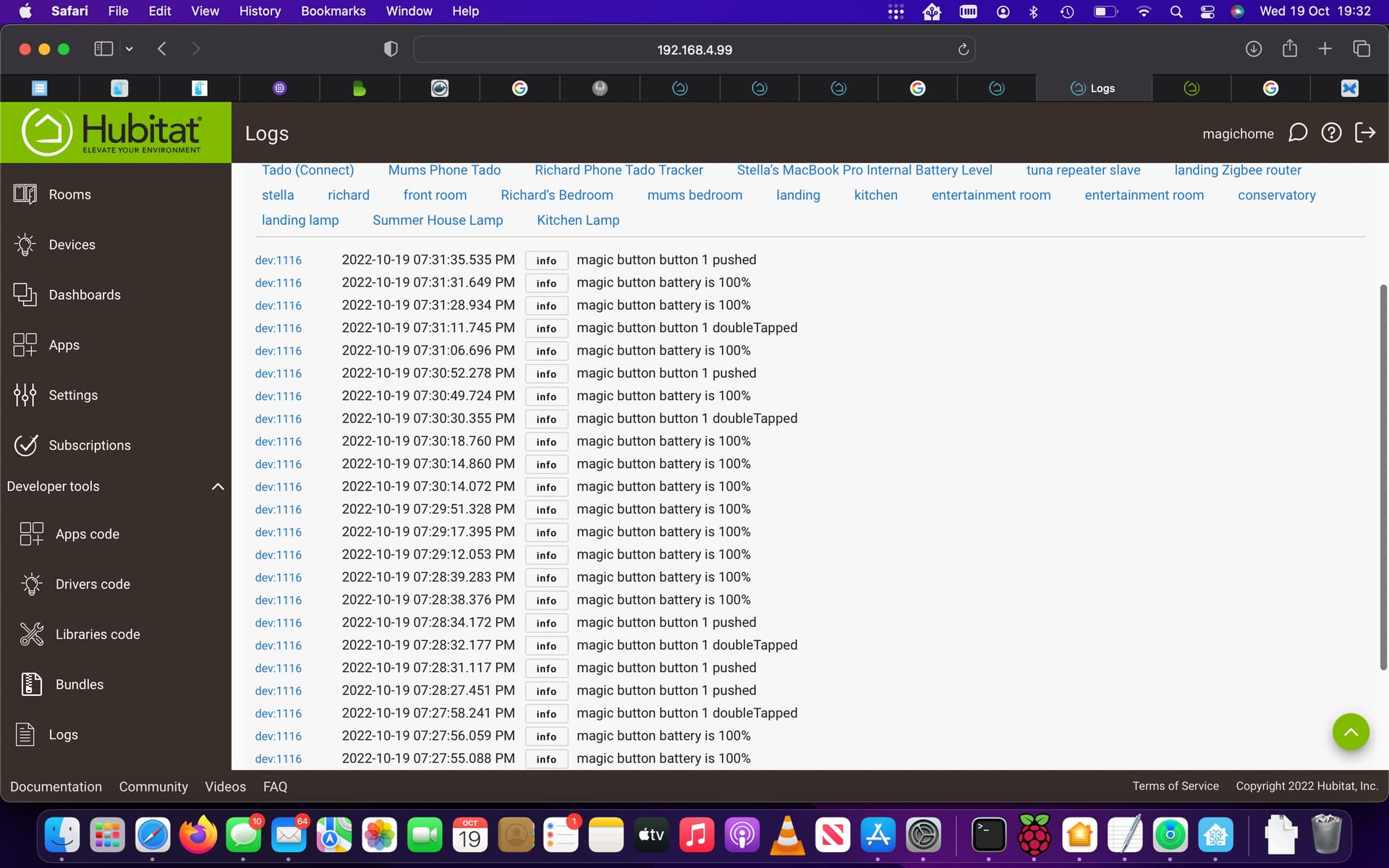
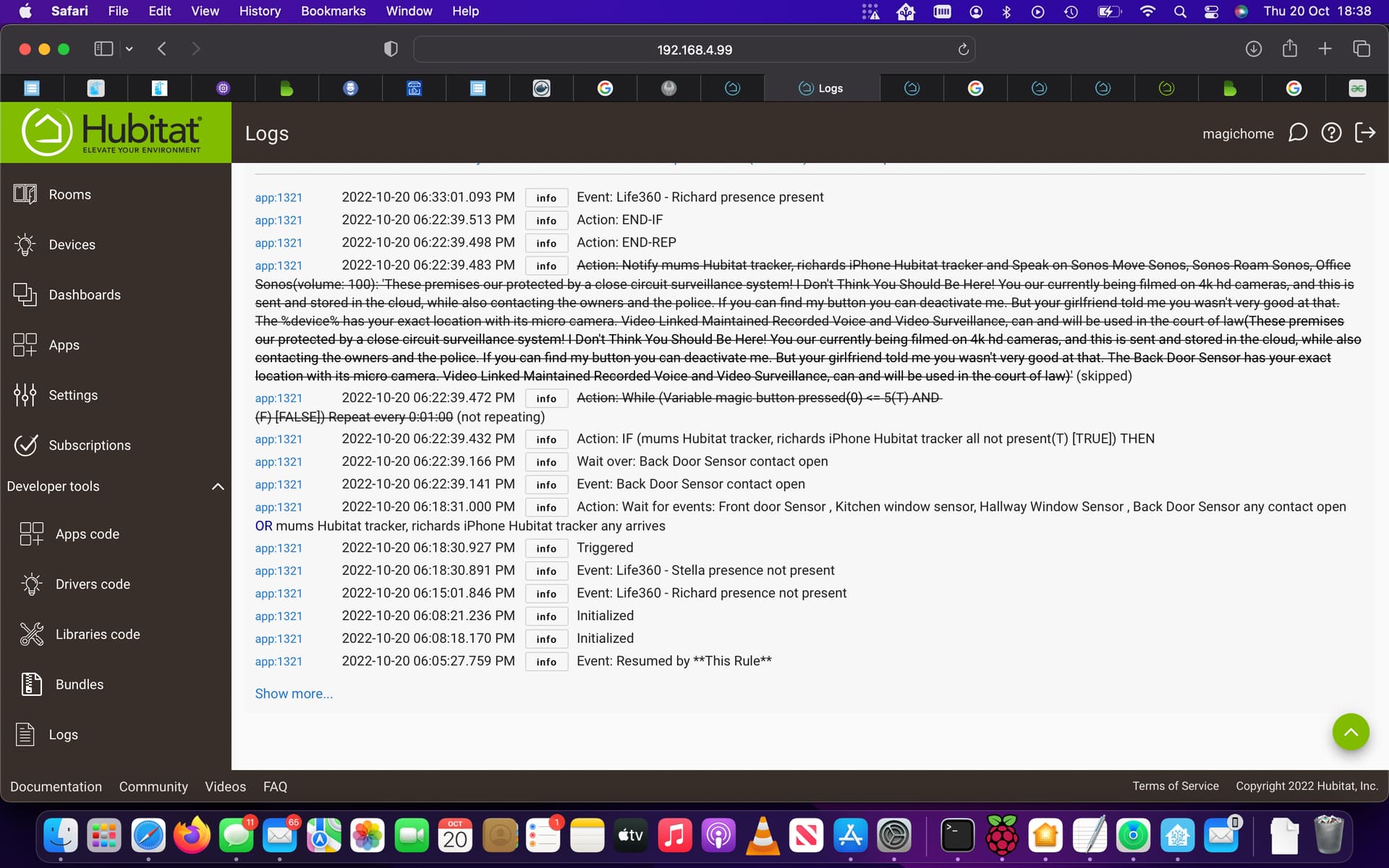
this is the logs for the rule we our working on, it only counts to 3 sometimes and that's hard work
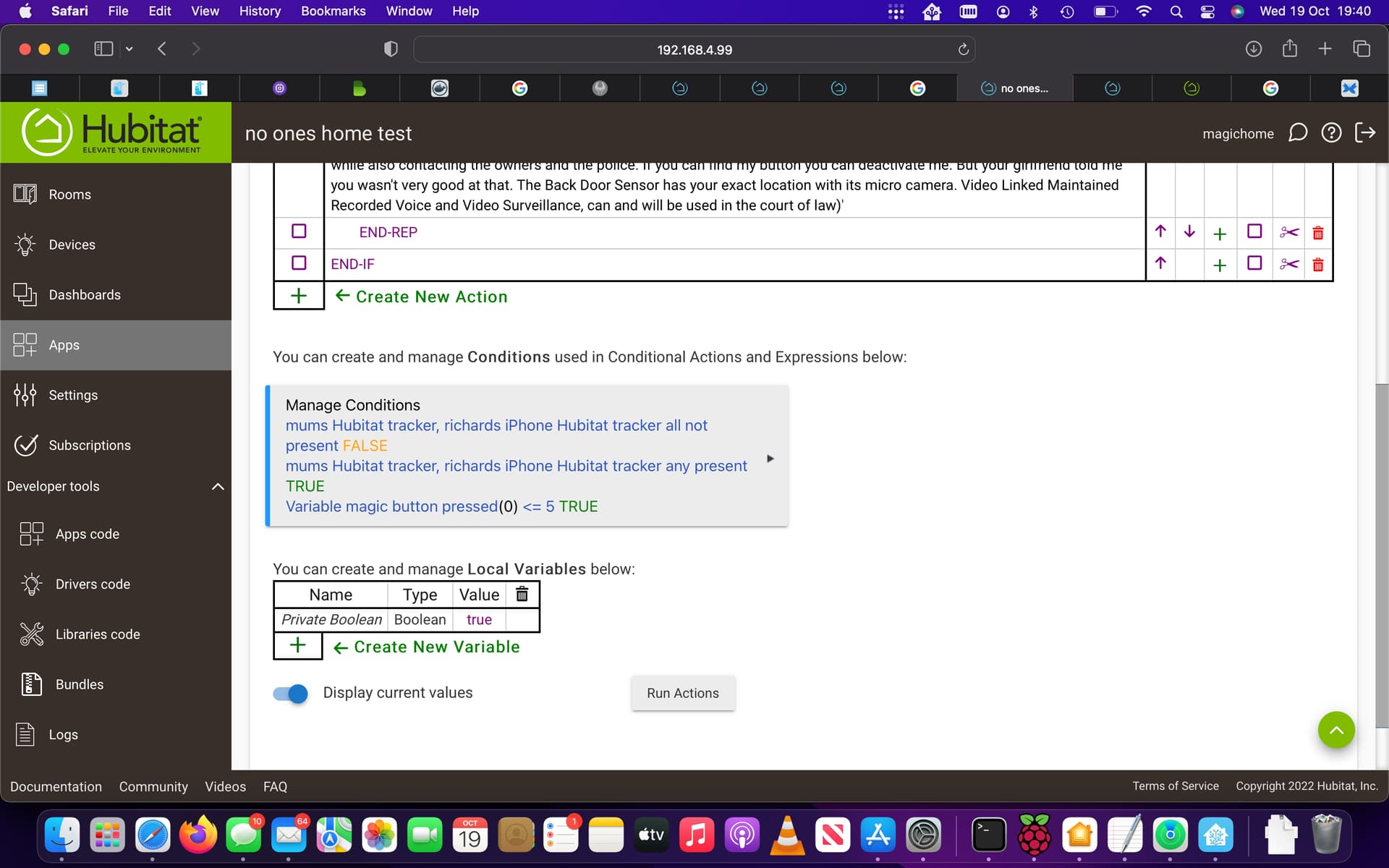
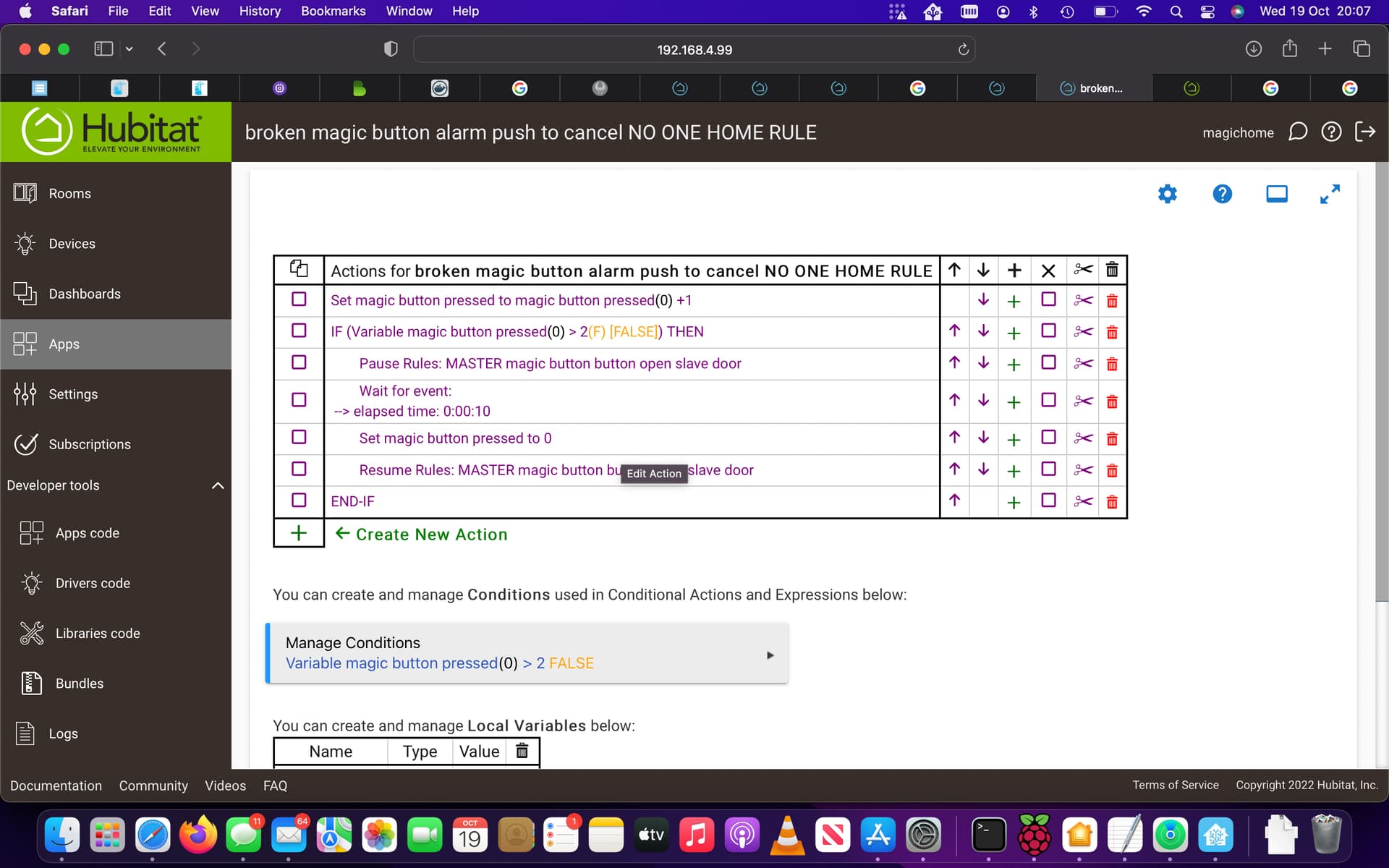
this a rule I made to open and close the door, I think it was a rule you may have helped me make I just added a button to open and close it on a single press
that looks better, that way it knows it has be pushed more then once maybe even if I have to tap it 10 times lol
The secondary rule won't cause problems, but you will end up triggering your door rule when pressing the button.
From the logs, it looks like you're pressing the button quick enough that some of the presses are being picked up as double tapped. What device type is "magic button"? It could be that you don't even need the count and can just require a sequence instead. Something like double-tap, double-tap, double-tap....on the button that would be double click, pause, double click, pause, double click.
that would be really cool I think that would work better and feel better to do rather than trying to tap a button loads of times. its a fibaro button.
I just tried to be clever and play with the button rule, I bet its totally broken now lol. can soon change it back
when I did a restart on the hub last night I lost connection to all my devices in HomeKit beta is that meant to happen?
that sounds super complicated I got a brain freeze lol
I'm not a Homekit user so I'm not sure.
You should definitely focus on getting the rule to work before trying to add/change things up. Since you're using double taps to increment the count, you may want to change the threshold in your notification rule to something lower. Doubt you want to have to hit the button 10 times. Why not set the notification rule to something like "variable <= 1" so that you only need to double tap twice to stop it.
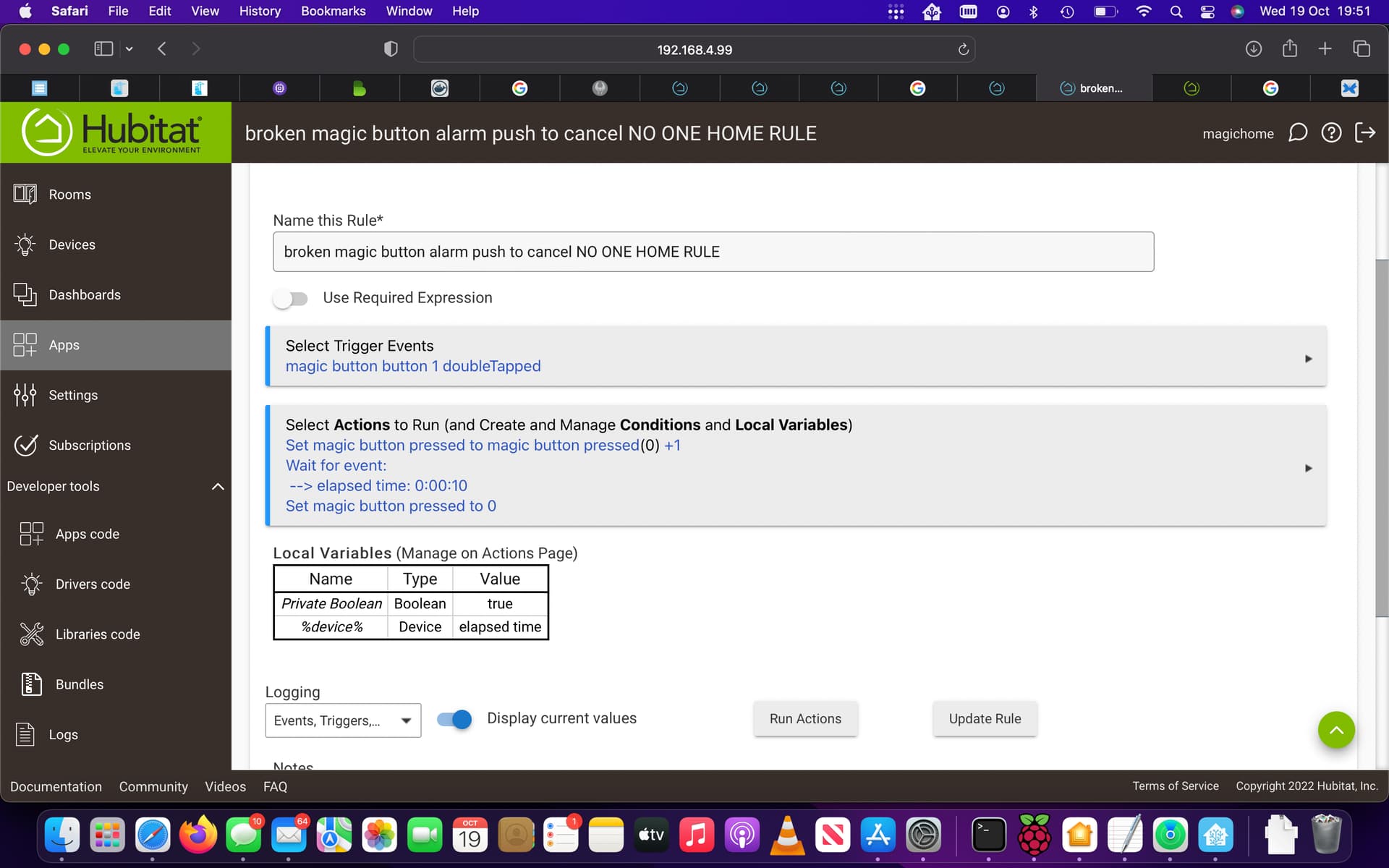
For your magic button count rule....you need to change the elapsed time to something more than 1 minute...maybe a minute and 10 seconds.
1 Like
I would prefer something like 3 double taps, as it will give me room for more automations and someone might double tap it just by chance, if its a least 3 double taps I thing that will probably be cool, it would be nice to pause the door when this is running but if its not possible it still might be ok as it will hopefully just pick up a double press rather then single so won't fire the single press rule. I am burnt out n need to sleep on this thank you for your help stopping the thing always playing. I will have another trail on it to see if its working tomorrow and try playing with this counting rule tomorrow thank you again
Definitely make this update before testing. If not, what will most likely happen is the variable will get reset to 0 before the notification rule checks it again. Repeats only check the conditions based on the repeat interval. So, most likely, you'll hit the button the right number of times but the variable will get reset to 0 before the repeat condition checks again and the rule will not stop.
1 Like
I made the changes you said to the time, but the rule didn't run at all tonight the button rule stoped it this time but without the button being pressed lol
or was it because the location wasn't updated for some reason? the phones taken with me both showed to be outside geofence?
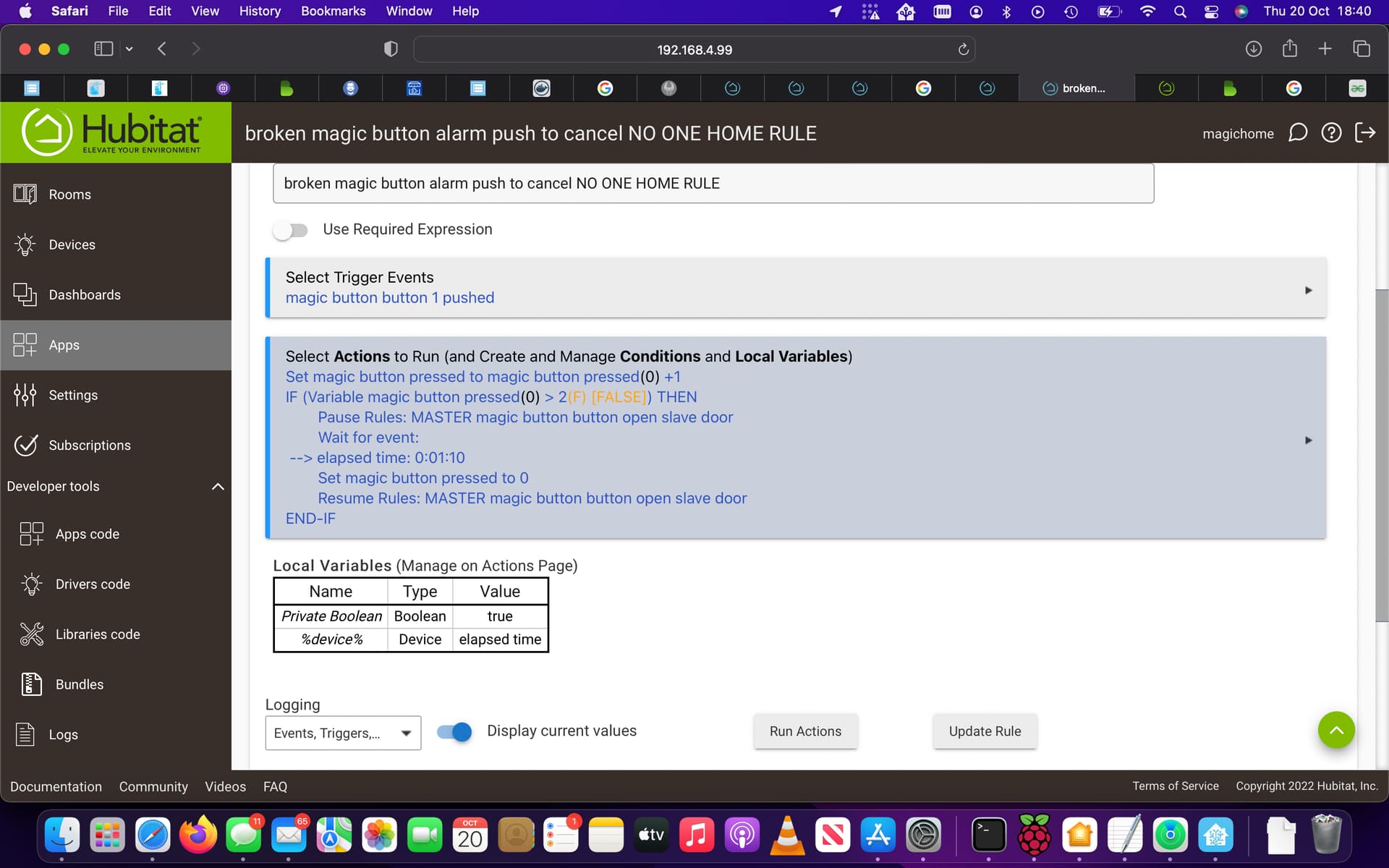
Show the current state of the main rule.
that's the main rule
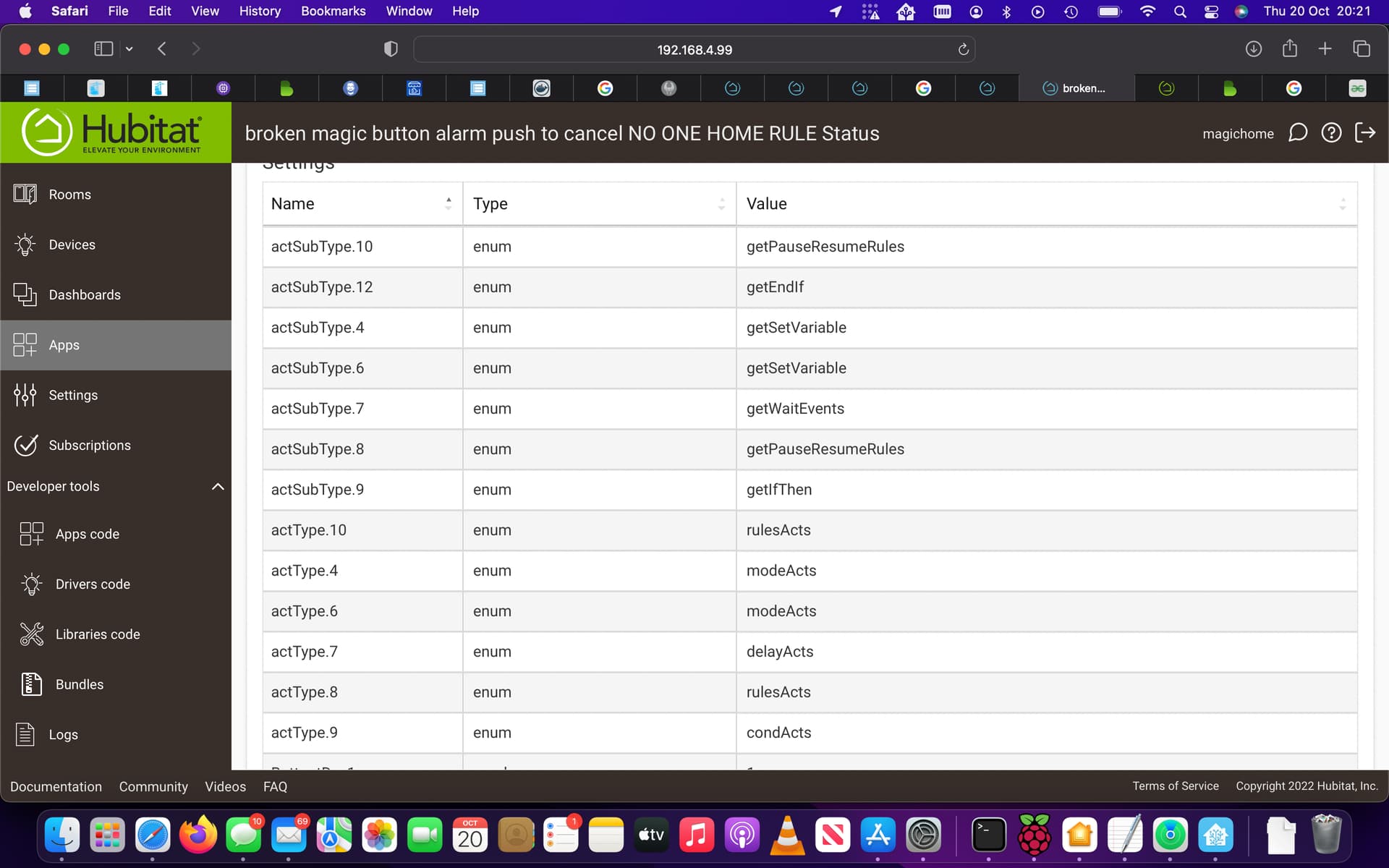
that's the button I think
I meant the current trigger/actions settings.
is that the main logs?
also the last week or so since I have been playing with this rule, one of my working rules keeps pausing by itself, very odd it was one of my first rules that you guys helped me with and its worked well for ages before the last week or so?
I think I lost a couple of device when resetting too, I haven't repaired my HomeKit bridge but noticed that some device our named wrong ie if it was a down light now its a chandelier very odd.
part of my goal tonight will be to repair my homkit and make sure each device is working and everything is there. I will send over some more logs hope I get it right this time
looks like my life 360 with stats is playing up, I thought I had the Hubitat tracker in this rule will check
I will take the life 360 out the first part sorry