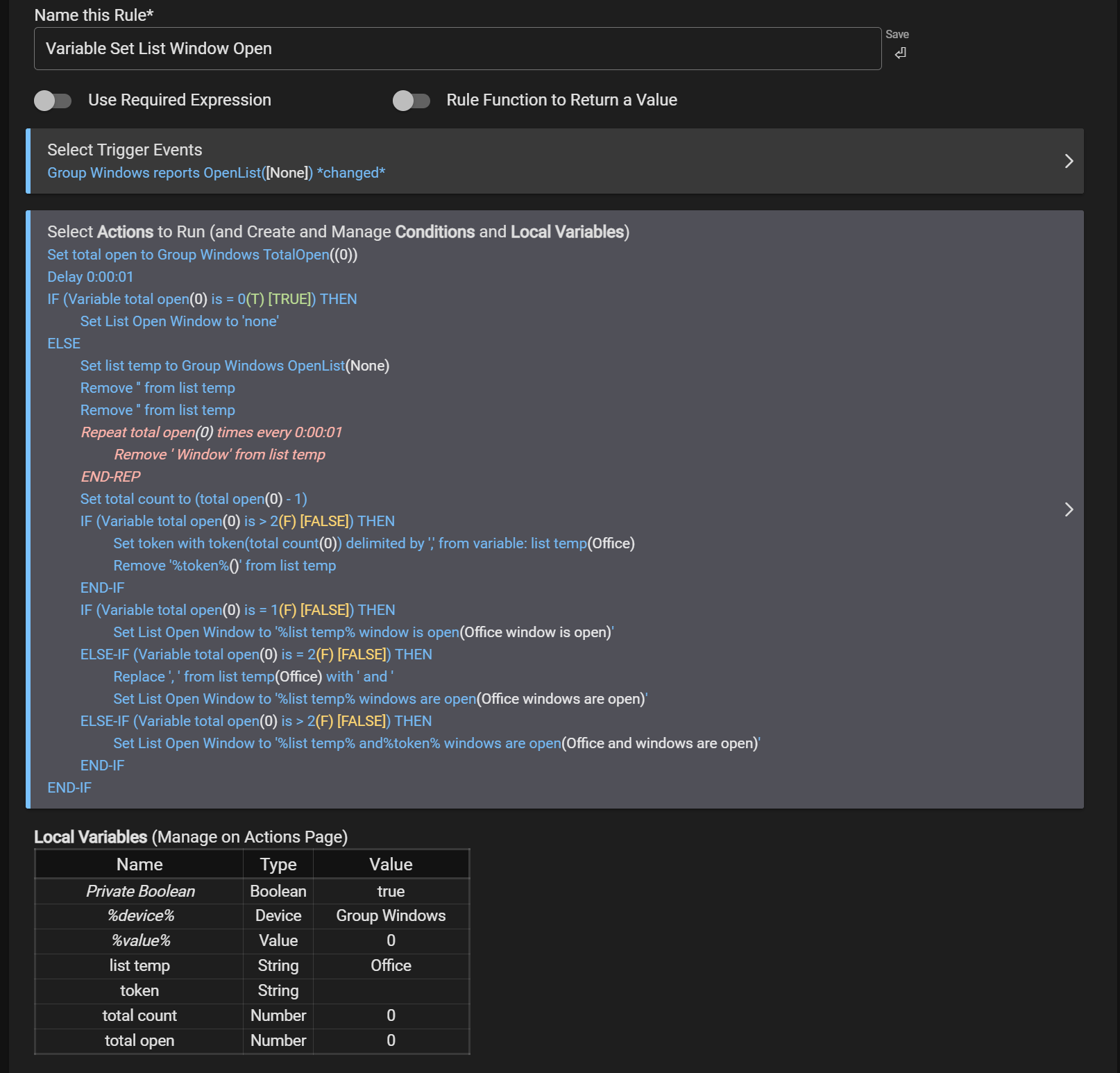
@gopher.ny I use "remove string" in a few rules to modify a list of devices that I don't want their entire display name included. Example Dining Room Window, I use "remove string" to remove the "window" so it becomes Dining Room. If the variable contains multiple devices (Dining Room Window, Office Window, etc) in order to remove "Window" RM currently requires "remove string" to be executed for each instance. Would it be possible to add an option to "remove string" that would remove all instances of the string with the command so that it only needs to be executed once?
I currently have a workaround (creating a repeat loop with remove string based on the number of devices in variable list), but it would be simpler if a "remove all" was available.
Can I ask what the use case is? If it's something like mine is/was, I wrote a custom app for my need, which could probably be easily modified if it's not quite yours:
I want a variable string including a list of window contact sensors that are currently open. In an effort to make the announcements sound more "natural" I use RM to remove "window" from the variable string.
The "raw" string is [Office Window, Living Room Window, etc], but I don't want the "window" part in the announcement as it sounds redundant in my opinion. I would prefer "Office and Living Room" and then using RM speak/notify with a structure like "The %variable% windows are open".
I use device status announcer for several things, but I figured asking you to include an option to omit "is open" from announcement might be too much if RM could handle it. I would still have to deal with the variable including the "window" anyway. I feel like removing window from the device labels would make it confusing as I have some rooms that include more than one contact sensor so I feel like I need the "window/door" in the label, just not in the announcements.
As I type this rather confusing thought, I realized I could probably create some virtual contact sensors with just the names of the room and then use the in-built "mirror" app to sync them to the true device which could solve the organization problem.
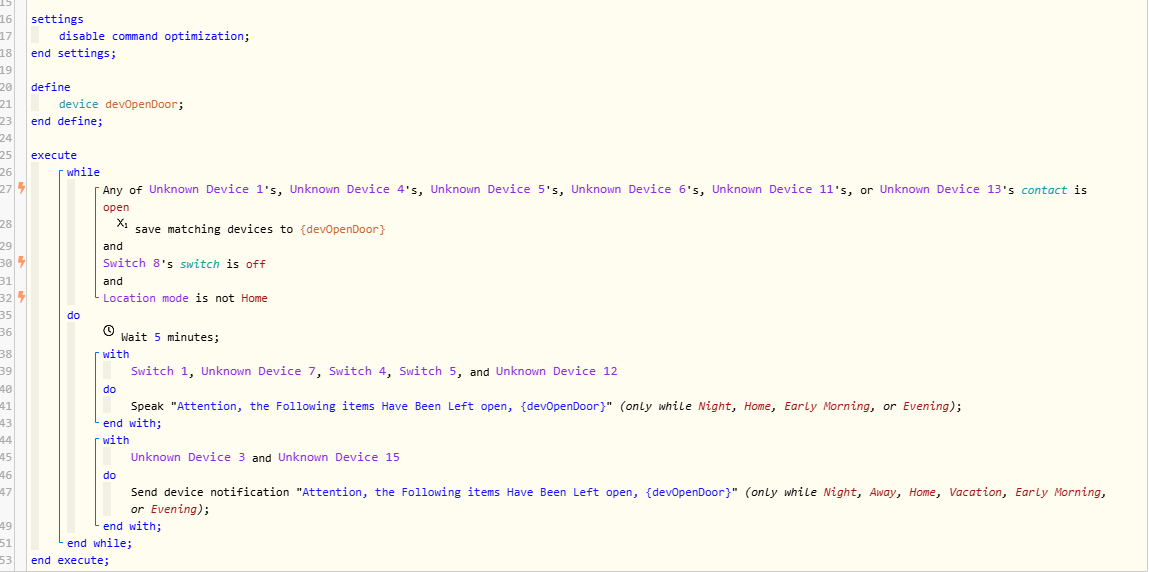
Just curious how you are building that list in RM? I do this in webcore (with doors - same use case) since I did not believe it was possible in RM. Would love to get this into RM though.
It's a bit of a mess, but I'm using the community app "sensor groups+" to track and list the open sensors, then I'm using RM to manipulate the variable to my preference. It's another use case where if I took the time to learn to code groovy it would be much simpler. I just modified the rule to omit the removing of "Window" from the string as I created virtual mirrored contacts that only have the room name. I've never been accused of adhering to the concept of K.I.S.S. (keep it simple stupid).
If you are up for using webcore, you could probably do it fairly simply using replace, in the example I have below at the announcement phase "Attention, the following doors have been left open, " + replace(devOpenDoor, " Door", "")