When I try to add a code to a lock it says code length does not match length of null. What? What the hell does that mean?
Should be a code length parameter/attribute that needs to be set - most locks require at least a 4 digit code.
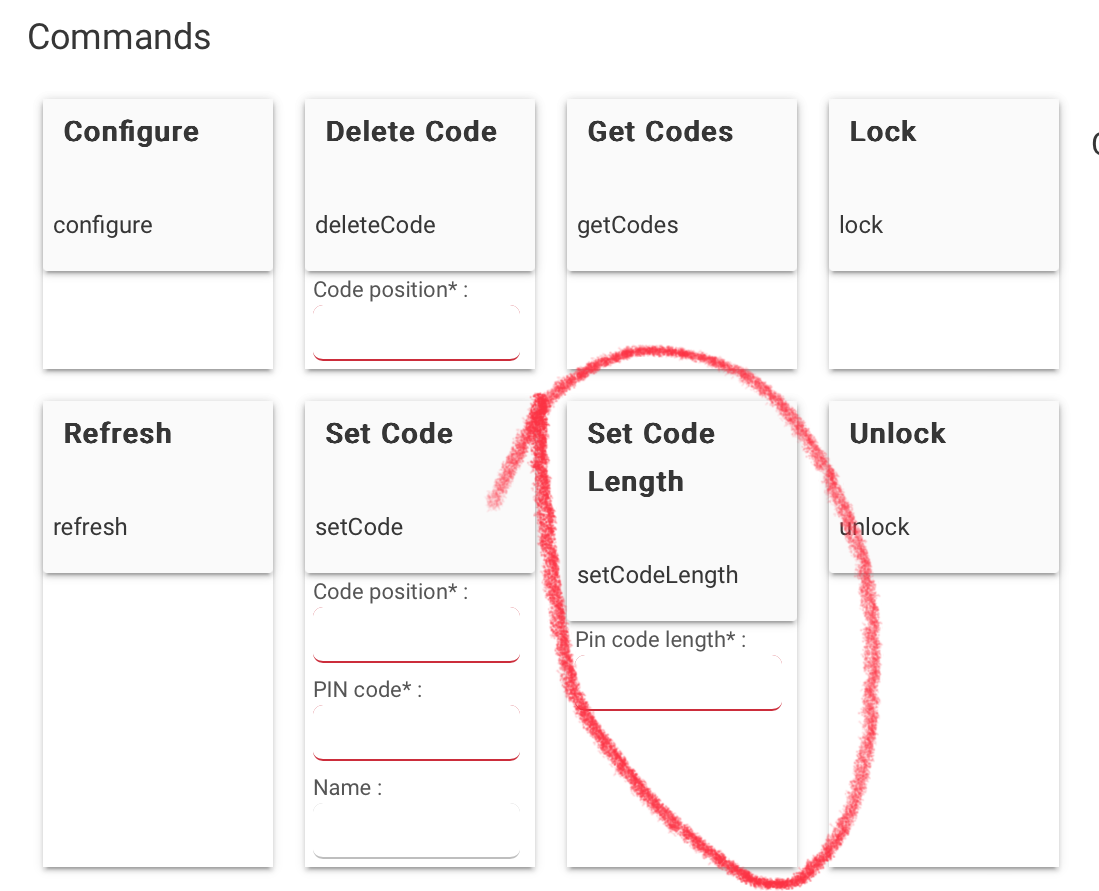
To add to this: most locks require all the codes to be of the same length.
1 Like
If the lock was lets say previously set to 4 digits and you have codes already in the lock, you have to reset the lock then switch it to 6 digits on the lock itself and pair it back to hubitat (at least with the schlage)
2 Likes
It's always been 4 digets
I restarted the system and use z wave repair and it still isn't working.
Well z-wave repair won't work on an issue like that. If it's always been 4 you do not need to try and set it for anything (it set on the lock anyway) Simply set the code position, code, name... i.e: 7 1234 Jack. If you want it to use 6, follow what I said above. Reset the lock, change it to 6 digits on the lock itself then re pair it to hubitat.
1 Like
So I don't wanna change the amount of digets just add a pin. And it isn't working. So how do I make it work?
Se above where it says set code? Under code position put in an unused position (such as 7) Under pin code put a 4 digit number. under name put who's it belongs to (IE Jack) then click set code. In a few minutes the code will be pushed to the lock. If you have more than one lock you can install lock code manager to push to multiple locks and set schedules that the codes will work or not work
Ya that's what I did. To the tee. And it didn't work. So what do I do? I really don't feel like resetting the lock that's super annoying. I have to take it apart it's a kwikset and requires taking the cover off and if I loose the screw I'm gonna have trouble getting it to stay together because it's a teeny screw. Super annoying. It has the generic z wave lock driver and I've set pins in the past fine so idk what up with it.
So can I just like reset the connection digitally?
So it looks like it refuses to get the codes because it says fetching codes then just nothing. How can I fix this? And why is it happening?
How is the lock paired? With no security? S2? or S0?
What kind of hub do you have? C-5? C-7?
How is the lock connected to the hub? Directly? Through a repeater?
1 Like
In addition to what @aaiyar asked. What make/model of lock and what driver are you using. Does locking:unlocking work from the device page?
1 Like
Literally everything but getting codes works fine. I can add codes and unlock remotely and everything after switching device drivers and switching back to generic lock. Except I won't get codes. and a kwikset lock
This topic was automatically closed 365 days after the last reply. New replies are no longer allowed.

