I have an entertainment center (Americana Modern is the brand) that came pre-installed with LED lights. They're controlled by a touch "button" concealed in one of the shelves; the button isn't pressed in the conventional sense, but just touched to control the lights. Successive touches cycle the light level through 4 settings, low/med/high/off. The button is hardwired to the lights. These are the only lights left in my house that haven't been automated. Consider it a "stretch objective"  but certainly not critical. I was wondering if someone has solved a similar problem, maybe with a wireless zigbee device that could replicate the function of the existing touch button. I'm pretty basic with electrical stuff so building a device is probably beyond my pay grade. Thanks for any suggestions.
OK, so the button doesn't depress it all; it works with a finger touch? I searched for capacitive button pushers and found mention of this. I also found Moe's Fingerbot at the suggestion of AI, but it was confused - it has a capacitive button but doesn't push them. Although both products are called Fingerbot, they are not the same product.
Tuya Fingerbot Touch Home Assistant Integration | SmartHomeScene
Do you know the voltage of the wires to/from the touch sensor?
There are smart 0-10V dimmers that can be used with some lights. If it is acting more like an AC outlet dimmer (PLEASE unplug before messing with it) there are also a variety of inline AC dimmers for various types of lights (they are usually meant for in-box installation).
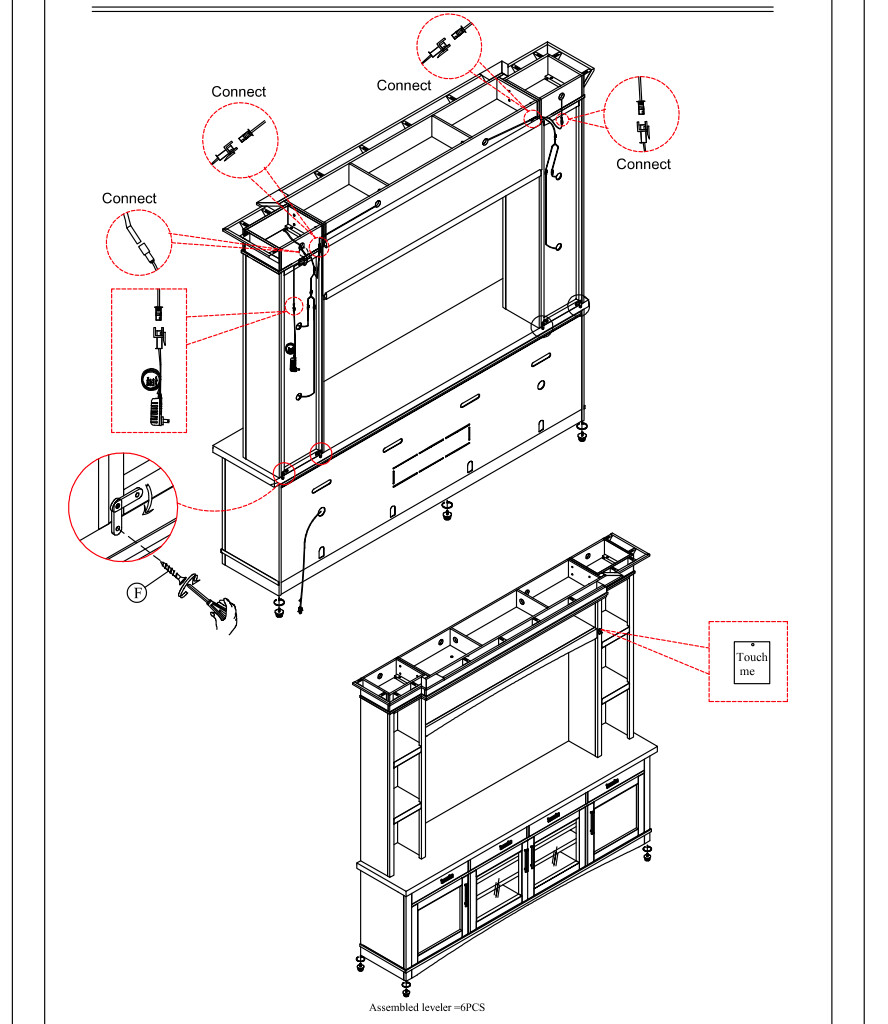

You put a metal plate over the button, and add a wire to the end of the fingerbot that connects to something big and metal. I did this with a cheap Tuya Fingerbot from Ali Express. It is a bit ugly, but it works.
That's correct, it doesn't depress. I will take a look at the Tuya Fingerbot this looks like what I need.
This is the unit. But to get to the power supply would mean taking everything off the unit in order to move it, which is more than I can do right now.
No problem.
If it's all powered by a wall adapter then it's likely a 24V or under system.
A little complicated if you want to retain the manual switching system.
If that's not a concern a simple LED ZigBee module will control your lights.
Something like THIS.
I looked at the Tuya Fingerbot Touch and it looks like this could do the job without any modifications to the existing lighting system. But it's a BLE device, and I have a C-7 hub which isn't compatible with the hubitat bluetooth integration. Is there any other trickery to integrate a bluetooth device into a C-7? I have a Homekit hub (Apple TV 4K) and Echo devices that both support bluetooth devices. I'll have to do some more research to see if the Fingerbot Touch can be paired to a homekit hub; I have some homekit devices that can be controlled from hubitat using the homekit integration.
Oh, sorry I missed that. Every Tuya device I've ever known was Zigbee. Well, I guess it is encouraging that the concept of a capacitance button toucher exists .. maybe you can find another one.
I wonder if it would work to use a fingerbot for push buttons and affix something that mimics skin capacitance (like you find on some driving glove fingertips).
Yes the concept is there maybe Tuya will develop a zigbee version next. Seems odd that they'd go with BLE.
The question is what the input voltage for the lights are. If you have a meter, you would need to take apart a light to check what it gets. They may very well take a full 120v and the lights reduce the voltage, but if they are low voltage, there is a transformer in your system somewhere that is probably hidden.
If they take a 120v input, just buy a smart dimmer plug, and bypass the switch entirely and wire the lights from the dimmer plug directly.
If the lights are low voltage, I would just buy a dimmable power supply, once you know the voltage output. You would need to put the lights on 100% and see what you get for power at the lights.
I use a dimmable power supply with 12v lights in my home theater, and the dimmer itself is a 120v in-wall Zwave dimmer switch. In your case, a dimmable outlet could be used along with the transformer dimmer.
You would plug the power supply into the 120v smart dimmer outlet, and the lights in to the power supply. It dims the low voltage output in relation to the 120v dim level set on the smart dimmer. You would gain full dimming range instead of low, med, high. Just match the voltage.
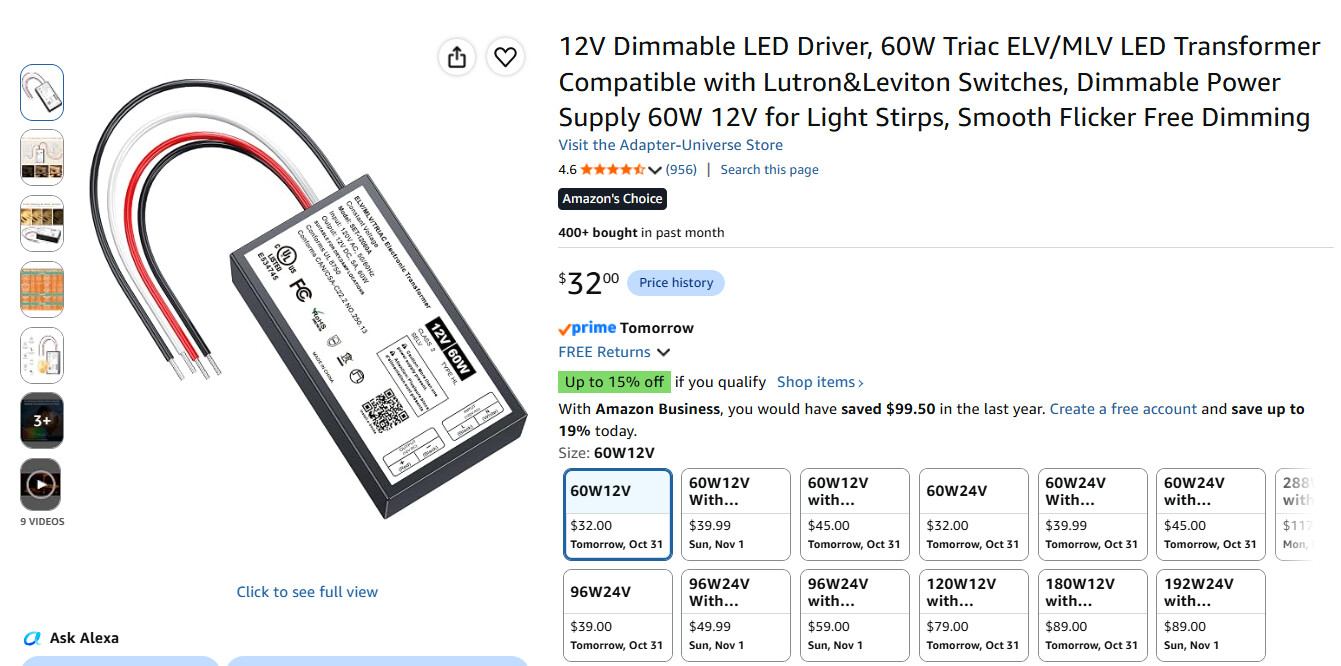
You will lose local control for dimming with a dimmer outlet plug, but you could always use an in-wall switch if you can find a good place to mount it in a box, then you get full local control at the entertainment center.