Yes. 0 loss.
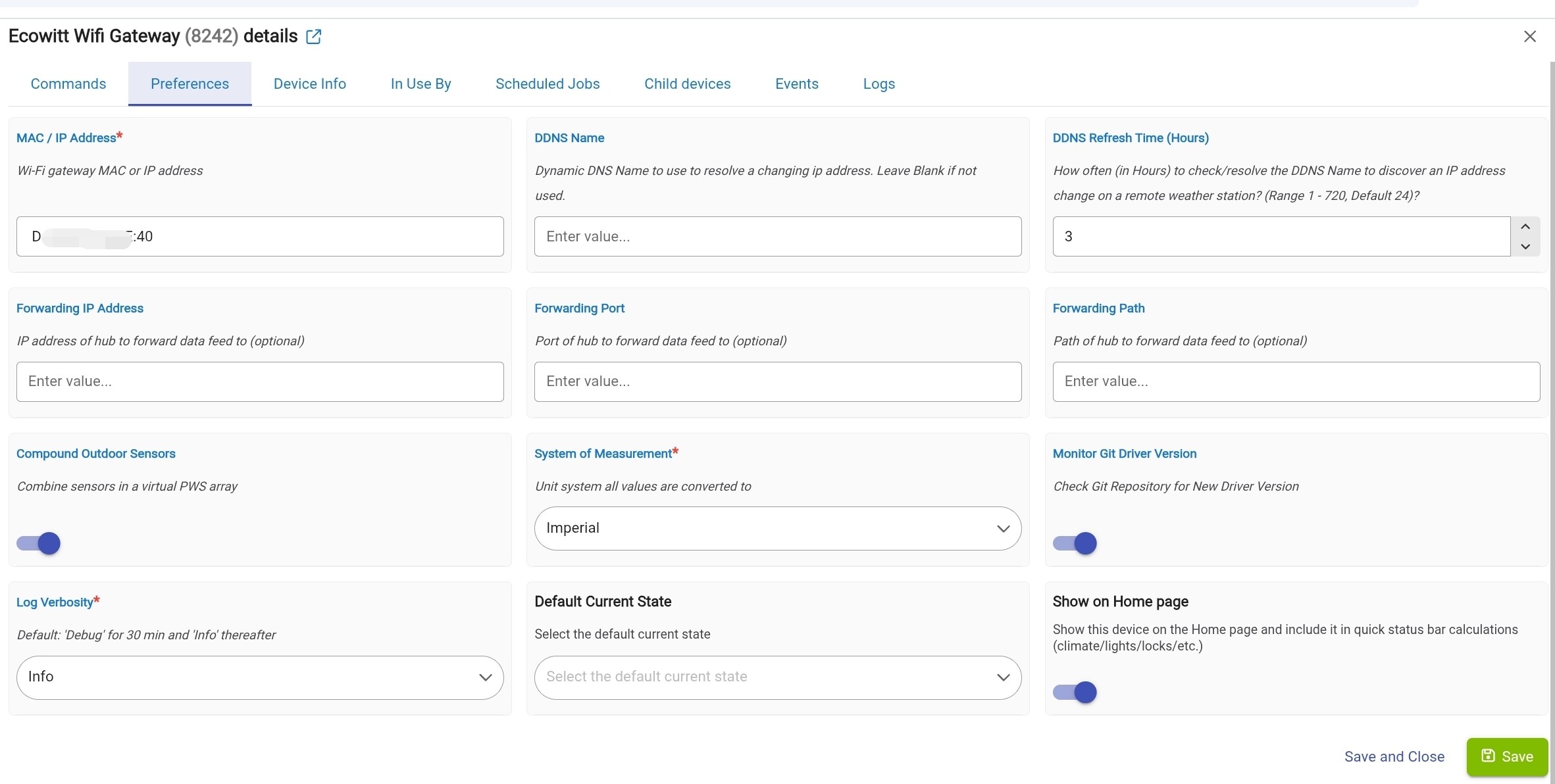
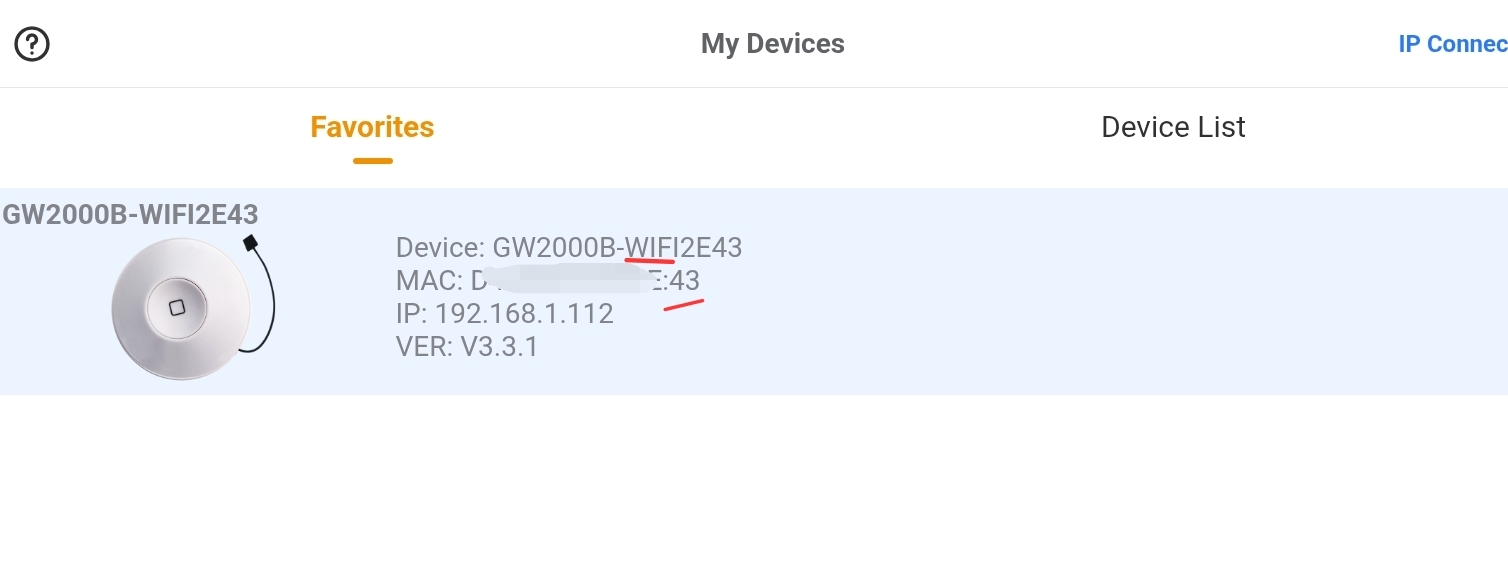
post a screen shot if the configure page in the ecowitt (not hubitat app) and the properties page of the driver in hubitat as well one of them is wrong.
I had a few minutes to blow it all out and start again from scratch. Now I get a log entry, but not sure what to do with it:
**sys:1**2026-08-21 20:19:33.467
warn
Received data from 192.168.xxx.xxx no matching device found for 192.168.xxx.xxx, C0A87xxx:BAC8, null or C0A87xxx.
Is 192.168.xxx.xxx the current IP address of your ecowitt gateway? There’s no need to redact local IP addresses from your LAN when posting details here.
I agree with @kahn-hubitat’s suggestion to share screenshots from the ecowitt mobile app and Hubitat’s UI.
Yes, it is the current address. I doubt a local internal IP would be an issue but I was just following observed protocols.
FWIW, the sensor is now sending data, the only thing not recovered is the HTML attribute for the dashboard. May be overnight I will get that back.
Will post the screenshots tomorrow when I get access to my PC again.
Here is the current status:
EcoWitt is passing data to HE.
My dashboard in HE will only show HTML style 6. For some reason none of the others work. Any ideas?
I still get this every time the sensor updates:
**sys:1**2026-08-22 15:02:29.896
warn
Received data from 192.168.123.214, no matching device found for 192.168.123.214, C0A87BD6:B41A, null or C0A87BD6.
I am guessing these are ghosts from the recreates I did, but I have no idea how to get rid of them. Suggestions?
So, if you are using Wifi, the MAC is different than the one that it shows in the ecobee app. The ecobee app ONLY shows the MAC of the Ethernet gateway and the Wifi one is slightly different. So, if you have it set up by MAC in the preferences, then that is most likely the issue.
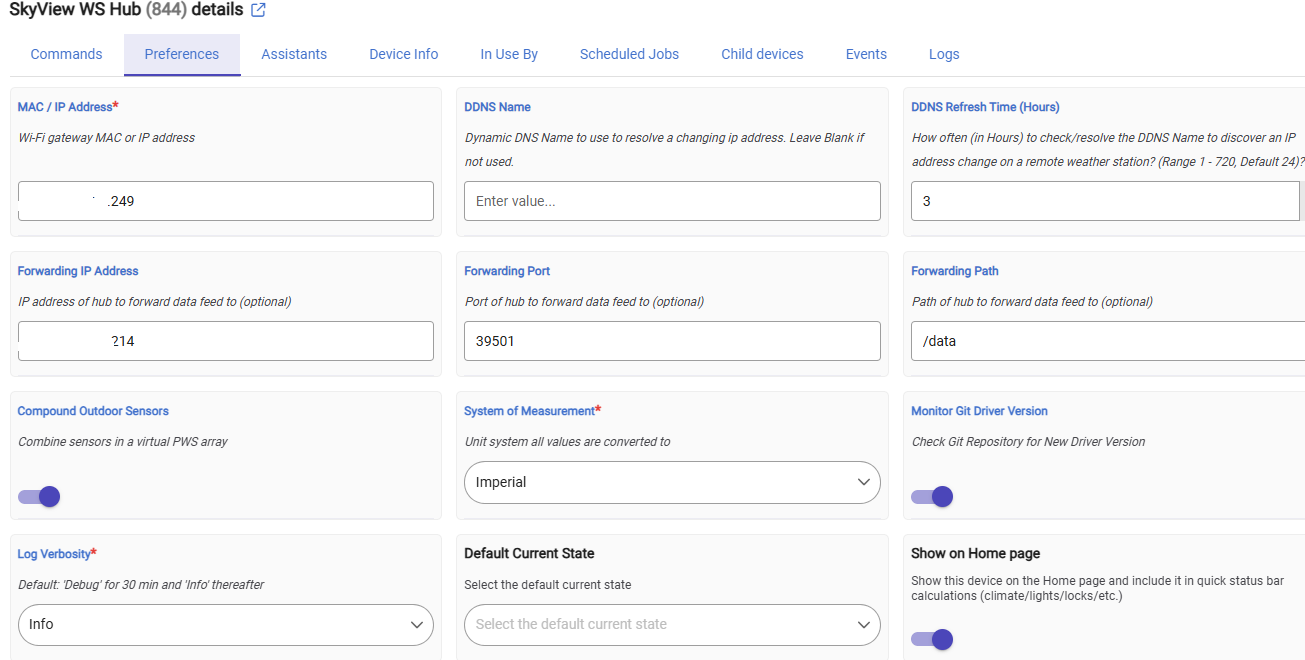
Post a screenshot of the preferences (mask the MAC except for the last two digits) as opposed to the Syslog Error message (also mask any MAC's except fot the last two digits). If you have the preferences set by IP, this should also shed more light on the subject.
But, if you did like I (and others did) and used the MAC in the Ecowitt app, that was your mistake (tongue in cheek) as their app only gives the MAC of the Cabled gateway and not the wifi (even if that is what is connected)
The logs are telling about this issue, and it has happened more than once (to me as well as others). You need to update the preferences in the parent device of your Ecowitt device (gateway) to use either the IP or the MAC listed in that Syslog error.
[RE-RELEASE] EcoWitt and Wittboy Weather Stations And Sensors (Local) - #1594 by tray_e?
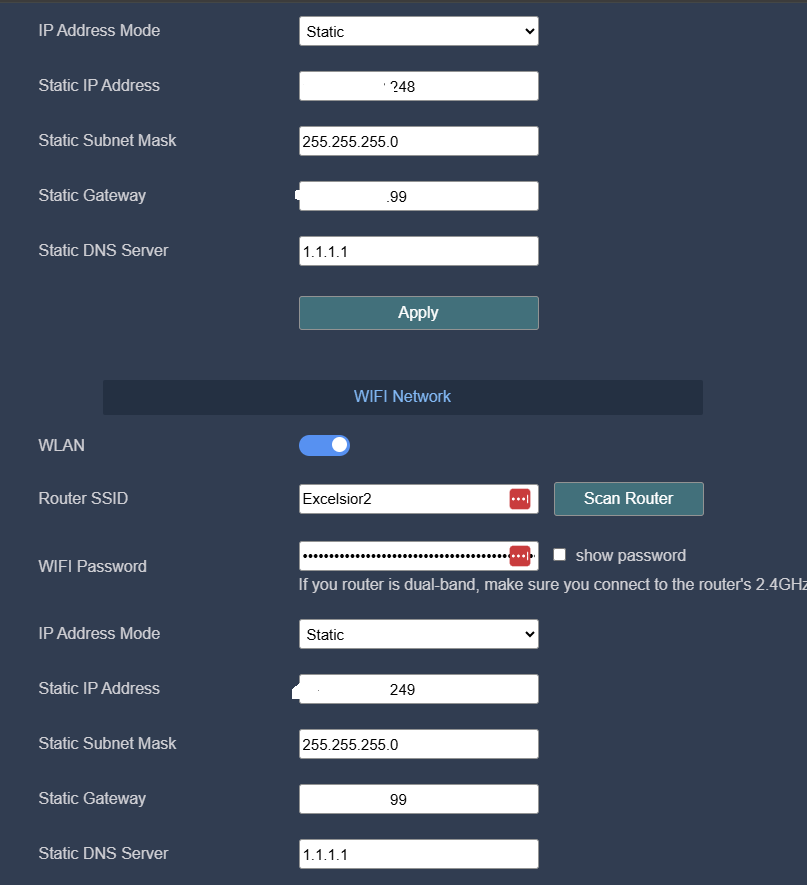
I suggest you keep both the ecowitt gateway and the Hubitat hub configured to use DHCP, not static IP addressing.
To prevent Hubitat or ecowitt from changing their IP addresses in the future, you can set DHCP reservations in your router’s UI.
Easy enough, but will it solve the issue of the sensor data no longer getting to the hub?
I don’t know. Something is apparently preventing your ecowitt gateway and your hub from communicating on the LAN but an IP address conflict is only one possibility.
Can you share a screenshot of the upload settings page in your ecowitt mobile app?