Ecolink Tilt Sensor stays open, always, despite registering events

Hi all,

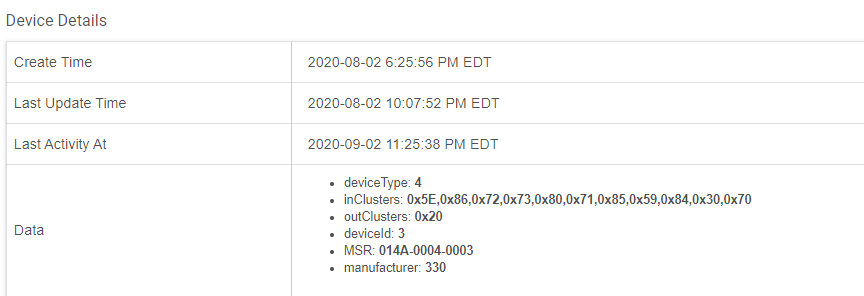
I excluded my Ecolink Tilt Sensor from my ST setup and included it in Hubitat. The device is seen with deviceType of 4 and a driver of "Ecolink Contact Sensor" ( TILT-ZWAVE2.5-ECO ). The state for contact seems to always be open

I have no experience debugging Z-Wave behavior but I'll try to give you all as much information as possible. I am on a C7 with version 2.2.3.142. Though the release notes said to manual update the radio firmware, it never indicated there was an update. I am hoping to use this.

When I place the sensor in my hands in a way that would be open then shift to close and back (or the other way around, I don't remembeR) the log gives me the following:

dev:1712020-09-02 22:09:21.452 [ **debug** ](http://192.168.7.70/device/edit/171)parsed 'zw device: 0D, command: 3003, payload: FF FF , isMulticast: true' to null

dev:1712020-09-02 22:09:21.447 [ **debug** ](http://192.168.7.70/device/edit/171)parsed 'zw device: 0D, command: 7105, payload: 00 00 00 FF 06 16 00 00 00 , isMulticast: true' to null

dev:1712020-09-02 22:09:08.346 [ **debug** ](http://192.168.7.70/device/edit/171)parsed 'zw device: 0D, command: 3003, payload: 00 FF , isMulticast: true' to null

dev:1712020-09-02 22:09:08.338 [ **debug** ](http://192.168.7.70/device/edit/171)parsed 'zw device: 0D, command: 7105, payload: 00 00 00 FF 06 17 00 00 00 , isMulticast: true' to null

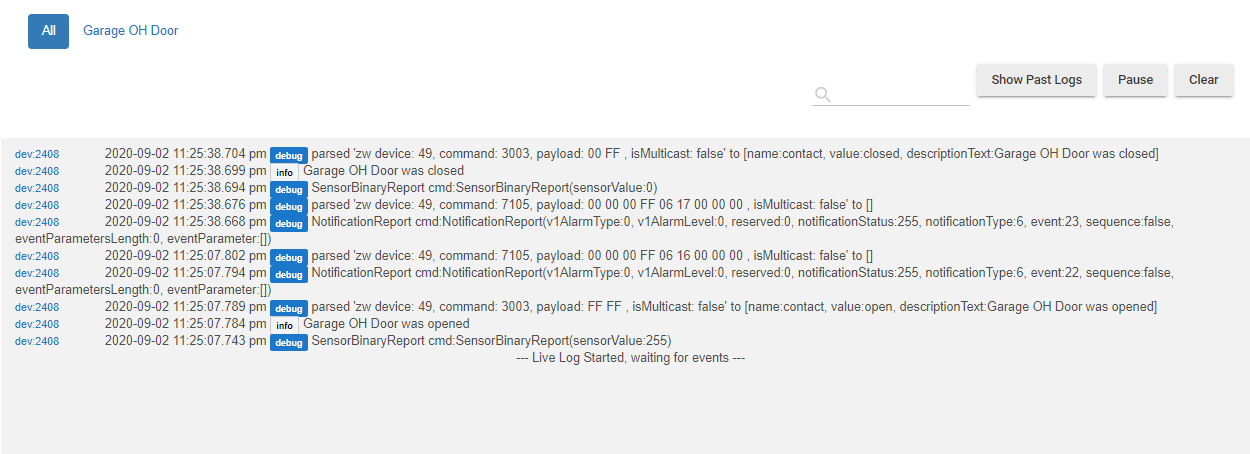
I don't understand how to read the debug output but these payload of 00xFF and FFxFF for the 3003 (is it sensor binary report?) command seem close to what is described here as closed and open (https://www.nexiahome.com/wp-content/uploads/2017/06/Eco-Link_Tilt_ZWave_Plus_Manual_R1.04_021816kgs.pdf). I don't know what the 7105 command is either but I see the payload of 16 and 17 that seem to correspond to those close and open events discussed in the link for Notification Report of Access Control

As I said above, I use the Generic Zwave Contact Sensor. I don't know if the source code is available for the built-in drivers, I think I can kinda make sense of what those commands are, what the payload for them is but it seems the driver is looking for something else since it's not updating the state for "contact" to be closed, ever.

This worked on Smartthings out of the box and it seems to work for everyone else on Hubitat without issues. What am I doing wrong that the driver cannot match these payloads and commands to the right contact state?

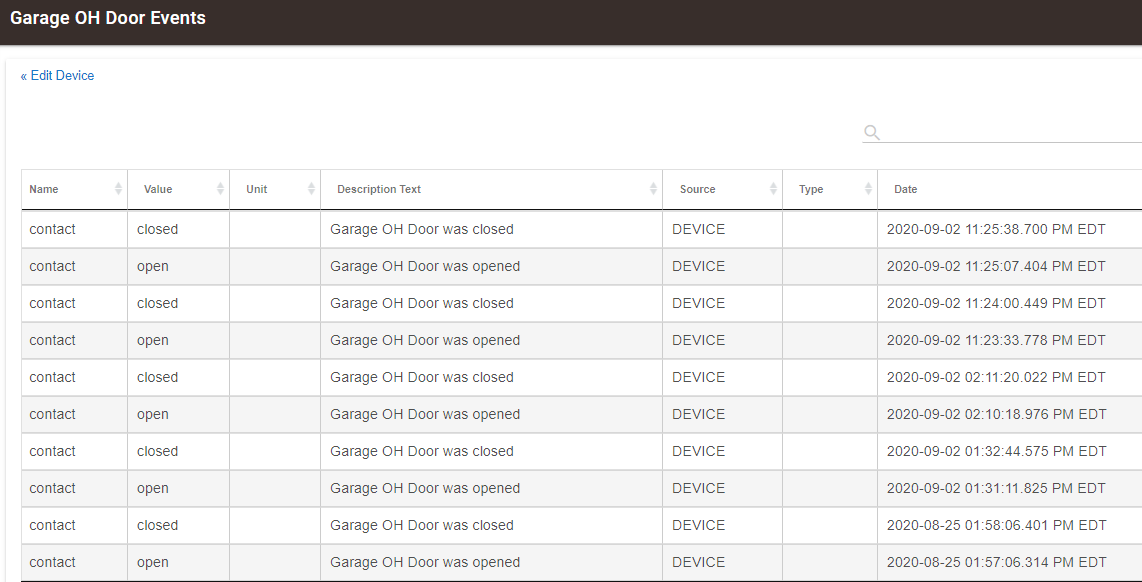
I have the same sensor and it has been working fine for about 2 months (when it was received).

I am using the "Generic Z-Wave Contact Sensor" driver.

I realize your unit was working with ST but could the "ball in the can" be stuck?

That was my first thought but if it was, why would it register two event (one binary and one more explicit) when I am tilting it one way and then what seems to be the opposite events when I tilt it back?

@JohnRob It would help tremendously if you could open and close your garage and write down the output of your tilt sensor via the logs panel. I realize you might not want to do this late at night if you're in the US though :slight_smile:

Do you have the TILT-ZWAVE2.5-ECO or the TILT-ZWAVE2? I have the former.

No problem, I'm a night person anyway.

I don't know which I have as it doesn't say on the box. However see the pairing info below.

Did you happen to notice if the little LED (in a hole) on the device blinks when it changes? For me it happens when the sensor is at ~ 45°

Thanks so much.

Interesting, the commands and payloads seem to be the same at first glance but the driver doesn't interpret it for me. I'll try to set it again, maybe it wasn't correctly associated or something.

But I am using a different driver than you mentioned in your 1st post. Could that be the difference?

I excluded the device then re-included it and now it seems to work. Mystery.

Out of curiosity, @JohnRob, what driver are you using?

See post 2

I was too. I mentioned earlier the driver which is one of the properties, not the driver I chose. Thanks for your help, seeing how the driver handled things promoted me to remove it all and add it again which did it.

I had the same problem with an older Ecolink tilt sensor. The logs would show it open and close but no response on the dashboard or device details page. After trying everything I could think of I finally just removed/excluded it and re-included it. Working perfectly now.

2 Likes

I am having the same problem with this sensor now. I had it setup and working but due to some issues with z-wave I did a full reset and had to exclude/include all of my devices again.

The tilt sensors now include and I can see events in the log as shown in earlier posts but the status never changes. I have excluded/included the sensors multiple times but cannot get them to work. All of my other devices are OK.

Any ideas? Thanks.

This topic was automatically closed 365 days after the last reply. New replies are no longer allowed.