I continue to get this message on my existing C8 Pro. I have been attempting to update to the latest version since early December, but each time I get this message. I had thought perhaps it was an issue with the FTP site, but I purchased another C8Pro for my vacation home and had no problems updating.
I have also tried the "soft reset" procedure that was described on this forum from a couple of years ago but that didn't work.
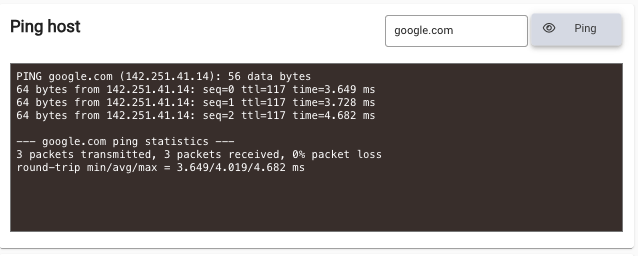
PING www.google.com (142.250.191.100): 56 data bytes
64 bytes from 142.250.191.100: seq=0 ttl=117 time=17.978 ms
64 bytes from 142.250.191.100: seq=1 ttl=117 time=17.140 ms
64 bytes from 142.250.191.100: seq=2 ttl=117 time=11.378 ms
--- www.google.com ping statistics ---
3 packets transmitted, 3 packets received, 0% packet loss
round-trip min/avg/max = 11.378/15.498/17.978 ms
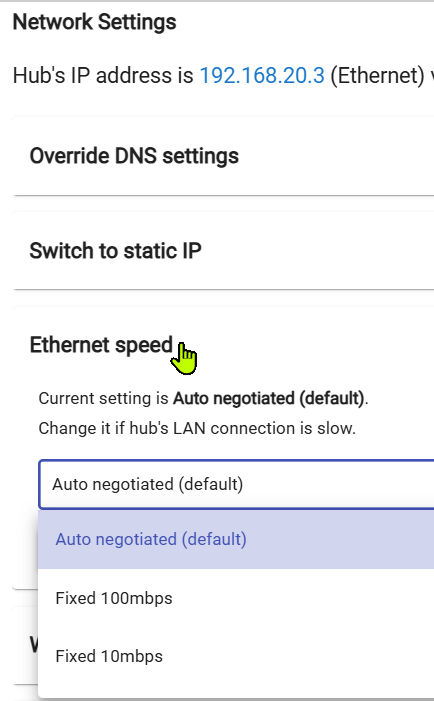
Yup - making the change seems to force a renegotiation of the connection...not 100% sure, but it resolves this type of issue most of the time. Happy camping.
I had a similar experience going to 2.5.0 - the download would run very slowly, then would fail before completing. For me, the solution was to change my router WAN MTU and MSS to the values that my service provider needed. After doing that, the download went through without a hitch. It also fixed other internet instability issues I was having. I don't know how my settings got out of sync, but thank Claude I changed them ;-).
This may or may not help you, but I thought I should put it up here anyway. For the record, my MTU needed to be 1492 and my MSS 1452 (they had defaulted to 1500).
Try setting the DNS servers manually. The Hubitat defaulted to reliable service providers, but changing the network speed to auto AND to match the Router DNS seemed to do the tick. Also made the check / download lightning fast in a way it never was. Really appreciated the suggestion and hopefully mine works for you!