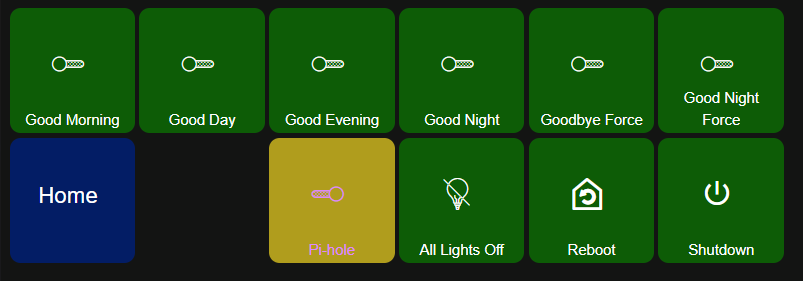
This driver is just a switch so my Routines Dashboard has a simple tile added to toggle the Pi-Hole filtering. I had no where else to put it. Boring. 
I wish I could have the Pi-Hole Dash added to my HE Dashboard, that would be interesting. The screenshot above is from Pi-Hole itself.
I did use the one you reference but I picked this one due to it's newer build date.
The iOS app Pi-Hole Remote is also a great option to quickly access Pi-Hole to turn blocking on/off. I use a widget on my Home Screen.
The in-app purchase for additional features is optional but worth it IMO.
Thanks for the info.
I can remote into my Dashboards so I can just hit the tile to Enable/Disable for now.
I will probably only need it when friends look after the house and complain of 'It's not like this at home on my Netflix, GoogleTV etc.". 
Seem unobtrusive so far.
It's best to have at least 2 instances of Pi-hole on 2 separate machine and multiple dns providers if you have a busy house with family members. This will save you tons of headache when Pi-hole machine is down. I switched over to Adguard Home 2 years ago and they are very similar. I find Pi-hole is a little harder to track down the issue when a site is not working. Maybe the newer Pi-hole is better at this.
I have 3 instances of Adguard running. One on Proxmox, Home Assistant and on a Pi since it was doing nothing other than monitoring my 3D printer. 2 years without skipping a beat.
There are only 2 adults (wife would disagree) in the house so not a lot of traffic.
I have the latest PI-Hole and once I went to WSL 2 all worked fine.
I have a spare NUC so if it becomes an issue I can install Linux on that.
So far Docker is doing fine, no resource use to speak of.
I think @Navat604 was referring more to the possibility of your Pi-Hole instance being down (for any of a variety of possible reasons), thus breaking DNS resolution for clients at home (and therefore, internet connectivity).
Setting up more than one pi-hole can help avoid downtime so that clients can still reach a working DNS server even if one instance of pi-hole goes down.
Learned this a few weeks after installing Pi-Hole on my NAS, was rebooting the NAS with a trial Unraid licence (that needs internet to validate until the real licence is purchased). Since it could not find a working DNS as it would not start the docker containers, I could not authenticate. Had to go in my Omada controller and add 1.1.1.1 as the secondary DNS on it, rebooted the NAS and all went well. Not sure I would add a second Pi-Hole instance as backup, fo rthe few times the NAS or container is down during backups, I'll live with it as it was a few months back
Yeah, I knew he was going for redundancy.
I think I can just change my secondary router DNS to Google or Cloudflare as a failover if the primary (Pi) is down.
No blocking but then I'm not too concerned; my paranoia is just kicking in after 45 years of IT.
I remember when a virus kept you home from work not closed it. 
But where’s the fun in that?
Two pi-holes = 2x the opportunity for me to break DNS at home!
2 Likes
Ironically, Mark-the-knife, my wife knows where I keep the Japanese knives.
At least the doctor gave me a shot first.
100% I feel like this is true with my two HE's and the RPI I have running.
My wife is paranoid something is going to happen to me and the "house will stop working". lol
2 Likes
My wife's concern is entropy. It will slowly become the house from hell. All will be good until the battery devices randomly go on a walk-about.
1 Like
This topic was automatically closed 90 days after the last reply. New replies are no longer allowed.

