One reason I use Hubitat is the local control. Could someone provide some details on the "disable Hubitat cloud" option?
What are some of the reasons for it to be offered in a recent release?
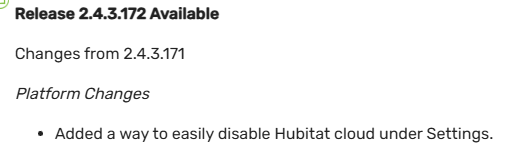
I can't actually speak to the staff's motivations but I assume it's been offered because some users would prefer to have the option to (easily) block (and unblock) the hub's communication to and from the cloud.
That will prevent several features of the hub from functioning. Cloud dashboards, platform updates, mobile app access including notifications and geofencing, remote admin and cloud backups (both optional subscriptions), any integration with an outside cloud-based service (like Amazon Alexa or Google Home) all come to mind.
Without the cloud, the hub's internal clock will drift unless manually updated periodically, or the hub is pointed to a local NTP server on the LAN (assuming there is one).
Adding a flag like that to the UI would make it simpler for those users to temporarily re-enable the hub's access to the outside world, for example to allow a firmware update to be downloaded, and then sequester the hub again after.
5 Likes
To satisfy people who want the hub to be 100% local, who randomly complain that the hub is not really "local" because of xyz.
4 Likes
My wife uses Alexa to control most of our home automation.
I've confirmed that turning this option ON does in fact stop cloud access 
1 Like
And gets the wife even more annoyed 
4 Likes
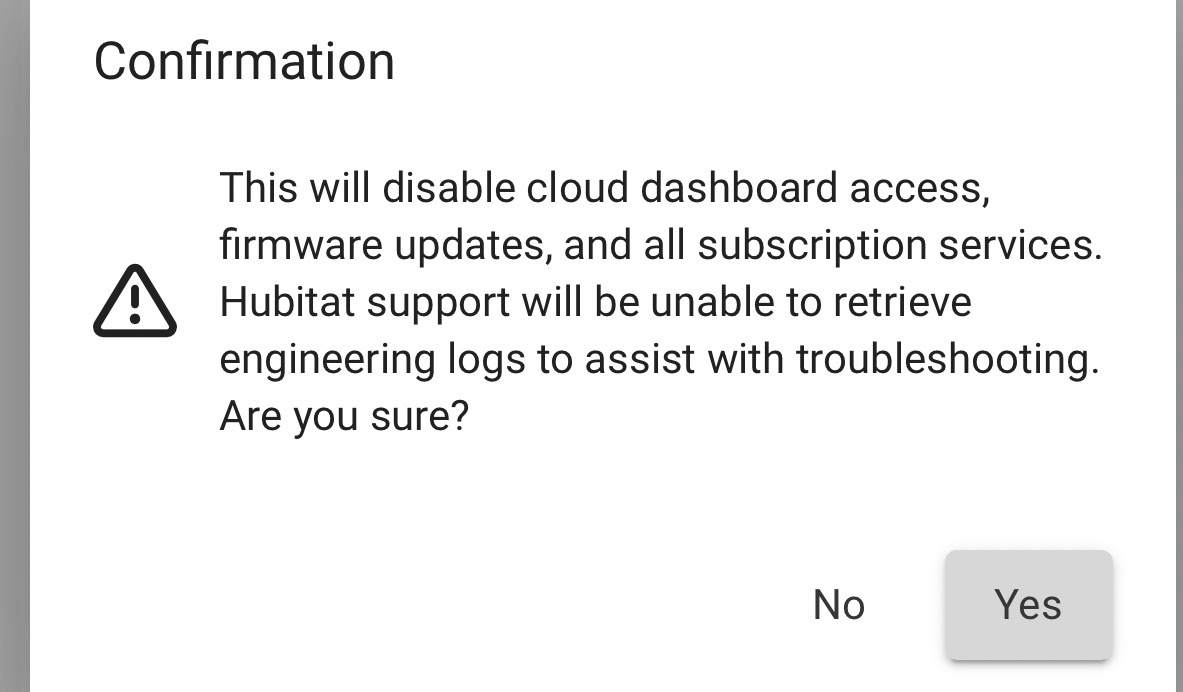
I was going to say it's a switch that disables spouse approval. It probably should include that it also disables Alexa, Google, etc., for those that aren't realizing this.
1 Like
Yes, some people asked, and it was easy to implement.
Also no cloud dashboards.
8 Likes
It already says that. I’m just suggesting it also mentions things that people might not realize will be affected. “Any cloud based integrations (ie. Alexa, Google, etc)
2 Likes
I'll add something like that for the next build.
7 Likes
Yeah, shockingly some people think Alexa and Google work locally...
But then how would they harvest all your data , so it must go through the cloud.
Then you get the other side where people think Homekit wont work offline, but I can say for certain that it does, I tested it myself a while back. Some of the voice commands cannot work offline but Apple is slowly adding more and more commands that the devices can process without an internet connection.
5 Likes
They need to work on the speed at which HPMs respond to commands. I swear that it's slower than Alexa. Meanwhile, my iPhone 16 Pro controls devices immediately with voice commands. I know that they will probably need a more powerful chip in the HPMs for more local processing, but why does my 5 year old $25 Echo Dot respond so quickly when it likely has less processing power?
My guess would be low latency cloud computing. Its crazy how quickly Alexa can take your voice recording, send it to the internet somewhere to decipher it, and then send a command back to Hubitat.
1 Like
Took me a minute to figure out the HPM acronym (HomePod Mini) -
I agree, Siri is quite a bit slower than classic Alexa.
Alexa+ on the other hand, is pretty slow, IMHO. Much slower than classic Alexa, and it interprets our voice commands diffrently (i.e. incorrectly.) Thus, I am back to classic Alexa as it is no fun when the WAF drops suddenly! 

2 Likes
I used to run echo's but switched to Homepod's. One thing that echo's do that's far superior to apple of google is their intercom.
1 Like
The intercom is very nice on Alexa.
I haven’t had the issues with slowness on Alexa+ though. I can’t tell any difference in response time vs basic Alexa.

