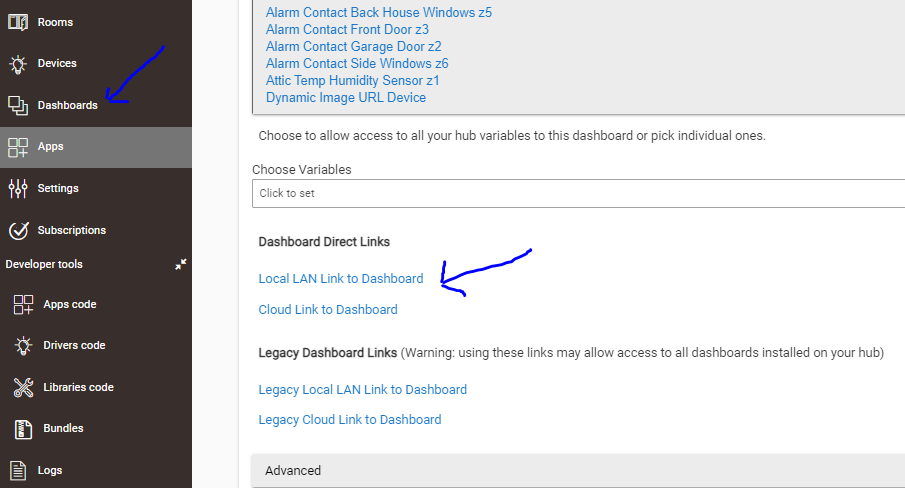
When accessing dashboard thru dashboard app (setup of dashboard) - have a link block to home assistant which works just fine but when going thru the dashboard access (menu on the side bar) link does not work. Comes back with a (my hubitat ip) refused connection......
The cloud link to dashboard is just that. It goes through the internet then back through AWS to your hub. It should work internally for you. Go to my.hubitat.com and see if you can see your hub.
If you go to "Dashboards" on the left, the actual dashboards that (eventually) open on the right side are inside an iframe. If you go into Apps > Hubitat Dashboard, as in your screenshot, and get the URL from there, you are opening the actual Dashboard URL (by itself rather than inside an iframe).
Normally, either is fine. In the first scenario, the use of the iframe allows the "regular" hub UI to still appear on the left, allowing easy access to other hub functions if you access it that way.
But it sounds like you're linking to another site (with a different IP address or domain), and you're likely to run into one of two problems in this case. One is that some browsers might complain if the IPs/URLs are different, especially if HTTPS is involved. The other is that the site you're trying to view might prevent this on its own to prevent "clickjacking." If your problem is only the latter, you may be able to avoid it with some reconfiguration of your HASS HTTP settings: HTTP - Home Assistant (specifically, use_x_frame_options). If you need help with that, you're likely to get better help there since this isn't a Hubitat issue per se, though some here may have experience.