Manually. I would never rely on IFTTT for anything
As promised, here's an update. I installed the YoLink Power Detector and it was recognized in Hubitat as a Generic Component Unknown Sensor. It reports valueStr of "alert" and "normal" that can be used to trigger events power loss and power restore. It detects as fast as I can unplug and plug back in. The real test will be the next power drop.
Happened to me for first time today.
At least they were just momentary, and returned to correct status.
So, for me, I suppose any rule should contain a duration for battery status.
edit: For some reason, the power loss notification kicks off every time the wood stove notice goes off. Repeatable, with simulated trip. Also happened with garage door notice. First time this has happened. Could be that it's cold outside (-4F) and the chime siren is plugged into an outlet on an exterior wall.
edit2: Stopped behavior when warmed up and relocated to interior wall. Could be the warmth, could be just unplugging, or could be that it's just crazy.
edit3: Tried cooling it off in freezer, putting it back. Acted up again! Temperature, perhaps battery condition related.


I thought I would post here my solution.
I created a virtual switch named "power change".
Then I used rule machine to monitor a bunch of power meters (thermostats, smart plugs, load controller, etc.). Whenever any of those reports a change of power, I toggle the virtual switch.
Then I have a second rule that triggers a "power outage" event if the virtual switch stays in the same state for more than 2 minutes. The odds of all of those power meters not changing power in 2 minutes is very small, unless there is an actual power outage and they stop reporting.
It took some tuning (at first I was trying a 1 minute period, which was too short). But it works pretty well with no false positive for the past few days.
you may have solved the reporting but having a device that goes wacky like that is not good for your system or mesh.. recommend you move it to a warmer place and use something else to notify about power loss.. either a ring extender or zooz range extnder.
I don't think the above poster had Ecolink chime siren issues-just talking power outage detection, generally.
Classic keep alive pattern.
You can achieve this with a single rule and switch. Trigger on any power meter changed, set the switch to on, wait for event - elapsed time (2 min) and then set the switch to off. The wait will be cancelled every time a power report comes in. I would watch the performance through.

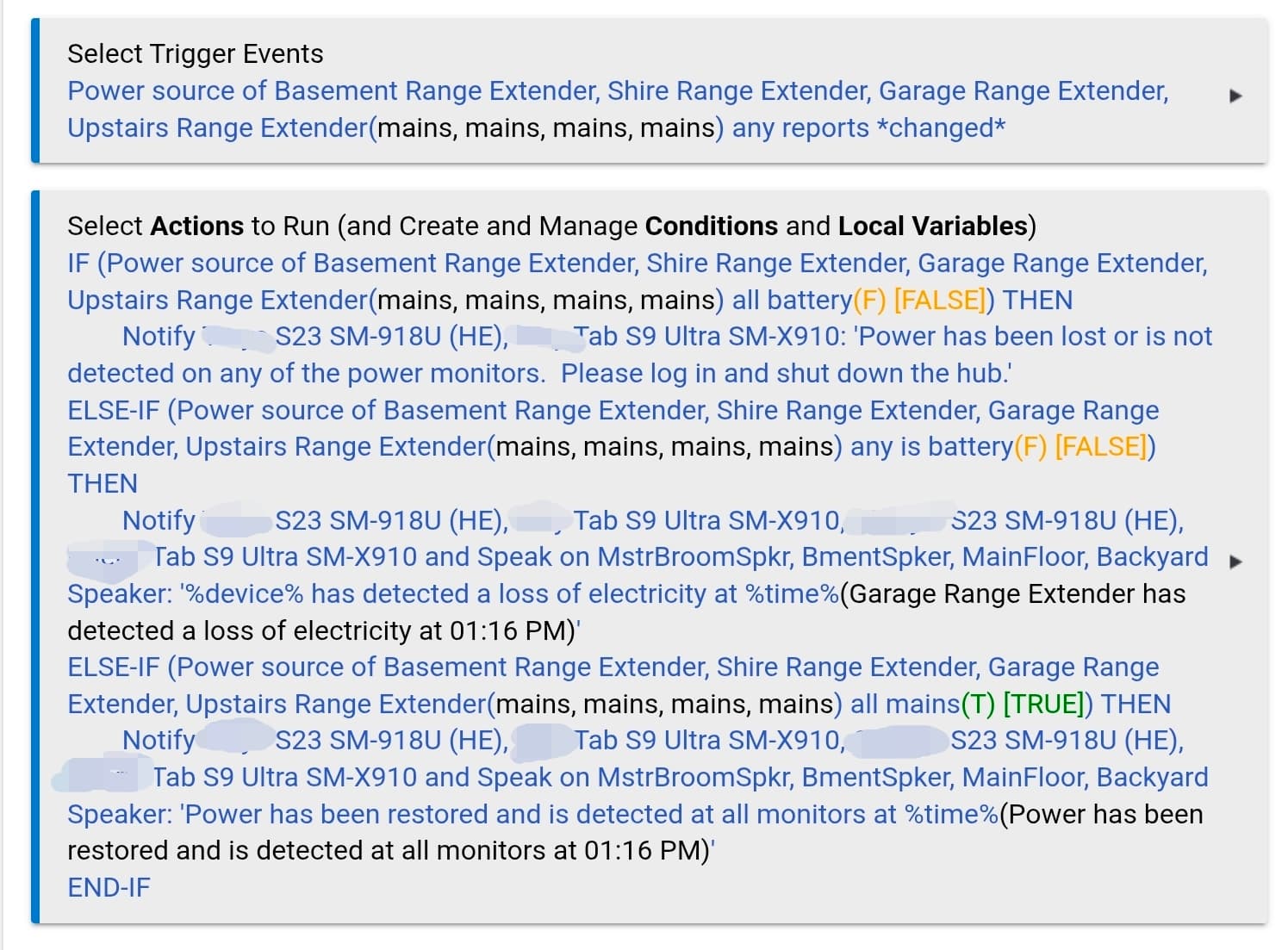
Mine is a little more complicated. I have 4 range exteders.
Trigger is on ANY change state (battery vs mains)
If ALL switch to battery, then it reports a power outage and sends a push message telling me to shut down the hub. (hub, router, and cable modem are on battery backup - so, I can just monitor if I am home)
If ANY (less than all) switch to battery, then it is limited to one or a few circuits (breaker or some other issue that needs investigation). I send a push message and TTS over speakers that an outage has occured on {device} at {time}
If ALL are on mains (would only happen if any switch from battery back to mains). Then I get the push message and spoken message throughout the house that power is back online at all extenders. (If recovering from a whole house outage - I obviously know already.)
Was useful to have the zoned monitoring a few times. I had a guy powerwashing the siding, and he managed to trip the GFCI on my garage circiuit. Another was a bad device that tripped a breaker (ejector pump motor shorted). Both times, I would likely not have known for some time. The ejector pump could have been a really bad issue if I had not noticed the rest of the circuit down. It was in the basement on a circuit we don't use a lot.
Seeing your rule, I am thinking I am gonna add a 5 minute wait to allow the minor quirks I get on power outages. (which we have enough of to make it worthwhile - gotta love rural life)
Our power is incredibly stable here. We get the occasional brown out during heavy storms, so I just give it the 5 min timer. That said I should modify it to shut down the hub automatically after 1 hour of no power (that ups lasts about 70 mins). That likely will completely drain the ups and when power comes back auto reboot the hub. (which has an unexpected reboot notification)
.
I do a very similar outage rule -- one part catches all monitored circuits being out, and other parts call out individual circuits.
Like Rick, I use a 5 minute grace period -- I too am fortunate to have very reliable power, so 5 minutes just seemed like a good compromise to cover a quick shutdown/restart (intentional or otherwise).
I don't monitor all circuits, but I cover the main ones.
It's been quiet for almost the last year. I expected a loss during the recent east coast ice storm. But we got lucky. However, the 5 minute time out would have definitely been useful last July (that final outage ultimately lasted about 6 hours). Rural suburb of DC.
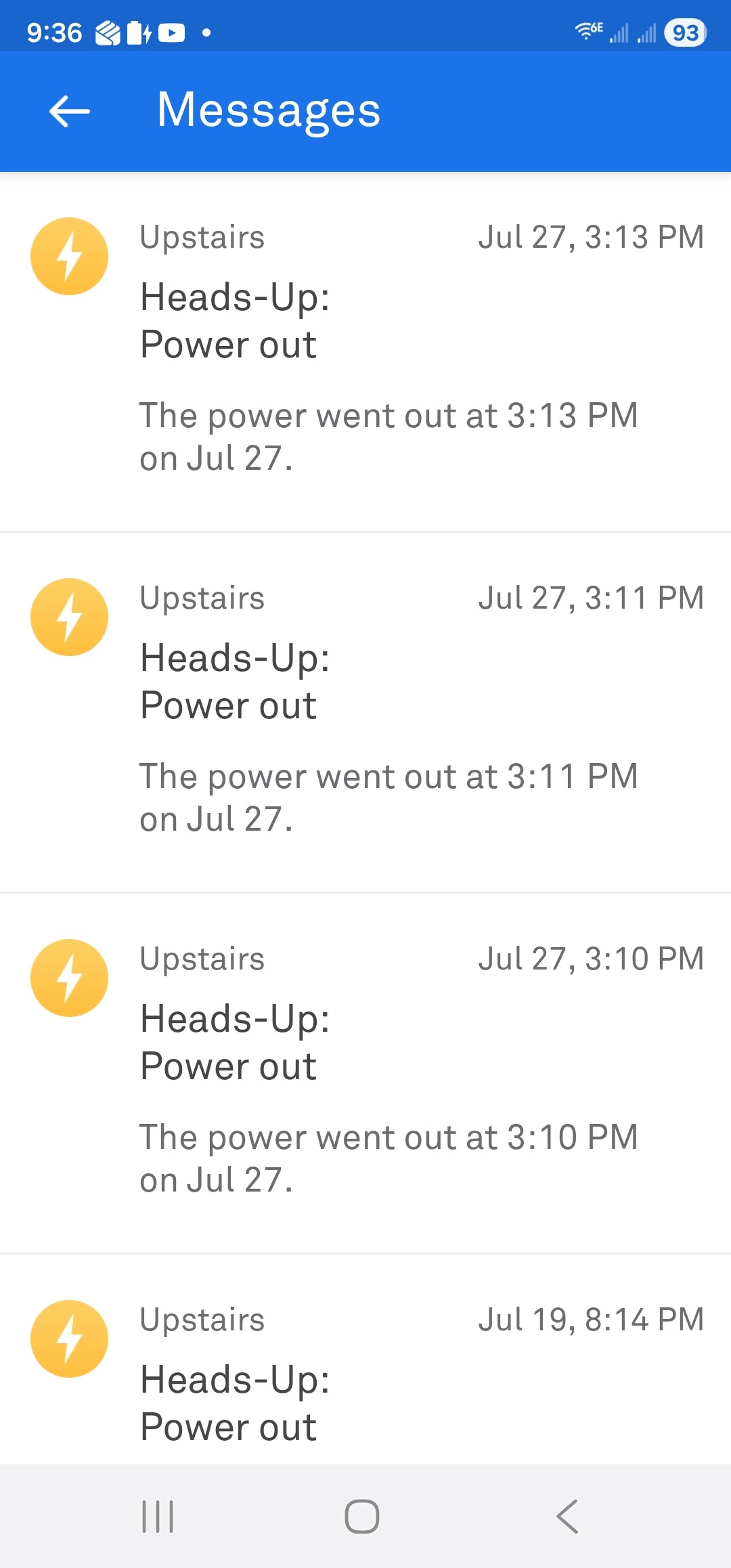
The UPS detects power outages. Has an alarm which beeps. There is a Raspberry PI4 on which runs network services like DNS, DHCP, Radius, NUT (to monitor the UPS via USB port), and some other services. NUT and the PI can send me eMail and tell Hubitat to shutdown should the outage be prolonged.