Hey folks! Got this setup and running, quite pleased with the functionality.
Current challenge: I've been trying to figure out how to assign aliases to my Kasa devices. I had to shorten their names drastically from the descriptive names I had them setup as in the Kasa app. Now everything works, but the labels on my switches are ... cryptic. I can deal with it just fine, but my family? Well, not so much.
How do you have your family interface with the devices? Voice Assistant via HE or HE Dashboard or something else? If you have them interact with them via Hubitat you can just rename them on the Hubitat side in their device page to your heart's content and it should not change the name on the Kasa Server side.
I'm not really attached to any particular method. They have been using a Google Home, and I'm planning on setting up a dashboard as well. I had the Google setup interfaced directly with Kasa, I'm planning on changing that to point to the HE, just haven't gotten there yet.
On Hubitat, I go into Devices, and change the Device Label, if I'm understanding you correctly? I looked on the Kasa app, and on the dashboard, but I never looked there! Thanks for the tip.
David, the current implementation should not limit naming length. The Kasa names should work. You could use descriptive names and for switches, do not add "power" unless necessary. Examples:
Guest Bed Left / Guest Bed Right - lights in the guest BR. I typically leave off "light" and assume it is a light if not otherwise defined.
Guest Fan
Guest Heater
Master Fan
Master Bed left/ Master Bed right
Kelli's Bed left/ Kelli's Bed right
Jerry's Fan
Master TV
Den TV
Coordinate this naming with your family. They will get used to it and come to love arguing with Google Home.
Working as expected. Thanks so much for your work on this. Only odd thing is I'm not able to choose which outlet will be controlled. No matter which plug number is selected, the driver only controls and gives status for outlet number 2 on the KP303.
For my particular use with my Deco router, I only need one of the three outlets, but I would like to utilize the other two outlets at some point and control them via HomeKit, which means I will need to expose them to Homebridge via HE. If you don't have one to test with, I'd be happy to help you troubleshoot your driver.
Did you do a manual install (you entered IP and plug number) or install through the app?
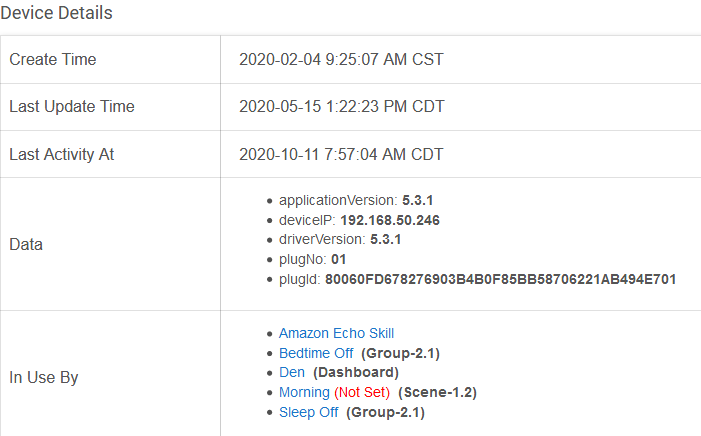
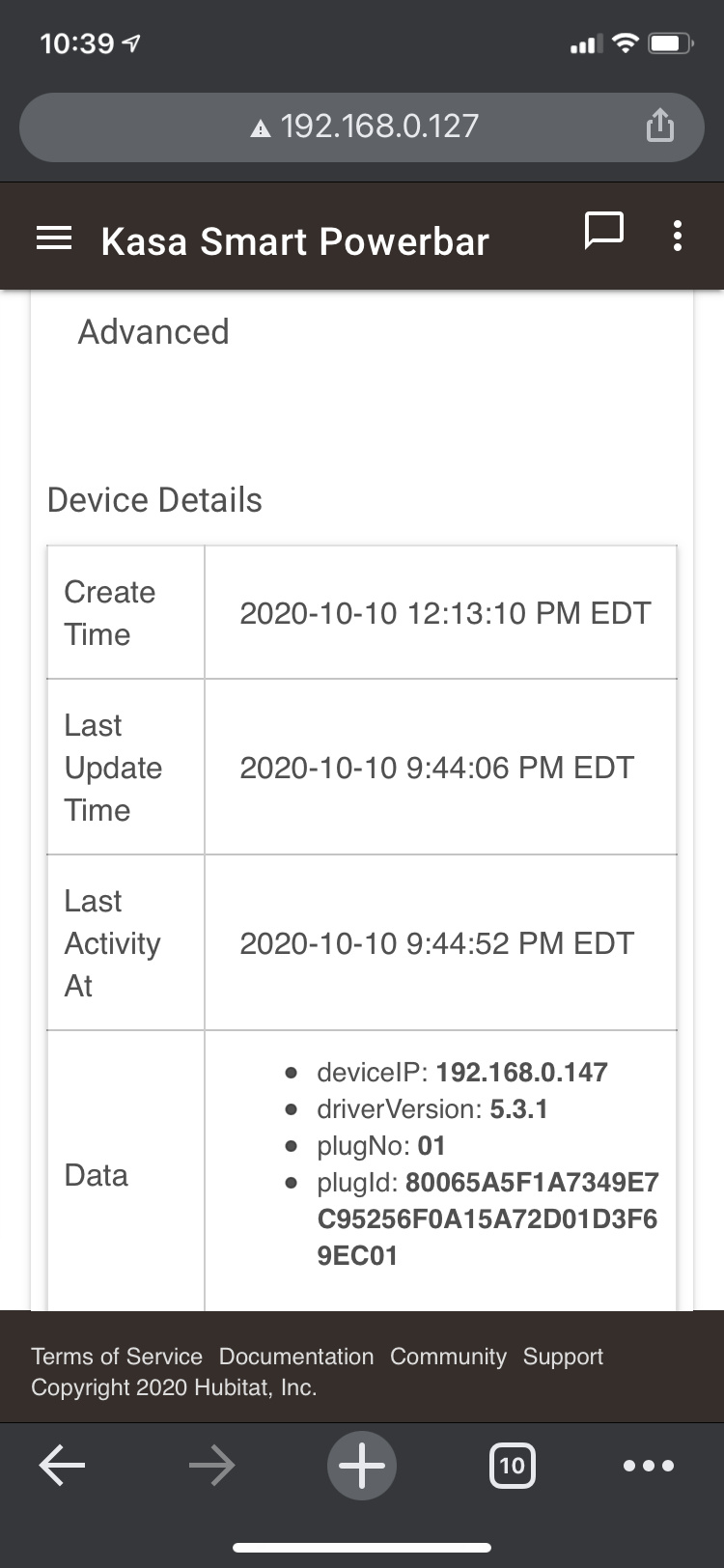
Device's page, Device Details, What are the data values plugNo and plugId?
plugNo (00, 01, or 02)
plugId (long number ending in plugNo
My initial thought is the problem is somewhere in the installation process. I have two HS107's working perfectly (they use the same driver); therefore the manual or app-based installation.
Dave
All the plugs have same IP in Deco app. I don’t know where to see plug number other than the default names it assigns which is Plug 1, 2, and 3 in the Kasa app, and Plug 1ce, 2ce, 3ce.
Regardless of the plug number set in the driver, only plug number 2 operates.
OK. Manual installation. You may only have one outlet installed (outlet 2 = plugId 1). This is a Kasa design - code has different values than the app interface). Add two more devices (each outlet is a separate device), one with plugId = 0 and the other with plugId = 2. They you will have three independently controlled outlets.
Note that the plugId is only set on initial installation and can not currently be reset. I will fix that issue in the next release.
Ah OK. So first time I save preferences, that’s it, no changing afterward. So plug two in my case is probably 01 in the driver. That is what I had set when I pressed the Save Preferences button for the first time. I will install the driver again with it set to 02 and let you know if that controls plug 3.
Ive been using this app for a while with no problems but over the last week or so my automations set using the motion lighting app to turn off and on plugs when motions detected has stopped working.
ive gone into the kasa integration app and noticed the plugs that are not working are not showing, only 7 out of the 11 plugs i have are showing.
If i go to install kasa devices no devices show for me to install. They work fine in the kasa native app and all have ip's reserved in my router.
Yeah I thought that. Today I've done address reservations on my router for all my kasa plugs.
I've deleted the plugs from the kasa app and re connected them and they work fine but I can't get them to show in the kasa integration app. 8 out of the 11 work fine but the other 3 don't show and won't allow me to add them.
I have no clue. If they were working once, I have done nothing that would change them working now (I use same device search routine). Again, If they are on a different segment (eg: 192.168.50 vs 192.168.0) or are on a guest network w/o access to main, that can change things. Check those items.
Are the missing devices HS-200 / HS-210 or HS-220?
Try a manual install. You create a virtual device, enter the IP address. See if this works on one. device.
I think this is what it is as they had firmware updates. Ive tried everything deleted them ,factory reset them they just don't show in the app but they work fine in the native kasa app.
I did try a manual install but still couldn't get them to work, they are hs100 an EM100 plugs