Ok, dumb question, maybe even a bit off topic. But here goes. The strip lights I ordered are way too long. I thought I could just cut them to use them in different places, but it looks like that's not the case. I can't find any that are short enough for what i am trying to do. So, what would happen if you just cut any excess length off? the first project I'm considering is underbed lighting. Will these strings make a flat 90 degree turn around the bed frame? I really don't need lighting all the way around, but if they can make that turn, I'm not opposed to going a little longer and going all the way around the frame. Smet situation with the other two projects, the lengths i need a somewhat shorter than what i can find to purchase.
So this is my understanding from various things I have found over time.
So Govee strips can certainly be cut, You just have to cut them at the right spots like other strips. It is a non issue for regular RGB strips as the extra strip has no impact on the controller but RGBIC may be a slightly different situation.
The strips that have RGBIC have IC's that talk to the controller to create the segments. My understanding is that some of the older controllers don't reset and calibrate after being cut so you could run into a situation where some of that fancy RGBIC functionality doesn't work as well. What i mean by this is that the controller would still think it is full length so when running animations/effects there may be times it is doing things on those cut segments and not provide the best result.
As of now the only RGBIC strips that I have heard for 100% certainty that do calibrate the controller is the new M1 strip and they are a bit pricey. I would expect other new ones to probably do the same i just don't know with 100% certainty.
The bigger issue is once you cut them it isn't like they are useable again. Govee doesn't sell just their controllers so the remainder of the strip may be useless unless you find a different way to control it. You can also always use a few pieces of wire to cut and separate the segments and use one controller if that will work for you. You would just need to solder the segments together with wire segments in between.
To the 90 degree turn question i think that depends on the way you are trying to bend the strip. The answer is different depending on if you mean bend it with the flat part towards on itself or if you ware having the flat part turn 90 degrees on the same plane. You certainly can bend the strip 90 degrees without harm back towards itself as long as you don't have a pixel, ic, or electrical piece in the bend itself. If you are trying to turn 90 degrees on the same plan then you need to be a little creative with allow a little extra flex in the strip to twist and change plans and then back, or create a loop that allows you to change direction. The other option is to simply get some of those 90 degree adapters that the strip fits into. You would cut it at the corner and attach each end into those pieces. Then of course there is also what mentioned earlier where you can cut the strip at the appropriate spots and then just run a few wires between the segments. since a few pieces of wire would be more flexible in all directions vs the strip that can also help.
Ok so I know I am a dunce. But just where is the Help button in the Govee app? Like where do I go to get the API key? Their app is just awful IMO.
The only thing I see is order filters, or send a bug report under the headphone looking symbol. Unless I send a bug report asking for the API key?
This is for the H7122 Air Purifier by the way, and no local API apparently.
EDIT: Found it. Their app is about the worst thing I have ever used. Apparently "settings" in one place is not the same as "settings" in other places.

Agreed. The sad thing is this is actually much better organized after the most recent update. They are trying to be a one app for everything and it's really awful. I don't see the logic in using the same app I control my lights to also be the app I use to see the temperature of my smoker.
1 Like
I think they are still trying to figure out the best way to do everything. At the same time they are also adding a bunch of new lines as well. The thing is they started out as simply a RGB Lighting company. Now they are creating a lot of sensor and appliance devices and so i look at it like they are still trying to figure that out how all that comes together.
I don't see the mix of the devices being a big problem. You can still rearrange them as needed and setup rooms if you want to see a smaller list of devices at a time.
I think the big problem is they are trying to do so much in the single app. They allow you to control the devices part of which is the custom Lighting setups in the DIY area. Then you also have the workshop area now with a lot of cool stuff for your lighting on all of the devices including appliance devices that have lighting. You also have their community forums in the app to look at what other folks are doing and share yourself if you want. Then they have the Savvy store which is prominent throughout the app. Then lastly the Profile side of it that shows a ton of info about your stuff, what you want to or can buy, forum activity, devices you you have and interactions you have had with users in the community.
Now they also seem to be diving head first into trying to do automatons with their stuff as well. Their rule engine isn't as good as HE, but isn't horrible when compared to some solutions. I got to be a beta tester for their two button device and specifically compared it to a Zen34 on Hubitat to help them understand how they can improve it.
The appliance devices were just added to the cloud API in it's last update. I reviewed my space heater and called out some concerns in their community about how it integrates with other systems via the cloud API and asked about them adding it to be useable over the LAN API. Hopefully they can push it with just a firmware upgrade.
If you have serious concerns about usability of the app and see improvements I would suggest you either reach out to support, or post in their forums as they do seem to listen to users.
1 Like
That's my point. Combining things like lighting and temperature monitoring of your grilling just makes the whole thing cluttered.
Fortunately, with your HE integration (THANK YOU) I rarely have to go into the app. Hopefully, they will eventually allow you to choose scenes from HE and then I'll only need the app for onboarding.
I'll take your suggestion and request that they add scene selection from outside the app.
1 Like
The problem is that stuff does have a purpose. Allot of their community is about sharing ones Light setups. So that community forum access is important to their user base. So are the various tools to create Light automatons and effects. It just isn't intuitive about where stuff is until you get use to it.
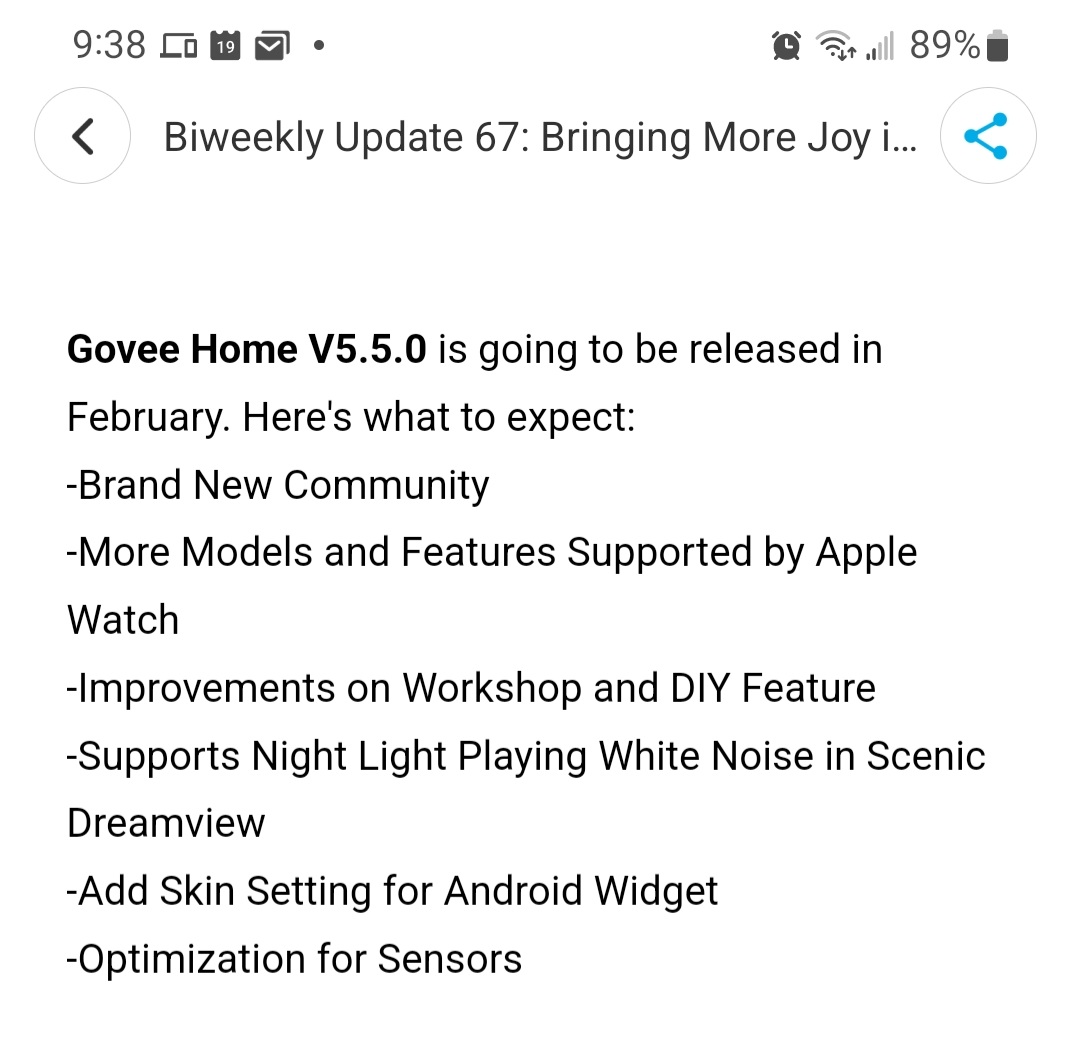
Below are some app updates they posted are coming in February. Hopefully some of those improvements help with what the concerns are that are being discussed. They have to know that some of this stuff is redundant and creating clutter at this point. Have you checked about using a Widget associated with your temp sensor for your smoker?
What I really want for this Govee Integration is a few things.
- For them to allow all of there devices sensor devices to connect to their distributed gateway functionality and then for that distributed gateway to publish those changed via UDP to their UDP Multicast group.
- For all devices to be available via LAN access and do they same to publish their updates. Right now they work by polling,
- Then for Govee to add Mode and Scene control into their Cloud or LAN API.
- Then Hubitat provides a way for developers to connect to a UDP Multicast group.
I actually think that Scene and Mode control is available right now, it just is not documented. It doesn't make sense for that to go all the way back to their servers, but i could easily be wrong with that to though.
No. It's at the top of the home page so I know where it's at. I only smoke a couple times a month. Thanks for the suggestion.
You hit the nail on the head when you said it's unintuitive. It's probably a situation where the engineers are also the ones creating the UI where they should hire a team that specializes in UI development.
I have no doubt that an "all in one app" can be created that works but Govees current app isn't it.
1 Like
I definitely feel your pain though. Since taking on this app my number of devices has jumped.
Before jumping head first into this app I had a handful of devices.
2 H6199 TV Immersion LED Kits
1 H6052 Aura Table Lamp
1 H7142 6L Humidifer
1 H7141 3L Humidifier
Since starting this app I have added
1 H7120 Small Air Purifier
1 H7122 Large Room Air Purifier
1 H6072 Lyra Floor Lamp
1 H6076 Basic Corner Floor Lamp
1 H6066 Glide Hexa Pro Wall Light Kit
1 H6065 Glide Y Light Kit
1 H7050 Allura Smart Ground Light
1 H7131 Portable Space Heater
2 H6172 Outdoor RGBIC Strip Lights
1 H61A1 2m Neon Rope Light Strip
1 H5080 Smart Outlet
1 H5126 2 Button Remote
Haveing so many devices makes the app even more unrulely. I also use Rooms in their app to help split devices up so they are easier to find under certain conditions. It might also be nice if they had a search function like we have in HE to find devices.
The only device that I have really been disappointed in is the 2 Button Remote device. It just has so much potential and is held back clearly by there lack of vision into the Automation side.
The Y Lights look fantastic actually. We want to get more of them so we can expand the size of what they are doing. The Lyra Lamp is also fantastic as well if you want that kind of lamp.
Edit I just remembered there was another device we didn't like at all. They realeased in early December their Cylinder Floor Lamp. It looks like a great idea, until you try to use it to replace a more traditional lamp. It is basically a 1500 Lumen lamp that doesn't have a shade over the light source. It is basically a longer, skinnier Aura Lamp on a lamp base to bring the lamp to eye level. It does pretty good for ambient light and scenes, but when you try to use it for general lighting it is very harsh on the eyes. To have a 1500 Lumen light source at eye level if it is in your field of view is pretty uncomfortable.
3 Likes
That was my issue. I kept getting everywhere but the settings for my account. I got the store, the forums (if you call them that) and the DIY section. It just wasn't intuitive (or clear to me at least) to need to go to that last "tab" in the bar at the bottom and then go to the gear menu for additional settings. And like I mentioned above, settings (gear menu) for the device doesn't have a link to the help section or to your main settings. UGH.
But the integration works. Thanks for making that simple enough for an addle brain like me. 
2 Likes
I am probably not the best judge at this point since I have been going into it allot for scenes and such recently. It is clearly a mess, but at this point for me it has also gotten pretty second nature.
I will take some screen shots and try to create some better directions to request the API through the APP.
3 Likes
Again. Thanks for the integration.
I like the products and they are reasonably priced. Being that govee seems to have taken off rather quickly, I would bet they are experiencing growing pains. With the nature of how businesses work today, we have no idea how many people are actually working at the HK location.
2 Likes
Hey @mavrrick58, I'm having issues setting my night light (H6059) to warm white 1% within RM rule. Can you confirm if your table lamp triggers correctly?

Also, there's still no option to set a scene through hubitat? My alexa routine has been janky lately not triggering the scene via routine. Trying to figure out a workaround or maybe upgrade to your lamp.
**EDIT: ** Nevermind, I went with custom attribute and SetColorTemp and SetLevel worked for my intended needs.
1 Like
I am glad you figured out a good way to get what you need, but i am also glad you posted about this as well. I tested from the device page itself but not RM. So I will test this out to see what RM is passing.
What exactly were you experiencing.
It wasn't applying the color temp or level. Didn't trigger the command using set color option in RM. It also wasn't turning off the night light using set switch to off using RM. Only custom attributes are working for me. I am also setting to initialize infront of my rules now. Just to kind of wake it up before I send the custom action. I could test without it, since it just adds to the rate limit.
If you could get me some of the logging from the hub while that was happening it may help me expedite a fix for it.
If that means you are submiting the initialize on the device you probably shouldn't do that. All that does is verify a device is retrieveable and then setup polling and restart it if you change the polling interval. It won't do anything to wake up the device.
I removed it and tested it. Worked fine without the initialize. I was just being extra, so to speak.
I've went ahead and created another rule with my original Set Color option in RM rule. Just like in my original screenshot.
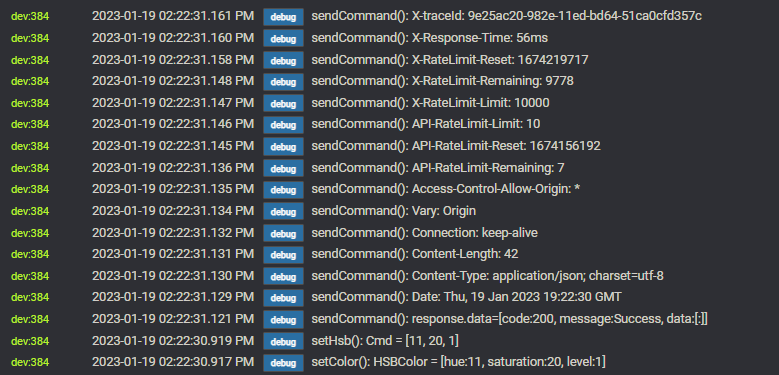
Looks like it's going through, but it doesn't physically turn on the bulb and set it to that color. Maybe I should be adding a step above to turn it on first?
I've added above it to switch on the night light first, then proceed to the next step. Here's the logs for that particular action run.
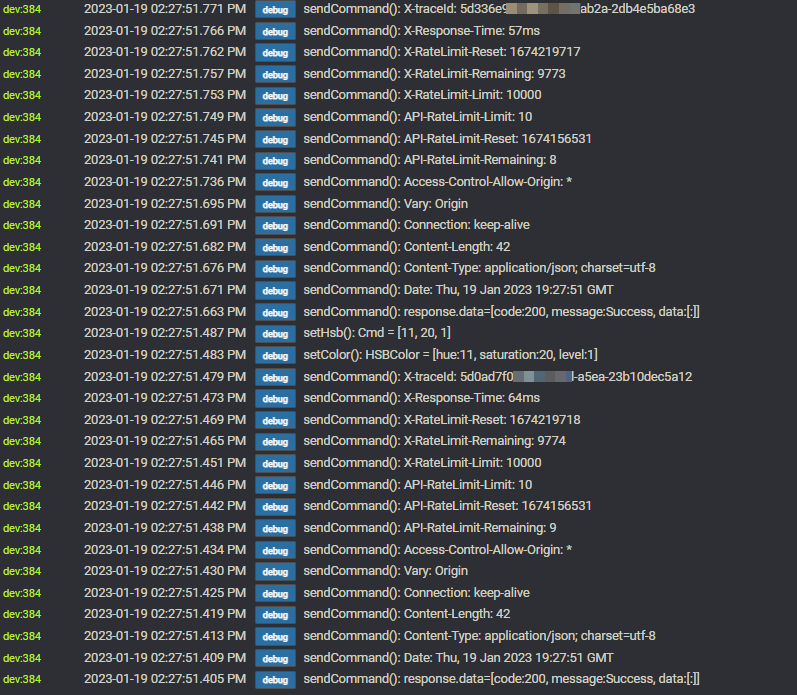
Also that didn't turn it on.
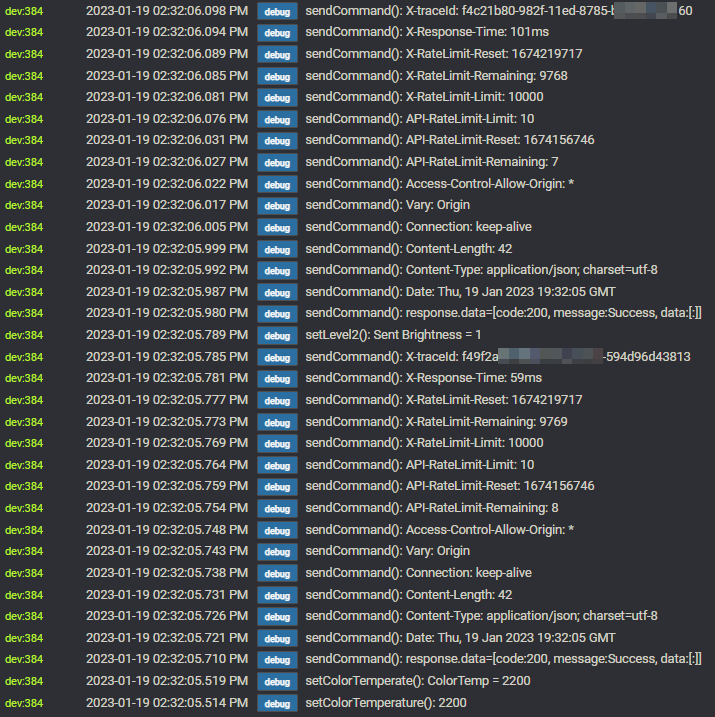
Only CustomAttribute rules are working so far. 
So what is interesting about those logs is that the integration is sending to Govee and Govee is responding and saying it processed the requests succesfully.
I think the issue is the use of set color that with hibitat is based on HSV scale. Which is Hue saturation and then Value. It is in a way a value of brightness but not exactly. You are better off using the Color Temp option instead if you want a warm white on the white temp scale. Are you unable to use the set color temp options in RM?

