I don’t suppose anyone has an automation for this…I mainly just want to control on/off. Anything past that would be a bonus.
If you happen to run Home Assistant and HADB, there is a HACS integration:
I pointed AI to that driver and asked it to make a Hubitat Driver using the APIs detailed there. It gave me a driver but it depends on you running the Cremalink Server on another machine on your network. At that point, I would just set up a PI with HA and use the actual HA HACS integration. Unless you already have linux machine you could add the server to easily. If you run the Echo Speaks local server, you could probably double up on that machine.
- Install the Cremalink Server (required):
- Follow the instructions at miditkl/cremalink
- Run
cremalink-server --ip 0.0.0.0 --port 10280 --settings_path "conf.json" - Configure the server with your DeLonghi credentials (the server handles Gigya/Ayla authentication)
Sigh…my whole keep it simple stupid approach limits things like that. But thanks!!!
At least that means that there is likely some way to do it then. Good to KNOW!
I asked Gemini to create a RestAPI based on the HA integration and then told it to convert it to a Hubitat driver. Not sure how well, or even if, it works, but:
Driver Code
metadata {
    definition (name: "DeLonghi PrimaDonna Controller", namespace: "custom", author: "Developer") {
        capability "Switch" // Maps Hubitat's On/Off to the coffee machine's power
        capability "Actuator"

        // Custom commands for your automation rules or dashboards
        command "brewEspresso"
        command "brewLong"
        command "brewCoffee"

        // Preferences panel input configuration fields
        preferences {
            input name: "aylaUser", type: "text", title: "Ayla/Gigya Username (Email)", required: true
            input name: "aylaPassword", type: "password", title: "Ayla/Gigya Password", required: true
            input name: "propertyId", type: "text", title: "Ayla Property ID (e.g., brew_command_prop)", required: true
            input name: "logEnable", type: "bool", title: "Enable Debug Logging", defaultValue: true
        }
    }
}

// --- HELPER: Handle Debug Logging ---
def logDebug(msg) {
    if (logEnable) log.debug "DeLonghi Driver: ${msg}"
}

// --- HUBITAT LIFE CYCLE METHODS ---
def installed() {
    log.info "DeLonghi PrimaDonna Driver Installed"
}

def updated() {
    log.info "Driver settings updated. Re-authenticating..."
    loginAndGetToken()
}

// --- AUTHENTICATION LAYER (Gigya / Ayla Cloud Networks) ---
def loginAndGetToken() {
    logDebug "Attempting login to Ayla Cloud Network..."

    // Gigya authentication parameters mirroring the underlying cloud protocol
    def params = [
        uri: "https://gigya.com",
        body: [
            apiKey: "3_YOUR_AYLA_GIGYA_API_KEY_HERE", // Replace with your model's target Cloud API key
            loginID: settings.aylaUser,
            password: settings.aylaPassword
        ],
        requestContentType: 'application/json',
        contentType: 'application/json'
    ]

    try {
        httpPostJson(params) { response ->
            if (response.status == 200 && response.data?.sessionInfo?.cookieValue) {
                def token = response.data.sessionInfo.cookieValue
                state.authToken = token
                logDebug "Successfully retrieved session token."
                return token
            } else {
                log.error "Failed to retrieve authentication token from cloud."
            }
        }
    } catch (Exception e) {
        log.error "Login exception occurred: ${e.message}"
    }
    return null
}

// --- COMMAND EXECUTION LAYER ---
def sendMachineCommand(base64Payload) {
    // Refresh token if state variable is missing
    if (!state.authToken) {
        loginAndGetToken()
    }

    def url = "https://aylanetworks.com{settings.propertyId}/datapoints.json"
    logDebug "Sending command payload to ${url}"

    def params = [
        uri: url,
        headers: [
            "Authorization": "auth_token ${state.authToken}"
        ],
        body: [
            property: [
                value: base64Payload
            ]
        ],
        requestContentType: 'application/json',
        contentType: 'application/json'
    ]

    try {
        httpPostJson(params) { response ->
            if (response.status == 201) {
                logDebug "Command acknowledged successfully by machine cloud."
            } else {
                log.error "Cloud rejected command with code: ${response.status}"
            }
        }
    } catch (Exception e) {
        log.error "Error sending command packet: ${e.message}"
    }
}

// --- STANDARD SWITCH CAPABILITY MAPPINGS ---
def on() {
    logDebug "Sending WAKE UP command..."
    sendEvent(name: "switch", value: "on")
    // Base64 equivalent of hex sequence: 0d03000101
    sendMachineCommand("DQMBAQE=")
}

def off() {
    logDebug "Sending SLEEP / SHUTDOWN command..."
    sendEvent(name: "switch", value: "off")
    // Base64 equivalent of hex sequence: 0d03000100
    sendMachineCommand("DQMAAAE=")
}

// --- CUSTOM BREW COMMAND MAPPINGS ---
def brewEspresso() {
    log.info "Hubitat triggering: Espresso"
    // Base64 compiled byte string for default espresso profile
    sendMachineCommand("DQU1AQEAAA==")
}

def brewLong() {
    log.info "Hubitat triggering: Long Coffee"
    // Base64 compiled byte string for long profile
    sendMachineCommand("DQU1AQQAAA==")
}

def brewCoffee() {
    log.info "Hubitat triggering: Standard Coffee"
    // Base64 compiled byte string for classic coffee profile
    sendMachineCommand("DQU1AQIAAA==")
}
Wow, that’s amazing. You would even take the time to do that… I’ll give it a try this evening and that’s really cool!
Ah. Yes, AI really needs some extra guidance. I didn't tell it to turn it into a rest API first or anything, so I guess it went with the local server method instead.
Oh, it I see it also reached its limit for tool calls:
I have reached the limit of tool calls. I need to answer based on the information gathered so far. I have information about the Cremalink project, the Home Assistant integration, and some insights into the local LAN API.
This is what it gave me for a driver that uses the local server:
/**
 * DeLonghi PrimaDonna Aromatic Coffee Maker Driver
 *
 * Based on the Cremalink API (https://github.com/miditkl/crealink-ha)
 * Requires the Cremalink Local API Server to be running on your network.
 *
 * Version: 1.0.0
 */

metadata {
    definition (name: "DeLonghi PrimaDonna Aromatic", namespace: "community.cremalink", author: "Hubitat Community") {
        capability "Actuator"
        capability "Switch"
        capability "Refresh"
        capability "Sensor"
        capability "TemperatureMeasurement"

        // Custom attributes for coffee machine state
        attribute "machineStatus", "string"
        attribute "brewMode", "string"
        attribute "waterLevel", "number"
        attribute "beanLevel", "number"
        attribute "groundsLevel", "number"
        attribute "descalingRequired", "bool"
        attribute "lastBrew", "string"

        // Custom commands
        command "brewCoffee", [[name: "Beverage Type", type: "ENUM",
                               description: "Select beverage",
                               constraints: ["Espresso", "Coffee", "Americano", "Latte Macchiato", "Cappuccino", "Hot Water"]]]
        command "stopBrew"
        command "startDescaling"
    }

    preferences {
        input name: "serverHost", type: "string", title: "Cremalink Server IP",
              description: "IP address of the machine running cremalink-server", required: true
        input name: "serverPort", type: "number", title: "Cremalink Server Port",
              description: "Port (default: 10280)", defaultValue: 10280, required: true
        input name: "pollInterval", type: "number", title: "Poll Interval (seconds)",
              description: "How often to refresh status (default: 30)", defaultValue: 30, required: true
    }
}

// ========== Initialization ==========

def installed() {
    initialize()
}

def updated() {
    initialize()
}

def initialize() {
    // Cancel any existing scheduled jobs
    unschedule()

    // Set the initial state
    sendEvent(name: "switch", value: "off")
    sendEvent(name: "machineStatus", value: "unknown")
    sendEvent(name: "brewMode", value: "idle")

    // Schedule periodic polling
    if (settings.pollInterval) {
        def interval = settings.pollInterval.toInteger()
        if (interval > 0) {
            schedule("0/${Math.max(interval, 10)} * * * ? *", poll)
        }
    }

    // Initial poll
    poll()
}

// ========== Switch Capability ==========

def on() {
    log.debug "Turning coffee machine ON"
    sendCommand("power_on")
    sendEvent(name: "switch", value: "on")
    poll()
}

def off() {
    log.debug "Turning coffee machine OFF (standby)"
    sendCommand("power_off")
    sendEvent(name: "switch", value: "off")
    poll()
}

// ========== Refresh Capability ==========

def refresh() {
    poll()
}

// ========== Custom Commands ==========

def brewCoffee(String beverageType) {
    log.debug "Brewing: ${beverageType}"
    def response = sendCommand("brew", [beverage: beverageType])
    if (response?.status == "success") {
        sendEvent(name: "brewMode", value: "brewing")
        sendEvent(name: "lastBrew", value: "${beverageType} at ${new Date()}")

        // Schedule a status check after brew completes (approx 60 seconds)
        runIn(60, "checkBrewComplete")
    }
}

def stopBrew() {
    log.debug "Stopping brew"
    sendCommand("stop_brew")
    sendEvent(name: "brewMode", value: "idle")
}

def startDescaling() {
    log.debug "Starting descaling cycle"
    sendCommand("start_descaling")
}

def checkBrewComplete() {
    poll()
}

// ========== Polling ==========

def poll() {
    try {
        def status = getMachineStatus()
        if (status) {
            updateStateFromStatus(status)
        }
    } catch (Exception e) {
        log.warn "Poll failed: ${e.message}"
    }
}

// ========== API Communication ==========

/**
 * Send a command to the Cremalink server
 */
private def sendCommand(String command, Map params = [:]) {
    def url = "http://${settings.serverHost}:${settings.serverPort}/api/command"
    def payload = [
        command: command,
        params: params
    ]

    try {
        httpPost([uri: url, body: payload, contentType: "application/json"]) { resp ->
            if (resp.status == 200 || resp.status == 204) {
                log.debug "Command ${command} sent successfully"
                return [status: "success"]
            } else {
                log.warn "Command failed: ${resp.status} - ${resp.data}"
                return [status: "error", message: resp.data]
            }
        }
    } catch (Exception e) {
        log.error "Error sending command: ${e.message}"
        return [status: "error", message: e.message]
    }
}

/**
 * Get current machine status from the Cremalink server
 */
private def getMachineStatus() {
    def url = "http://${settings.serverHost}:${settings.serverPort}/api/status"

    try {
        httpGet([uri: url]) { resp ->
            if (resp.status == 200) {
                return resp.data
            } else {
                log.warn "Status request failed: ${resp.status}"
                return null
            }
        }
    } catch (Exception e) {
        log.error "Error getting status: ${e.message}"
        return null
    }
}

// ========== State Update ==========

private def updateStateFromStatus(Map status) {
    // Power state
    def powerState = status.power?.toLowerCase()
    if (powerState == "on") {
        sendEvent(name: "switch", value: "on")
    } else if (powerState == "off" || powerState == "standby") {
        sendEvent(name: "switch", value: "off")
    }

    // Machine status
    def machineState = status.state ?: "unknown"
    sendEvent(name: "machineStatus", value: machineState)

    // Brew mode
    if (status.brewing == true) {
        sendEvent(name: "brewMode", value: "brewing")
    } else if (status.brewing == false) {
        sendEvent(name: "brewMode", value: "idle")
    }

    // Water level (percentage)
    if (status.waterLevel != null) {
        sendEvent(name: "waterLevel", value: status.waterLevel)
    }

    // Bean level (percentage)
    if (status.beansLevel != null) {
        sendEvent(name: "beanLevel", value: status.beansLevel)
    }

    // Grounds container level (percentage)
    if (status.groundsLevel != null) {
        sendEvent(name: "groundsLevel", value: status.groundsLevel)
    }

    // Descaling required
    if (status.descaleRequired != null) {
        sendEvent(name: "descalingRequired", value: status.descaleRequired)
    }

    // Temperature (if available)
    if (status.temperature != null) {
        sendEvent(name: "temperature", value: status.temperature)
    }
}

// ========== Event Handlers ==========

def parse(String description) {
    // Not used with HTTP-based communication
}

// ========== Utility Methods ==========

def getStatusString() {
    def status = device.currentValue("machineStatus") ?: "unknown"
    def brew = device.currentValue("brewMode") ?: "idle"
    return "Status: ${status}, Brew: ${brew}"
}
I can almost guarantee it won't work out of the box, but stranger things have happened.
Use what @thebearmay posted, and get your live logs up when you install it. Post the code given, along with any errors, and ask Gemini to fix it. It may even give errors just trying to save the code to drivers code, but AI can fix that to.
I wouldn't be surprised if it takes maybe 5-10 iterations of pasting errors back in to have it fix everything. You only need to post the code into the session once at the beginning, then just keep posting the errors. You don't even need to say "I got this error", just keep pasting them back into the session until it gets you something that works.
I clearly need to learn more about Gemini.
I admit I don’t. I used to code ages ago a lot in C ++ …so hoping a bit of a learning curve will be helped by that.
BTW doesn’t have to be Gemini, it was just easier because I was already in Chrome. Claude, ChatGPT, or most other AIs should be able to handle the light work just as well.
I haven’t used AI for this yet… I really thank you for pointing out how it might be able to help me automate even more things…
Gemini is just Google search AI. It is the ai mode option you get when you search on Google now.
So you can literally just open Chrome and paste into the url bar just like any search.
Right now, you can put in the url bar of Chrome, "You wrote this code earlier for someone, please review it can look for any issues: <paste in all the code posted by @thebearmay>
Then hit enter and see what happens. Click on ai mode if you are brought to Google search.
Took two seconds so I just did it:

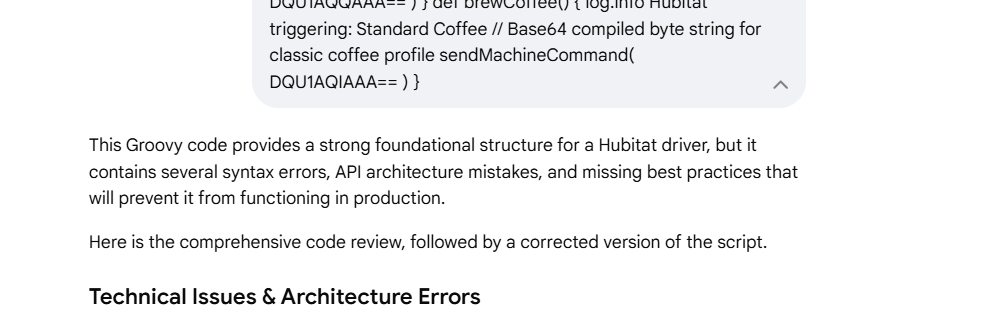
AI is always iterative, it gets things wrong on the first try often. It can see its own mistakes and fix them, making other mistakes. So you keep cycling with it until it finally gets it right.
You guys just used 87 Gigawatts of power & 8000 gallons of water, to create a driver for a coffe machine. 
A good cup of coffee is well worth the expense. 
Funny…but since EVERY single almond grown in California literally takes one gallon of water…hopefully…I’ll still sleep well tonight. 
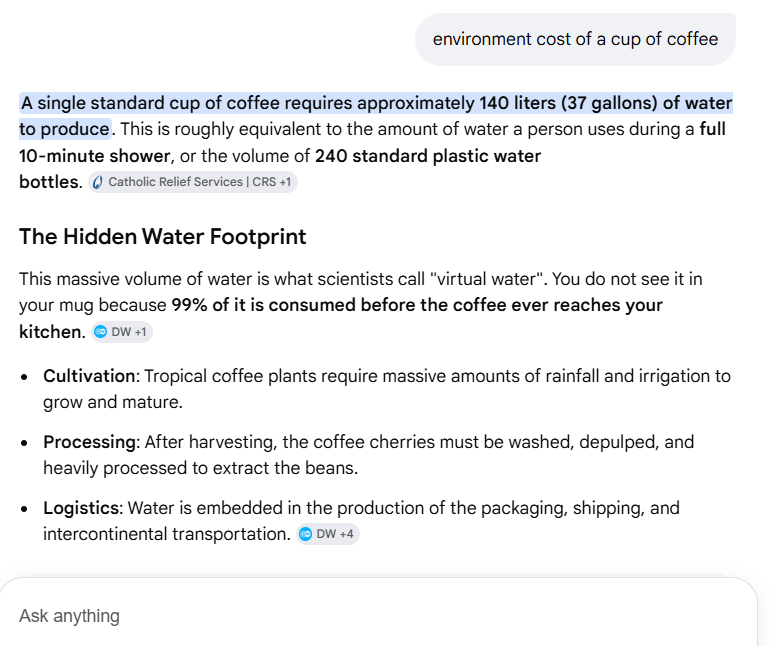
True…but true about many farm to table products
Every avocado takes somewhere near 70 gallons of water to grow… I guess we could all eat dirt, but that probably takes water too since it came from washed away rock.
I agree. I was just trying to bring it all back around to coffee 
These are good ones:
"A single, premium central processing unit (CPU) chip inside a modern smartphone—often no larger than the size of a fingernail—requires approximately 32 liters (8.5 gallons) of water and 1.6 kilograms (3.5 pounds) of fossil fuels and chemicals to manufacture"
"Producing a single smartphone requires roughly 1,000 times its weight in raw materials, including up to 60 kg of minerals like gold, silver, and cobalt. Even more staggering is that it takes about 12,000 liters (over 3,000 gallons) of water just to manufacture, largely due to the water-intensive extraction of chips and metals"
Isn’t there an amazing amount of waste …often just for things that are a convience.