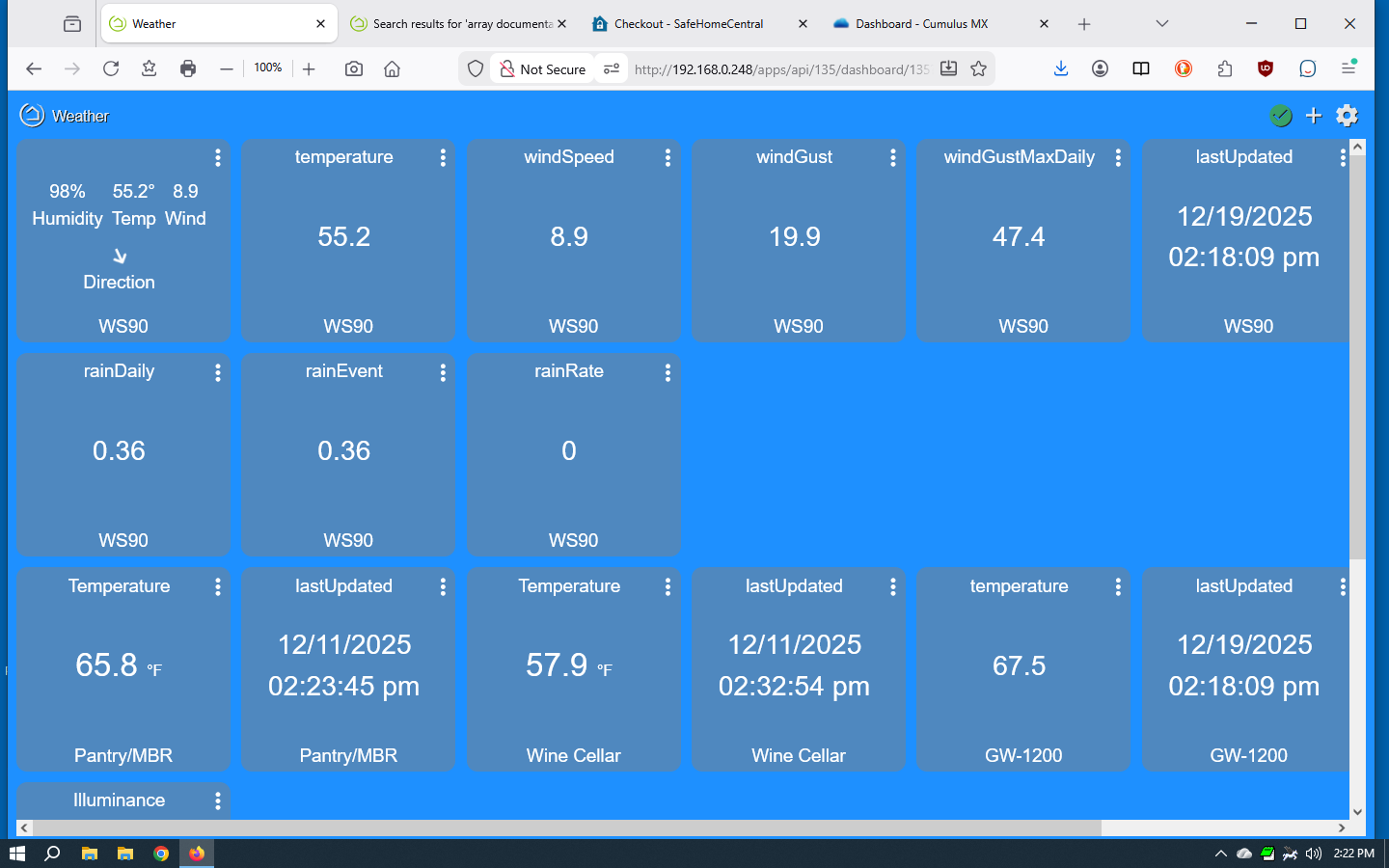
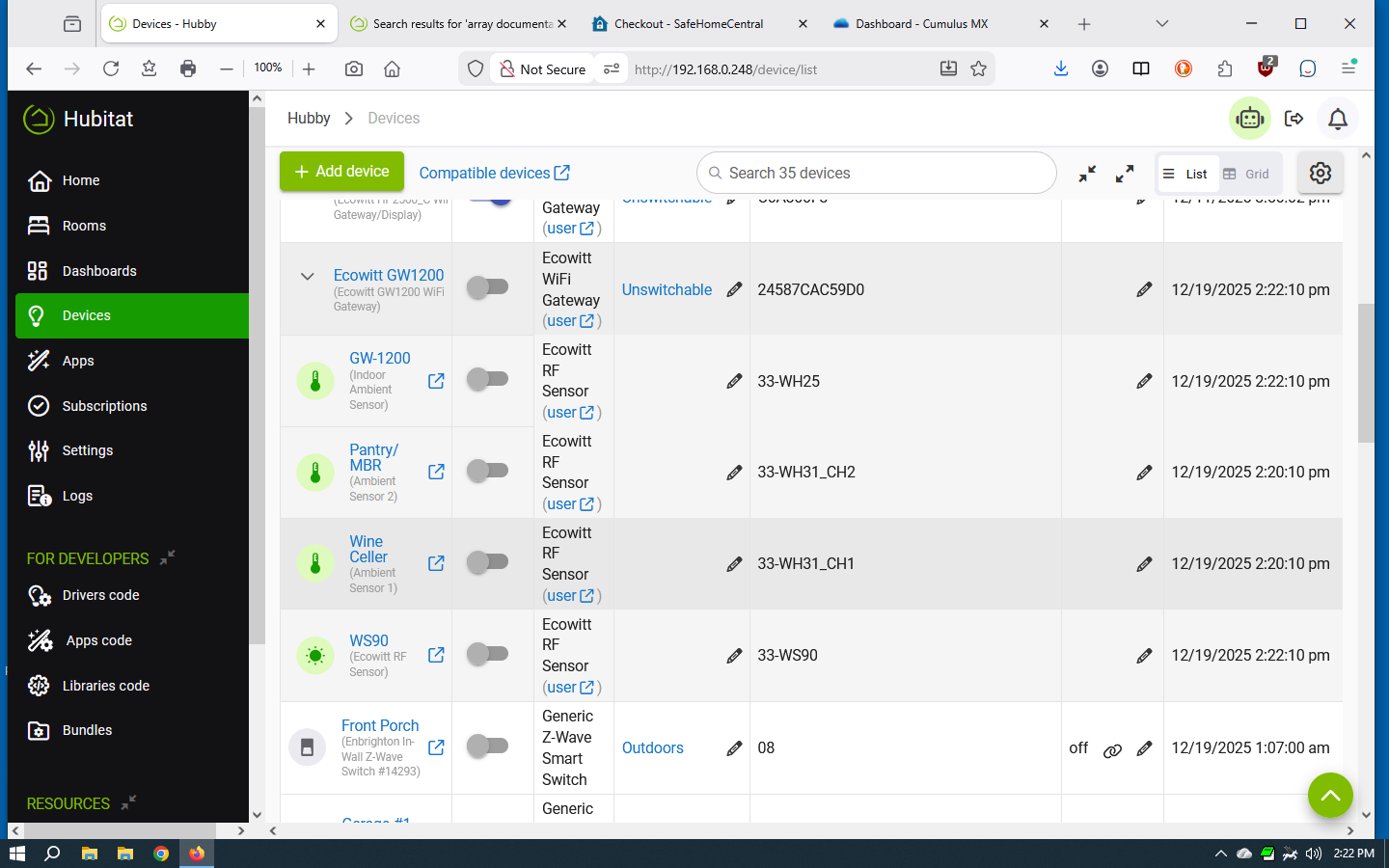
You can see by the screen shots below, that my weather station temperature (Pantry and MBR child devices) are not updating on my dashboard, but in the second screen shot, they are updating under Devices.
Is there an explanation/fix for this?
You can see by the screen shots below, that my weather station temperature (Pantry and MBR child devices) are not updating on my dashboard, but in the second screen shot, they are updating under Devices.
Is there an explanation/fix for this?
Any errors in Logs? Are they authorized for this dashboard (probably, but...)?
Your screenshot also doesn't show anything of interest actually updating; you need to look at "Current States" on the device detail page or the Events history for the device.
No errors in the logs. The previous screen shot shows when they were last updated. "Current States" does not show when it was updated.
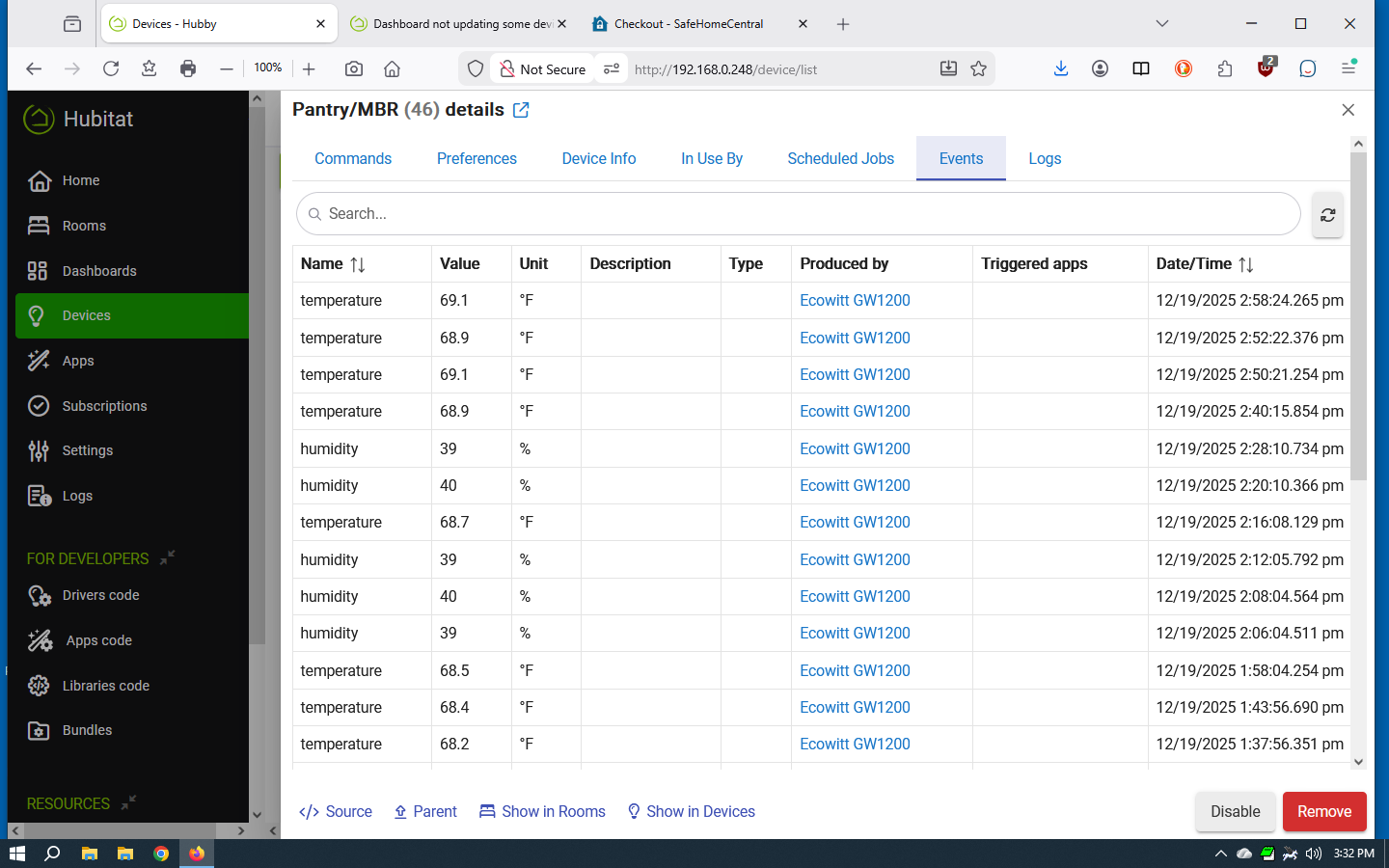
I have attached the events showing the updates.
My point is that the "Last updated" value from device metadata, which is all that first screenshot showed, doesn't mean every or even necessarily any device attribute was updated (this is a platform feature -- not part of weather station driver per se -- that more or less corresponds to when the driver sends an event, but it doesn't mean that it was one you cared about or that it was even a change of value at all).
So, that is why it was necessary to look at Current States (if it matched your dashboard, that's the problem, not the dashboard itself) or check Events to see what the latest data is. Hope that helps explain why this was a good troubleshooting step!
Since you've narrowed it down to an issue with the Dashboard, I'd move on to some other steps. Good things to try would be a cacheless realod (Shift or Ctrl/Cmd+Reload in some browsers, but check yours), clearing cache and cookies, and seeing if you can replicate the behavior on a different device or browser.
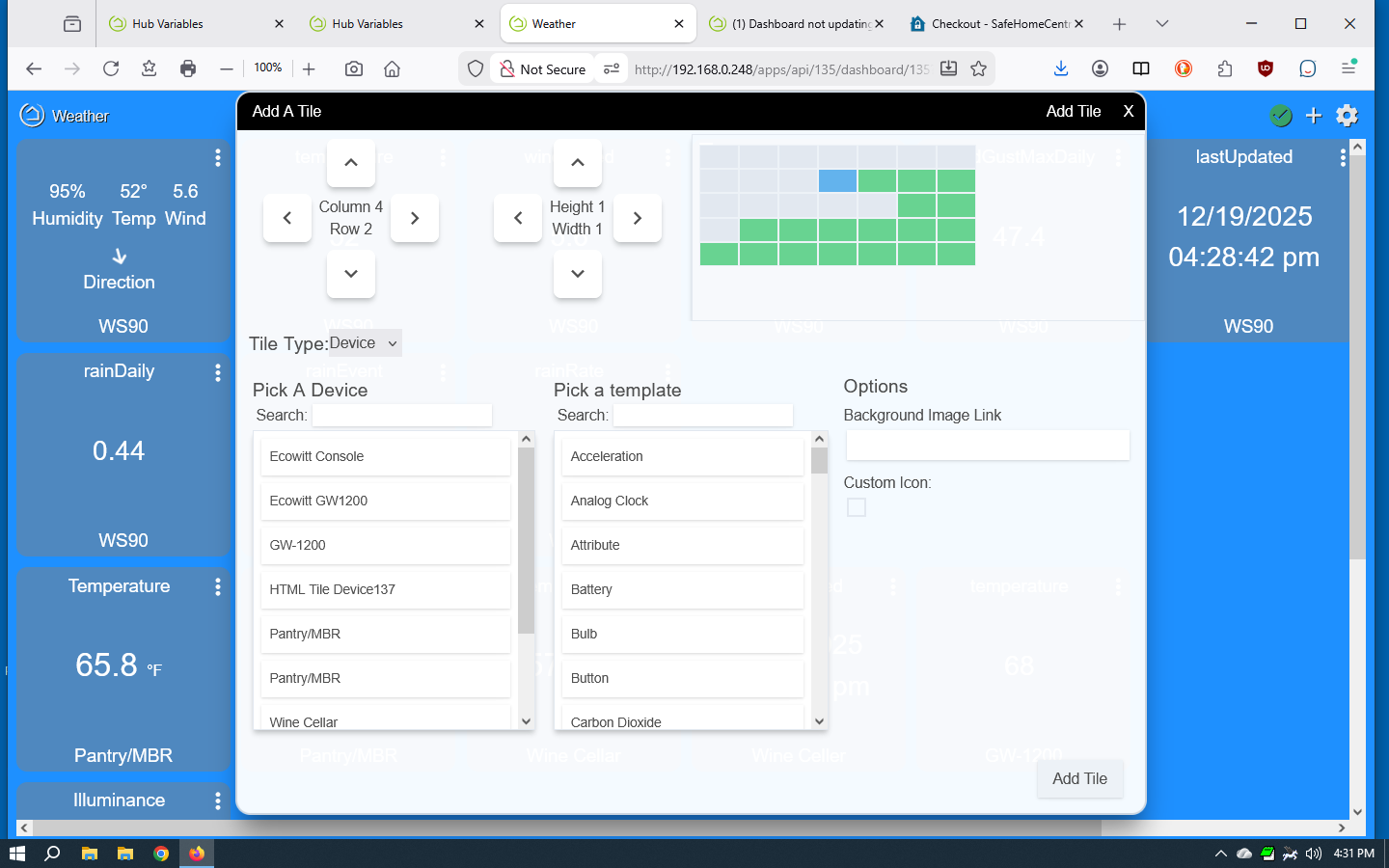
I have found the problem, but I don't understand it. When I go to add a tile to the dashboard, and drop down a list of devices, some devices appear 2 times (see screen shot). Depending on which of the two you choose, things work or don't work.
If anyone can explain this, I would appreciate it.
Good explanation.
I found the cause of the double entries in the device list. I had been experimenting on problems with the Ecowitt weather station, and had 2 different configurations. One of the device configurations was marked "Disabled". I thought that would stop it from being used, but apparently not. I have deleted the disabled weather station devices, and the duplicate entries are now gone.
Thanks for helping me think through this problem.
Glad you got it figured out!
Disabling a device, assuming that is what you mean, only stops the driver code from running. Its origins were more fore troubleshooting (e.g., if disabling a device makes a misbehaving hub better, you've probably narrowed it down to the driver code -- useful when using custom drivers or developing your own), though there are some practical uses for automation, too (no driver means no events, so it can't trigger apps, etc., which would ultimately be the issue in your case).
Download the Hubitat app