Were you able to resolve this?
-Bill
Were you able to resolve this?
-Bill
No. I gave up. I did find lots of api info if I want to write some code but I don't have time
Alright ... if you want to get back on it .. check the log to see if there are any events logged when triggered. Is it a Amcrest Doorbell cam? This one is picky on the firmware installed .. newer firmware doesn't work well with this plugin.
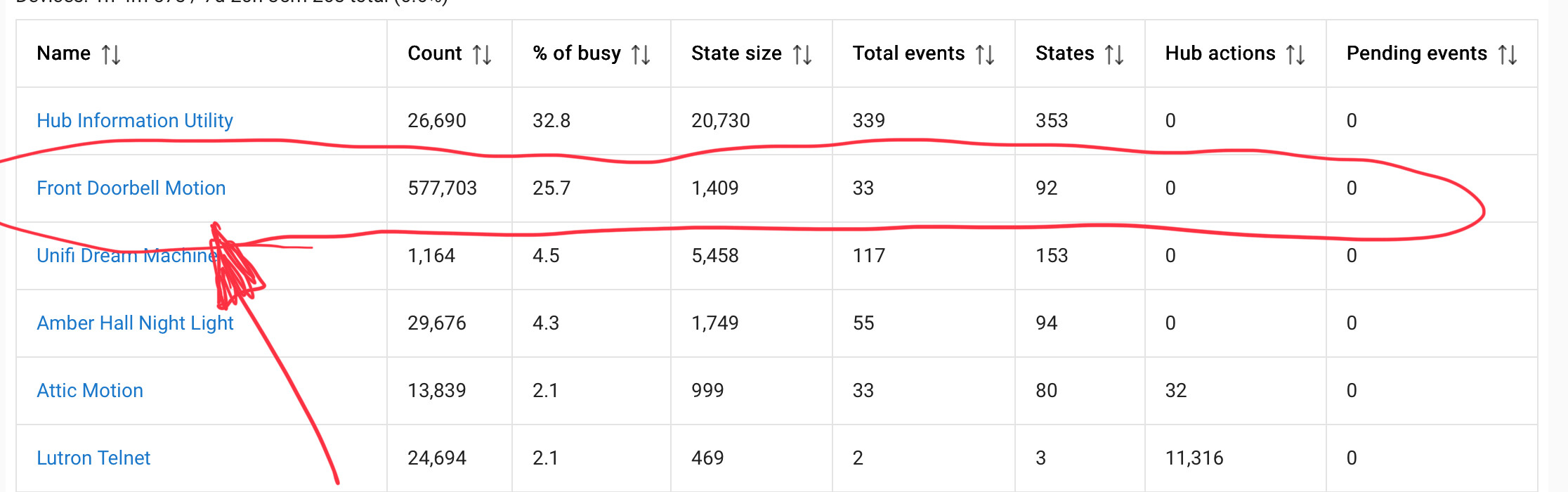
Hey @tomw, I continue to get a lot of usage and value out of this driver, but it seems like it’s a bit of resource hog. There aren’t any preferences or parameters that I’m aware of that could improve my gas mileage. Any suggestions?
did you perform a PR to the github on this? GitHub - tomwpublic/hubitat_dahua
@tomw any ideas?
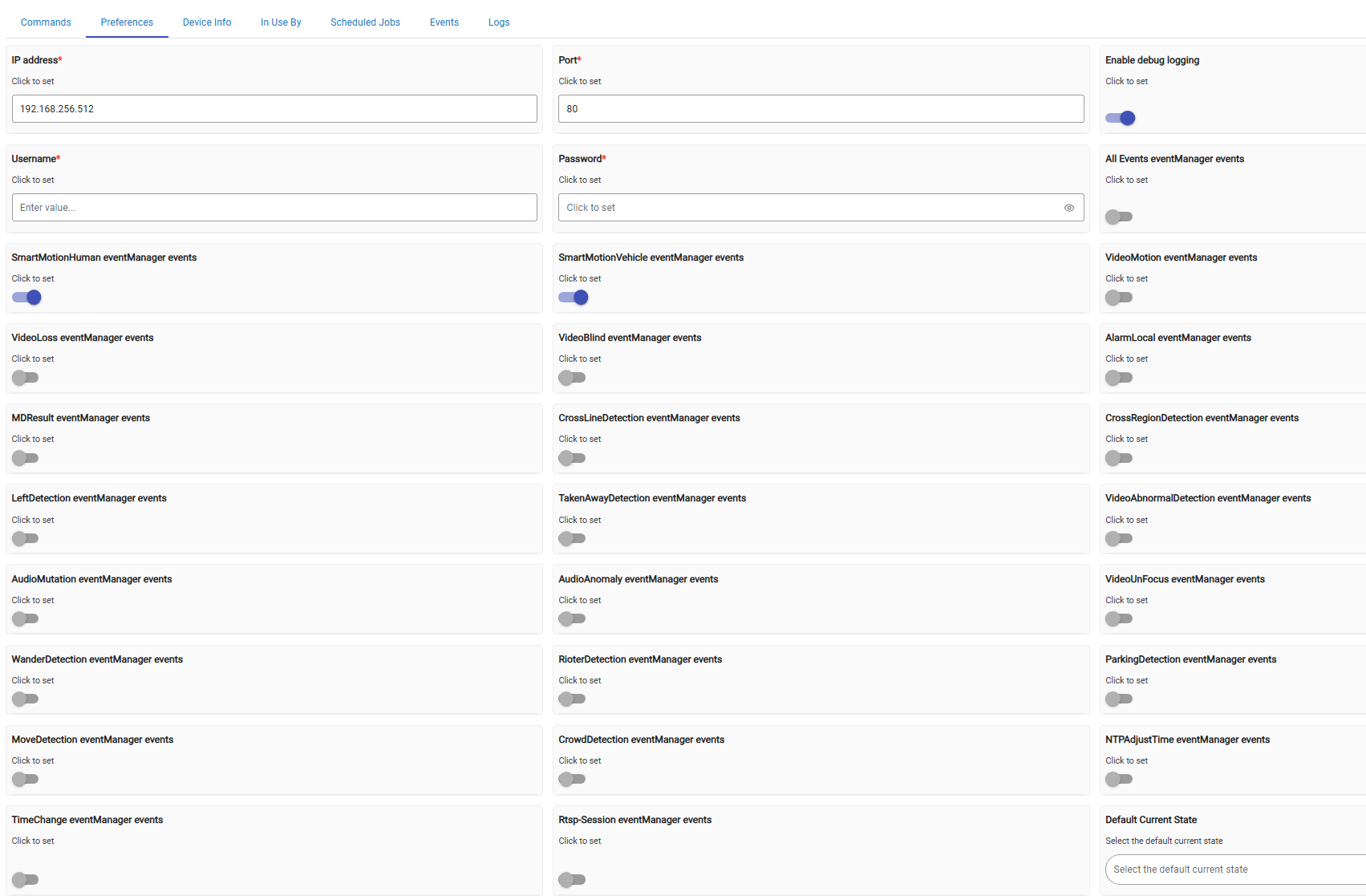
Also interested in this filter:
http://$ip/cgi-bin/eventManager.cgi?action=attach&codes=[SmartMotionHuman,SmartMotionVehicle]
I did not because I didn't want to change the original focus. I'd be glad to share my version if someone wanted to do that.
Hal
I've created a PR: Update cameraDriver with enhanced event configuration by mbrownnycnyc · Pull Request #5 · tomwpublic/hubitat_dahua · GitHub
I am tackling this again. Getting fail to connect in logs on initialize. Does user/pass work still? Has anyone got a Amcrest Smart Home type camera to work?
Download the Hubitat app