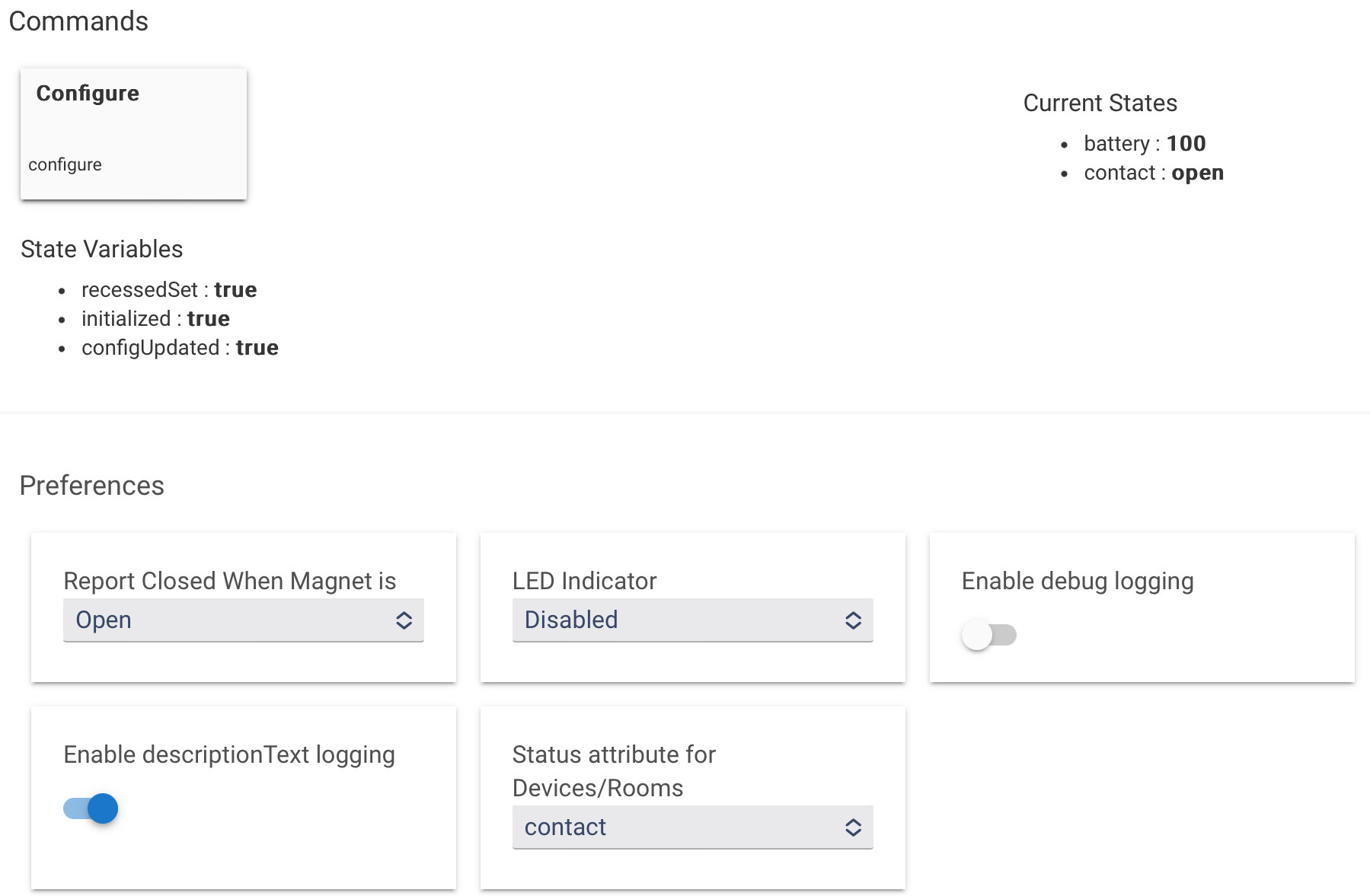
Connected no problem, but when the door is closed, the “device” reports open, and when open it reports “closed.
Under Preferences - “report closed when magnet is ____” - I’ve tried changing it to Open, Closed, and No selection and none of those options fixes the issue. It’s impacting my Room Lighting automation.
Z-Wave Wake Up is the name of a specific state for a battery-powered device. Opening/closing the sensor will not help; the device sending a command does not mean it's awake, i.e., listening for commands from the hub.
One option is to wait for the wakeup interval to pass. For most devices, they default to something like every 12 or 24 hours.
Another option is to manually wake the device. According to the manual for your device, holding the button for 2-5 seconds should do it.
Depends on what you want it to do, but that sounds like the opposite of what you want to me. If you suspect the settings are backwards, you can certainly try both ways, but a quick look at the driver and the device manual says they match to me (parameter 2, value 0 for normal behavior -- closed when closed -- or 1 for reversed).
But if you have the specific manual that came with your device, it may be best to look there to confirm. You can use something like the Basic Z-Wave Tool to change or view a parameter if you have the manual (all the information will be there) and don't trust the driver. You'll have to wake it before sending the command this way. Most drivers will wait and send the commands when the device wakes next, which I suspect is the problem here in the first place, so you may very well not need to do this.
If nothing else, an automation on the hub could help get a "reverse mirrored" device -- or can't you just change Room Lighting to work the other way?
I can’t reverse the device in Room Lighting - I’d have to change to Rule Machine to turn on lights when the door is “closed”
To clarify, if I want the light to go on when the door switches from closed to open, and Room Lighting states that the light goes on when the contact is “open, then the setting should say.. “Report closed when magnet is ____”? To me, the magnet is closed when the door is closed, no?
You don't need to wait; you can also perform the wake-up procedure mentioned in the manual that I repeated above (but you might want to check your specific manual since there are often multiple revisions of similar-looking products).
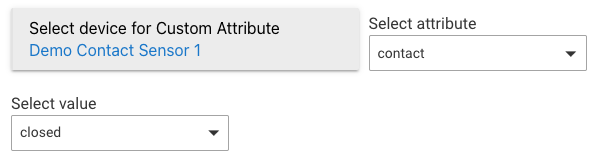
Right, Room Lighting can't change the behavior of the device. What I meant is to modify your Room Lighting automation to respond to the events you want instead. "Contact closed" isn't in the pre-built list for activation like "contact open" is (presumably because that is far more common), but with the "Custom attribute" activation type, you can do about anything you want -- including this:
If you want the light to go on when the contact sensor opens (and that is what it reports when the magnet is away from the sensor, as it does by default), then you want the built-in "Contact opens" activation option in Room Lighting and shouldn't need to make any of the changes above.
I think your interpretation is correct -- so this does seem odd if you didn't change anything from the defaults and I'm understanding your descriptions correctly.
But now you've got me wondering what the device is actually sending for both events (opening and closing). If you enable debug logging, you should see a NotificationReport or possibly SensorBinary report (not likely with the default configuration of this sensor). If you screenshot those logs here, I could see if the interpretation of them by the driver looks correct, though offhand I don't see anything odd. For a NotificationReport, you'd probably see a value of 0x16 or 22 for open and 0x17 or 23 for closed -- or reversed if parameter 2 is set to 1 instead of 0, per the manual above (and something you could check for sure with the Basic Z-Wave Tool as described above if you want).
I had the same issue with mine. You need to alter the setting, wake the device by pressing the button on the PCB then save preferences while it’s awake. I forget whether you press the wake button immediately before or after altering the setting.