I have found a solution of sorts...
Background
I have been using Tile Master by @bptworld which now allows for device control through the Maker API, i.e. flicking switches, etc. I also use the Logitech Harmony integration by @ogiewon, which is what I want display controls for conditionally on my dashboard when an activity is active. I have setup a virtual button linked to the mute function in harmony, exposing the button through Maker API. I plan to do something similar for volume control for my harmony.
Tile Master includes a command "sendTile01" taking in a string. This overrides the html generated by the app, replacing this with the string passed into the command. If this string is blank, the contents of the tile will also appear blank.
Tile Master, from what I can tell, only adjusts the display on a tile when any linked device is changed, regenerating the tile contents (html) based on the current configuration of the tile.
Solution
I have setup a test Tile Master Tile with two sections, one with the mute button accessed through the Maker API, the second section referncing the Harmony activty. The second section (activity) is formatted so it does not appear. This activity reference ensures the tile is regenerated when the activity changes on the harmony.
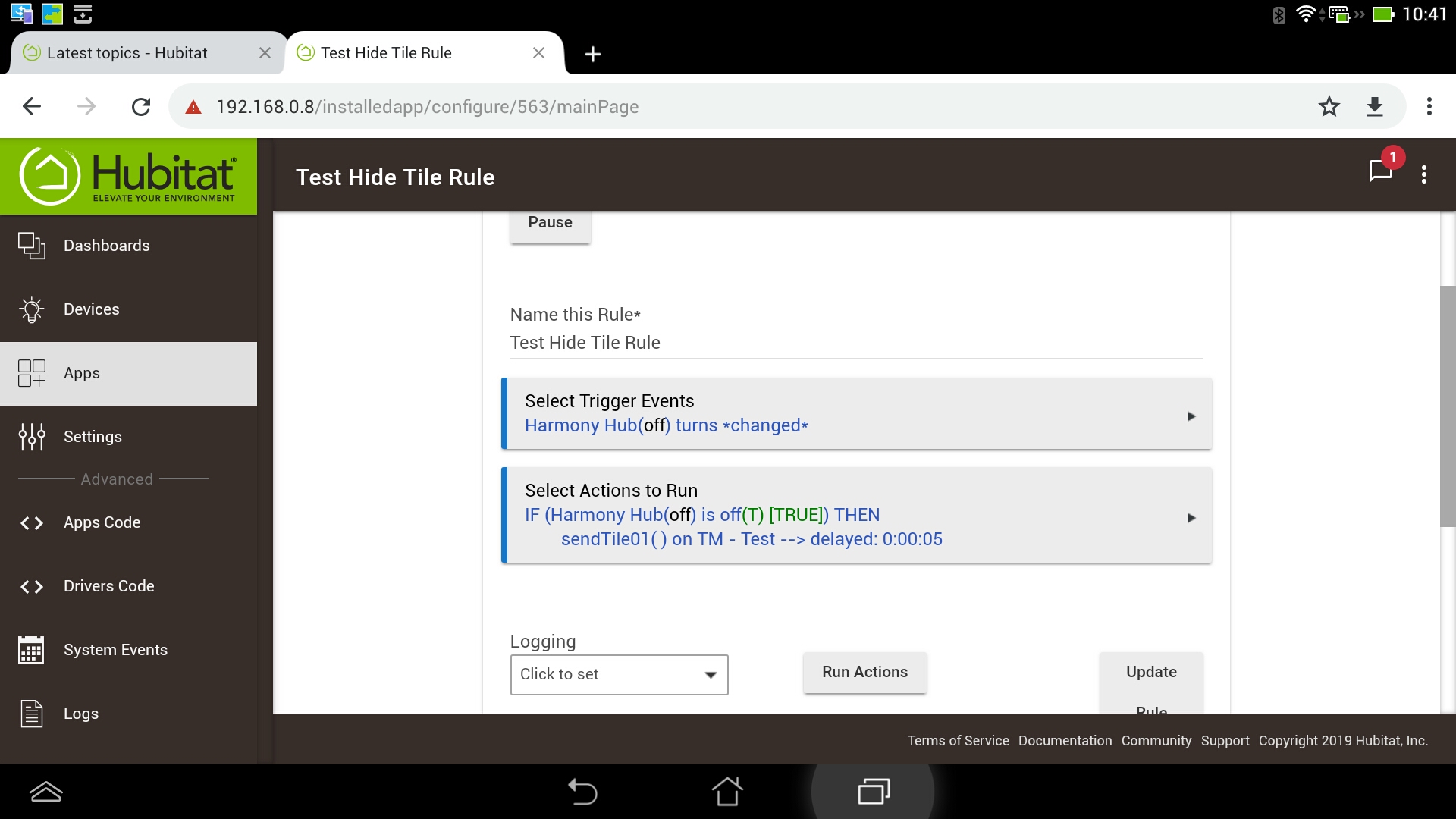
I have also setup an RM rule to look for no activity being active, when this is true sending a "sendTile01" command to the Tile Master tile device with an empty string.
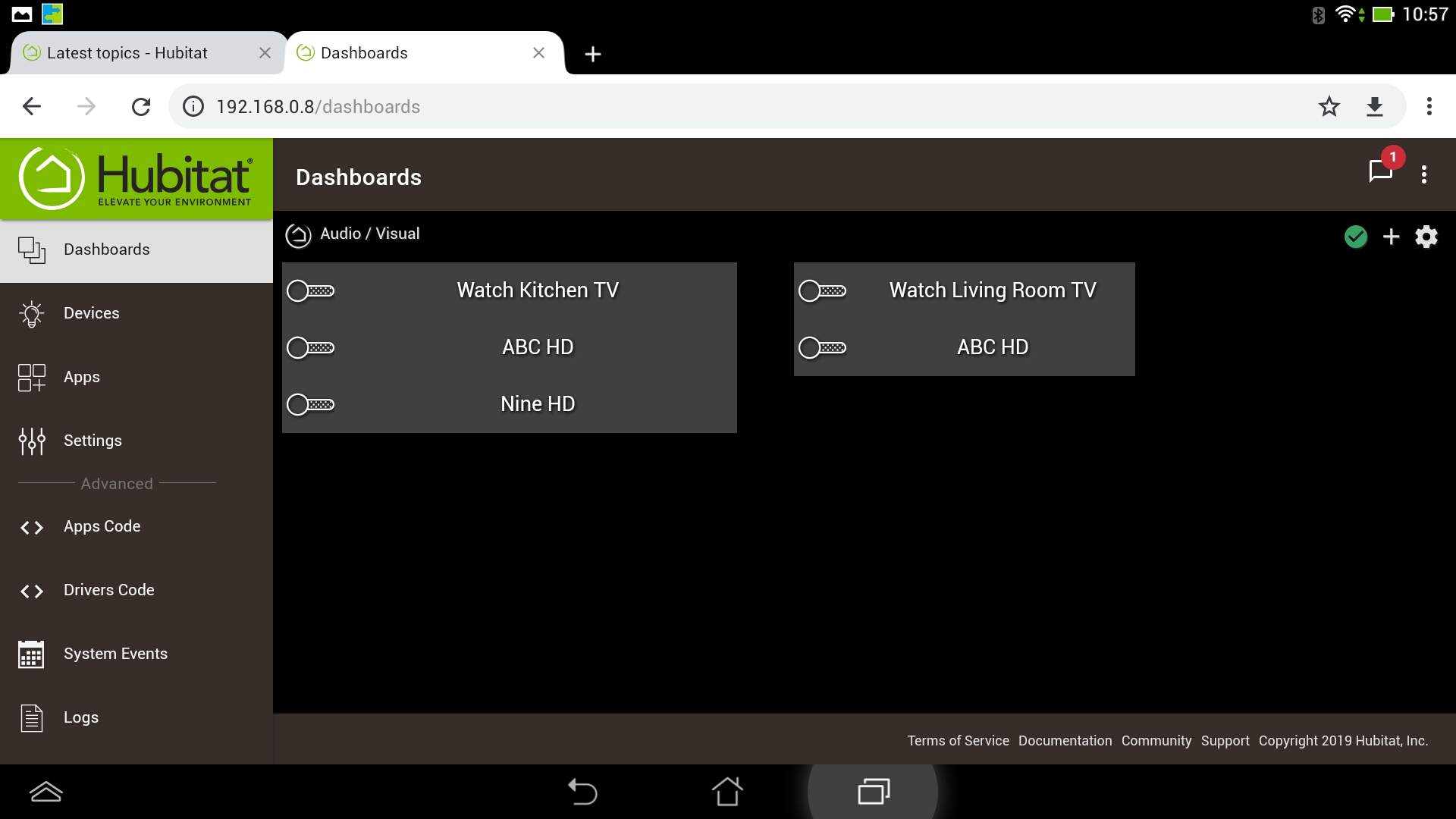
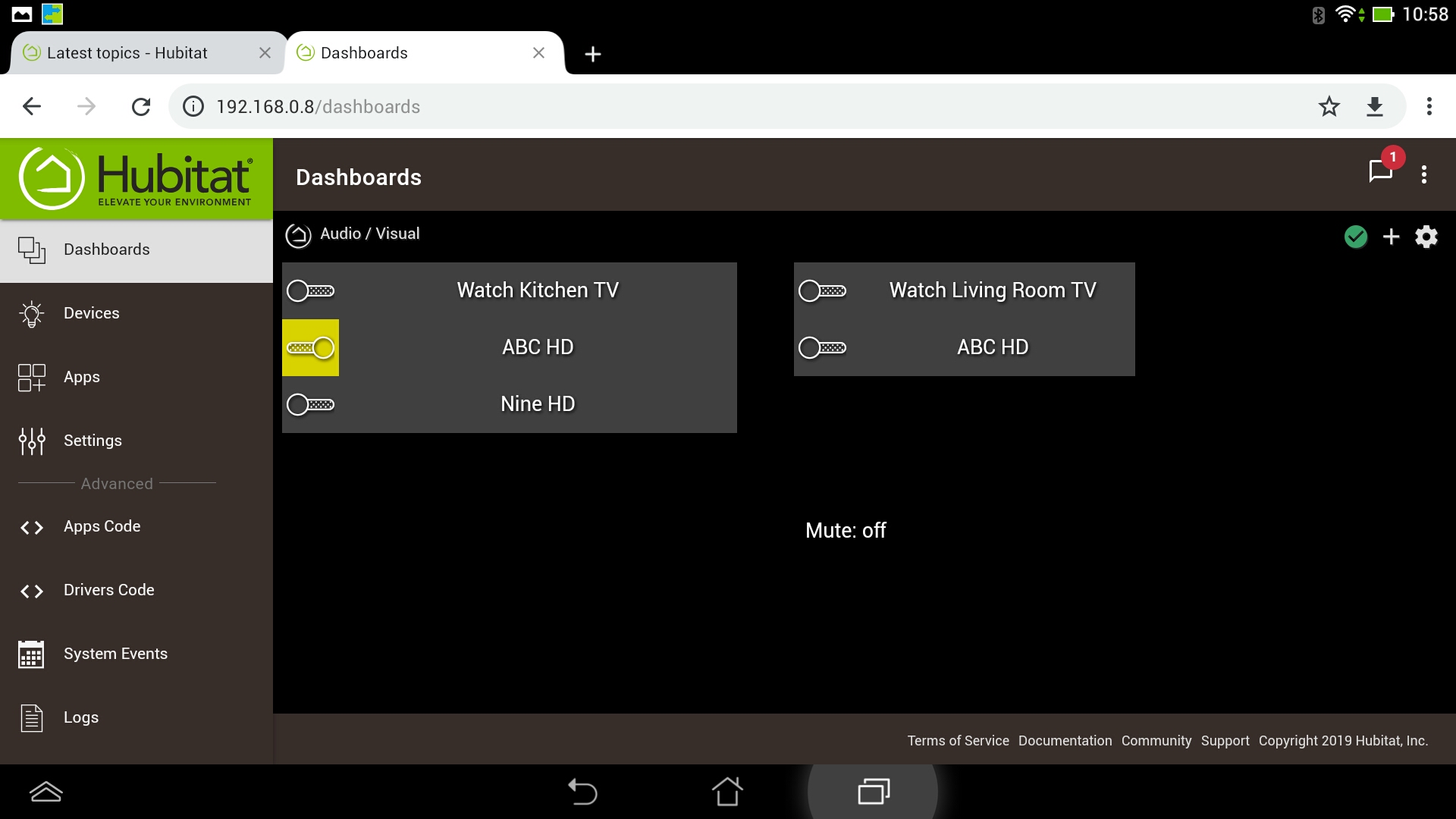
On my dashboard, I setup the tile so that it blends into the background and only the text or controls are visible. When an activity becomes active, Tile Master regenerates the tile, causing it to appear on the dashboard. When I turn all activities off, the RM rule clears the HTML and the tile looks like it disappears. See some screenshots below, with the Mute option only appearing when I was watching ABC HD in the kitchen. Please don't be too critical of my design skills, that was not my focus for this prototype... 
Not ideal, but still a solution. There are still situations where the tile will be displayed, such as making updates to the tile config in the app. I will look further at options within Tile Master and discuss any ideas with Bryan.