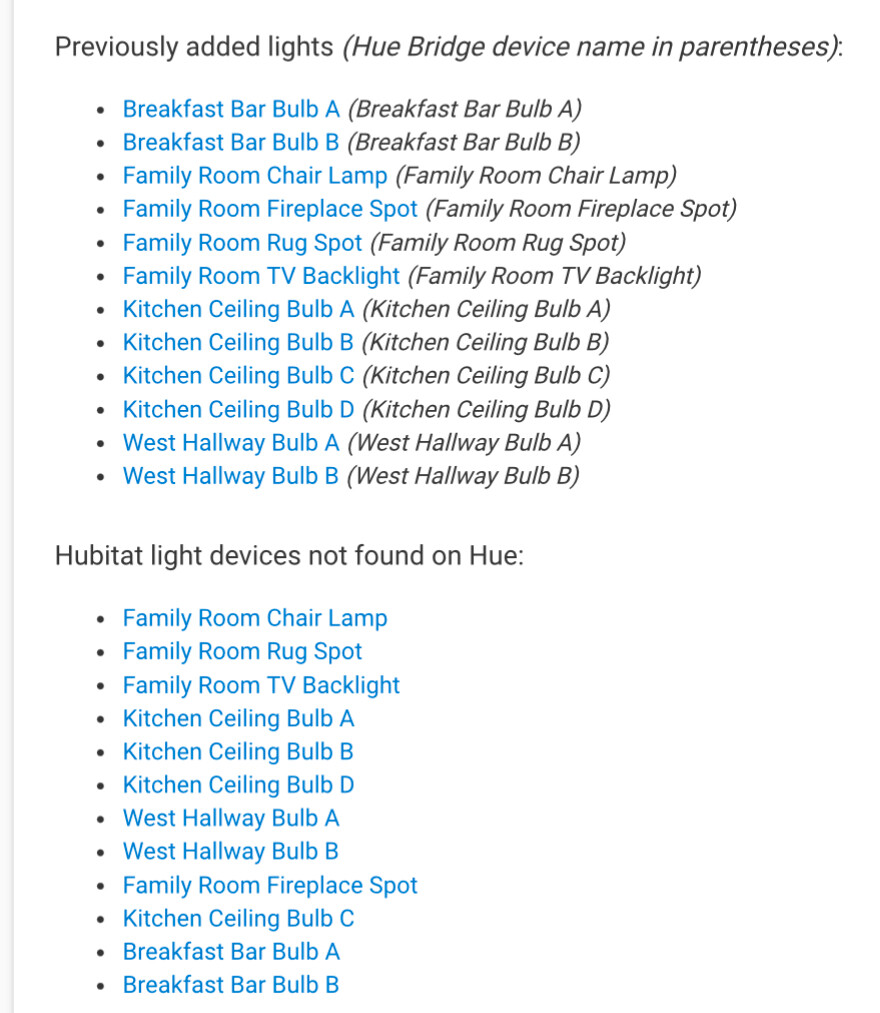
Cocohue has duplicated my already existing Cocohue lights. This is not the case of having a previous Hue integration. The original lights were all created via Cocohue, and I’ve kept the app up-to-date via Hubitat Package Manager.
Perhaps this is relate to Hue V1/V2 changes.
The only thing I see in the Hubitat logs are a few entries like:
java.lang.IllegalArgumentException: A device with the same device network ID exists, Please use a different DNI on line 224 (method upgradeCCHv1DNIsToV2ResponseHandler)
In the screenshot I’ve attached all of the original lights have more attributes on the device page. Both versions of a light track state, so if the original is on the duplicate is on.
Do I need to keep the new ones, and delete the originals? That would be a hassle as the I have two Hue hubs and large number of lights, all used in multiple integrations and rules.
Did you happen to upgrade to 5.x (the last couple months) without upgrading to 4.2 (sometime last summer) first? The release notes would have indicated this need, so if you read them (as I recommend ) you should be good. That's my best guess as to how this could have happened.
Otherwise, picking one of the "duplicate" devices and making sure all of your automations use it, removing the one no longer in use, and possibly re-trying the upgrade from an "Advanced" page in the app I can tell you how to get to if a plain "Done" doesn't work would be the best path -- or resorting to a backup from before the upgrade and before this happened to see what the case was there (e.g., hopefully not the above) before retrying.
Deleting the new Hue devices, repairing the app, and making sure I went into the app to select ‘done’ seems to have resolved this. I didn’t need to restore from a backup.
I’ve kept the Cocohue versions up-to-date via Hubitat Package Manager, so no versions were skipped, but I guess I missed the “go into the app and click done” part. I’m pretty good about following release notes, but overlooked the important step this time.
 ) you should be good. That's my best guess as to how this could have happened.
