Any way to automatically save the daily backup to the cloud eg dropbox, amazon s3, glacier etc?
Not that I know off.
But it should be possible if you use an intermediary host. I download backups from both my HEs every night. In theory, I could have something watching that folder, which uploads every new file to some cloud location.
2 Likes
You could run http://yourhubsipaddress/hub/backupDB?fileName=latest in your browser to create a new backup and download it.
1 Like
Using a Windows machine and Task Scheduler, every three days I have a backup created and placed in a Google Drive folder.
2 Likes
Are you automating this or is that a manual process? Assuming you are automating how are you going about doing it and do you have hub security on?
Automated. Using shell scripts and scheduled using cron. It’ll work with hub login turned on or off.
1 Like
If you don't mind, could you show me or point me in the direction of the script you are using. I have not had any. luck so far, guessing due to my hub security.
Sure. Here's a shell script I wrote a couple years ago:
#!/bin/bash
#
he_login=your_he_login
he_passwd=your_he_password
he_ipaddr=your_he_ip_address
cookiefile=`/bin/mktemp`
backupdir=/opt/hubitat/hubitat-backup
backupfile=$backupdir/$(date +%Y%m%d-%H%M).lzf
#
find $backupdir/*.lzf -mtime +5 -exec rm {} \;
curl -k -c $cookiefile -d username=$he_login -d password=$he_passwd https://$he_ipaddr/login
curl -k -sb $cookiefile https://$he_ipaddr/hub/backupDB?fileName=latest -o $backupfile
rm $cookiefile
1 Like
Sweet thank you, I'll try that out along with rclone to back it up to my Google drive.
1 Like
It does not seem to work for me, here is the console log it output, seems to just be the html of the login page for some reason.
https://pastebin.com/y9PkkLaG
Disregard the rclone failing at the bottom, it was outputting to a file in the folder it was trying to backup.
I can’t really read that. Run each line of the script manually. And paste the output.
This is outputting the html of the page for some reason
curl -k -c $cookiefile -d username=$he_login -d password=$he_passwd https://$he_ipaddr/login
Then the next command works, but since no cookie was created can't login and so the backup is of size 0.
Sorry doing all of this on my phone, so I may be slow to run commands and give outputs.
So that html seems to show a hubitat page returning error 500:
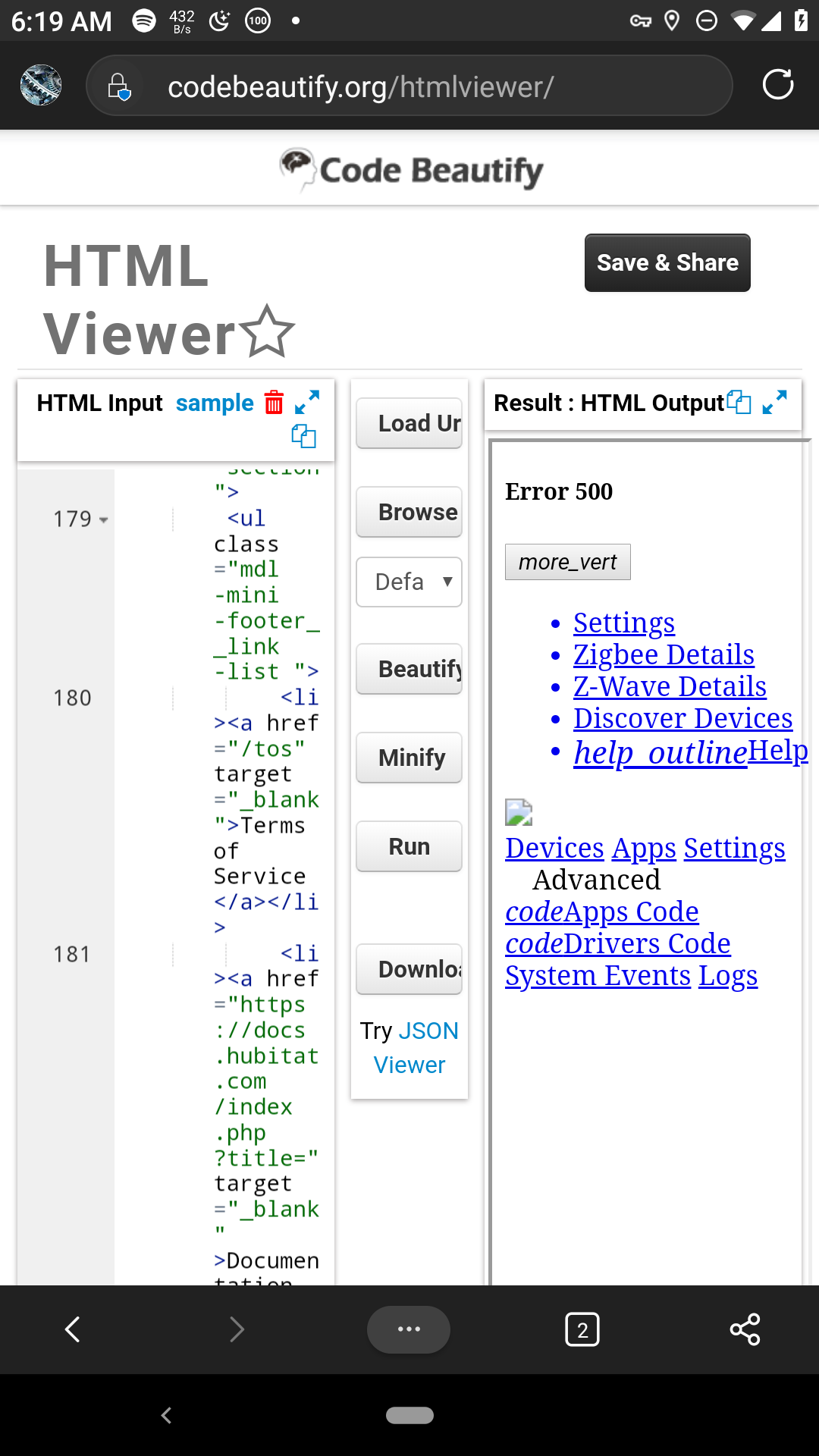
Tried changing to http vs https and also tried strong quoting the password field since I have special characters in my password, no dice though.
BTW, what is your curl version?
root@BH-3B:/var/backups/Hubitat_backup# curl --version
curl 7.64.0 (arm-unknown-linux-gnueabihf) libcurl/7.64.0 OpenSSL/1.1.1d zlib/1.2.11 libidn2/2.0.5 libpsl/0.20.2 (+libidn2/2.0.5) libssh2/1.8.0 nghttp2/1.36.0 librtmp/2.3
Release-Date: 2019-02-06
Protocols: dict file ftp ftps gopher http https imap imaps ldap ldaps pop3 pop3s rtmp rtsp scp sftp smb smbs smtp smtps telnet tftp
Features: AsynchDNS IDN IPv6 Largefile GSS-API Kerberos SPNEGO NTLM NTLM_WB SSL libz TLS-SRP HTTP2 UnixSockets HTTPS-proxy PSL
Is the cookiefile saved in the previous step?
This topic was automatically closed 365 days after the last reply. New replies are no longer allowed.

