I started writing this before I eventually solved the issue, and thought I would share it with the community in case it helps someone else experiencing the same issue.
Problem Statement
Plugged in Hubitat, and status light stuck on blue, never turned green.
My Network
- I have a Netgear Nighthawk router and have a gest network enabled.
- "Allow guests to see each other and access my local networks" was unchecked (off)
- The hubitat was connected to my router via a network switch.
Additional Symptoms / Troubleshooting
- Using
find.hubitat.comwould not find the hub, including the advanced methods. - I could see that the hubitat was connected to my router and had an IP address assigned.
- The MAC address was also listed in my router
- Using the ip address, I could access diagnostics page at 192.168.1.27:8081 (your local ip address will be different)
- I could "log into" the diagnostics page with the MAC address.
- I could see the date time was set to Jan 1, 2015, and was able to update it and read it back.
- I was able to run the procedure documented in the FAQ page under "My hub shows a permanent blue light, now what?"
(https://community.hubitat.com/t/frequently-asked-question-faq/5) - A few times that "Update Failed", however, after a few power cycling, and using the "Reboot Hub", The update would Download (counting percent), and turned to "You will be automatically redirected to your Hubitat Elevation" , However unplugging for 15 seconds and re-plugging - still had blue light.
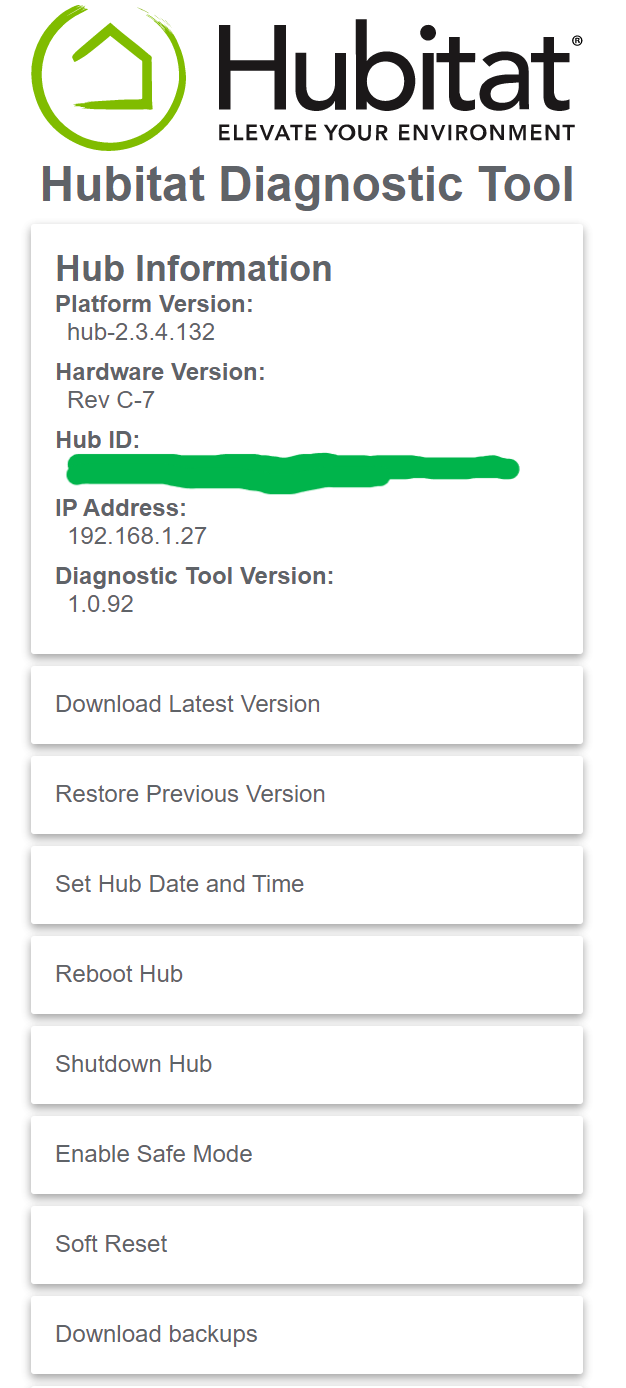
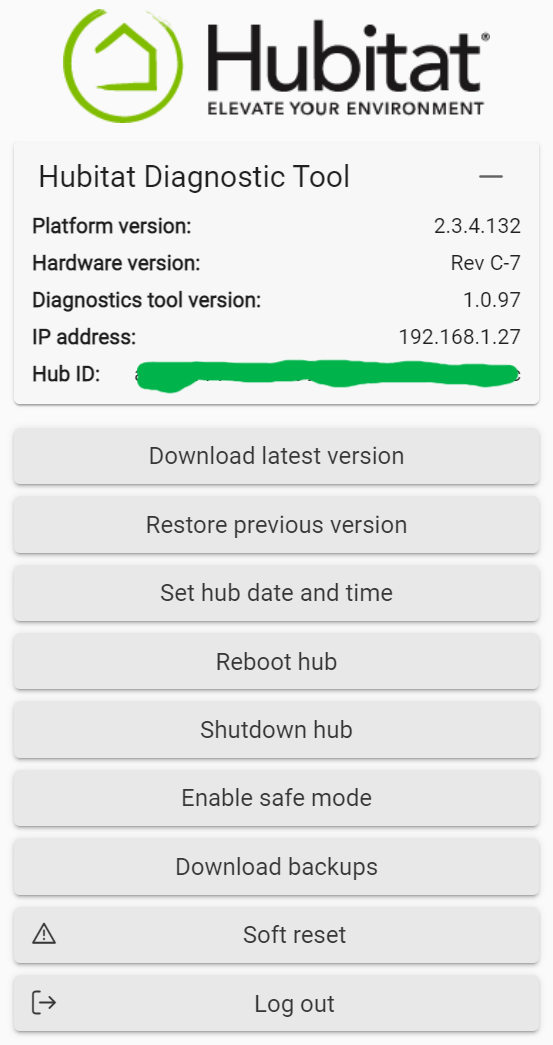
- I was on Platform version: 2.3.4.132 and Diagnostics version 1.0.92
- When I went to the ip address of the hubitat (without the 8081 port number), I would get a connection refused error with guidance to check firewall and router settings.
- I reserved the ip address of the hub in my router settings and rebooted both router and hub - did not make a difference.
What eventually worked
I was able to update to the latest version of the diagnostics tool by entering this into my browser
http://192.168.1.27/hub/cloud/updateDiagnosticTool (again, your IP will be different).
Note:
- The address does not need the port number (8081), which surprised me.
- The browser will appear to loading the page and not doing much for a minute or so (internet speed dependent). Eventually, the browser returned
{"success":true,"message":"Diagnostics tool successfully updated."} - I could see the diagnostics page looked different and updated to 1.0.97
- Abut the same time, I also decided to turn on ""Allow guests to see each other and access my local networks" from my router and save the changes.
... and voila, I was able to go through the find.hubitate.com page, it found the hub... and in disbelief, I walked over to where the hub was located, and the light was green
So, I am not 100% sure if was updating the diagnostics or the change to the gest network. I think it was the diagnostics update, as I changed the router back to keep my guest network isolated... and the guest network is wireless only.
I hope this experience helps at least one other user. Pictures attached. I blocked out the hub id. The ip address is local, no no real risk there.
I have screenshots, but since I am a new community member, I cannot include them. If I get "upgraded", I will try to update the post with links and screenshots.