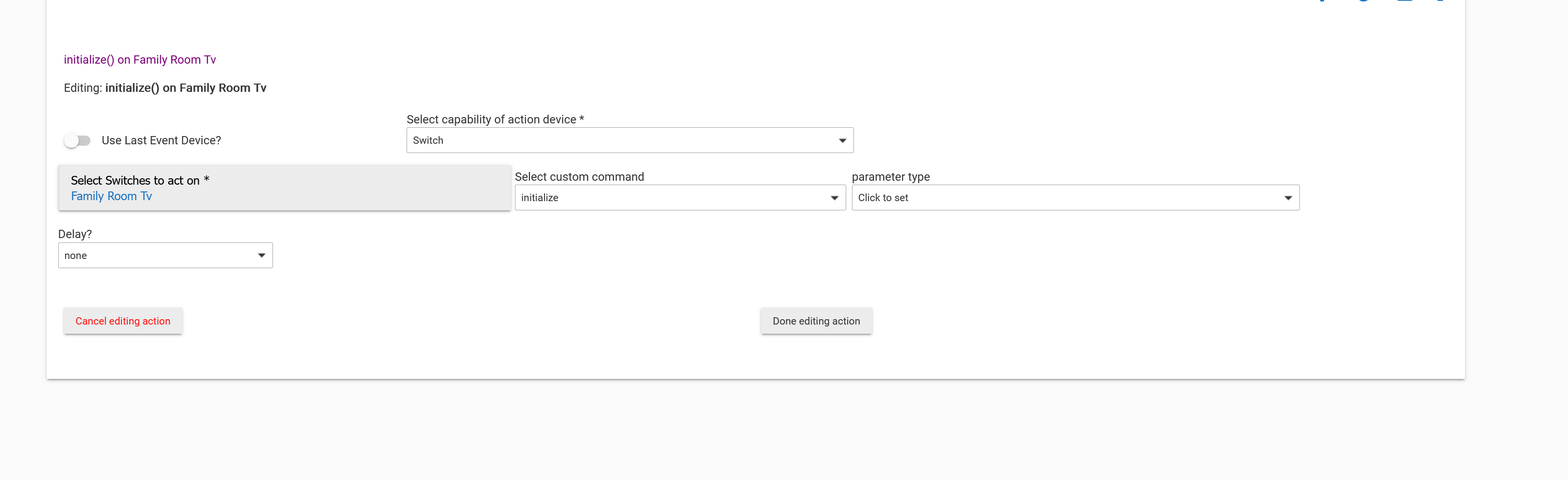
Chromecast initialize

Is there anyway to run the initialize command on the chromecast integration on a specific device? For instance, my tv (TCL Google tv) doesn't always respond, but if I hit the initialize button it does after that. This would cure an issue I'm having triggering lights when my tv changes source.

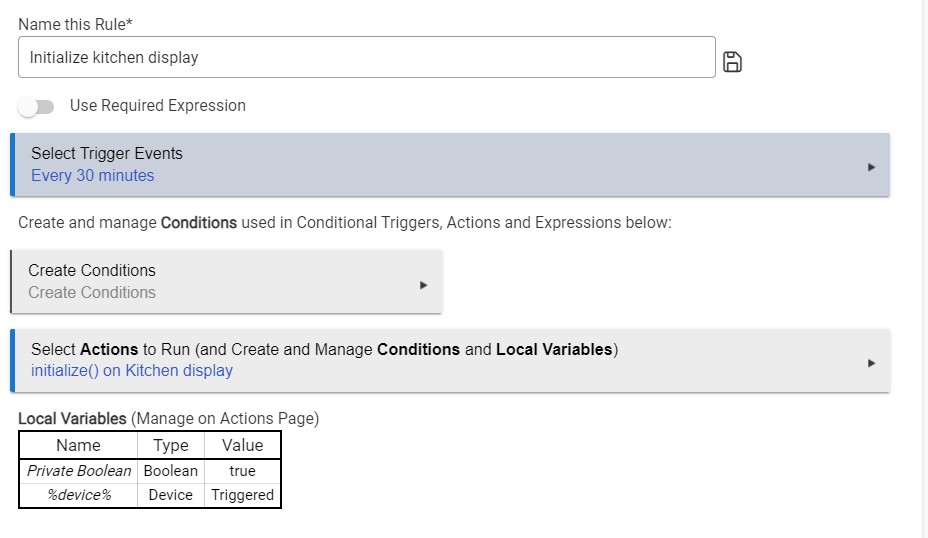
If the TV device has an initialize command on the device page, it should have the initialize capability in Rule Machine under Run Custom Action. I use this capability in RM to initialize my Google Nest Hub every 30 minutes.

3 Likes

Thanx... Best to use switch or actuator? Or doesn't it matter at that point?

Not sure that it matters. On my google displays (speech device) I dont have that option.
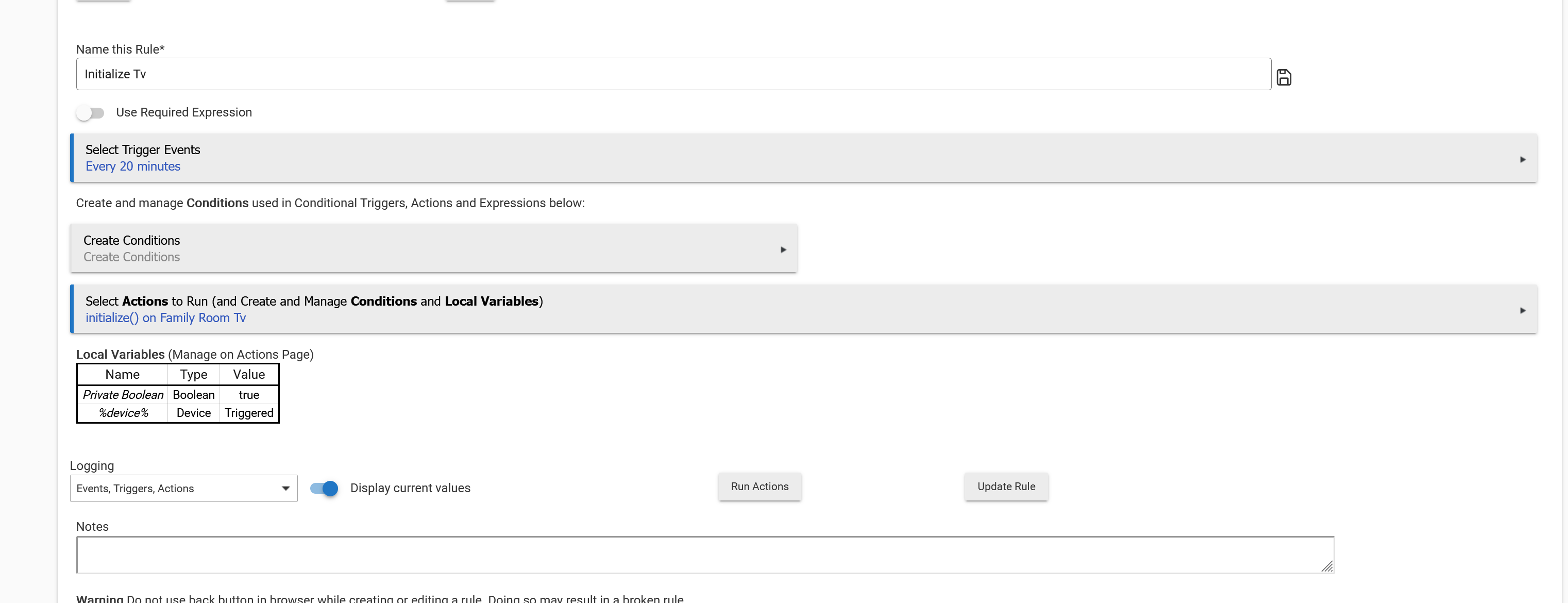
I mean in the rule.... I set this up

Using switch

1 Like

That rule is identical to the one I am using to initialize my Google Nest hubs, so I guess it should work on your tv.
1 Like

Now if I can get them to expose OFF/ON in chromecast devices (my tv) I'll be set. Right now I'm using a virtual switch to trigger a routine on homekit but it's not always reliable.

2 Likes

I'm curious about the same thing - I have 7 ChromeCast devices and and play Pandora through them most of the day (via Samsung tab, tasker, pushover, hubitat RM). I'm curious if running a rule all day to 'initialize' is the best option, but agree it certainly seems necessary. I wonder if there are more efficient methods to keep these synced?

I run initialize every 5 mins... Any longer than that and the system goes to sleep.

1 Like

Did anyone ever figure out why the Chromecast integration for Hubitat causes the cast devices to need to be re-initialized? I started porting some of my automations from Node-RED to Hubitat apps and in doing so I installed the Chromecast integration. I never had a single issue with the cast devices on Node-RED, but within 24 hours of installing the Hubitat app all of my devices stopped responding to both Hubitat and Node-RED until I went in and initialized them from the device page in Hubitat. Then later, same issue. Rinse and repeat.

Do they have DHCP reservations?

Been that way for YEARS. This has been discussed over and over and over. The powers that be don't have any interest in fixing it.

1 Like

Yes, all devices on my entire network have reserved IPs in DHCP. I know speaker groups have issues as they can jump from device to device (the port doesn't change though) - in Node-RED i was using a hacky workaround where I would try playing to the speaker group on every single device and it actually worked pretty well. Casting to individual devices by IP was literally never an issue with Node-RED until I installed the Chromecast app for Hubitat. Whatever it is doing causes the devices to stop responding to both Hubitat and Node-RED until an initialize is done.

Try this rule. instead of tv, include all your speakers. I have a chromecast tv that goes to sleep and becomes uncontrollable. This solved it.

Thanks - I'm sure that will work around the issue - it's just weird that it's necessary with this app. Do you guys have the "Enable ChromeCast polling" option enabled in the app? I wonder if that has anything to do with it.

This was the onlything that ever worked for me. I think it's more of a chromecast issue and how it goes into low power mode and the time it takes to wake up. I mean I could be wrong but that's my perception.

Nope, polling doesn't work. The only way to keep 'alive' is to send them an 'initialize' every few minutes. I use 4 minutes for my chromecasts.

This topic was automatically closed 365 days after the last reply. New replies are no longer allowed.