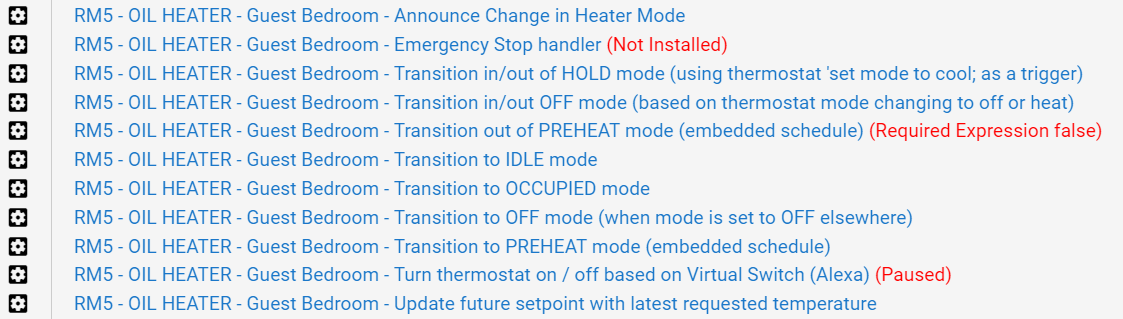
I started writing a bunch of Rule Machine rules to accomplish a goal, but things got more and more complicated with nuance of "well, oops, if that happens, then this instead"
Initially I was going to create a "Sitting Room Heater Mode" variable -- and make it OFF, HOLD, PREHEAT, OCCUPIED, IDLE etc -- and then set up rules based on the different modes, and rules to activate different modes. Rules would then turn on/off/change setpoints on a thermostat. Realized I'd have like a dozen rules.
I stopped. Figured I was going down a rabbit hole that was the wrong way to pull it off -- and smarter minds would have a better, more eloquent solution.
USE CASE: My wife's "sitting room" is rather cold. But I don't want to heat it 24x7. She uses it in the morning to have her coffee, and then at random times on some days (like to crochet, chat with a girlfriend, etc). And once in awhile, we have a guest sleeping over. Want the automation to be "very soft" (the less involvement, the more WAF).
- PREHEAT Mode: In the mornings, if the global Away mode is off -- then pre-heat it at 5:15am through 6:30am, or until occupancy detected (eg, warm up the sitting room before my wife wakes up -- so it's warm and cozy for her coffee time)
- OCCUPANCY Mode: Outside of that time - when occupancy detected - raise the heat setpoint (I have sensors to detect occupancy)
- IDLE Mode: No matter what, don't let it go below xx - (Except if OFF)
- OFF Mode: Allow for a "off" mode to be set - full off. Until turned back on (useful for several circumstances)
- HOLD Mode: Allow for holding at a current set temperature, until resuming automation (useful for sleeping, etc -- when occupancy may not be detected or a non-standard heating setpoint is desired)
"Thermostat Schedule" doesn't quite do what I'm needing. I could create the different "schedules" -- but in this use-case, my needs aren't time-oriented (except pre-heat) -- and I don't see how in RM5 to switch between the different schedules on demand. I can CHANGE the schedules, but not SWITCH BETWEEN schedules
And, bonus points, adjust the target setpoints (for each mode) based on outside temperature -- like, if it's 30 outside -- then the room probably only needs to be 65 degrees. But if it's -5 outside, then it might need to be 70 as it "really feels cold" dependent on how frigid it is outside. (and the IDLE setting, the minimum to keep the room might need to be a few degrees higher)
As an aside -- in the "sitting room" -- there's an electric radiant oil heater, on a plug, and a temperature sensor -- the "vThermostat by nclark" takes care of making that act/look like a regular thermostat that can be controlled by her Alexa in the room