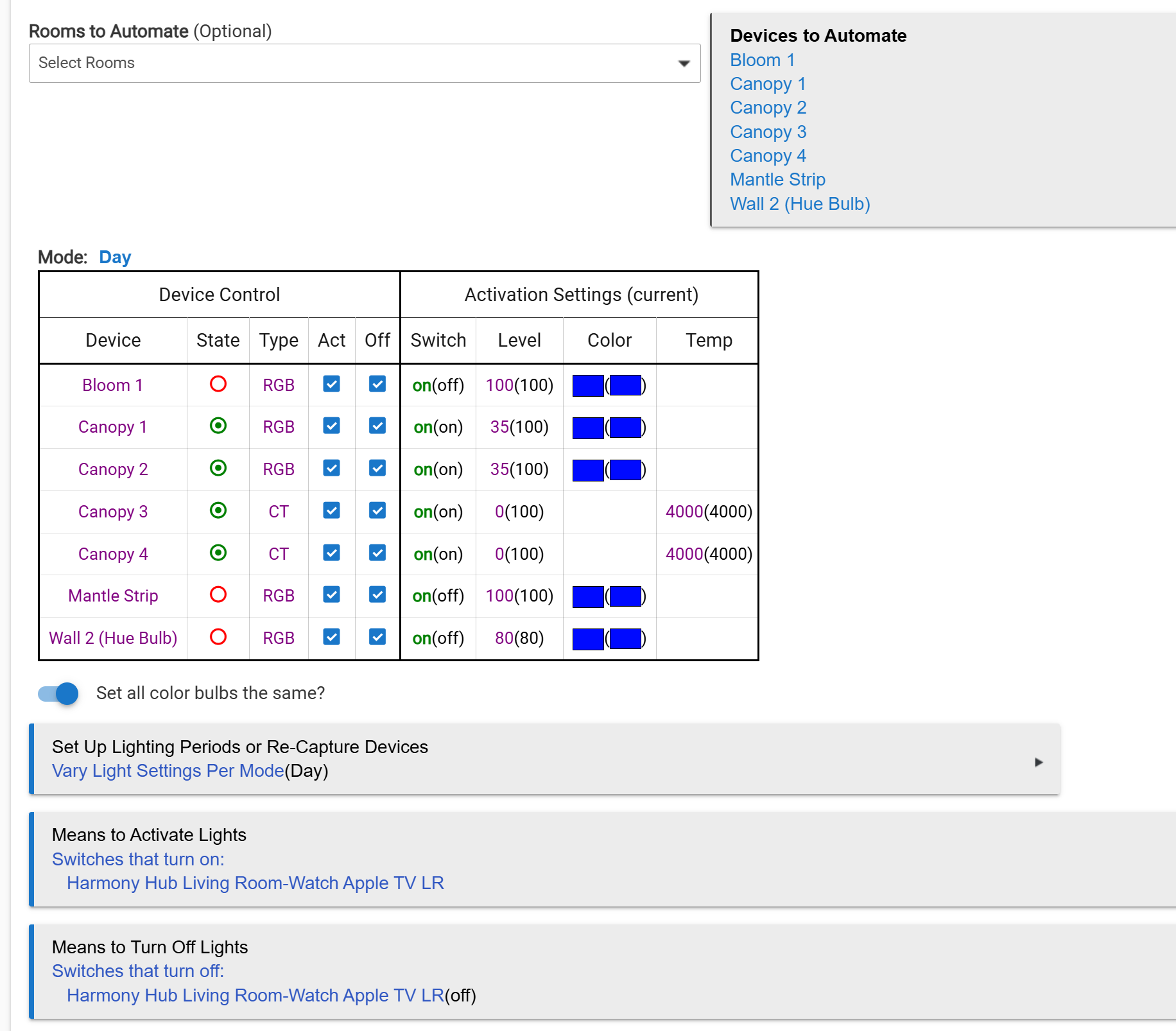
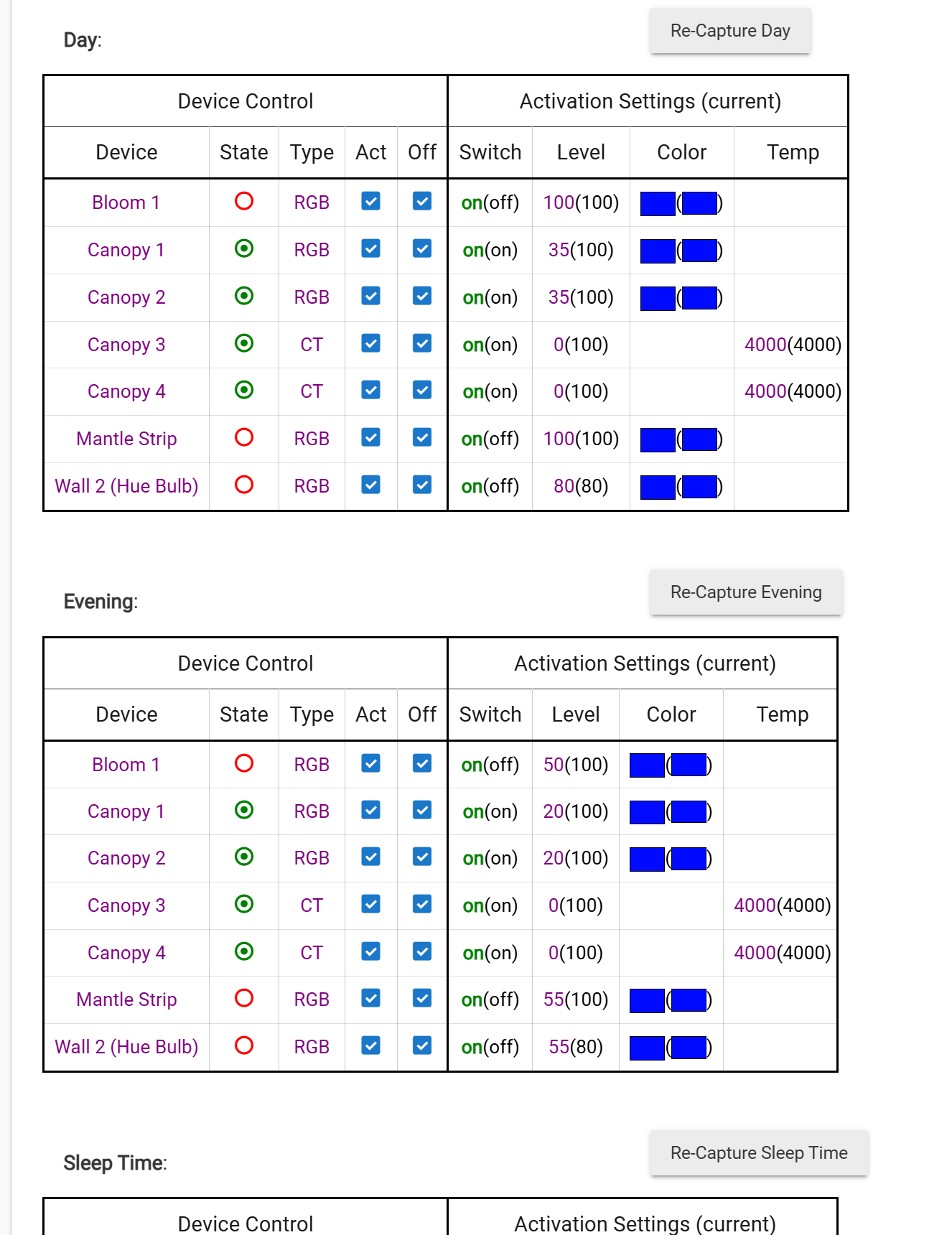
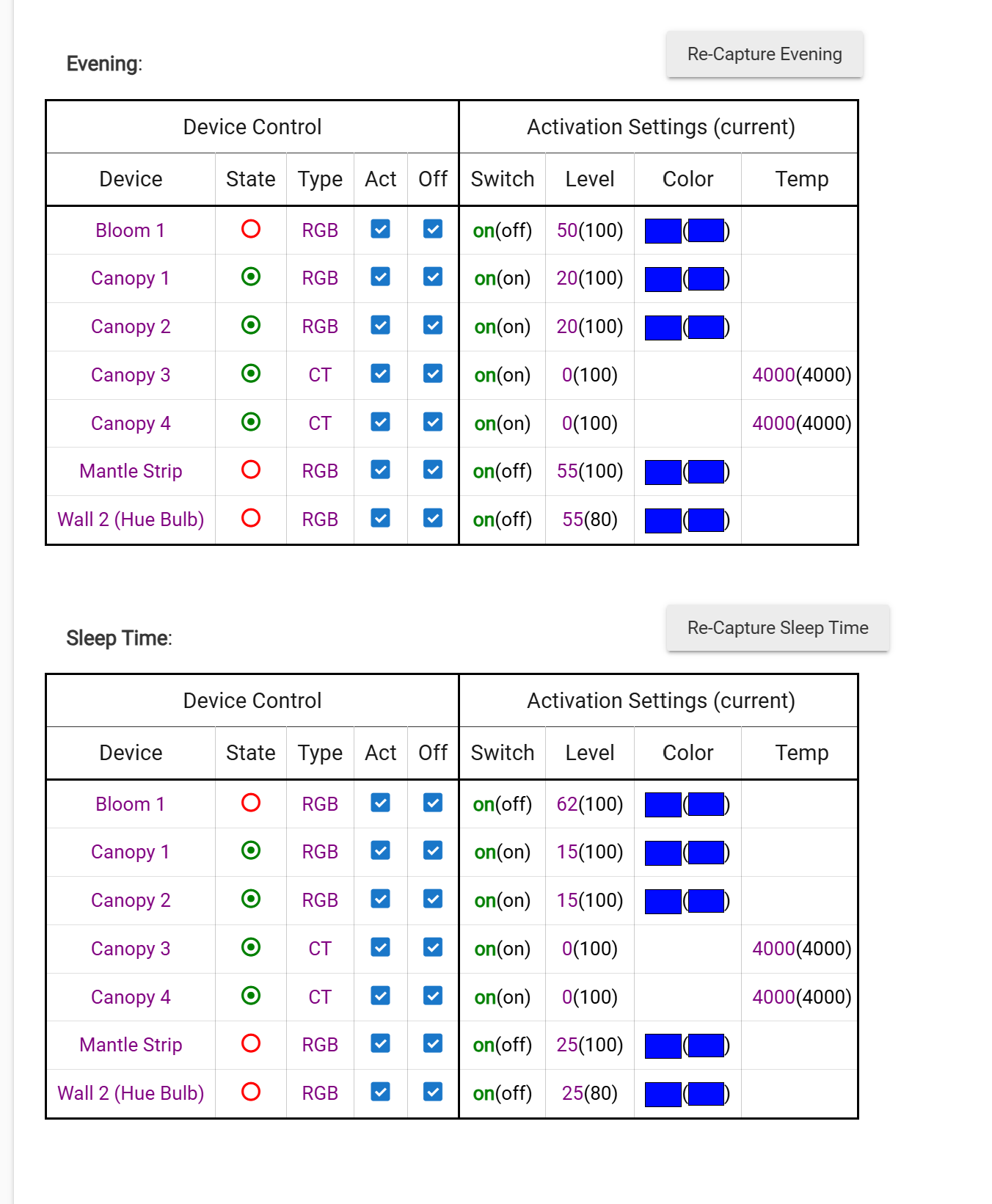
I have a TV scene set up for watching TV in my living room. Philips Hue bulbs are used, with specific bulbs assigned color and dimming values based on the viewing mode. These bulbs are controlled by a Zigbee battery-powered switch that is paired directly to the Hue Hub. The battery switch is installed in place of a traditional wall switch so the bulbs never lose power; the circuit is wired hot behind the switch.
My question:
When I turn off the Living Room TV scene and then use the physical switch to turn the lights back on, the bulbs return to the colors from the TV scene. This happens because they were never instructed to revert to a 4000K white state after the scene was turned off.
Is there a way to have the lights switch to 4000K white and then turn off automatically when the TV scene is disabled?
Are the Zigbee battery powered switch and physical switch the same devices? Are you using Hue scenes from the Hue Bridge or just setting the scene based on Room Lighting values? How do you turn on the bulbs after the TV scene ends? If you move everything to Rule Machine, this is fairly straightforward, but it is possible to use Room Lighting depending on activation and means to turn off settings.
Are the Zigbee battery powered switch and physical switch the same devices?
Yes - These are the old school Zigbee Lutron switches before PICO- they can be paired directly to the Hue Hub for control.
Are you using Hue scenes from the Hue Bridge or just setting the scene based on Room Lighting values?
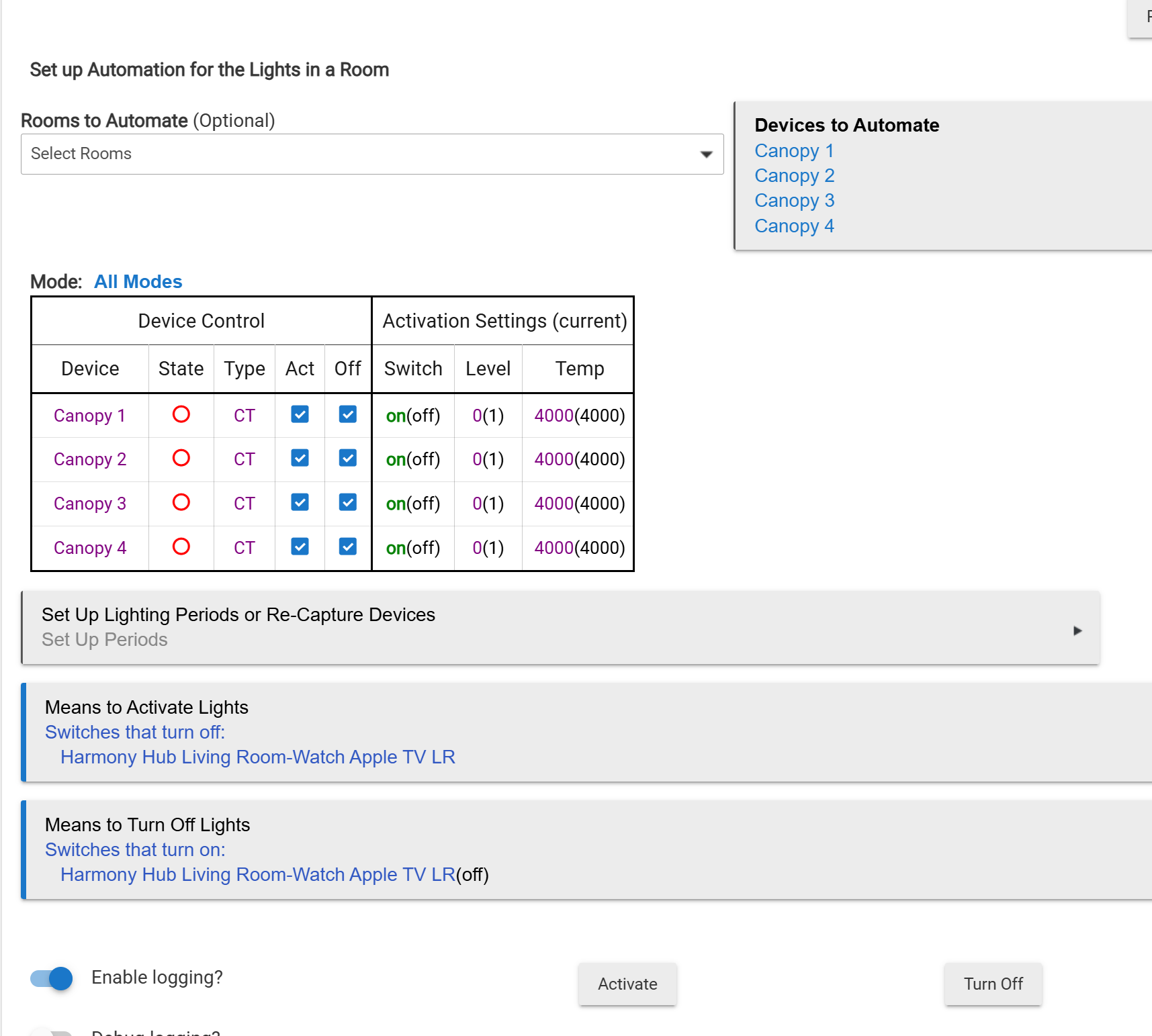
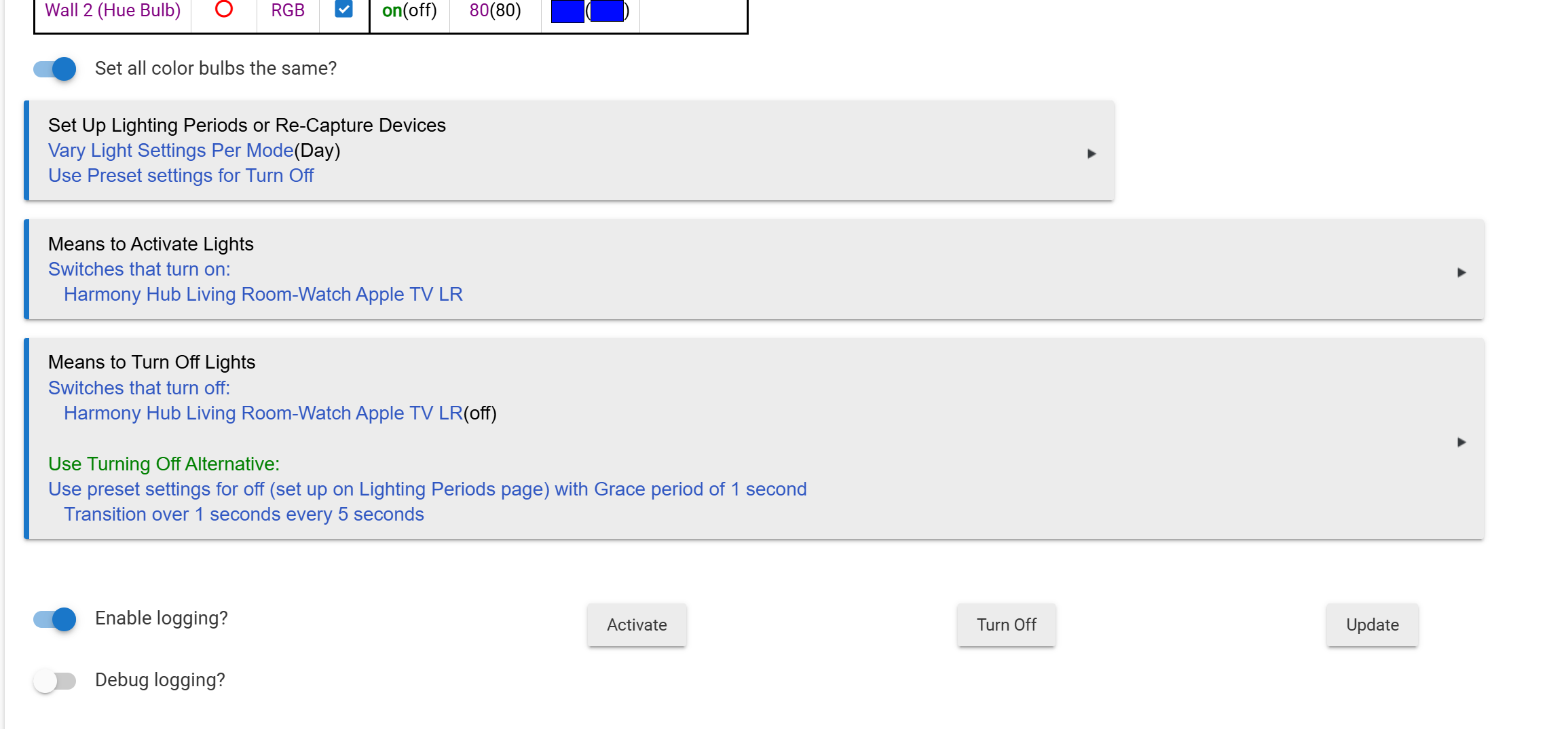
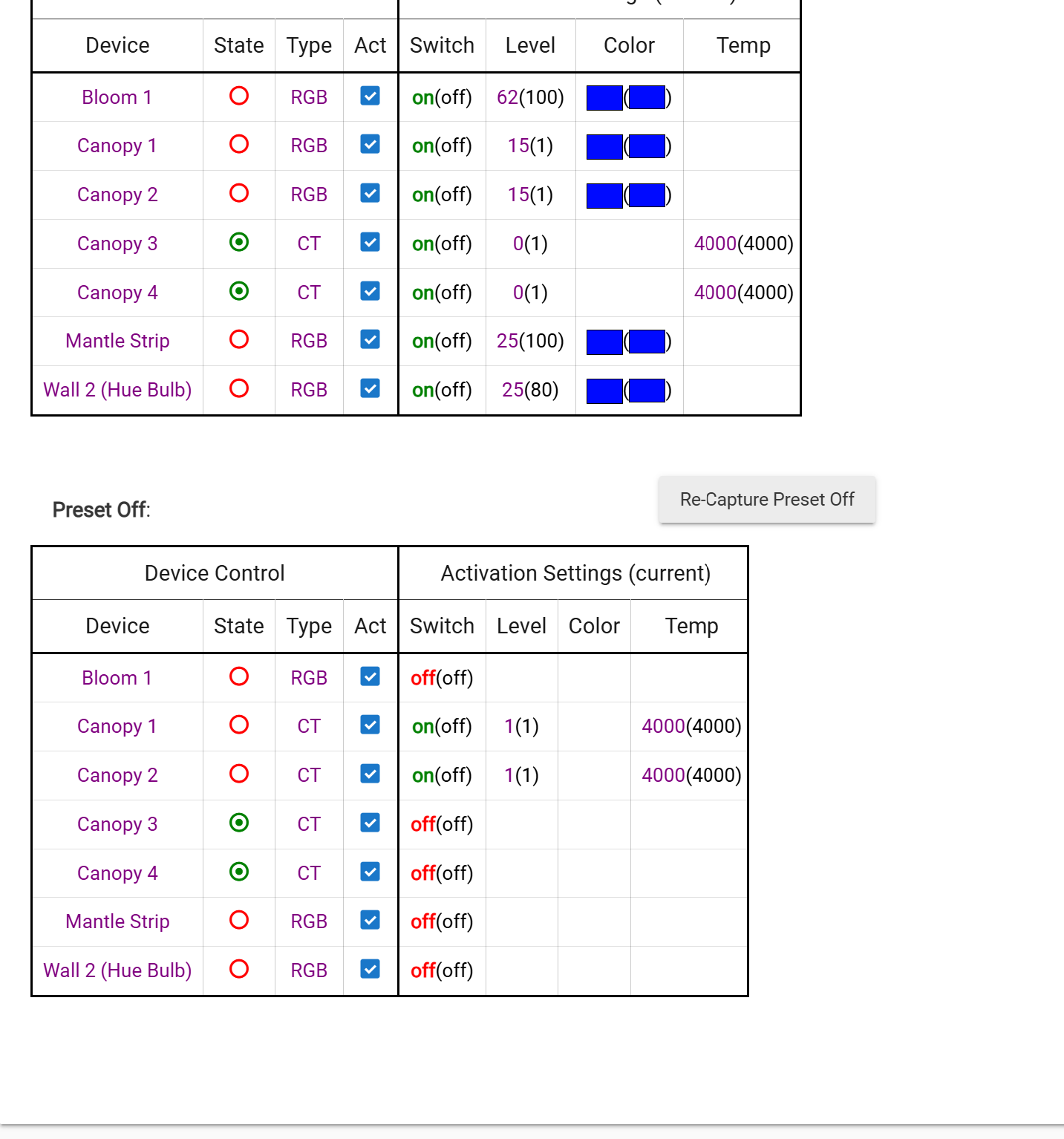
No- I am using Room Lighting APP to run the rule when the TV is turned on. See snapshots below.
How do you turn on the bulbs after the TV scene ends?
The battery powered Lutron ZigBee switch that is paired directly to the Hue hub.
The Canopy 1 & Canopy 2 default to last setting which is the blue. I need these to be white.
I have tried using the Zigbee Switch directly with HE hub but there is a lag and with the Hue hub there is not.
In the below snapshots- I am trying to get Canopy 1 & Canopy 2 to default to white AFTER the rule is deactivated.
I'm sure i can write a rule that when LR scene is turned of, default Canopy 1 & Canopy 2 to 400K white and off.
I was trying to do it all from within the same RL rule.
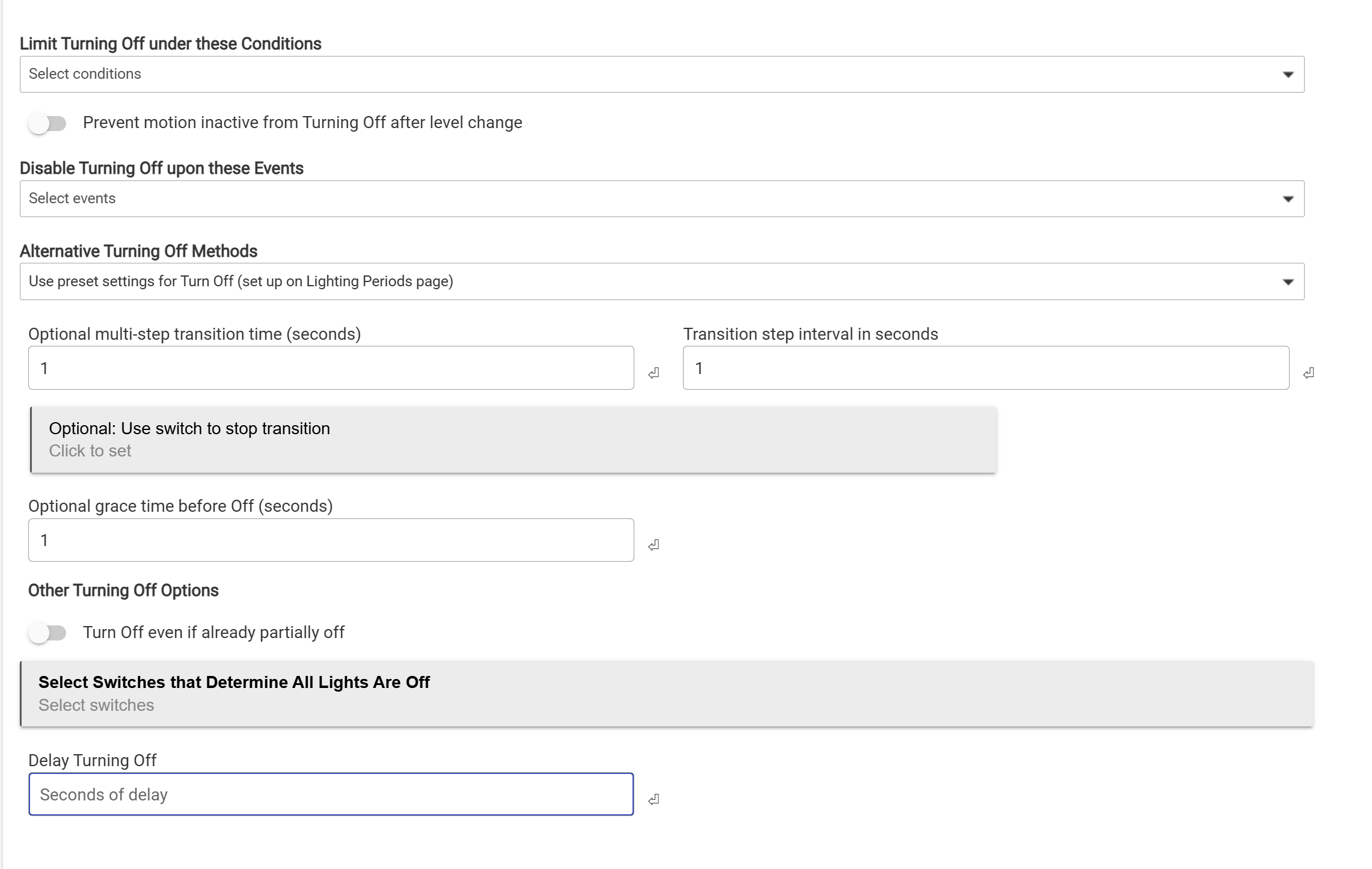
It might be tricky, but have you played with the "Use preset settings for Off"? It's available in the Turn Off Lights Options. Look for the dropdown "Alternative Turning Off Methods." This would allow you to default the lights back to White rather than blue, but you might need to play around with it a little bit especially if you want the lights to then go off. You might need a companion rule to actually turn off the lights after using Room Lighting to get them back to white.
Do these lights also default to last brightness or just color?
How are you turning the TV scene off and on? If there is a different switch involved, you might be able to set up two instances of room lighting.
One instance could be set to be enabled when the TV Scene switch is ON, and has the settings for TV would be in place. When the switch is OFF, it would be disabled.
The other instance would be enabled with the TV scene switch is OFF, and would have your normal settings (by mode or whatever). Turning the TV Scene switch back to ON would disable it.
I have this set up for my outside lights when I am in the hot tub and just use a virtual switch for it. I literally just posted this the other day. Screenshots of the opposing logic set up are here: Help with pausing rules - #9 by tray_e
NOTE: You should not have multiple room lighting rules that include the same lights enabled at the same time. This is why you need to enable/disable them with reversed logic on each.
@JB10
I can have the harmony activity turn them on and off within the activity itself. I moved away from that awhile back worried about the longevity of the serve access.
Maybe i should look at adding it back and then using rules for default states.
@tray_e How are you turning the TV scene off and on? If there is a different switch involved, you might be able to set up two instances of room lighting.
Its controlled in Room Lighting APP itself. IF the switch turns on, the lighting scene turns on.
I am digging through tour post now..... I will report back.
Maybe i should set an actual scene versus letting the RL app control them... But, i would need multiple scenes for modes on brightness.