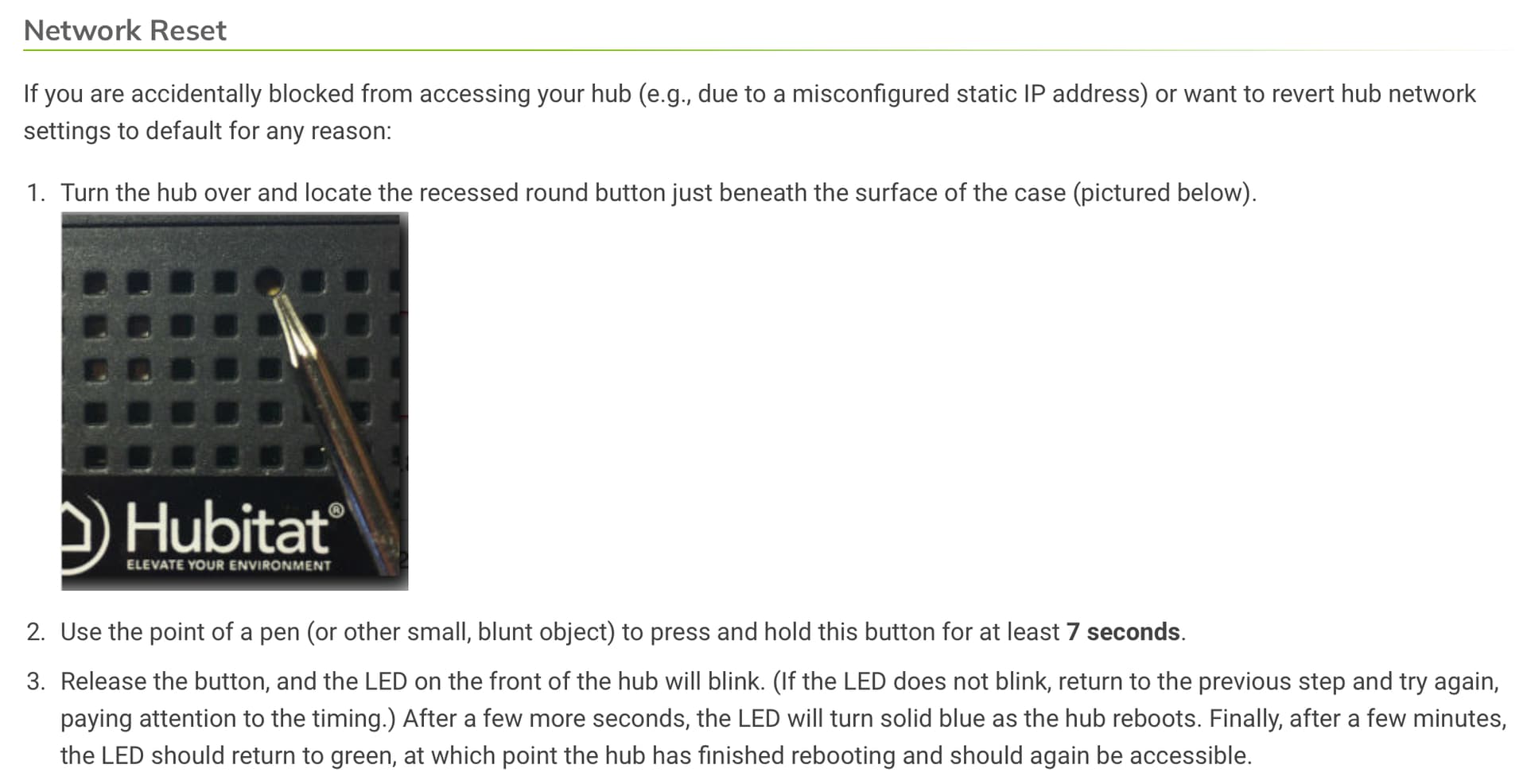
Since this problem occurred after changing the router, it is almost certain to be that the IP address of the hub changed after connecting to the new router.
This would only occur if your Hub was configured to use a DHCP address, and not a static address. It would help in the diagnosis if you let us know more about the original configuration (static, DHCP, or DHCP reserved). Also are you running multiple LAN's or VLAN's or using any guest Wi-Fi networks (perhaps the PC is on a guest Wi-Fi network).
When the Hub was flashing red/green originally, that indicates the hub was not able to receive a DHCP address from the router. When the light turned solid green light, it indicates the Hub is connected to the network.
Assuming the hub was configured to obtain a DHCP address, I think the following happened.
You had reserved a DHCP address for the Hub on the old router, and that is why you always had access to it in the past, even after reboots. When you installed the new router, the Hub held the IP for "several days", but when it was time to renew the DHCP lease, your new router assigned a random address that you may not be aware of.
Although "findmyhub" should detect the hub, it may be providing some cached information, which also explains the partial loads of the UI.
- You could login to the router and look at the DHCP assignments to locate the new IP
- You could run Angry IP Scanner on a PC to find the new address
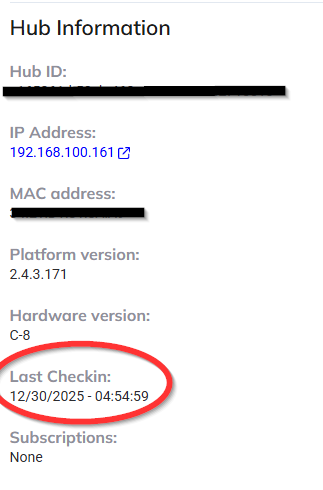
- You could connect to my.hubitat,com to verify that your hub is on-line (Recent Last Checkin time), and what address it is using.
When you connected the PC directly to the Hub, you shouldn't expect that to work, unless you had a static IP on the Hub and on the PC (each within the same subnet). You are aware of APIPA, but I have no idea how you would know the APIPA address of the Hub in order to establish a connection.
Also, after all the things you have done with your hub, we have no idea what state it is currently in. If you followed the proper instructions for resetting the network card, we would at least be in a known state to begin further trouble shooting.