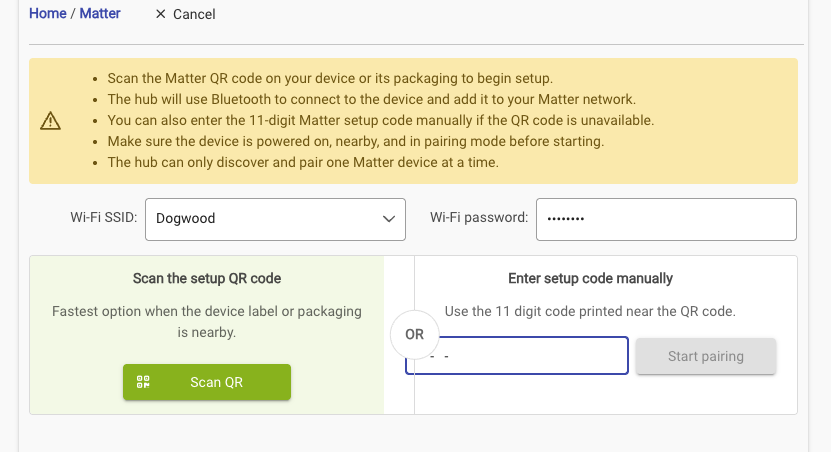
Wanting to add a Matter Outlet just like several others I have added in past.
Paired to Apple Home, no problem. Put in pairing mode to add to HE. Using Web interface. Enter Code. Start Pairing Button stays grayed out. Tried several times, no luck.
In Addition the OR is right over the pairing code entry field which makes it a little hard to see.
Can you post a screenshot of that please? Also what browser/device (desktop/mobile) are you using?
This is going to sound strange.. But look above at the WiFi portion.. Even if you are commissioning directly, which can be done now, it wants to make sure it has stored WiFi info if the device needs it..
I had tried entering the WIFI info before and it didn't make any difference. Tried it again and this time it seemed to work. Never had to enter that data before. Gonna try another device to see if that makes a difference.
Which is good, but the reason this one I pair with Apple first is a lot of the time I control in manually and I use Home for that. I know I could pair it with HE first and then to Apple, but usually do it the other way.