She was able to create a regular account and was able to log in there. I was trying to add her at my.hubitat.com not the phone app.
The user is cynthia@jgitta com
I had an issue as I was trying to get my better half added to the main hub. I could not do it through the web interface, but I got her added via my mobile app (iOS). Can't remember specifically what error I was getting via the web, but it was something akin to "you can't change the admin" even though I was just trying to add a guest and not an admin.
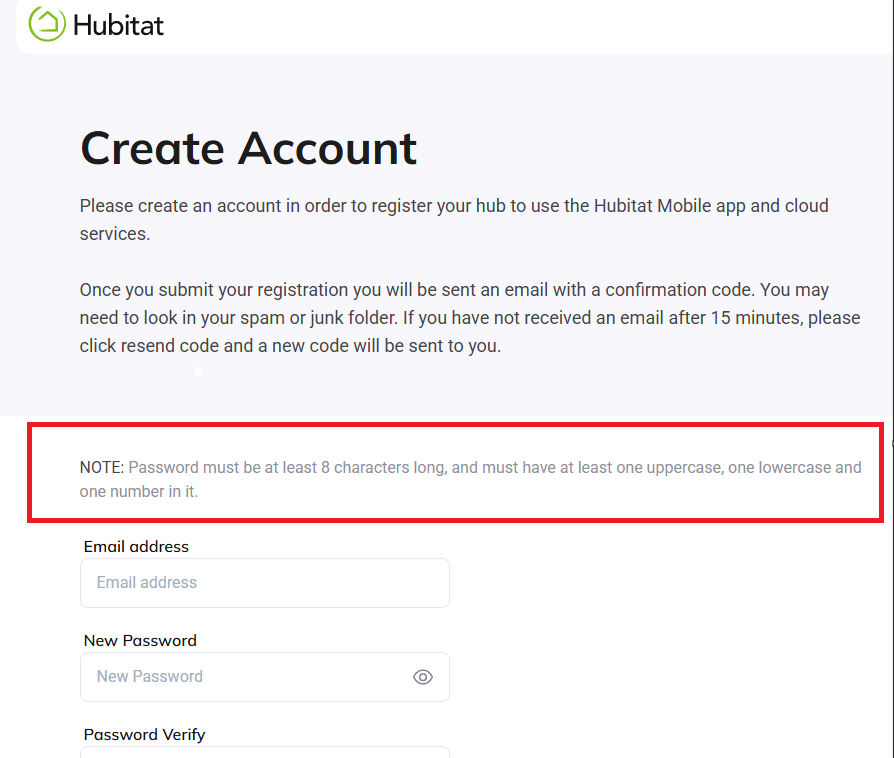
Have you confirmed that the password you are trying to create meets the following: must be at least 8 characters long, and must have at least one uppercase, one lowercase and one number in it.
If you are also unable to set a password for your new account, be sure that the password contains the minimum requirements as highlighted on the Create Account page:
I think I see where the confusion is coming from. In order to add guest users to the hub, they need to have an account created, first. Please visit the following page to create the account: My Hubitat
She has created an account and successfully logged in and connected to the hub so the password etc is valid. I still get a 400 error when i try to add her to my hub as an additional user. In looking at the console errors they report that there is a syntax error in the way it validates the email address.
I was unable to locate an account for the email you shared earlier. Please send a private message to @support_team with her email account so we can further assist.
We are aware of an issue adding guests, and our devs are working on it. Depending on the specific use case, you may not even need to add a guest to your hub. Do you mind sharing why do you want to add a guest account?
There are two use cases that addition a guest account to a hub useful:
allowing a member to use their own credentials to install the mobile app on their phone
restricting a member to subscribe and manage subscriptions.
For any other use cases, a guest account is not required. That includes push notifications -an admin account can create multiple mobile devices that each can be configured to receive own push notifications.