I installed the Virtual Battery app written by Simon Burke. This app has a setBattery() function. Then I created a virtual water sensor. I'd like to set the battery level of the virtual device I created to test my low battery notification rule. Can someone explain how to make this call with setBattery?
The Virtual Leak Sensor does not support the Battery capability.
To perform your testing, I recommend using a Virtual Battery device instead. You can change the battery level of the Virtual Battery device directly on its device details page.
Before you go too far down this rabbit hole, will you be tracking lithium batteries with this notification?
If so, I wouldn't put too much blood, sweat and tears into it -- lithium batts all have an exceedingly sharp drop-off at EOL. Many of mine go from 100% straight to stone dead when they die. Some of mine might hang out at some percentage >50 after a while, but I honestly don't ever recall seeing a lithium battery report less than 50%.
Not saying that low lithium readings are impossible, but lithiums all die fast & hard -- it's not a predictably & steady linear decline like alkaline (I don't use rechargeables, but I suspect they're somewhere in between).
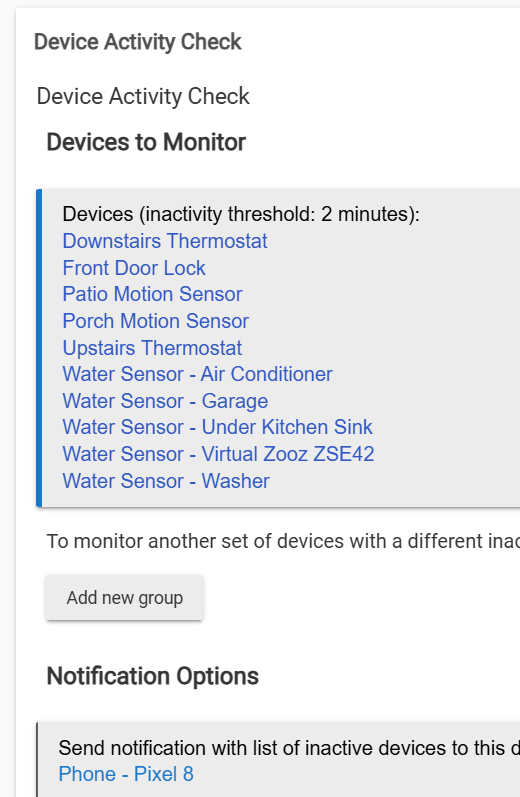
Since I use lithiums exclusively, I don't even bother trying to track any %s anymore -- I just wait for my Device Activity Check app to tell me when something stopped reporting, and that's when I change its battery.
I do change my door-lock batteries annually no matter what, since that's a pretty important one to have working for certain. For all my other battery stuff, if something is dead for ~24 hrs before I get the no-activity alert, that's no big deal.
Just a quick reminder: The Ask Anything subcategory is a great place for quick questions and answers on specific topics, and acts as an extension of the FAQ.
If your post is more about sharing experiences or diving into more advanced features—like using custom apps or drivers—it’s best to choose a different, more relevant sub-category. That way, you’ll get the right eyes on your post and more helpful responses.
All of my battery devices either get "actuated" daily, or they do some kind of routine reporting (e.g. periodic temp reporting or perhaps a periodic heart-beat / health-check of some sort). If all that stops, Device Activity Check tells me "Head's-up, I haven't heard from this thing in the last 24 (or whatever you want) hours".
Same here, I still haven't bothered writing the checks into an app since this is so simple in Webcore. Activity checks are about the only thing I still use Webcore for.
I use different time frames for different devices. The basement door sensor does not get used every day, so I set that activity check for a week. Temp sensors usually report about once an hour, at least, so I just set a two hour check for non-activity with those.
I put for each device loops under an hourly check timer, and it check the condition for each device has not changed in X hours/days, depending on which device list variable I am checking. It is easy to add a device to, or remove a device from, the device array variables as needed for each time frame check.
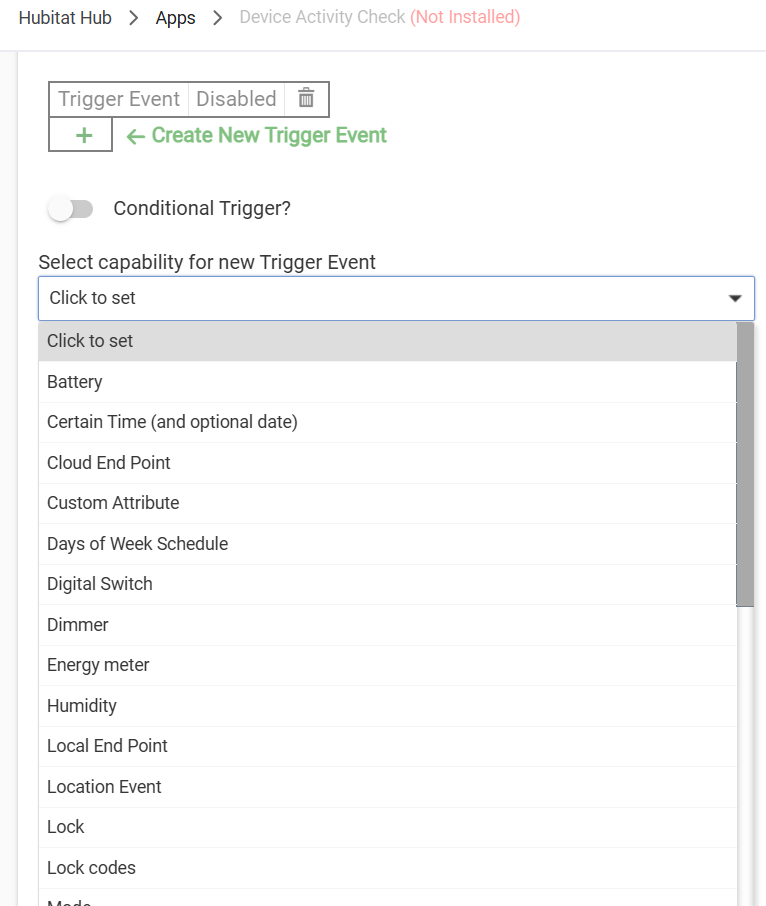
I went to create a "Device Activity Check" in Rule Machine. Can you tell me what trigger or conditional trigger you use to check a device for activity? I didn't see anything that matches.
I'll just say there's a reason I wrote the app instead. You can sort of do something similar if there's only one particular event (or few) that you care about in RM, but it's different approach compared to checking this metadata on the device object itself, which is not accessible from RM.
And as others have alluded to, one reason I created this in the first place is that battery reporting, especially for lithium batteries common in home automation devices, is notoriously unreliable. (I don't even bother looking at these values anymore, just the app.)
Adding on to this, it would keep things cleaner as well if you used the quote feature and consolidated multiple successive replies into the same post (fewer actual posts to scroll through total, plus an easier view of what you're responding to; you can quote more than one post in the same reply, like I did with Bobby's in this one).
I installed the app, and selected the devices to monitor. I only selected devices with batteries. So then I removed the battery from one of the leak sensors.
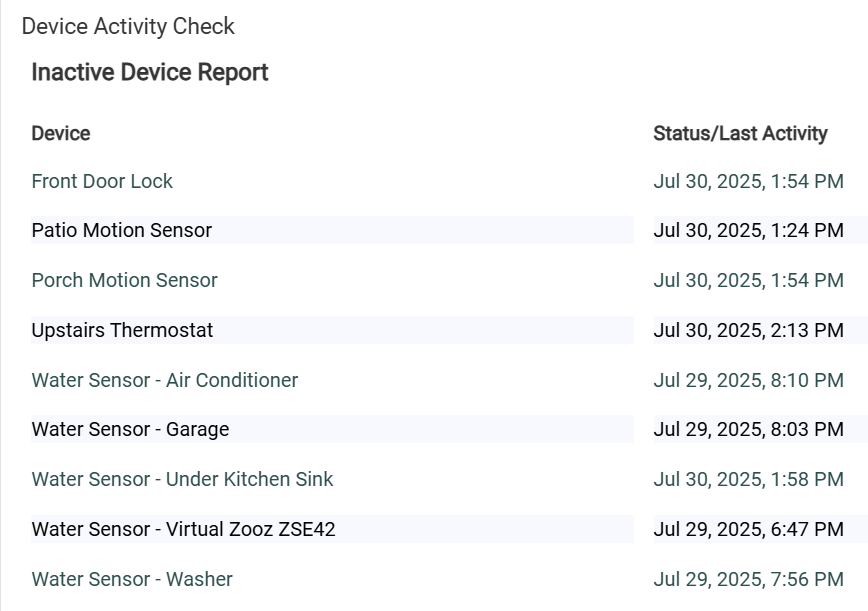
Then when I click on View Current Report it shows 8 of the 10 devices I selected to monitor. Should the device with the battery removed generate a notification? I'm unclear how to implement this for battery monitoring.

 You can sort of do something similar if there's only one particular event (or few) that you care about in RM, but it's different approach compared to checking this metadata on the device object itself, which is not accessible from RM.