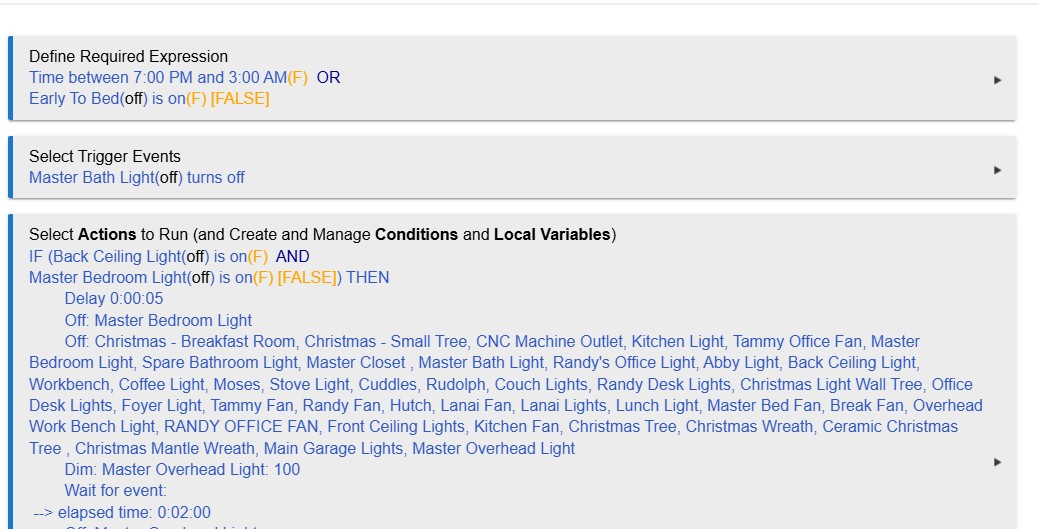
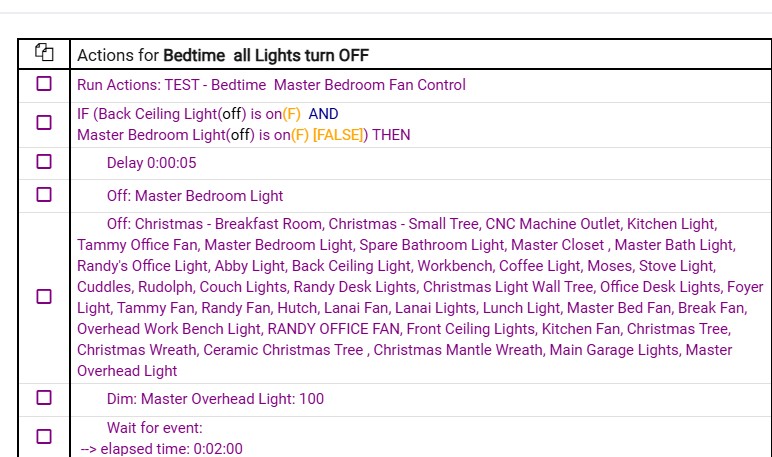
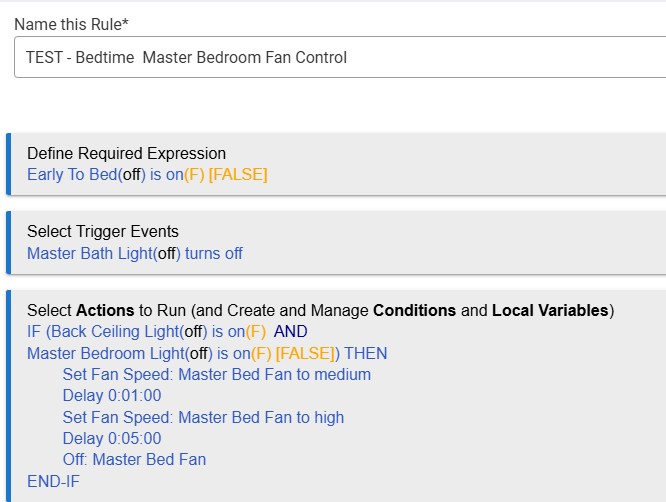
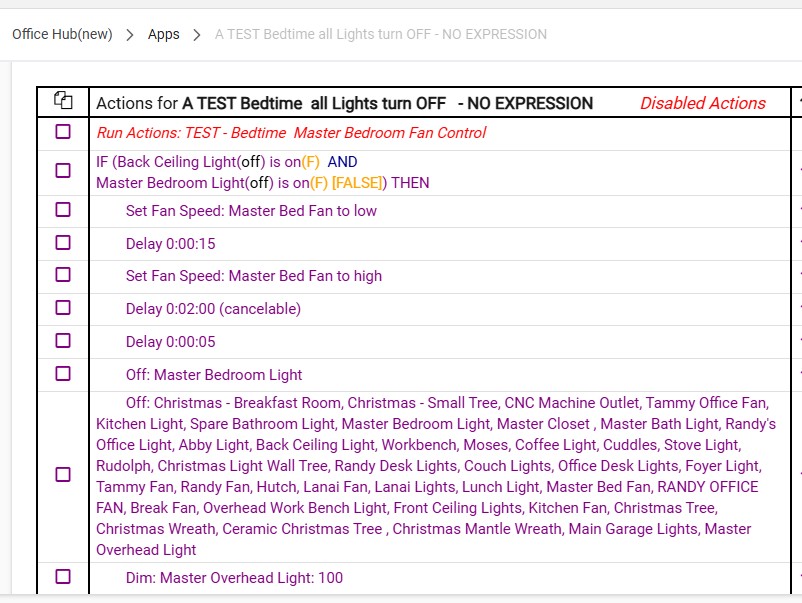
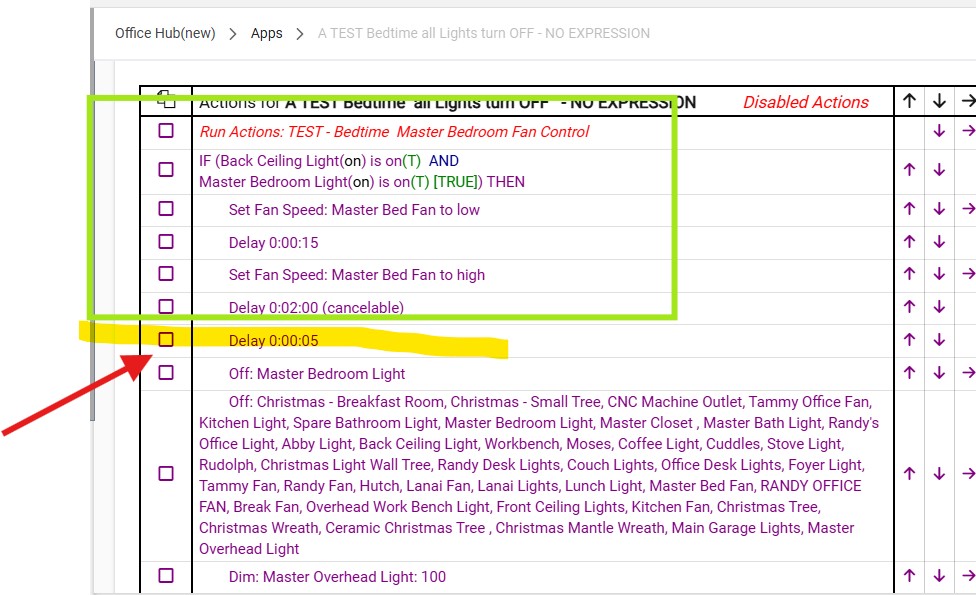
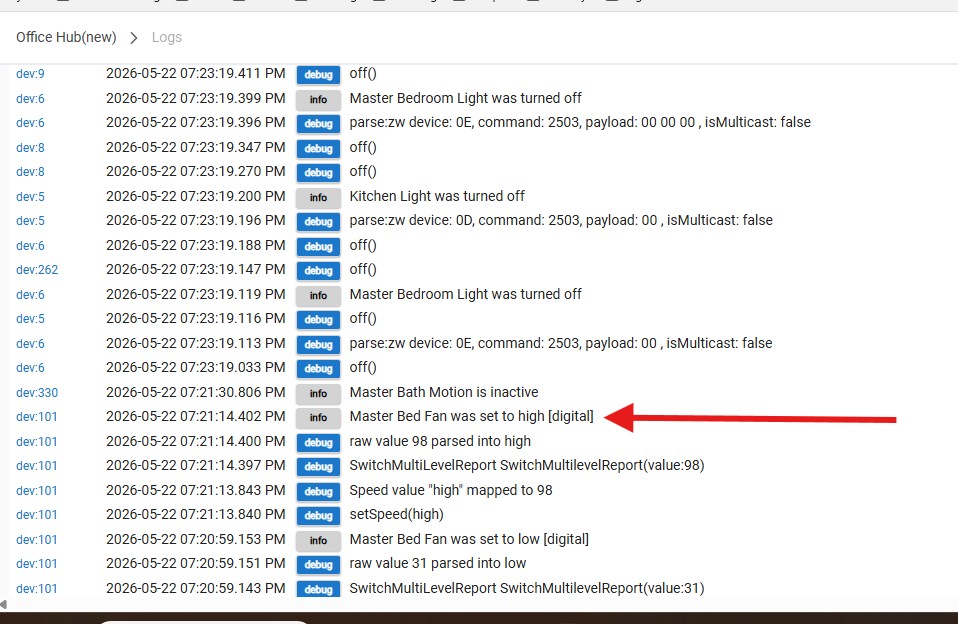
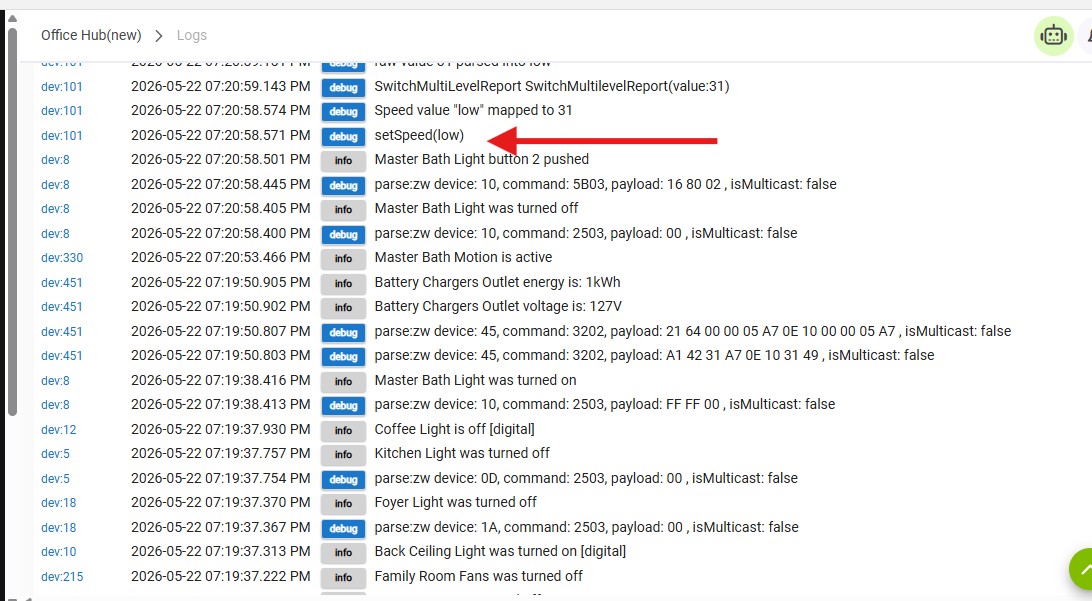
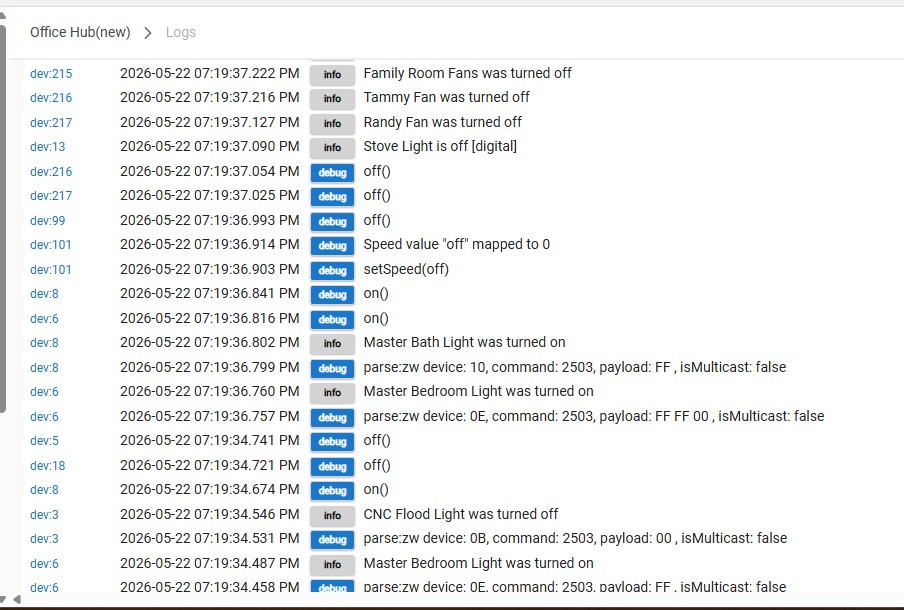
In screenshot #4 is the problem. I need for the fan to turn on first. I can not figure out how
- set the fan speeds
- and the run time of right now is 9 hours
- the run time for the fan changes here in Florida
- if I put the fan information at the beginning of the rule then it will not trigger anything else for 9 hours right now.
Like I said the rule runs perfect right now. Three light must be on at the same time for it work, and once the bathroom light is turned off anytime after 7:00 pm the rule starts to run. It turns all the lights off in the house and in the garage so nothing is left on. Very happy with the rule if I could just figure out how to turn the fan settings on first. And be able to keep the timers I have. Like I said these timers change as the weather here changes.
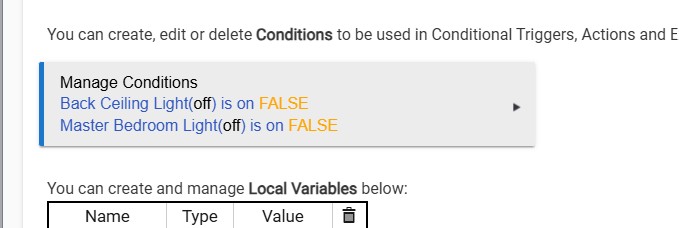
I did not know if there was a way to put the fans in there own rule and have the bathroom light switch trip it too?
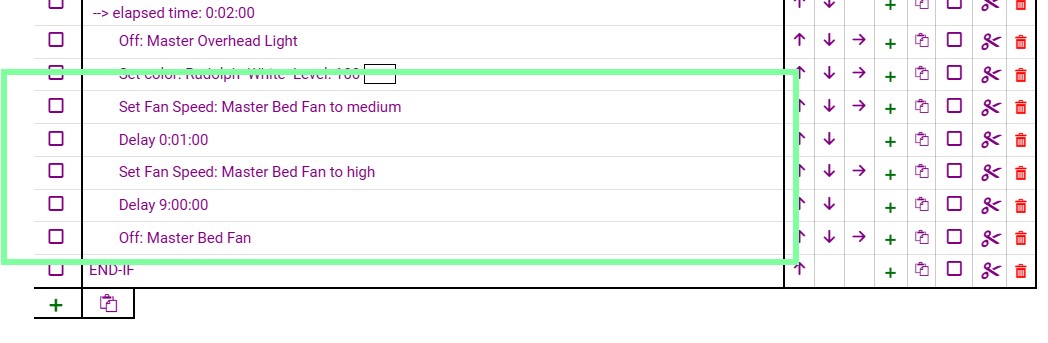
Try changing the off:master fan and include with a delay of 9 hrs (Delay? dropdown) instead of a seperate delay line. That way the rule will go to the next line while the fan is waiting the 9 hrs to turn off.
You can also run any rule in another rule, create a new action and select "Set Private Boolean, Run/Cancel/Pause Rules" and select "Run Rule Actions".
Thank you
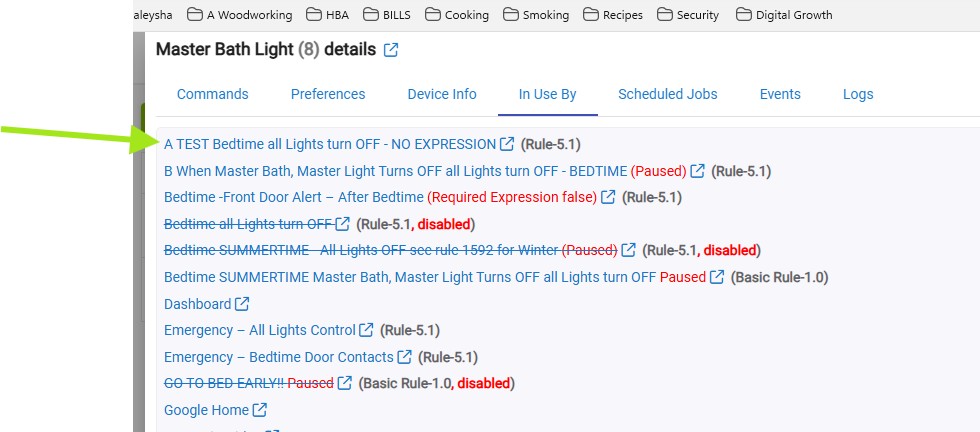
Do you mind if I send a screenshot of the rule that triggers the other two rules? It will not be until tomorrow.
Here you go. It is bedtime here so tomorrow would be fine if you have time to look at this.
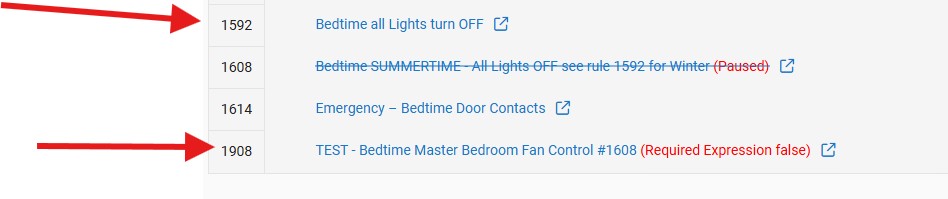
Rule 1592
Rule 1908
RULE NUMBERS
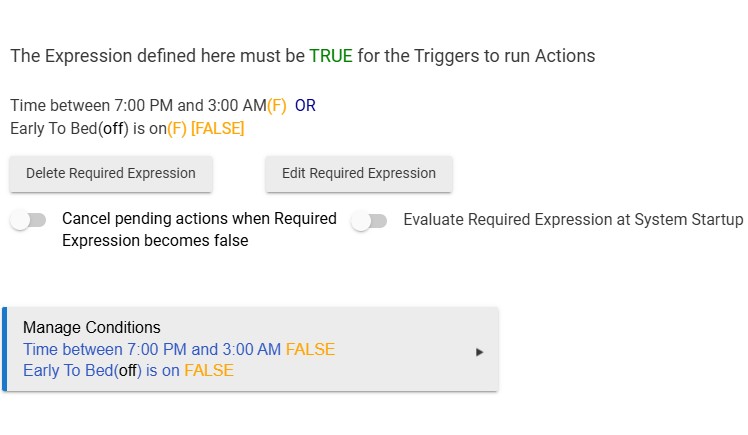
So in your example Rule 1592 will run 1908 and do the rest of it's actions. 1908 could also be triggered before or after 1592 has been triggered but I think you are just using it as an example. What you can do is not have any triggers for the rule and just call it. You COULD use a required expression with "Cancel pending actions when required expression becomes false?" selected if there are any conditions when you don't want the rule to run even when run from another rule.
Again, if you aren't really going to need to run the new rule on it's own or from other rules you can just change your original rule. Put the fan actions at the beginning like you originally tried but change them to look like this (I used 10 seconds to show the log example because waiting 1 minute is a lifetime)
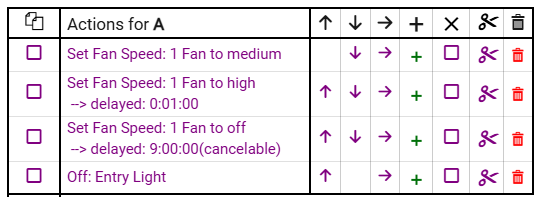
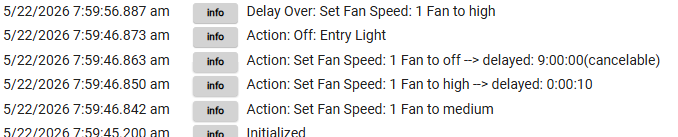
You can see that all the action will continue to be run even when there are delays for the speed change and turning off.
thank you I will give it a try tonight.
I tested - it once and it turned everything off - just like it should. My wife works from home and that caused a problem. Very quickly had to turn everything back on. 
Did not have time to test the fans - sorry. 
No worries. Testing when the wife is around is always a gamble, never know what new word(s) she is going to teach you
What did/does the log show for the rule(s) and the master light?
I am going to move the master light up 5 sec. delay to the top of the command list. What do you think?
Never mind that will not fix it 
The way you have it the light is delayed 2 minutes and the 5 seconds
Look at my example above. The delays are in the fans setting action