Levahj
November 10, 2026, 8:39pm
1
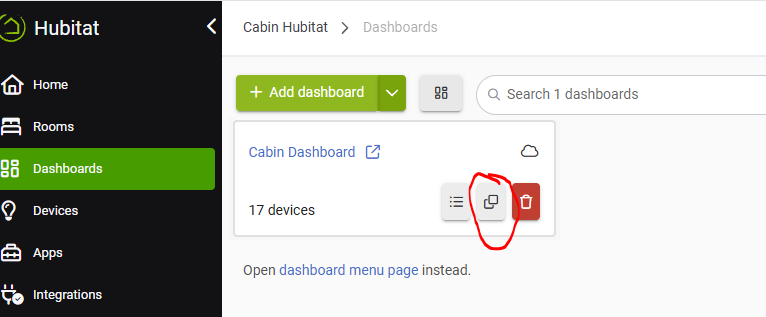
Either I am missing something or its just not possible but I am trying to make a copy of an existing Hubitat dashboard. When I click on the copy icon:
It only has the option of copying it to an Easy Dashboard, not another Legacy Dashboard. I like the legacy so much better and just want to make copies. How do I do it?
HAL9000
November 10, 2026, 8:52pm
2
It may not be the easiest way, but what I do is
Open the dashboard you want to copy
Click the gear sign in upper right
Click Advanced
Copy the text in the Layout box
Create your new dashboard
Click the gear sign in upper right
Click Advanced
Paste the text into the Layout box
I keep certain templates of dashboards and start with one of these when creating a new one.
Levahj
November 10, 2026, 9:03pm
3
Works great. Thank you @HAL9000 !
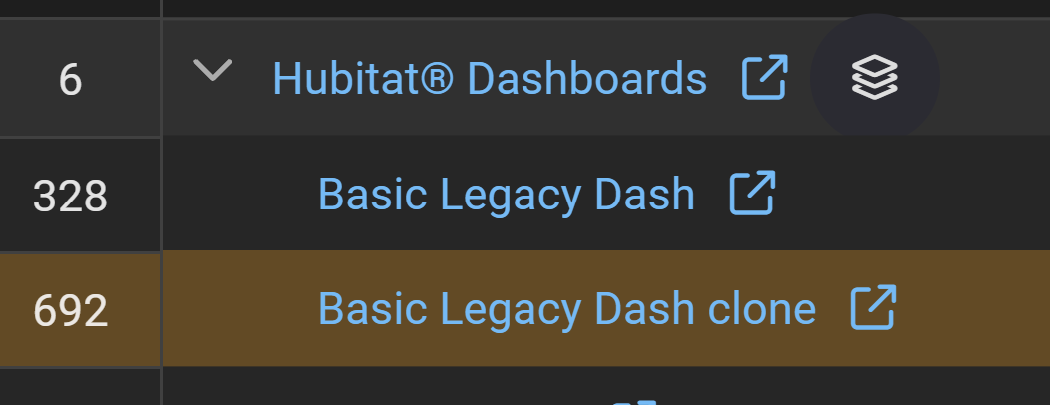
There's a slightly easier way to do this...
In Apps section, expand Hubitat Dashboards app.
Find existing dashboard and click its 'i' icon at far right.
Click the Export/Import/Clone button.
Select Clone option and click through to end.
Done!
HAL9000
November 10, 2026, 9:36pm
5
xavib57905:
slightly easier way
I had the feeling there had to be an easier way. Thanks.
tray_e
November 10, 2026, 9:53pm
6
When did they fix this? It was not working for the longest time.
Levahj
November 10, 2026, 10:00pm
7
Nice! Thanks @xavib57905
And now I see from the App section of the Dashboard how to make it secure so noone I give it to can make changes or have access in any other way other than to just use the device icon's I have provided them.