Novice so go easy. Migrated from C8 To C8 Pro. Only difference is C8 was using ethernet and Pro is using wifi. All devices, apps, and rules appear on new Pro hub but nothing triggers…. Nothing. Go to dashboard and am unable to trigger a device from there either. Old C8 hub is deactivated and subscription transferred, and been removed from iphone I’m stumped
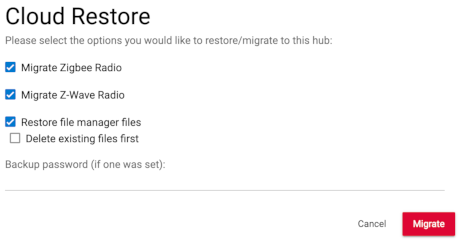
When you migrate you have to use a Migration backup, or a Cloud Backup. If you use a Local Backup then you don't get your "radios" which means your devices don't come across....
Did you read this?

You may just need to shut down your new hub, bring up your C8, do a migration backup (subscription not required to do this) and then shut down your C8/pull power, and plug in your C8-Pro and re-do the migration.
Also, I'd do the migration w/the C8-Pro on Ethernet just to remove potential for connectivity issues...Etherenet always works great, Wi-Fi almost always works.  Any reason why you aren't connecting the new hub to the same ethernet port that the C8 was on? (And make sure you shut down and pull power from the C8 after doing the migration cloud backup.)
I did. I did a cloud back up of old hub. But I just checked and the new hub has no back up cloud or local. Old hub deactivated too. Would it be easier to build a next network? I have 27 devices and 11 rules
All my LAN ports on my router crapped out. The only thing i dont want to live without for a few days is my hubitat
If they are Zigbee devices, you can just reset each device and rejoin to the hub. It will be like it never happened. It’s a different experience if they are z-wave. Maybe also check under settings/zigbee (or z-wave) and see if your devices are showing up there. If your devices are listed, In the same tab, open the log (zigbee or z-wave) and see if there is any activity.
It doesn't need to. For migration backups as long as the hub is registered to your existing account, it will see the cloud migration backup.
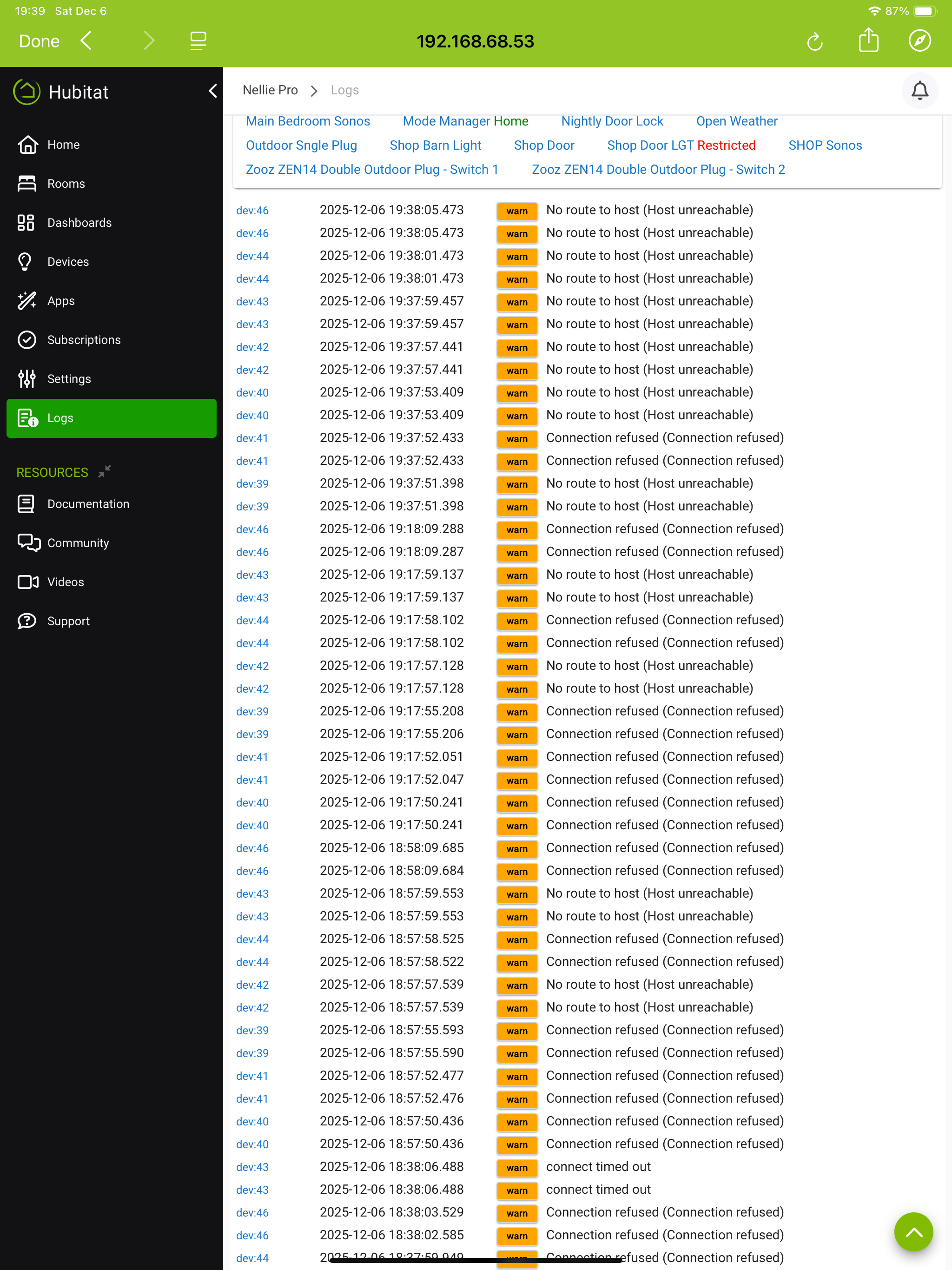
When you did the migration did you click the zigbee and z-wave radio boxes?
No
That would explain it
You should read through (or at least skim) this and do a re-do of your migration. As noted by @rlithgow1 If you don't include the radios in your migration backup, you don't get your devices.

I read and thought i followed this instructions inatialty. Apparently i did not check zigby and Z wave radios. Now old hub and is deactivated and subscription transferred, no cloud backup available. New hub cant be hard reset because recently transferred subscription was cancelled and is now pending.
You can create a migration backup on your old hub w/out having any subscriptions on it. You also don't need to reset the new hub to do the migration again.
-
Turn off and unplug your new hub.
-
Plug in and boot up your old hub.
-
Go to Settings>Backup & Restore and create a Migration backup. Make sure you check the right boxes.
--
--
-
Shut down and unplug your old hub
-
Plug in and boot up your new hub
-
Go to Settings and select the Migrate Hub option
--
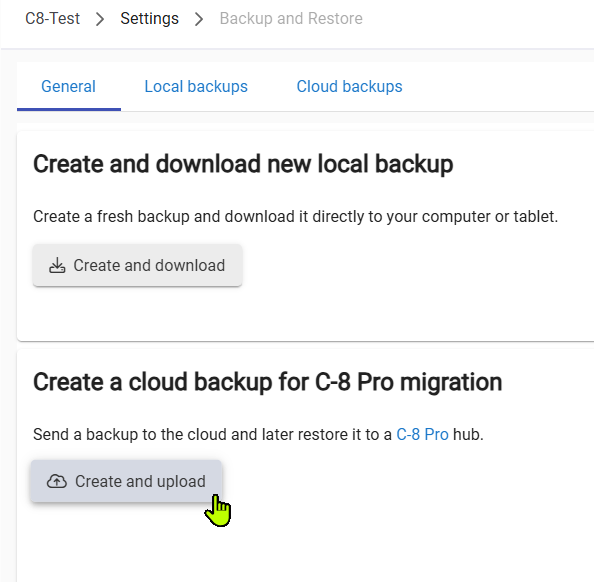
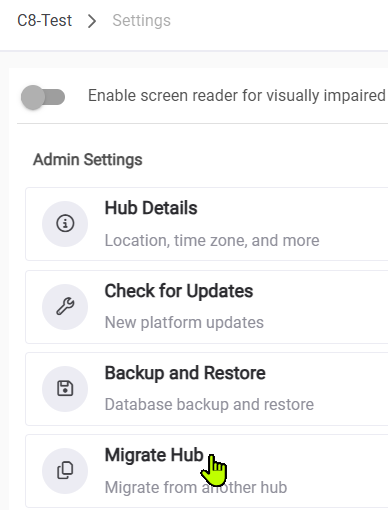
As long as both hubs are registered to your HE account you the backup you create on your C8 will be accessible from your C8-Pro. MIgration backups (going from older to newer model hub) are free and don't require any subscriptions.