New c8 hub strange operation with dropped events.
It started when I noticed the red light on the wired hub which was because it had no wifi setup. Up till when this light came on, everything was working fine. I set up the wifi and now have a green light on the hub. Now motion lighting sometimes does not work. I tried rebuilding the database and still doesn't work about 10% of the time. Deleted the app and recreated it and same problem. Motion is shown on the motion sensors but light does not come on for my spare room. Can someone look at my hub to see if there is something going on that would cause these lost events?
John
A solid red light, or a blinking red and green light? Solid red means the hub was shut down and would not be related to network connectivity (except, of course, that it means you'd have none).
Beyond that, I'd try to dig into what is happening a bit more. You're saying "lost events," but it seems like that's a guess, and what you really need to do is figure out if it's a device, app configuration, network problem, or something else. This document may help get you started since this might be new for you:
In your case, the most helpful things might be to enable logging for whatever app you're using, then look at Past Logs filtered to just that app when you have problems to see what it happened when. Device events (e.g, for the motion sensor if that's how your app is "triggered") -- also explained in this document -- may help as well.
Without more information about the devices or apps involved or how the app is configured, it's hard to say more, but hopefully this helps you get started!
Your right. I have no idea where to start on this issue. I have logging enabled for most of my devices. I see trigger motion on one or both motion sensors in the spare room and there is no activity for the spare room light where it failed to turn on. It looks like I already went through most of the basic troubleshooting including rebuilding the database and restoring it to the hub. I had a C4 hub for several years with no problems till it crapped out. I restored my backup to the new C8 hub and had to replace all the missing z wave devices. I was hoping someone could log in and see if there is any obvious errors I am not seeing. I don't see anything that I deem unusual but don't know what would cause the issues I have been seeing.
Thanks,
John

I have some errors in my z wave mesh which I cannot repair. It is possible this is the underlying problem. I don't exactly sure how to repair these errors.
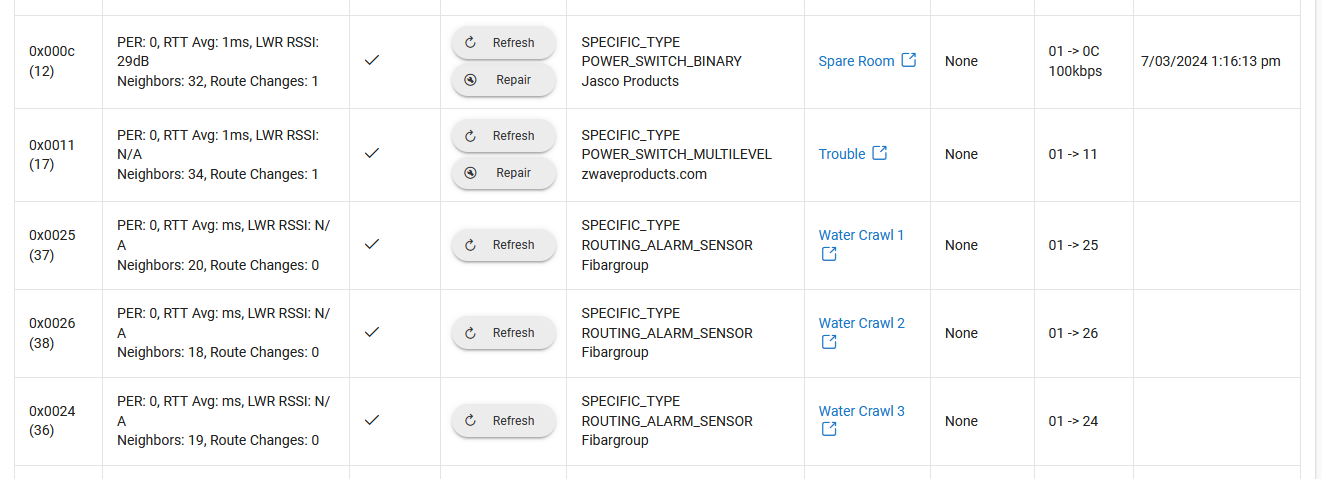

I don't know what these devices above are to try to repair.
What errors? I don't see anything concerning in your screenshot.
"Repair" is a Z-Wave term (more or less re-establishing routes in the mesh topology it uses) and is an operation available on any powered node, so the fact that you see this button is not concerning if that is all you mean.
That looks good and fairly simple, so troubleshooting shouldn't be to difficult. First thing I'd verify is that the "Hall" switch is off and that Night mode is not currently active, otherwise your automation is effectively disabled.
Beyond that, Logs would again be helpful to consult. You have them turned on, so going to Logs (or likely Past Logs at this point) and filtering the logs to just this app (the logs button, second from right towards the top right of your screenshot, is actually a shortcut to take you exacttly there), would be good to look at. You should see an entry when either motion sensor becomes active (if not, check the sensors), and the rest of the log entries should give clues as to what is happening when.
Still randomly happening. Can someone look at log to explane what is happening. It looks like the command to turn off the spare room light was sent (to me) but the device did not turn off? Look at 3:02 PM where the command was sent but the device didn't turn off. Is there aproblem with my z-wave network missing commands?
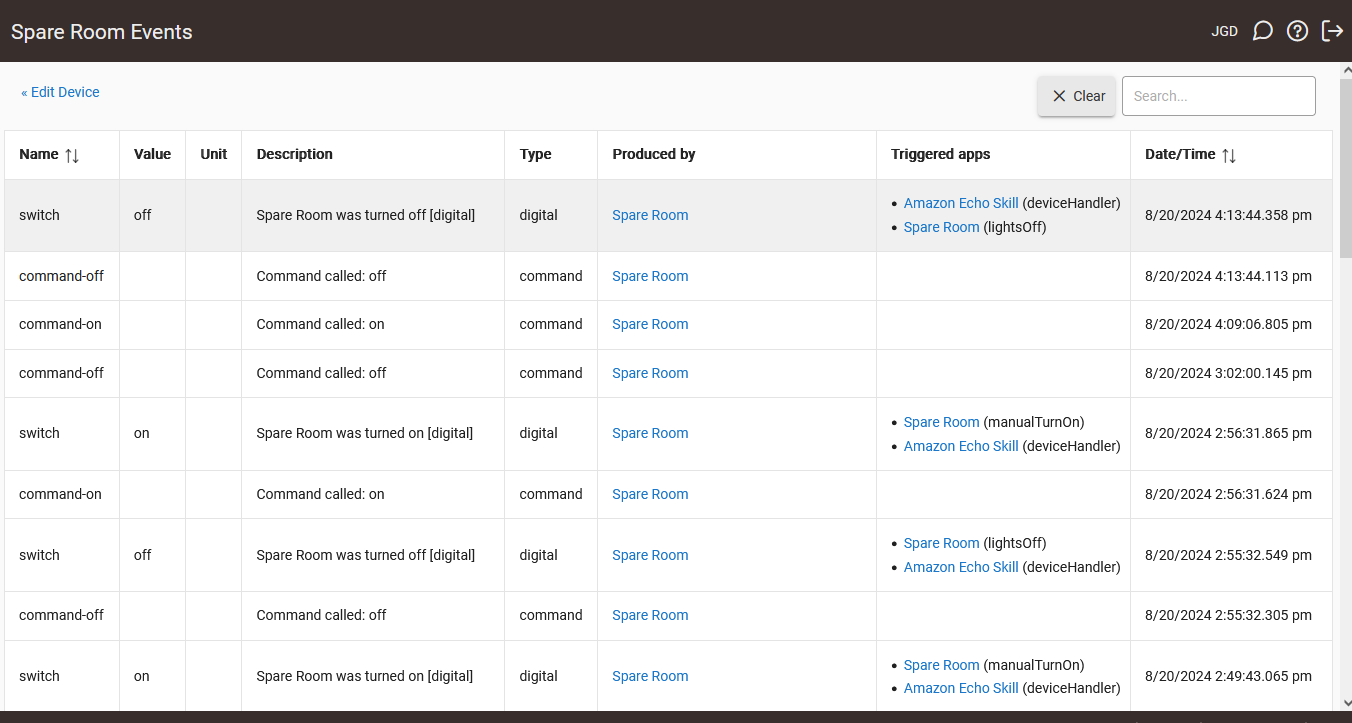
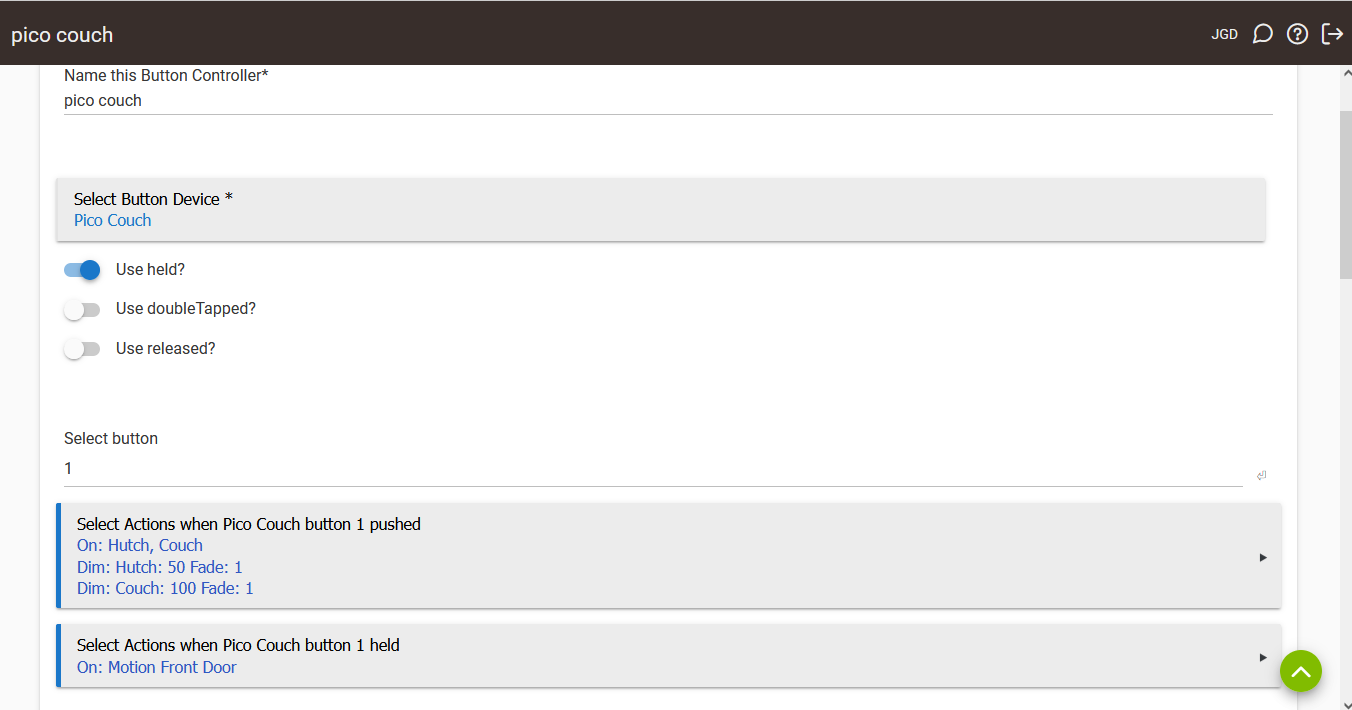
Also I added a new lutron device and now it turns on when other devices turns on with lutron pico controller and the device is not associated with that pico device.

this is the button that turned it on:
Your second screenshot of the Z-Wave Details table above shows lots of "ghosts." These can cause problems. This probably includes all of your entries above without a device in the "Devices" column. Try to tackle them one by one: if you see a Remove button, hit that. If you don't, hit Refresh, wait a few seconds for it to finish, and see if it appears then. Try it once more if not. (Don't go too fast--only try one thing at a time, and be sure to wait for the previous task to complete before trying again.)
If the remove doesn't work,keep Logs open in another window/tab and see if anything helpful appears there.
See also:
1 Like
Well I could remove 2 of the 6 ghost devices. Any idea what to do about " Device 0 does not exist on this hub. It was most likely deleted at some point. Please update your links."
Any way to "update your links" manually ?
How are you arriving at that page? It sounds like a link you're clicking, but nothing should be pointing there. You'll sometimes see this if you load a page in at tab/window you had opened before removing the corresponding device, but ID 0 wouldn't be one of those -- though concentrating on this particular problem is likely a red herring in any case.
Another thing that can help with Z-Wave in general is patience. If a remove doesn't work, try again a few hours later. Be also sure to see if "Logs" (likely for "Hub" or "sys:1" -- maybe that's the link you're clicking to get to that page, which isn't useful since it normally links to the device or app but the hub is just its own thing) shows any relevant messages when you try.
This topic was automatically closed 365 days after the last reply. New replies are no longer allowed.

