I updated the C7 to the latest firmware and followed the instructions to do the upgrade. Disabled WIFI devices and Apps. I created the upgrade backup. Shutdown C7.
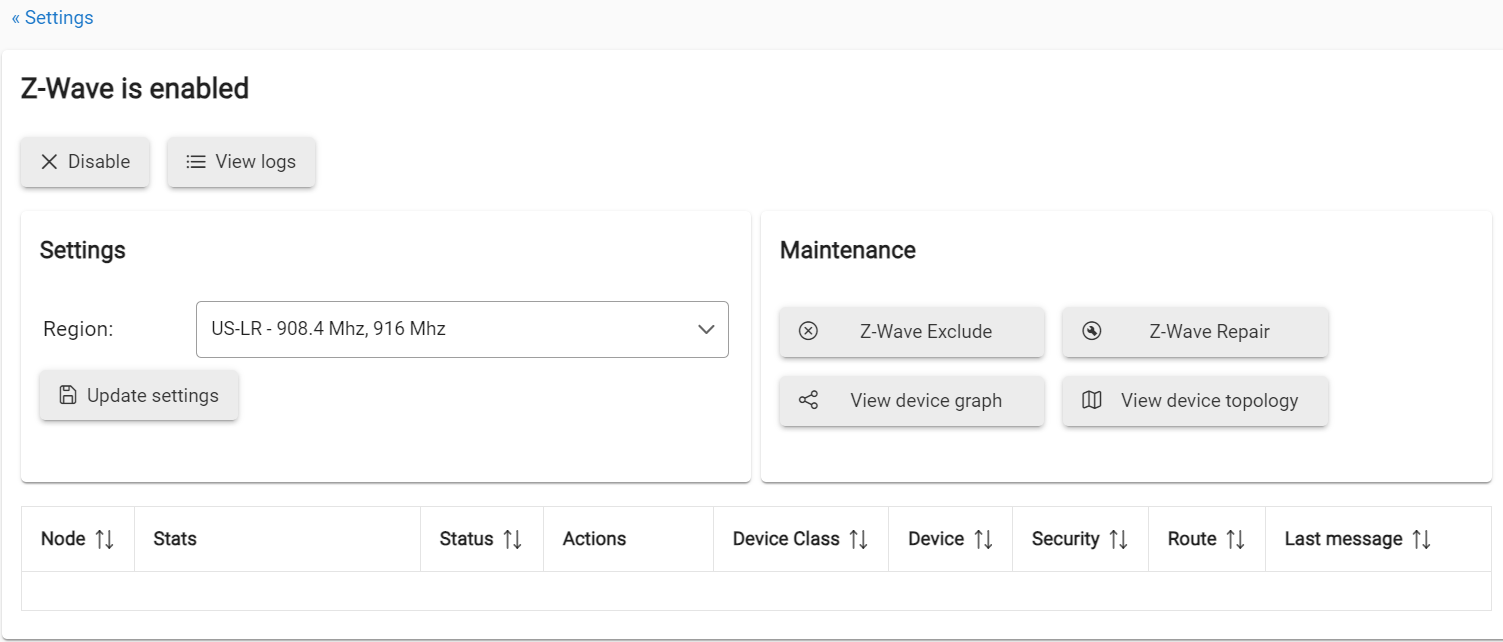
I started the C8 Pro and registered it. Select Migrate and selected the the online backup file. Checked the 3 boxes for Zigbee, Z-Wave and File manager. It rebooted and I logged on. I went on devices and verified the Zigbee devices are responding because automations are not working. I tested Z-wave light switches and motion. No response from all of them.
Not listed but I have more Zigbee devices than Z-wave and no issues with Zigbee devices. I tried turning it off for 30min, restore backup, none of the are responding. If I boot my old C7 hub, everything works like normal.
I had something similar happen to me when migrating from my c7 to c8 - the solution was to shutdown the c8, remove power for 30 seconds, and then power back up.
Aiui, this forces the devices to search for the hub and reconnect when it comes back online. Just rebooting doesn’t turn off the radio.
I tried to backup the C7 a few times via upgrade option and tried the migration option on the C8 several times. I also tried to disable the C8 Z-wave before restoring. Z-wave details always show empty.
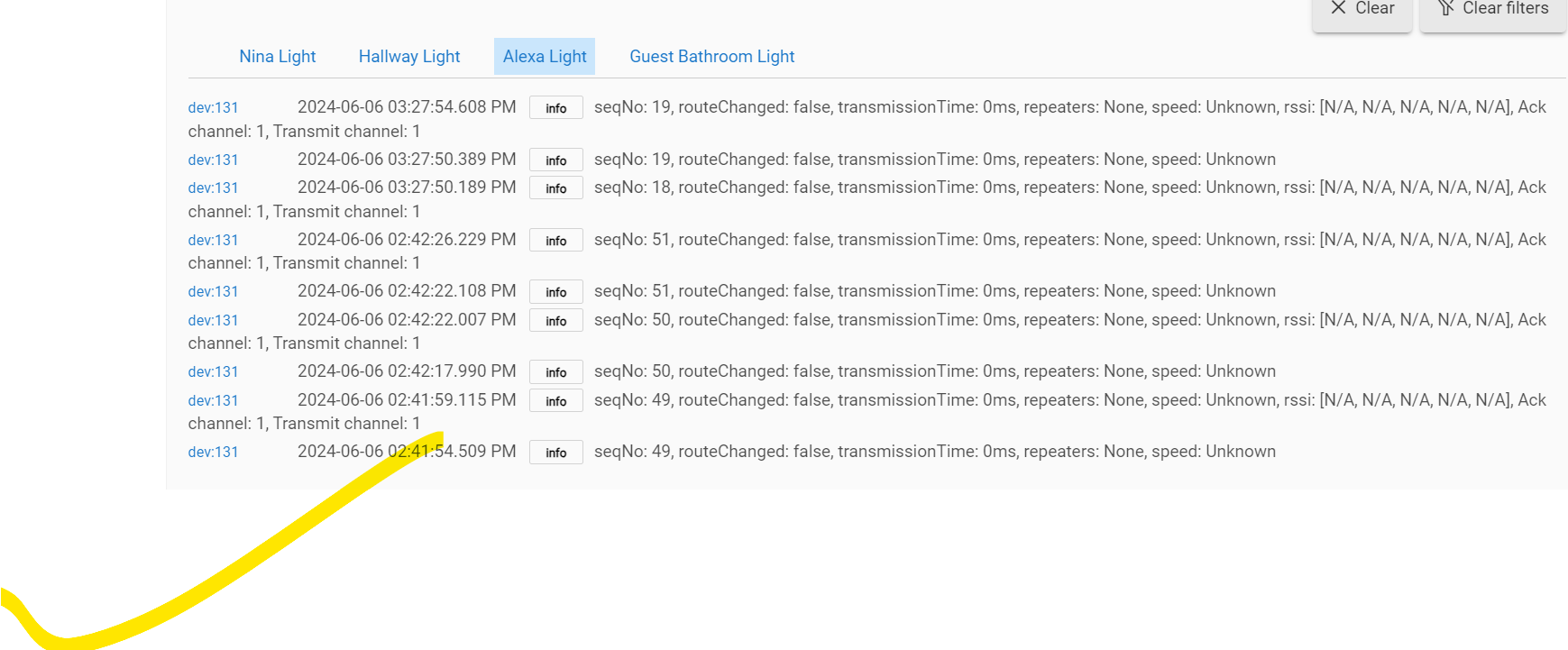
It's interesting when the Zigbee motion attempts to turn on the Z-wave switch it throws the error in the section of my original post screen shot.
And just to confirm, no Z-Wave devices on your Device tab, correct, only Zigbee devices? I think you said that above but wanted to be sure I understoo correctly.
While waiting for more help from HE, you could:
PM your hub UID to @support_team w/link back to this topic, so they can check engineering logs to see if there is anything helpful there
You could also try (kinda a "just for fun" action) resetting your Z-Wave Radio on the C8 and try the migration one more time. Unlikely to help, but won't hurt, and at least insures your Z-Wave Radio is as clean as it can be.
Z-Wave Radio reset is in the Hub Diagnostic too: Settings>Hub Diagnostic. Reset your Z-Wave Radio and then repeat the normal steps to re-do the migration from the C7. Then come back here and tell us it didn't work...
This is what a local backup migration will get you, no zwave devices. Do do not disable any radios.
On new hub You will need to reset both radios and a soft reset from the diag tool (or full reset).
Then do a cloud migration backup on the old hub, make sure it says it is successful, and follow the migration process instructions. You must restore from the cloud backup and select both radios to restore.
I haven't had time to troubleshooting. I brought my C8 to work. I am trying to avoid re-adding my Z-Wave lol. I check the diagnostic section and there is no reset option for Z-wave. There's only rebuild in the z-wave in z-wave detail area.
I will reach out to the support Team. I probably reset one of my Z-wave devices just to make sure the z-wave module is working.
I am on C8 Pro, I wonder if they took out the z-wave reset option? I'm trying to avoid the soft reset, I think it removes all my rules and I have a lot.
All the migration I was doing was from using the built in migration tool that uploads and downloads to the cloud.
I have a lot more Zigbee devices and they all work fine but Z-wave did not migrate any devices.
Yes a soft reset would remove your rules, but you would then do the migration again. Unless you have made a lot of changes since the migration, then this could be a problem. You might be able to restore the migration backup (without resetting anything) and ONLY do the z-wave radio, I am not totally sure on that though. It does sound like you skipped the z-wave radio somehow.
If you do decide to just reset the z-wave radio and pair all your device again, PLEASE let us know here and I will dig up the instructions. If you just start including z-wave nodes while the old "device" entries are still in the hubs devices list its going to make a big mess.
Thanks for that. My diags tool was out of date. I see the Advance option now. I ran the Z-wave reset. I will try to do the migration on z-wave only when I get home. I did run the migration a few times and made sure the z-wave was selected.
If you end up having to re-include all your devices you will need to follow this guide to get the old device DNIs out of the way before you start including devices. If you follow this guide you will basically swap the old device entry in the hub to the new DNI, preserving any rules/apps you have setup.
There is another way you can do it using Swap Apps (new since this was written) but I actually like the method in that guide a little better.
When I was at work earlier, I updated the Diagnostic tool and finally saw the Z-Waver reset option and performed the reset. Shutdown. When I got home, I created another backup of the C7 and shutdown. Power up the C8 and set the IP to same as the
C7 (don't think this matters). It asked me to reboot but instead run migration tool and selected only the Z-wave check box. It restarted and tested all the Z-Wave light switches, they all worked. Zigbee was also working.
Much Thanks @jtp10181 and everyone for the support!
Btw, can I mark more than one solution because @danabw also suggest the z-wave reset.
No it only lets you mark one solution. We dont get anything for it, so it does not really matter. It just shows the solution right with the first post in case someone else finds this thread at a later date.