C7 fails to boot after updates - runs for a minute and crashes -2.4.3.158

I have a C7, one of 3 on my property, and have had some issues after updates. The hub will be working, and then I notice no notifications, no lights running schedules, etc.

When I try and login, I can't get to the gui. A power reboot will get me back in, but usually within a minute, the hub will go offline. I can watch that while pinging it, and then it goes dead.

I have tried a soft reset, only to have it do the same thing. A second C7, also does the same thing, but after a reboot, it usually comes back up running. Of course my main hub is the one with the issue.

I have valid backups, but the hub never stays running long enough, to try and restore them.

I was on 2.4.3.149 for the longest time, and then updated to 2.4.3.158. The issues were occurring during the previous platform too.

I just was able to do a soft reset, and got to where I could restore from the cloud backup, and the hub crashed, and went offline. It only stays running for a minute. I had to add remote power to it, I got tired of walking back and forth to where it's located.

I'm not sure what else I can do. Any suggestions?

UPDATE: My 2nd Hub is now also acting the same way. The third hub is working fine. I have also rebooted the 2nd hub, but not put as much time into it, as my main hub
I’m also having issues after updating to 2.4.3.158 on C8 Pro. My Zigbee network has completely stopped working and I have tried rebuilding, disabling/enabling, updating, rebooting the hub, and shutting down the hub to no avail.

My one hub at the Gate, works fine, and it's also on 2.4.3.158. I usually update them all at the same time. Sucks for the main one, everything runs on it via mesh.

Usually once it boots, it fails and falls off the network within a few minutes. I just got the "Corrupted database" message upon one reboot, and loaded a backup from September. But have not updated the platform version.

I watch the pings, and as soon I hit Update to the latest version, it crashes and goes offline.

I now have what appears to be 2 bricked Hubs. Both are non responsive to pings, and are offline. Randomly they boot up when cycling power to them, but they don't stay running too long, and eventually after a few minutes, stop responding to pings.

I tried to send an email to Hubitat, and it fails on their website.

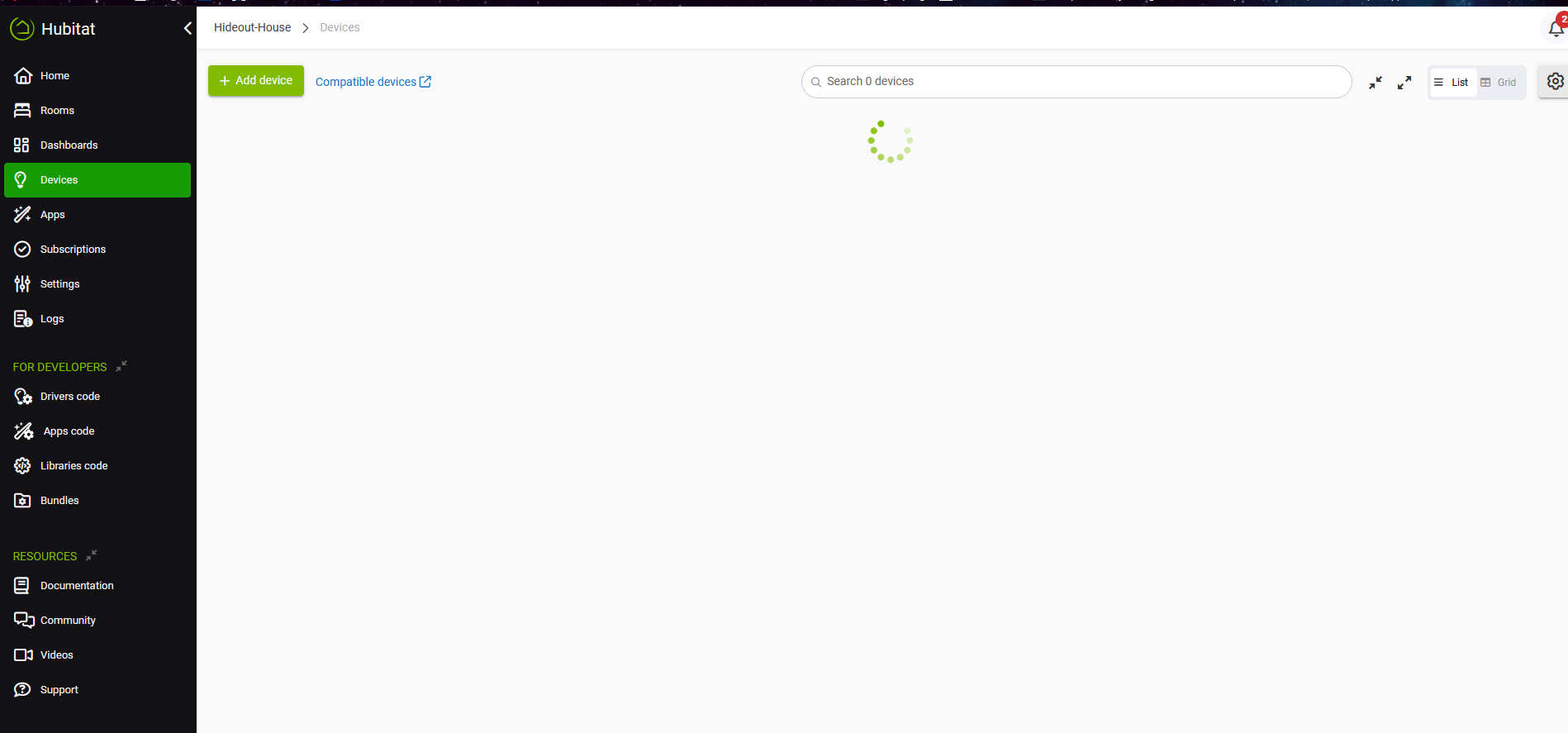
I also get this screen for hours. And the ping is still alive.

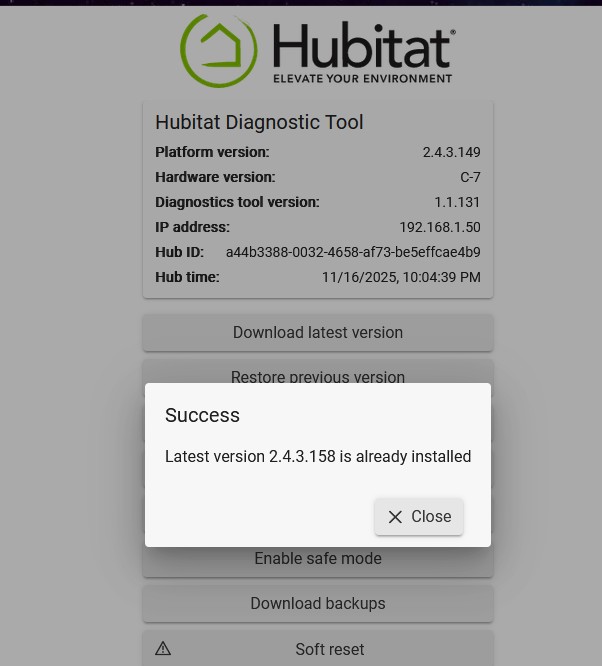
This image is also interesting. Tried using the Diagnostic tool to update to the latest firmware, but it tells me that it's already on it.

Yet, when it boots for the 2-3 minutes, it shows that there's an update available, but fails the second I try and download it.

Can you revert the firmware to the previous (known good) version and send me the hub ids? I'll check the engineering logs on the hubs.

2 Likes

I have been on a C7 for more years than I can count. Yesterday, without any warning the hub that has always been on UPS "died."

I was able to get in to the device on port 8081 and do a "soft reset" and that was the last thing I got out of the device. I have disconnected for long (half hour) periods of time, tried different network ports, cables, and power sources to no avail after that.

I am certain the unit is in some odd state as I can see the DHCP/BOOTP requests from its MAC address on my local LAN and (or laptop direct connected) with either DNSMasq responding, but the advertisements continue and are never accepted.

I never had the cloud service (backup) and from what I'm reading, it doesn't seem like the backups I've been diligently keeping locally will restore my Z-Wave and ZigBee pairings and that even if I get a new Hubitat device, I will be forced to re-pair all my devices that number towards the 100s.

Can someone from Hubitat confirm or deny this? After having been burned by 2 SmartThings failures, requiring a 3rd re-pair to Hubitat (perhaps incorrectly assuming the local backup situation), I will be be going with a Linux/HomeAssistant-based solution that I can definitely backup and restore.

Hopefully this is not the case, but if I can't get back into the device and wasn't a cloud backup subscriber, I'm back in the re-pair camp once again?

Thanks for the insight.

Local backups don't backup the radios. Zigbee is easy to restore, you just reset-rejoin each device and they will all return to their automations/applications on your hub and work as before. Goes very quickly.

Z-Wave is more complicated, but there are ways to restore you Z-Wave devices that won't require re-doing all your automations, but it is a more complicated manual process.

Hub Protect (paid service on HE) is required for full restore of devices in the event of a failure.

So since the soft reset you've been unable to access your hub on the diagnostic port (8081)? What is the LED color on the hub when you plug it in now?

1 Like

What color is the hub’s LED?

If it green, you should attempt a network reset.

1 Like

1 Like

Hi @danabw and @aaiyar,

Thank you for your responses. My hub comes up with the blue LED for a period of seconds, then goes green. I see this on my wire:

00:22:23.380271 eth1  B   IP 0.0.0.0.68 > 255.255.255.255.67: BOOTP/DHCP, Request from 34:e1:d1:80:c8:52, length 300
00:22:23.380740 eth1  Out IP 192.168.XXX.1.67 > 192.168.XXX.239.68: BOOTP/DHCP, Reply, length 321

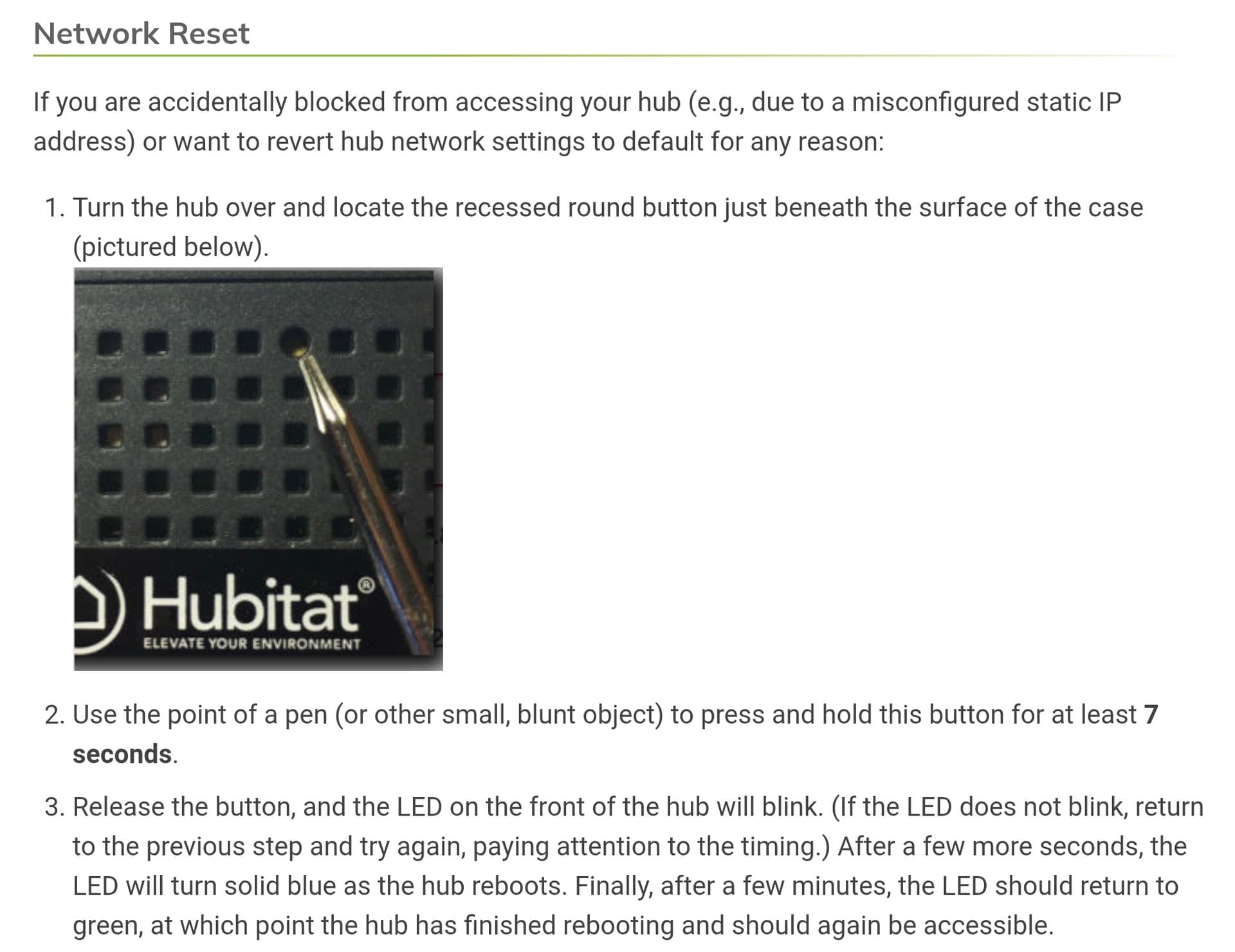
Which is the correct static DHCP I have given the device via DNSMasq. I have tried the 7 second network reset and got the blue/green flashing, then more of DHCP cycle above.

@danabw 's response is what I was really after:

Hub Protect (paid service on HE) is required for full restore of devices in the event of a failure.

I moved to Hubitat after 2 separate SmartThings hub failures (each requiring re-buy, and re-pair) under the under-researched notion on my part that being able to back the Hubitat up, I would never have to go through re-pairing again.

As I run my own Linux/HomeAssistant/HomeBridge environment, I will opt for a new solution that guards against ever having to do re-pairing again. $25.00/yr. is/was a reasonable amount to pay, however, I always read it as offering remote access (which I provided myself via OpenVPN, now WireGuard) vs. YOU NEED THIS SERVICE TO FULLY RESTORE YOUR RADIO DEVICE PAIRINGS. Had I understood the full context, I would have paid, but now I will go with something more assured in the future.

So, now that I have to do it all over again, I'll do it with one less hardware box lying around and in software, aided by a few radio USB dongles so that this won't ever occur again. I hope this helps someone else researching which way to go in the future.

Thanks everyone for the confirmation.

2 Likes

Actually, you don't need hub protect. A cloud backup subscription will give you radio included backups but minus the free replacement hub.