Yes it is (but since you helped me I'm confident you know that well). The Zen37 is primarily for one set of lights in one room and that's where it stays. Google Home will allow me to change scenes, turn lights off, etc. anywhere in the house. As I'm learning, scenes, timers, a good dashboard, phone remote access, the remote and hopefully Hey Google will be a powerful combination. Please continue to help as I have a lot to learn and want to absorb it all.
There is no user installable built-in Google Home App on the Hubitat hub. I have just checked both of my hubs and the list is as follows.
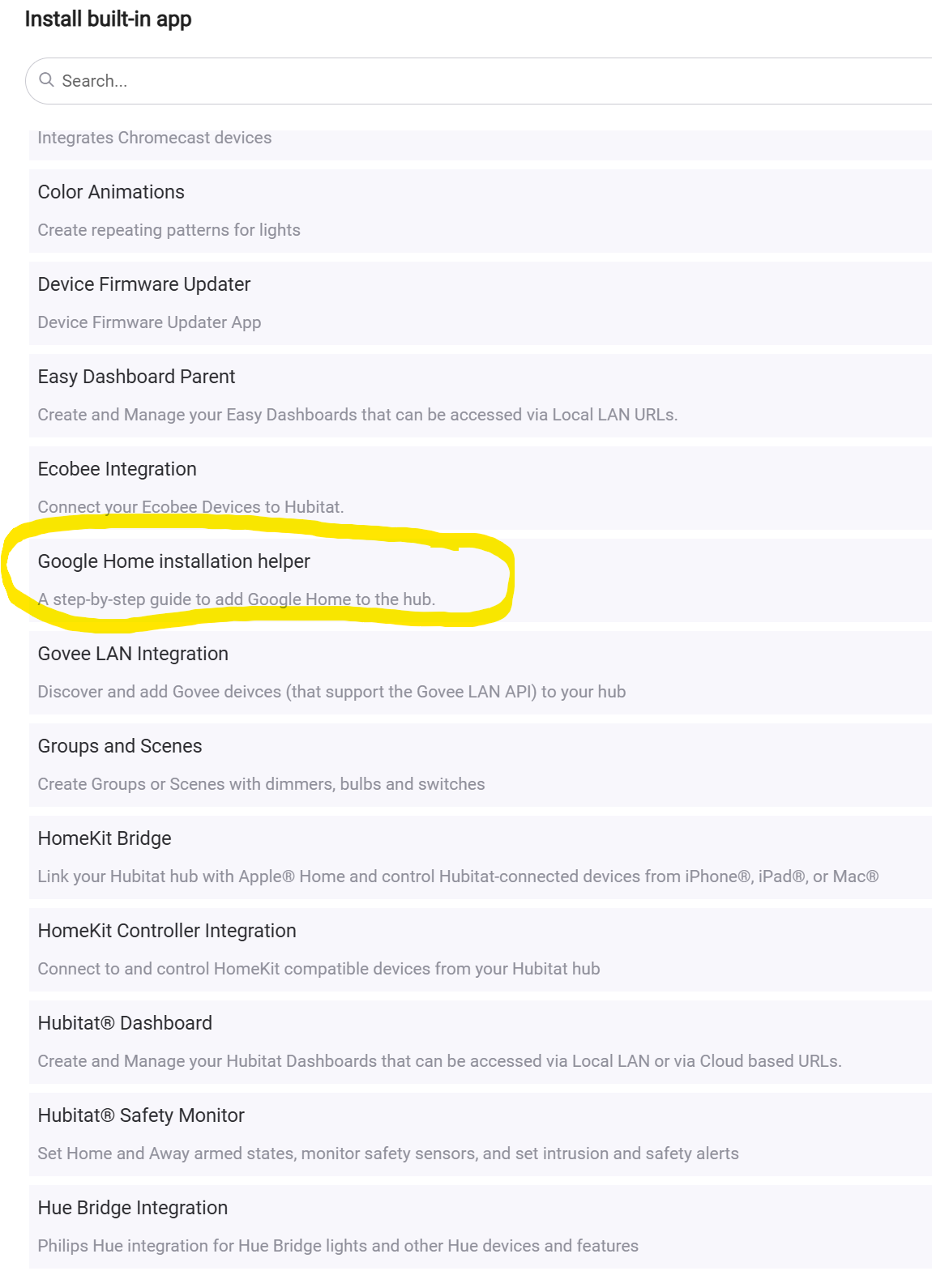
Your hub is not missing anything from its list of built-in Hubitat Apps. The "Google Home installation helper" app walks one through the process of getting Google Home integrated with Hubitat.
I just wanted to help answer your question about why you're not seeing the Google Home app show up as an installable app on your hub.
That helps and lets me check one more thing off the list.
Thanks
I haven't used the Google Home integration for years. I decided to see if the built-in integration still worked for me. So, I opened up the Google Home app on my iPhone, Clicked the "+" sign at the top of the screen, then clicked "+ Device", then clicked "Link apps or services", then selected "Hubitat" from the list, enetered my Hubitat cloud credentials, selected my hub, then selected the devices I wanted to shared with GH, and then placed those devices in the proper GH rooms. Everything worked without issue.
Do you have anything blocking your Hubitat Hub from being able to connect to the Internet? The Hub has to connect to Hubitat's Cloud Server instance for Google Home to be able to access the hub. This means your hub must be Registered to the Hubitat Cloud as well. Just want to make sure you're got the basics covered, as that might explain the issues you've experienced with GH.
I'm still learning so let me post what I think, not what I know. I assume my hub is connected to the cloud because i can access it on my phone when away from home using the Hubitat app. If that's not the case please let me know. Thanks
If you're getting offered and are applying HE hub platform updates, and you can access your hub from outside your home (without VPN), then your hub is connecting to the internet.
Google Home is famous for being undependable, even more so recently. I'm on Android as well, and when I've used the GH app to join Matter devices in the not distant past I've had to kill the GH app, clear cache on it, restart my phone, and then try again. I know you're not doing Matter, just illustrating that the GH app/connectivity can be very flaky.
The fact that @ogiewon successfully completed a GH setup indicates that the basic process does work (no obvious HE bug), and there is likely something specific to your home environment/devices that is causing the 404.
FWIW, it's doubtful that anything in the beta version of the hub platform is related to your 404 issues, but you can wait until your hub is authorized (likely early this week) and update and try again.
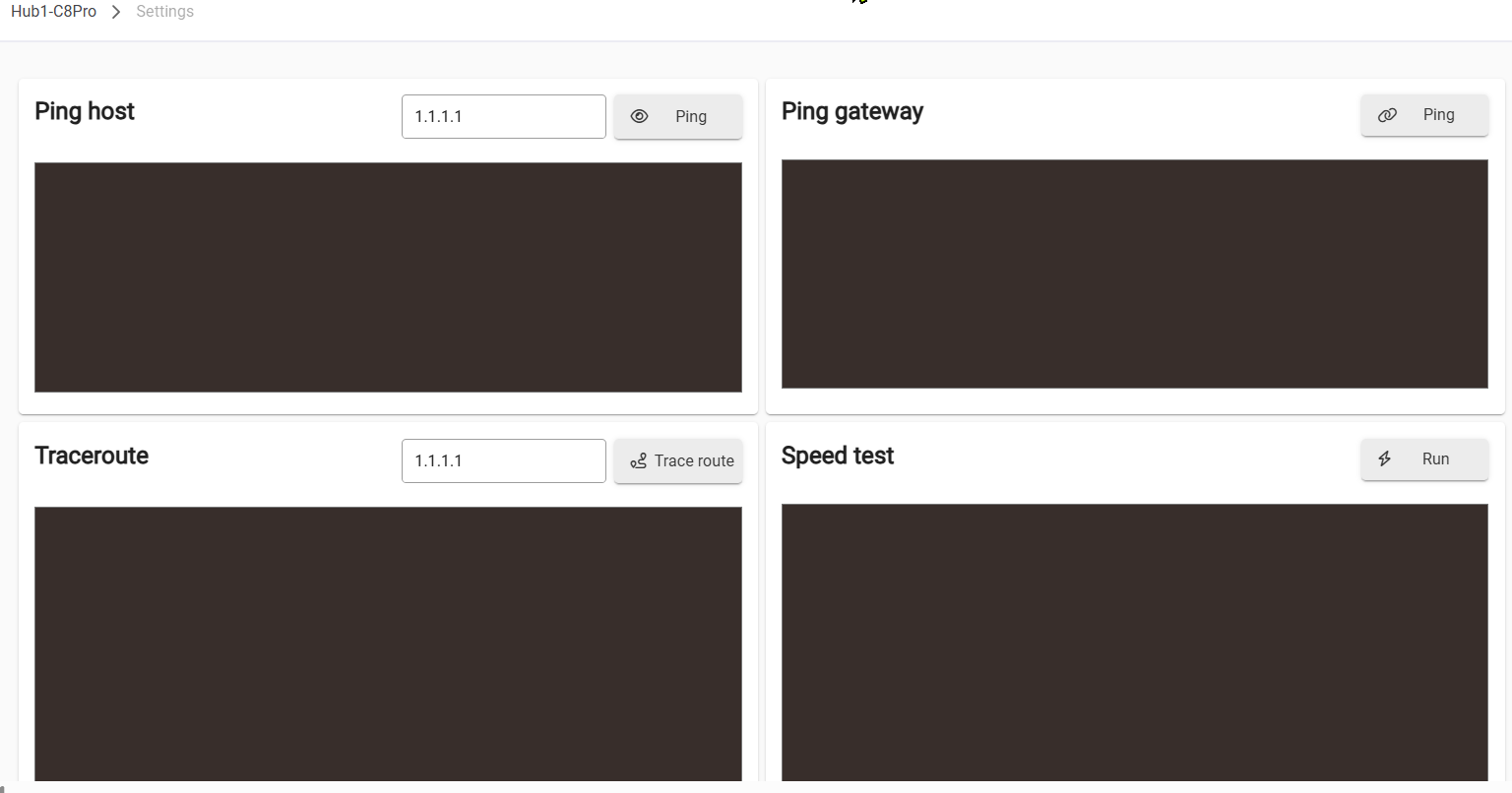
What happens when you go to Network Setup> Network Test, and run all the Ping tests there?
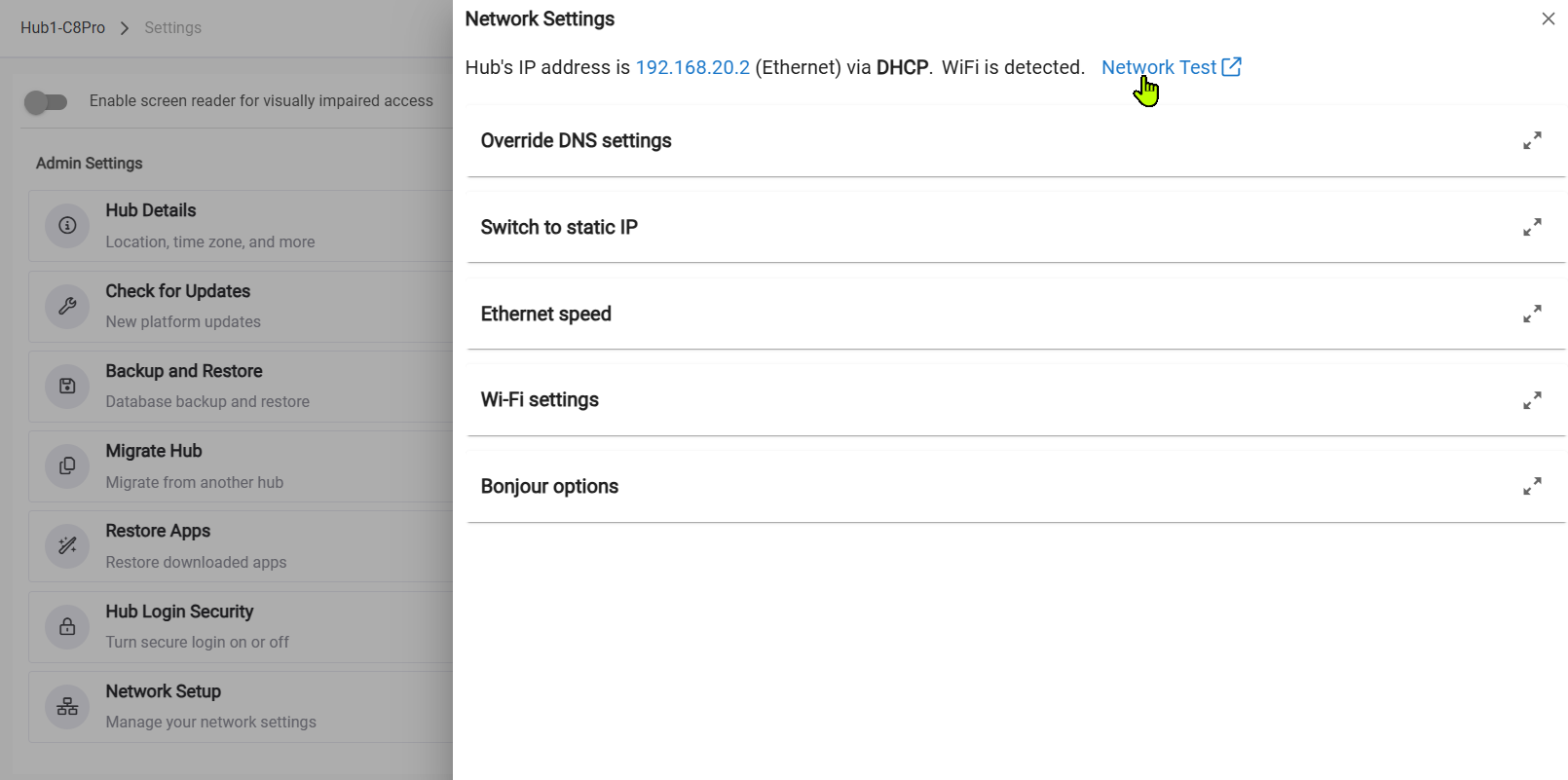
Yet another great response, this forum and the contributors in this thread are really helping.
First, I ran the tests and the results will follow below after some comments. The results look good but I expected that. I'm connecting via ethernet from a pc but I'm attempting to authorize Google Home (GH) from both pc and phone with no success (probably close to 100 attempts as of now after numerous suggested fixes, work arounds, reboots, etc.). Perhaps I should also run the ping tests on the phone but I expect them to be good as well. While I normally use the pc on ethernet I noticed something in settings while following your instructions. My wi-fi was connected to a combo 2.4 & 5 Ghz network. While that hasn't been used I did switch to a 2.4 only just in case. Thanks for helping learn a little more. Here are the test results.
Ping host
PING 1.1.1.1 (1.1.1.1): 56 data bytes
64 bytes from 1.1.1.1: seq=0 ttl=51 time=40.256 ms
64 bytes from 1.1.1.1: seq=1 ttl=51 time=15.987 ms
64 bytes from 1.1.1.1: seq=2 ttl=51 time=19.791 ms
--- 1.1.1.1 ping statistics ---
3 packets transmitted, 3 packets received, 0% packet loss
round-trip min/avg/max = 15.987/25.344/40.256 ms
Ping gateway
PING 192.168.68.1 (192.168.68.1): 56 data bytes
64 bytes from 192.168.68.1: seq=0 ttl=64 time=0.983 ms
64 bytes from 192.168.68.1: seq=1 ttl=64 time=0.947 ms
64 bytes from 192.168.68.1: seq=2 ttl=64 time=0.883 ms
--- 192.168.68.1 ping statistics ---
3 packets transmitted, 3 packets received, 0% packet loss
round-trip min/avg/max = 0.883/0.937/0.983 ms
Speed test
--2025-11-17 16:41:28-- https://hubitat-public-files.s3.us-east-2.amazonaws.com/speedtest.bin
Resolving hubitat-public-files.s3.us-east-2.amazonaws.com (hubitat-public-files.s3.us-east-2.amazonaws.com)... 3.5.129.40, 52.219.107.74, 52.219.98.66, ...
Connecting to hubitat-public-files.s3.us-east-2.amazonaws.com (hubitat-public-files.s3.us-east-2.amazonaws.com)|3.5.129.40|:443... connected.
HTTP request sent, awaiting response... 200 OK
Length: 10485760 (10M) [application/macbinary]
Saving to: '/dev/null'
0K ........ ........ ........ ........ ........ ........ 30% 4.63M 2s
3072K ........ ........ ........ ........ ........ ........ 60% 6.44M 1s
6144K ........ ........ ........ ........ ........ ........ 90% 3.99M 0s
9216K ........ ........ 100% 7.11M=2.0s
2025-11-17 16:41:31 (4.98 MB/s) - '/dev/null' saved [10485760/10485760]
Thanks to everyone following and helping in this thread, I really appreciate it.
Big-picture summary of my situation:
Most Hubitat users who hit Google Home 404, missing UI elements, or ZEN77 multi-tap issues solve them with one or two standard steps.
In my case the problems are tightly intertwined (brand-new C-8 Pro install, persistent UI glitches + cloud-token corruption), so every attempted fix is blocked by one or more of the others - classic circular dependency.
Special thanks to @bobbyD for the weekend replies.
Ticket #35024 is open with logs, MAC, and full history submitted.
I'm glad some help came in for you. Hubitat is not really a simple device, and as such specific circumstances for each user can make issues arise, especially early on before you know all the ins and outs of Hubitat...
There is a lot of help here, and the best way to get people engaged is to give lots of information, like you did in the original post, and stay positive.
I'm glad you are keeping a positive attitude that things will get fixed, we've seen new users get overly frustrated, and start taking it out on the people trying to help!
I couldn't agree with you more. I'm a total newbie here but with a lot of forum experience including some time as a mod. Also, I'm migrating from a whole house X10 system and as you and others probably know, with the old bones on that system one needs to have patience, Thanks for the moral support, it helps.
Not sure if this will help or not ( or if it even works) Try using the google assistant app.
In your latest ticket update, you mentioned receiving a 404 error at step 10 of the documentation. Everything beyond step 8 is handled on Google’s side. I attempted to replicate the issue on our end, but unfortunately wasn’t able to reproduce the error.
I was hoping this would be something we could escalate to Google’s engineering team, but without a reproducible case, we’re unable to open an incident with Google Support. If you continue to see the error, please reach out to Google Support and ask them why devices cannot be selected and added to a Google Room?
@bobbyD — thanks for the quick reply and for trying to reproduce.
To clarify: I don’t get a 404 at Step 10 of the helper — nothing happens at all. No error, no spinner, no link, no redirect. The wizard just stalls (currentStep = 10, stepCount = 12 in logs), and clicking “Done” takes me back to the Apps page.
Then, when I check the Google Home app on my phone (to see if anything synced), that’s when I get the 404 (“Requested URL not found”) on authorize.
I’ve tried 100+ variations (uninstall/reinstall helper, reboots, cache clears, private windows, phone vs PC, etc.) — same stall every time. Logs are clean (no oauth errors on the Hubitat side), so it feels like a Hubitat cloud/metadata issue rather than Google’s.
Happy to reach out to Google if you think it’ll help, but ticket #35024 has all the details/logs/MAC if you want to escalate internally first. I did just get a stock email saying the issue “has been forwarded to engineering” so maybe that’s already in motion.
Appreciate the guidance!
Thanks,
@bobbyD — quick update with one more consistent detail:
After another helper reinstall, the main Google Home app finally appeared and has all 23 devices + scenes listed.
Changed polling interval, saved — still 404 on phone authorize (“Requested URL not found”).
Logs remain clean on the Hubitat side.
Important: from day one, when I try “Works with Google” on the phone I have always been able to:
• search for Hubitat
• log in
• automatically presented and select my hub name
• see the full list of devices (growing as I added new ones)
• check the boxes
• hit Authorize → instant 404
This has been 100 % repeatable for weeks. The hub clearly shows up in Google’s system, but the final oauth token exchange always fails.
Happy to provide any additional diagnostics.
Ticket #35024 has full history/logs/MAC.
Thanks!
@bobbyD — one more smoking-gun update with fresh logs (just now, 03:10 AM EST)
Every time I open the Google Home app and click “Done” (with or without changing polling interval), the hub instantly tries to sync and gets:
syncResponse Error: {
"error": {
"code": 404,
"message": "Requested entity was not found.",
"status": "NOT_FOUND"
}
}
Two attempts 10 seconds apart, each with “giving up for now”.
Pattern is 100 % repeatable.
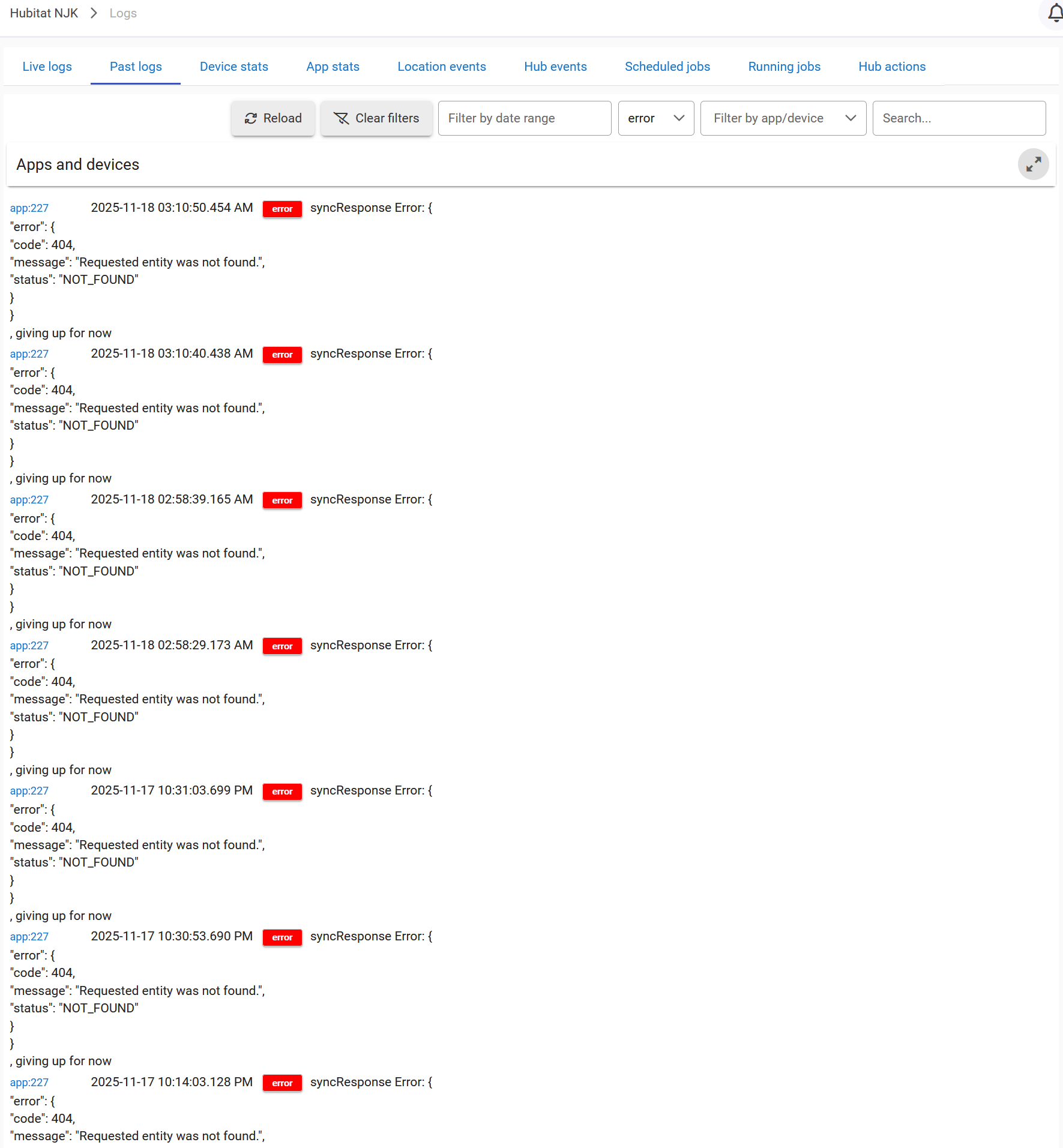
The hub is doing everything right — Google’s cloud literally cannot find my hub’s registration entity.
MAC 34:E1:D1:82:1F:63
Ticket #35024
Thanks!
Your assumption is correct, your hub is doing everything right, Google can't find a device on your hub that you have previously authorized. Removing Hubitat integration from Google Home app and/or deleting previously authorized devices that no longer exist on your hub should resolve the problem. If you reach out to Google support they might be able to narrow down what device they have that can't be reached on your hub.
@bobbyD — I ran one more quick test to close the loop:
- Reset the parent Dashboard access token
- Changed Google Home polling interval → Done
- Immediate sync attempt → same 404 on phone authorize (“Requested URL not found”)
- Logs show the hub trying and Google rejecting with “entity not found”
At this point the picture feels pretty clear: the hub is healthy and doing everything right, but the cloud registration entity is missing or corrupted on the Hubitat side. There is literally nothing showing on Google Home for me to unlink.
I was about to call Google Support, but realized I’d probably have to go through tier 1 and hope for tier 2 escalation. I’m guessing your team has back-channel access and could purge/re-register my hub (MAC 34:E1:D1:82:1F:63) much faster than I could get that done on the Google side.
If that’s an option, I’d really appreciate it. Happy to hop on a quick call or provide anything else needed.
Thanks again for the help!
Ticket #35024
The 404 error you're showing from your logs comes from Google. Hubitat just shares what the hub received.
@bobbyD — I know you’ve been on the edge of your seat, so here’s the latest chapter in the saga 
As you suggested, I reached out to Google Support.
Tier-1 collected all of my data, had me run a test (see below) and eventually escalated me to tier-2. They reviewed everything and said it needs an internal investigation and they’ll email me in 24–48 hours once they’ve resolved it on their side.
For anyone following who might hit a milder version of this problem, here’s exactly what tier-1 had me try (didn’t work for my case, but might help others):
- In Hubitat Google Home app → deselect all devices, left only one simple dimmer → Done
- In phone Google Home app → clear cache + clear full storage/data
- Reboot phone
- Try linking again → I got the same 404 error
Since I got the instant 404 (again), tier-2 is digging deeper.
Bobby, huge thanks again for sticking with this — weekend replies and even a 6:08 AM response today is above and beyond. Really appreciate it!
Ticket #35024 still open — will update the second Google emails me.
Thanks!
Thanks for the update and kind words. Please keep the community posted, if someone else runs into this issue. Hope you get to the bottom of it. No one should be spending this much time trying to solve a smart home problem.