Here is what musing out loud gets you. A cousin-in-law and certified tech god gifted me a Zooz Titan valve he was unable to use. After much hemming and hawing I decided the Hubitat was my best bet for z-wave, zigbee, matter, and whatever else I might need after I get done with Lutron, My-Q, Schlage and Flume. The Hubitat hubbed up, updated and the Titan connected mostly on the first try.
However, my attempts to have the valve be a valve in Homekit are a bust. Don’t want an automation, just want an easy button to turn the water off when the water heater fails. The Titan valve shows up as a valve + temperature sensor in Hubitat, then sheds the valve title while going to the Apple Homekit cosmos, which I am literally wedded to along with kids and grandkids.
Easy way - Create a virtual switch in Hubitat which you share to HomeKit. Then in Hubitat create a rule or rules using the virtual switch as the trigger - virtual switch turns on - valve opens, virtual switch turns off - valve closes.
This is actually very easy to resolve, without any additional automations (although you could certainly go that route).
In Hubitat terms, your Titan valve has two capabilities:
Valve
Temperature sensor
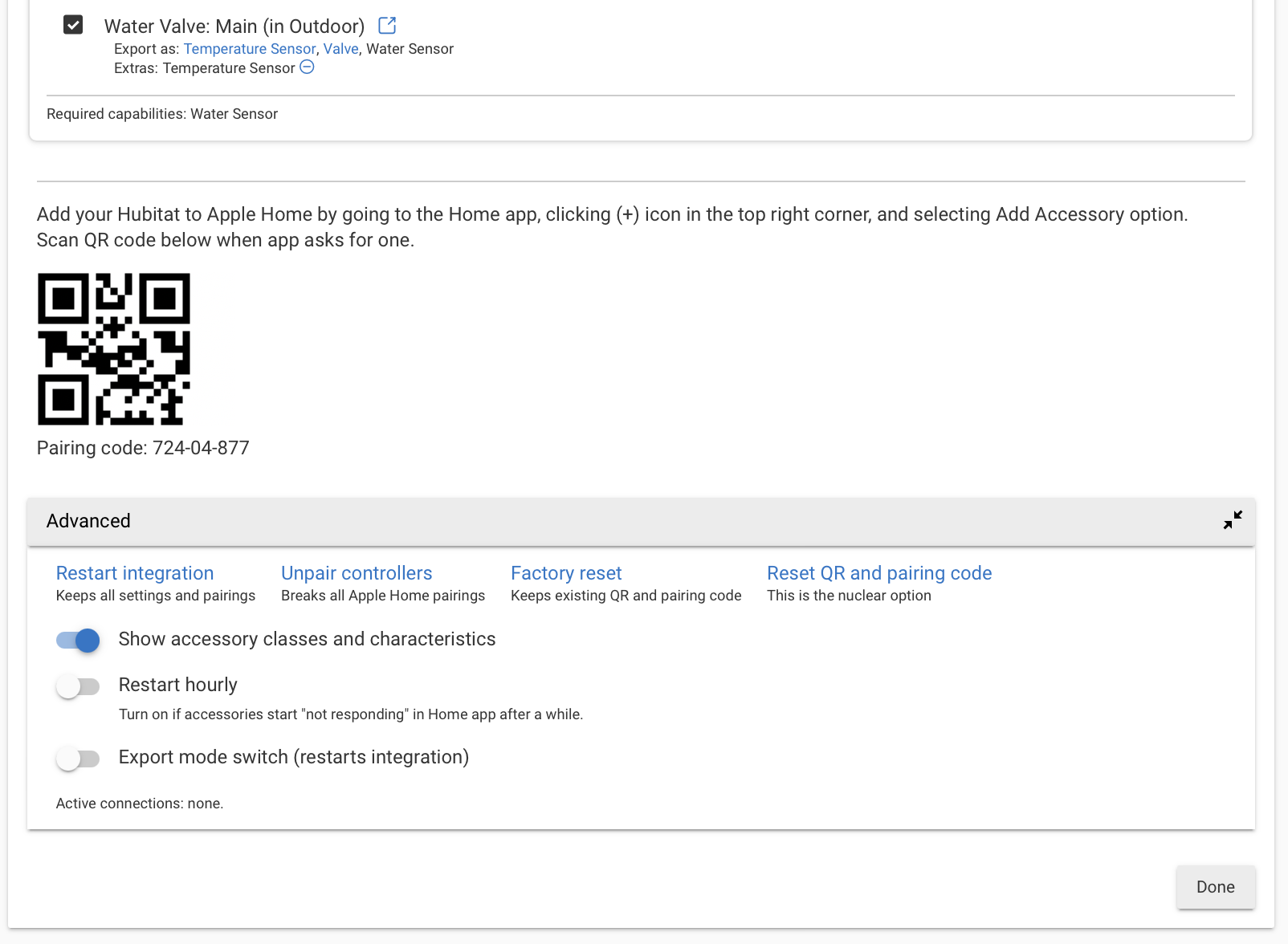
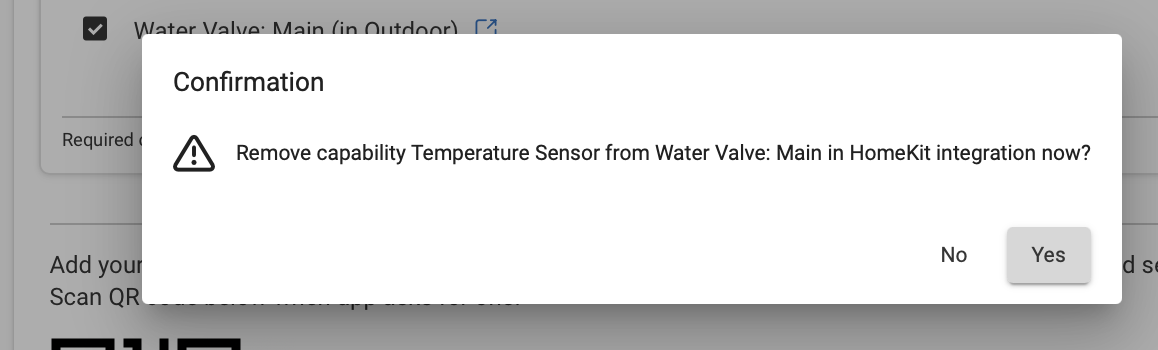
You only want one of those capabilities to be exposed to Apple Home via the built-in HomeKit integration (i.e. only the valve capability). Here's how you do it:
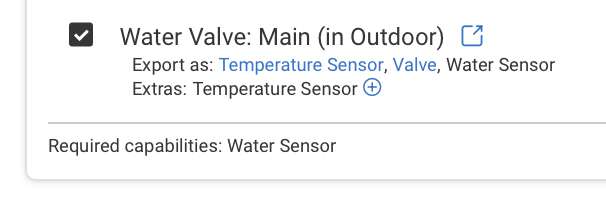
When you open the Homekit integration app, and select the valve, you will see the valve presented as (see the screenshot below):
Export as: Temperature Sensor, Valve, Water Sensor
Extras: Temperature Sensor (-)