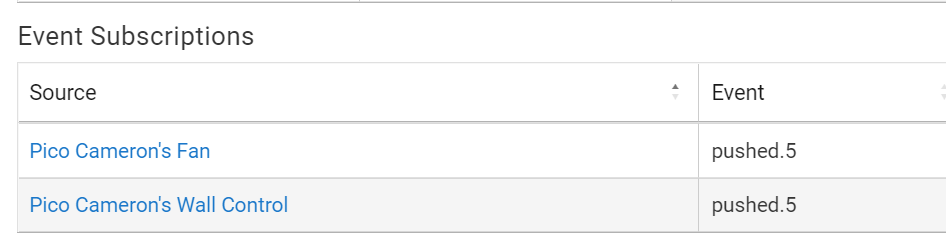
A number of times now I've had a situation where I've edited a working Pico - Button Contoller setup to change just the target device. Device is the same type of device (dimmer for dimmer, fan for fan). The Button Controller logic/actions etc., are not modified. After making the change I lose control of the device from my Pico. If I use the Run Actions button the settings run as expected. Push the pico and all I get is a "Pico x button 1 pushed (physical)" message in logs, but nothing else happens, Button Controller doesn't execute anything.
Most recent example when I updated from the initial release of the HE Bond Integration to the updated version of the integration in 2.3.4.x. This required replacing the Bond devices in a bunch of Button Controller instances, replacing the original Bond fan device for the one from the newer version of the integration.
Once I replace the old device in Button Controller, control of the device from the Pico breaks. I can use the "Run Actions" button in the Button Controller app and things work as expected. But when I press the Pico button nothing happens. This issue seems to occur most, but not all of the time.
The only fix I've found is to use Remove button in Button Contoller app to remove any settings for that button action, and then re-create the exact same settings. Then control from the Pico works again. Just delecting and re-creating the button settings using the trash can in the settings table doesn't work.
This has happened w/two Sengled bulbs I added recently (replacing one Sengled and one Hue bulb) and also w/fan devices (lights and speed control) via the new Bond Integration. This was happening in releases prior to 2.3.4 so not the result of a recent update.
I'm hoping others can try and see if they can replicate. It seem like it may not happen every time I replace a device, but it is happening very frequently. Thanks for any help.
I just ran into this about an hour ago - could not figure out what the heck caused it, but just decided to delete and re-do... Worked like a champ then, of course.
I was doing a lot of rewriting and clean-ups on my hub earlier in the day, so I just figured it must have been the hub throwing a temper tantrum for being poked at so much. Hopefully whatever gremlin it was is gone now
Unfortunately I don't think it's a short-term gremlin. At least in my case it's been repeatable, as I noted it happened when I replaced both fans and light bulbs that are in Button Controller automations.
I had first reported this week's ago but never really saw a pattern at that time. Now from what I'm seeing it appears to be triggered by changing the device used in a Button Controller automation.
Ah, come on! You and @hydro311 both know by now that you would need to demonstrate such a complete failure with logs. I just tested this, and it works perfectly well changing a device.
Please bear in mind that Button Controller creates a Button Rule. And, Button Rule 5.1 is the exact same guts as Rule 5.1. So your hypothesis with no proof is that Rule 5.1 misbehaves when you change a device in an action. Poppycock!
This does exactly what the button device would do.
Clear sign that something else is wrong. Apps do the same thing every time, Devices that are possibly flaky do not. Again, look at the logs.
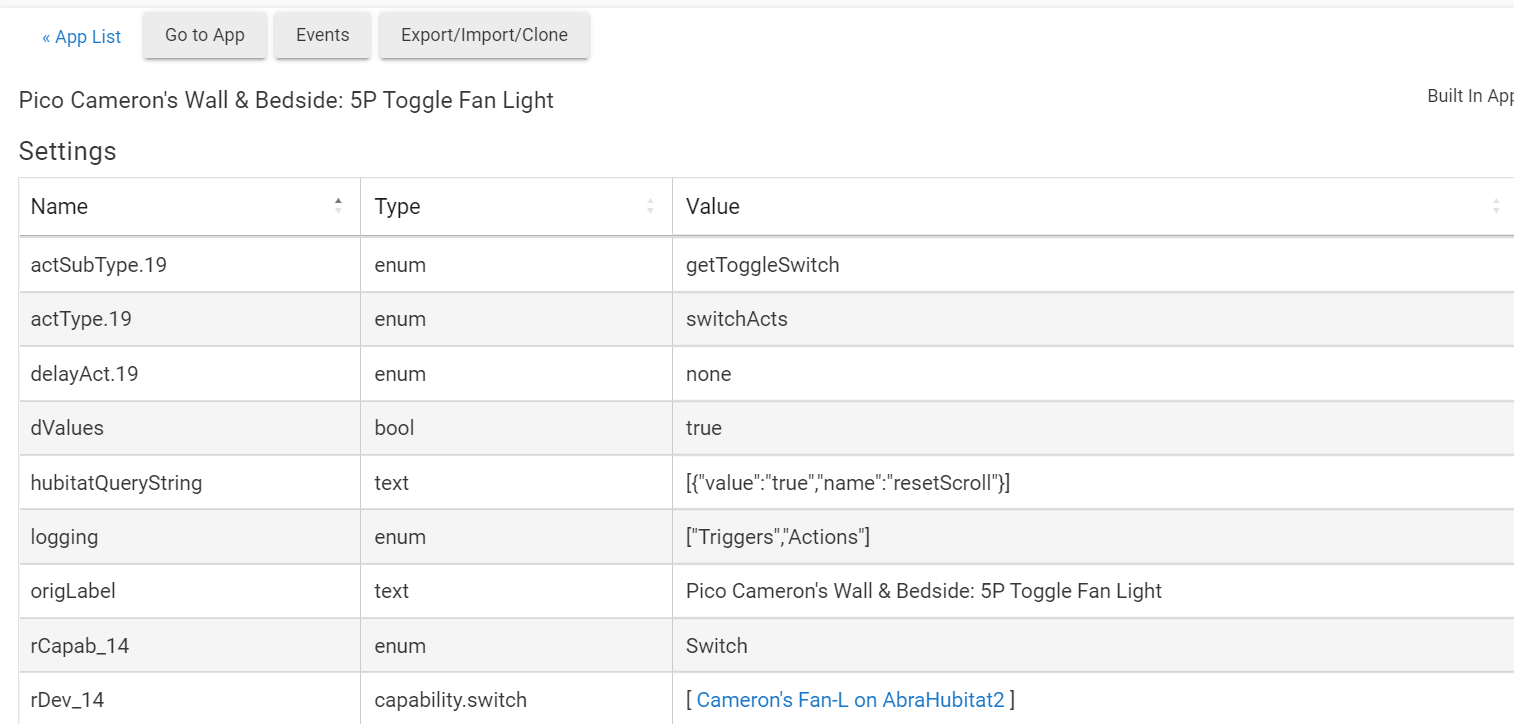
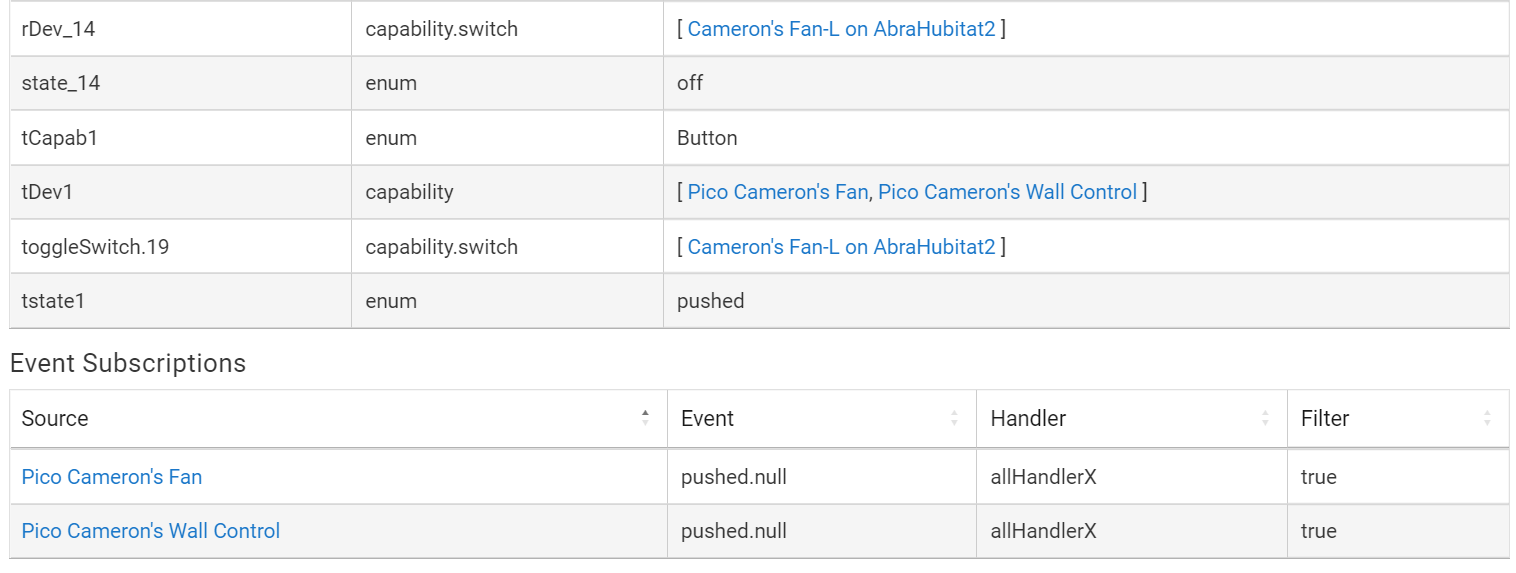
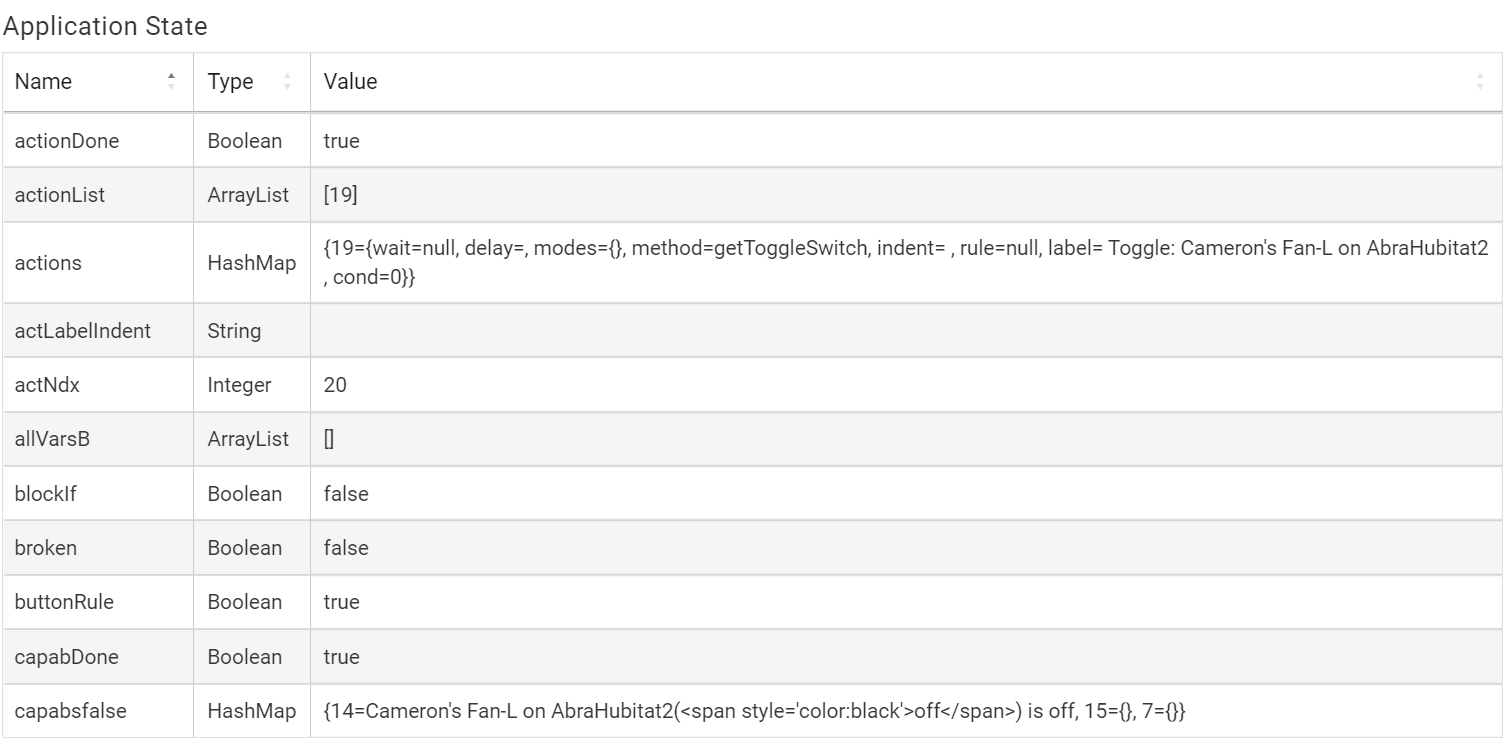
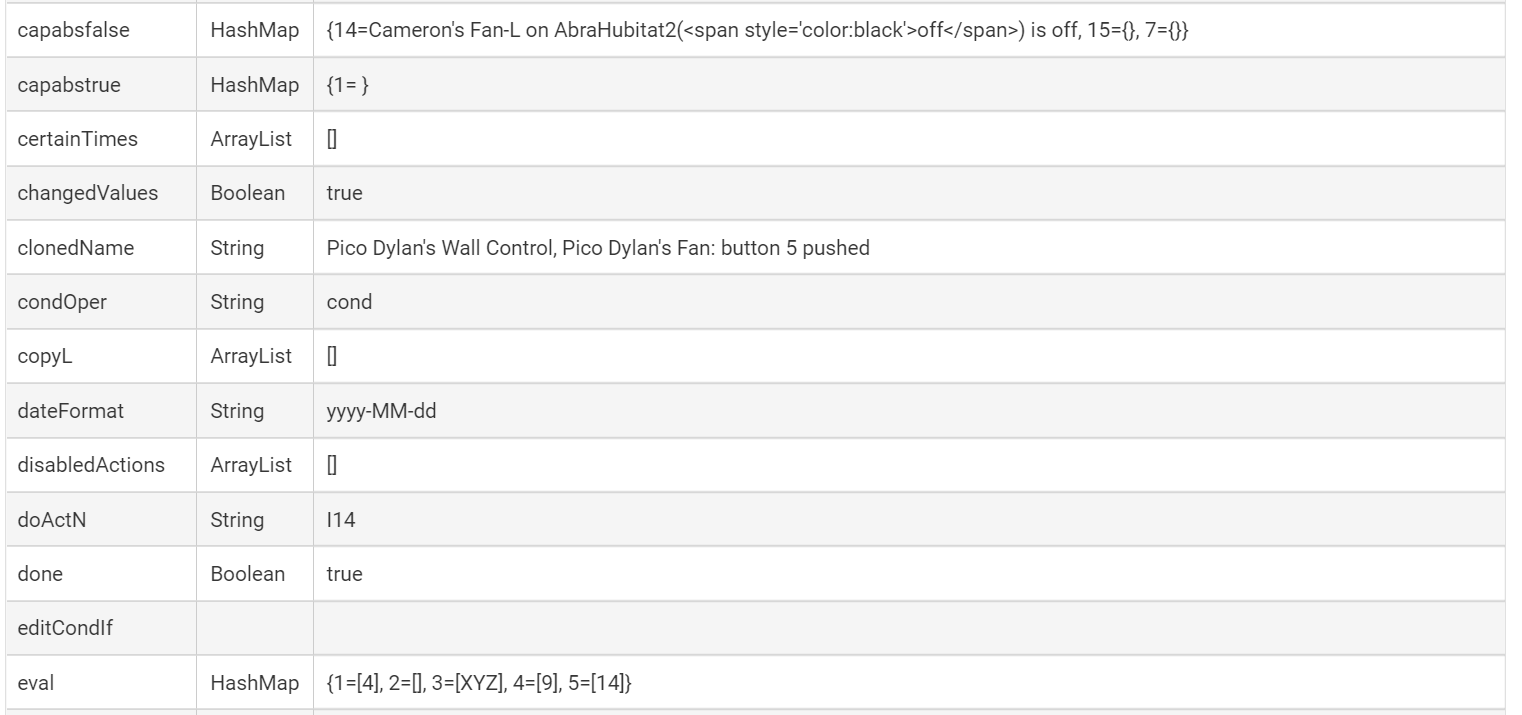
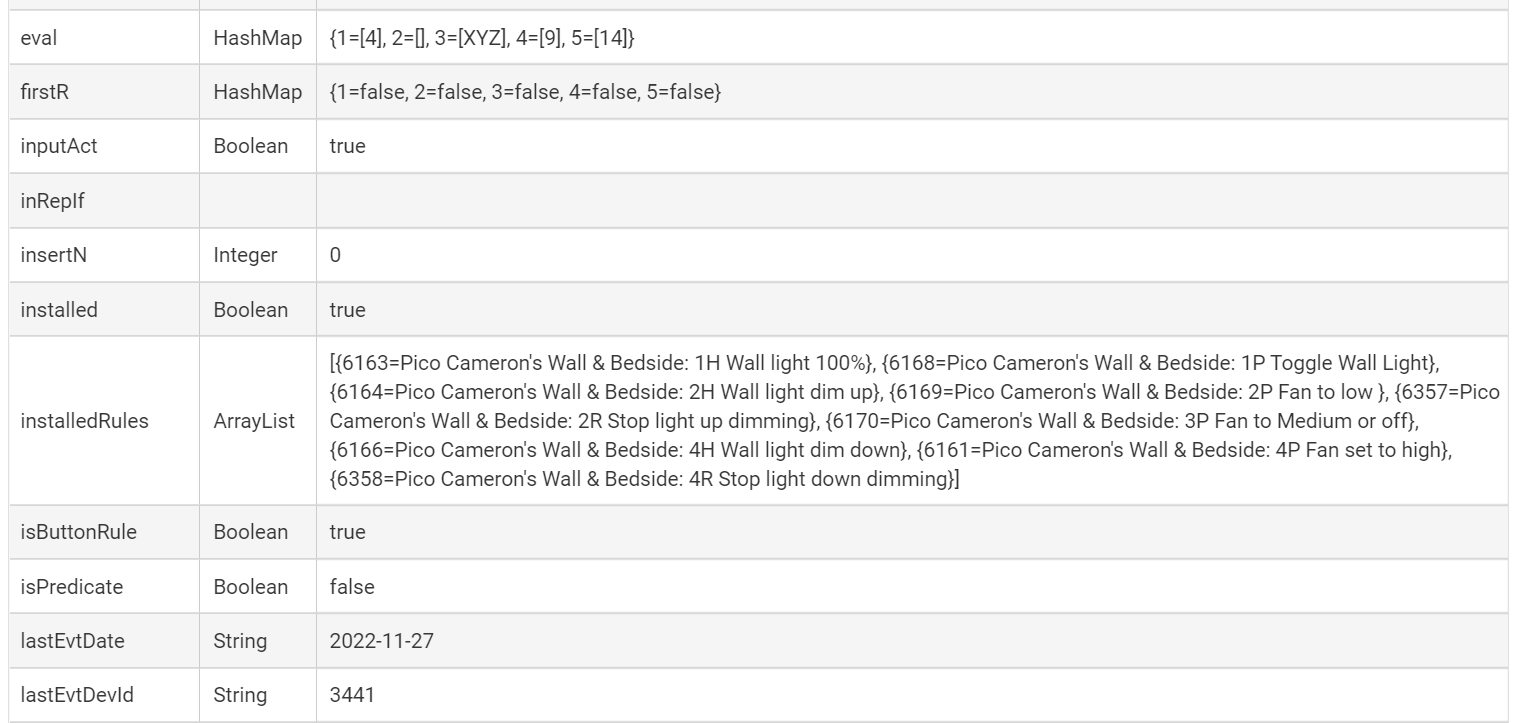
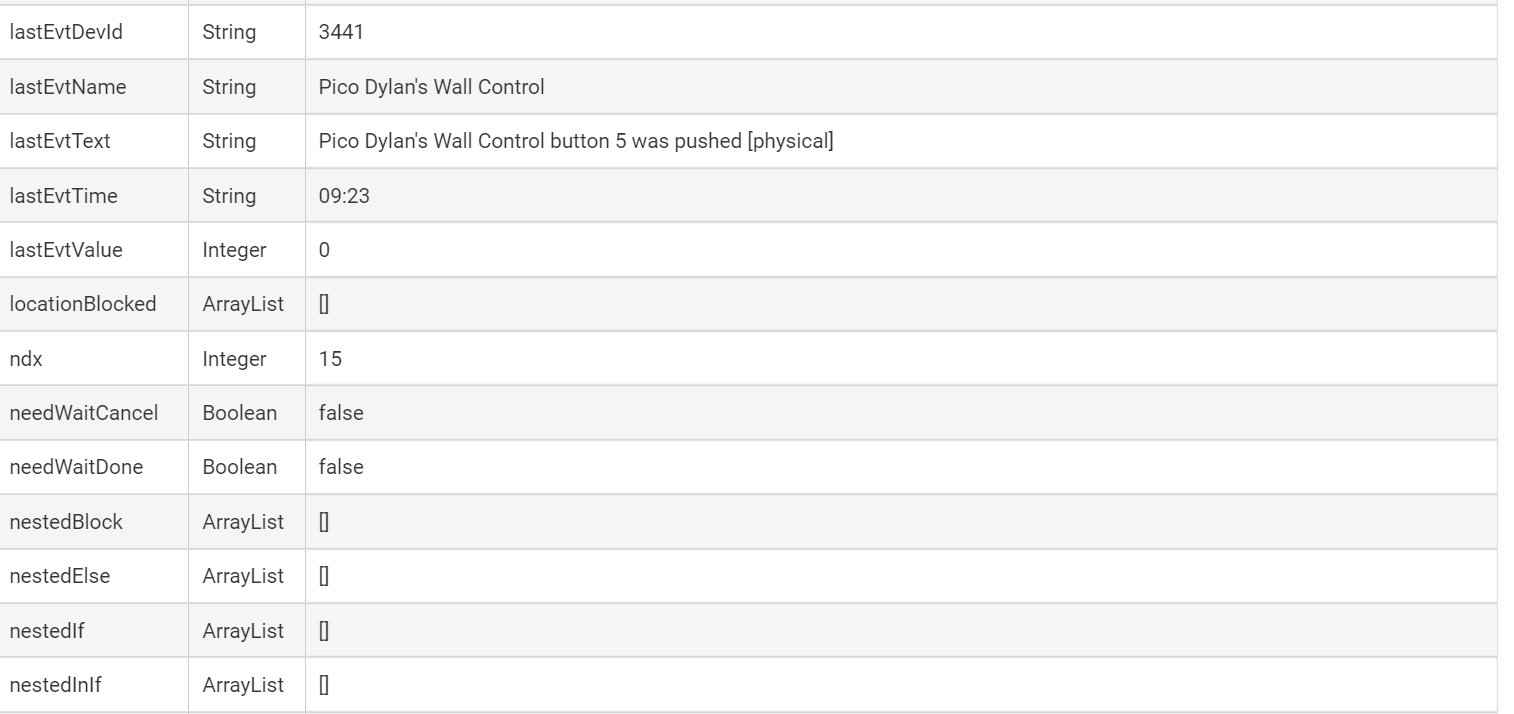
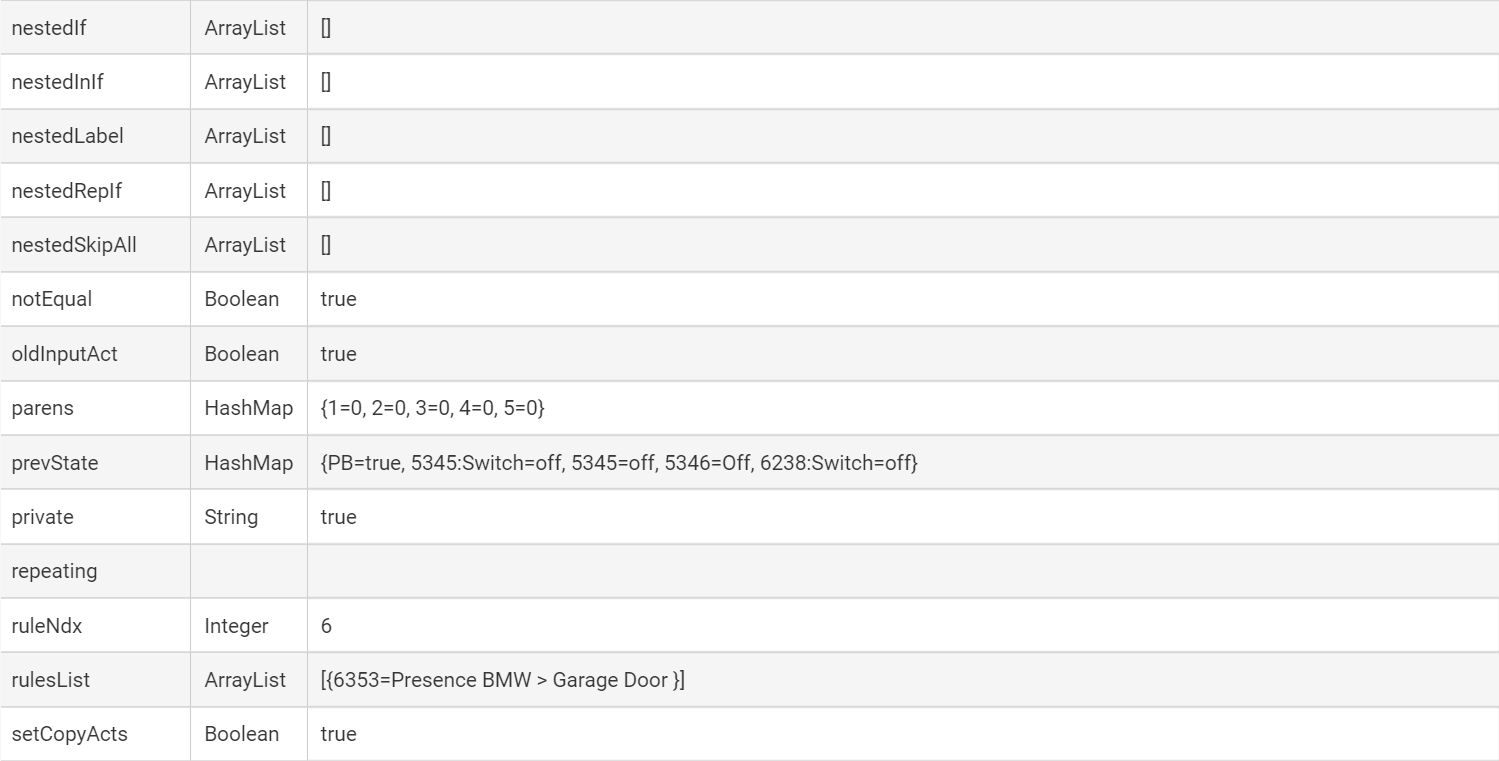
Further work for you to do. Take a screenshot of the Settings before changing a device (or just open App Status page in a new tab), then another one after changing the device. If you examine them, you will see the new device in exactly the same setting (or settings) as the old device.
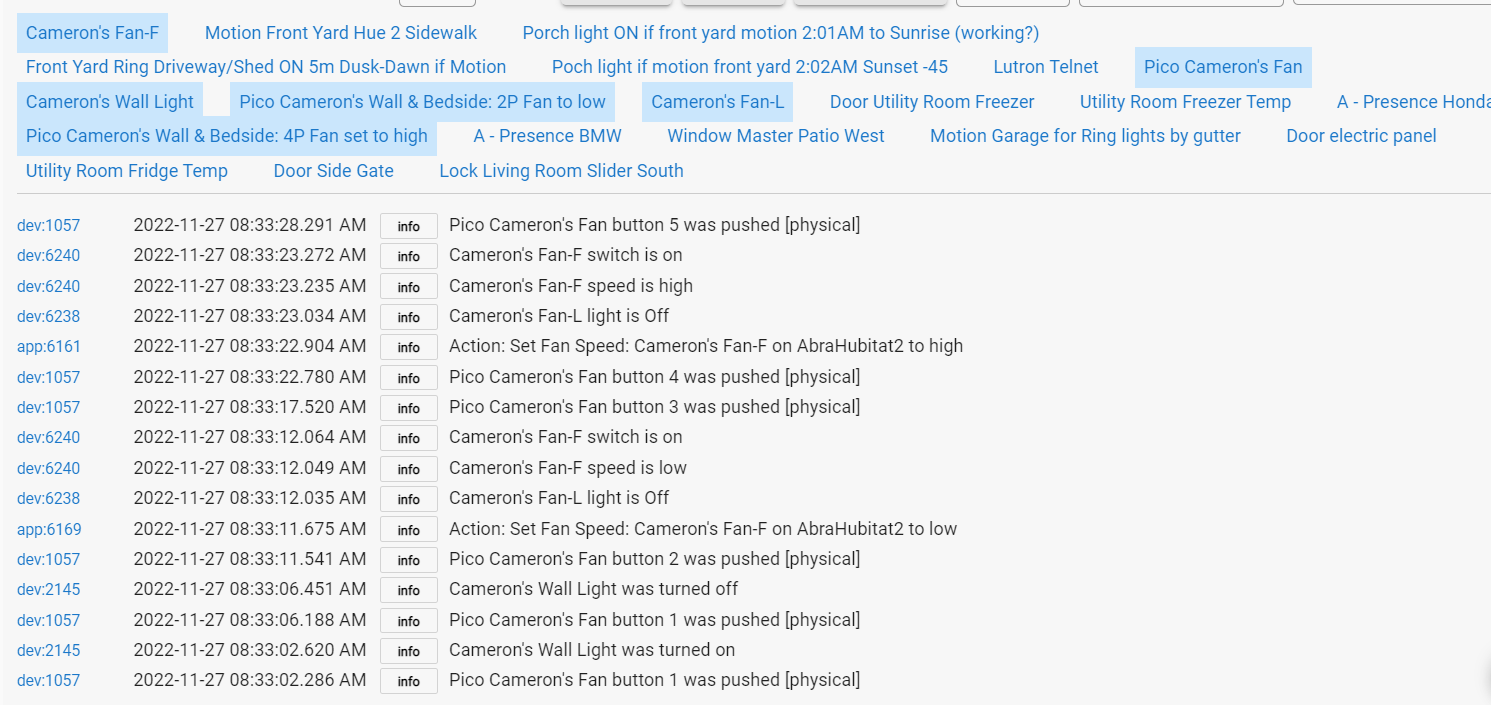
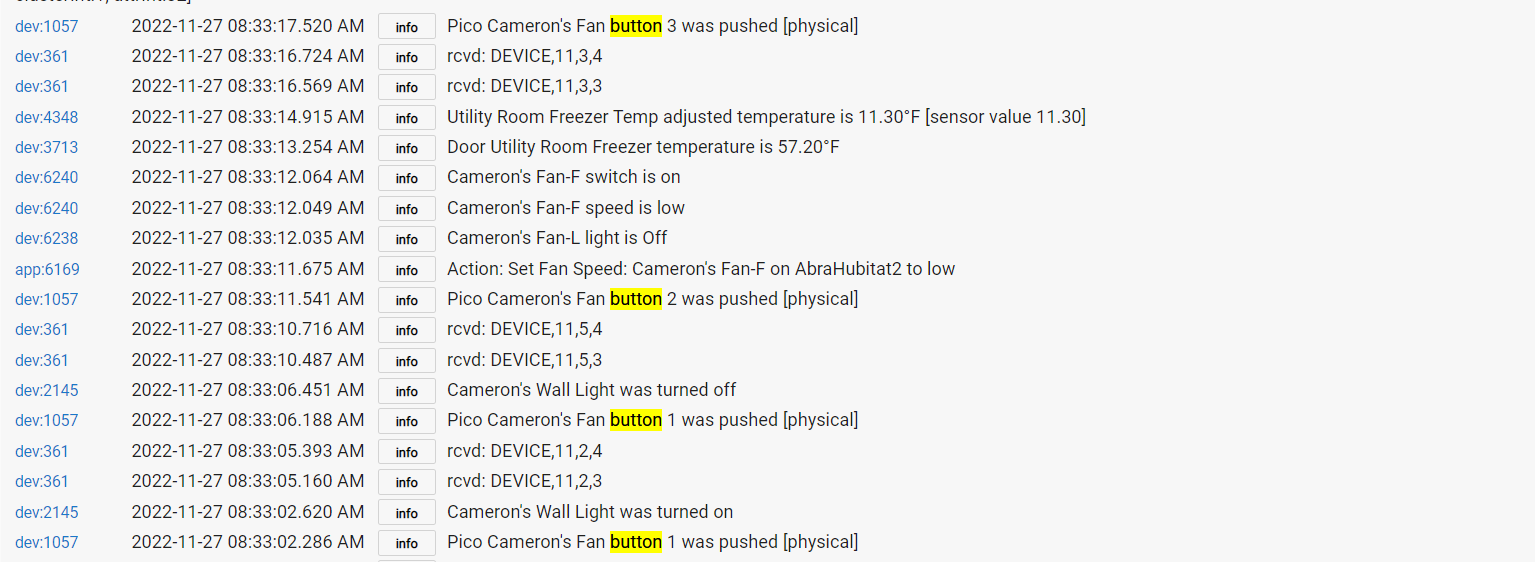
One example: Logs below for a Pico that I have had set up to control a fan in my son's room, set up about a year ago. Nothing changed on the Button Controller settings in at least a year, worked w/out issue. Then I replaced the fan device in Button Controller to the device from the new version of the HE Bond integration.
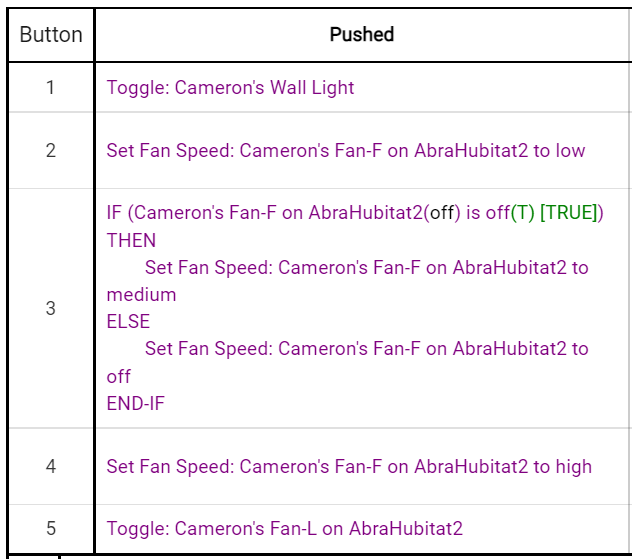
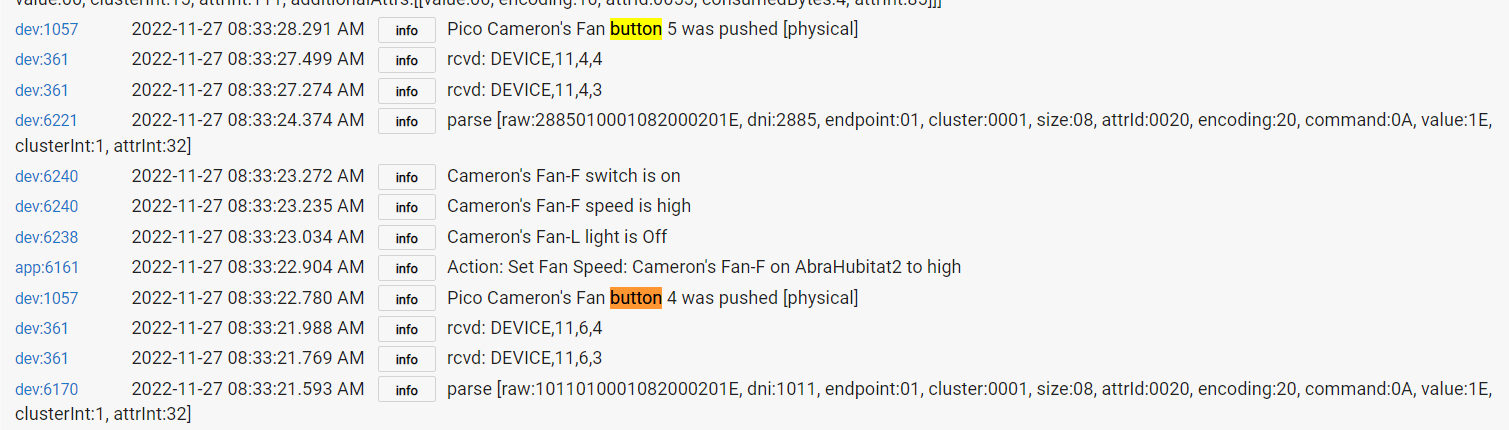
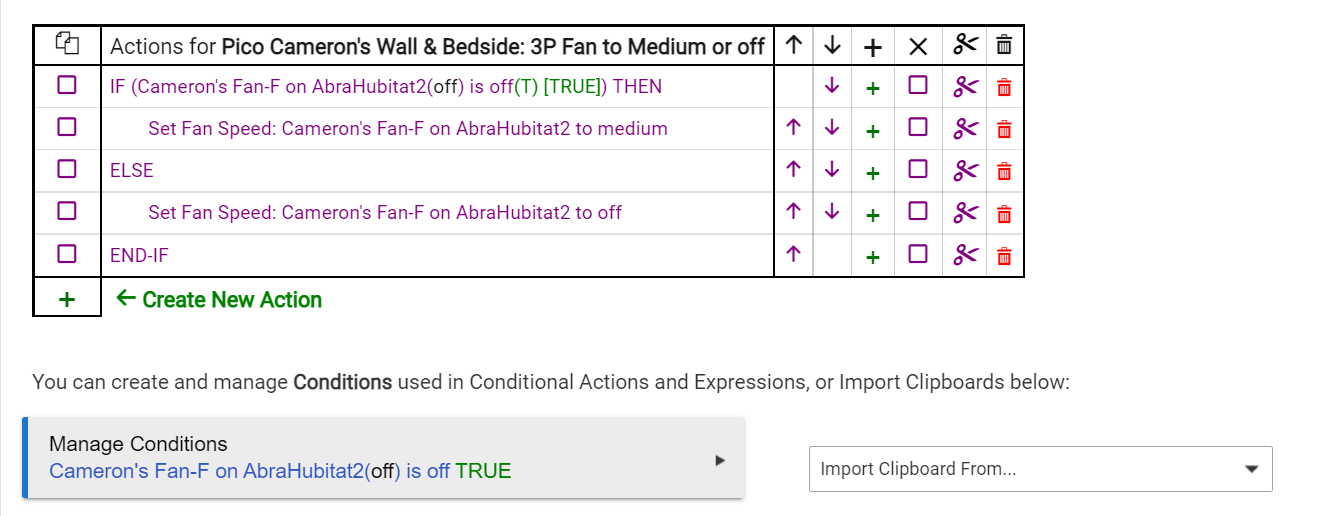
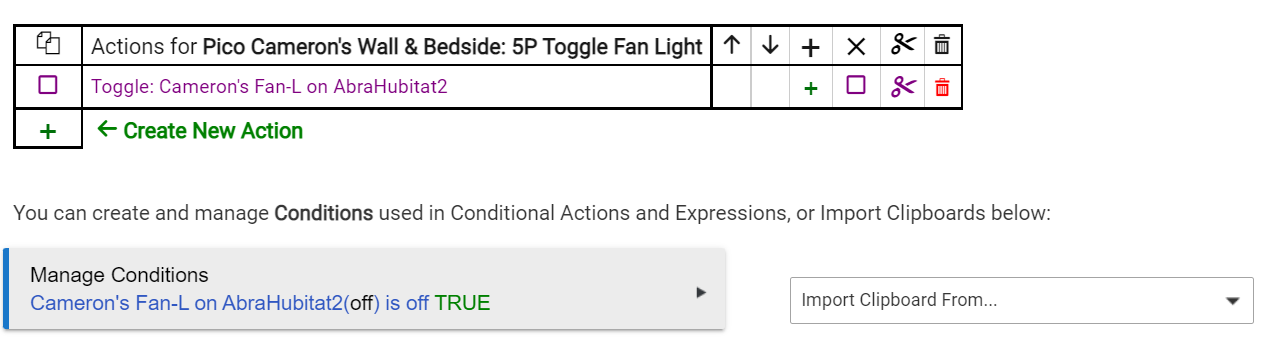
Buttons 2-5 are used for fan control. After the device change, only buttons 2 and 4 still control the fan. Buttons 3 and 5 have no response and nothing in the logs except noting the button was pressed. Button settings:
Again, the only change in Button Controller has been to change the fan device from the old fan devices to the new fan devices. Simple point-and-click change. Control of the fan from its device page all works normally, so not an issue w/the fan.
I had the same experience when I changed a light bulb used in a Button Contoller automation. The Sengled bulb controlled perfectly from the device page, but after adding it to the Pico/Button controller automation (replacing another bulb), there was no reponse from the Pico other than the "Pico button # pushed [physical]" in the logs. I removed the button settings (using Remove button on the button controller page) and re-added the same automation/Sengled bulb and Button Controller worked fine to control the bulb again.
I know you find this all hard to believe that it's a code issue, especially since it's inconsistent, but above is exactly what's happening, logs verify it and it's happened more than once w/fans and bulbs and appears may be "consistently inconsistent."
Might be a "just me" issue due to some odd corruption somewhere. I did do a soft reset/restore backup yesterday afternoon "just in case." I likely won't have time to play around w/this issue again until tomorrow, but will do some more testing when I have time. If you want any more info I'm happy to dig in.
Incidentally - I have two picos in the room that have buttons 2-5 set to control the fan, and they both behave in the same exact way - buttons 2 & 4 work to set fan speed, buttons 3 & 5 don't work.
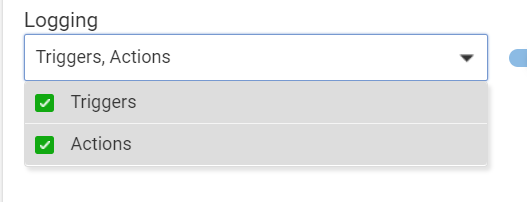
How can I enable app logs...I see no app entries in my logs, and see no option to enable app logs other than these settings below in the button rule pages...they are all enabled. What obvious logs setting am I missing? I'm not flitering the logs I have shared.
Did you mean by "change just the target device" that you changed the Button Device in Button Controller?
This works in 2.3.4, but if you made this change some time ago, it may not have worked in some prior release. At any rate, those Button Rules are corrupted at this point.
I would suggest you experiment a little bit with this.
I changed the fan device each button rule pointed at, but kept the rule function unchanged...e.g., had Gen 1 HE Bond fan device in rule to toggle the light, replaced the device in the rule w/the HE Gen 2 Bond fan device (on same exact fan). That make sense?
Yup - remove/replace is required at this point. After remove/re-create, looks & works normally again.
Important - This issue did arise for me under 2.3.4 - The second genearation of the HE Bond integration wasn't available until 2.3.4, at which point I created the second instance of the Bond integration on my second hub, and then meshed and replaced the first generation devices with the second generation HE Bond devices.
I'll have a little more time this week to play w/changing devices and see what happens. Thanks for your help.
One other commonality that I just thought of, is that when this issue occurred most recently, it was replacing existing devices in button rules with devices that I had just added to my hub.
The fan and bulb devices were all newly added to a hub. Fan devices added via the HE Bond Integraion on my second hub and then used to replace the existing fan devices in the button rules on my first hub. The bulbs I had issues with (actually was two bulbs in two rooms) were also newly added to the hub, and then used to replace existing bulbs in existing rules. Maybe a red herring, but thought I should note it. The Picos have been on the hub for a year or more.
When I have more time to play I'll add a new device to my hub and see if I can replicate the issue. I just changed button rule (replacing an existing switch with a existing bulb) and did not see the issue.