I'm using a minoston mr40z 4 button controller with two hue smartbulbs. Using button 1 I can toggle the bulbs on and off but how do I set button 1 to bring the bulbs on at 100% rather than the last dimmer setting?
If I set the rule to toggle dimmer and set the the dimmer to 100%. Dim the the lights to 50% when I press button it sets the lights to 100% rather than turning them off.
I know this is really simple but I'm braindead this morning.
How is your Button Rule set up now? The Set Dimmers and Bugs > Toggle Dimmer action sounds like it should do what you want: turn the device on to the specified level if it is off, otherwise turn it off if it is on. If that's not what's happening, sharing a screenshot of your setup -- and enabling all logging for the rule and looking at the output of "Logs" -- may help.
I'll post up the logs and how I have this set up tomorrow
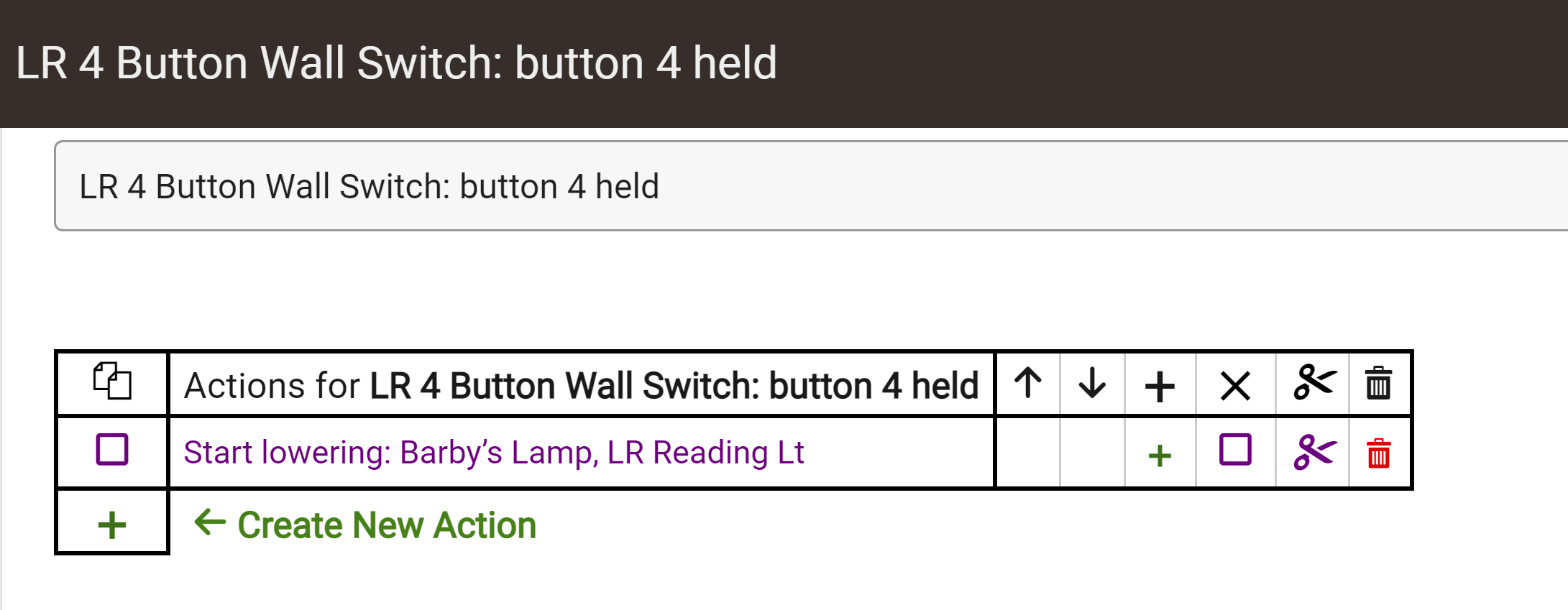
Button 3 is set to raise the dimmer and button 4 is set to lower. Looking at the logs when I press and hole button 4 the logs think I turned it off and the device status is "off" but the lights are still on just dimmed.
So when I press button 1 to turn them off it thinks they are already off so it turns them on at 100%.
I don't know why the lamps are reporting back "off" when they are on and at say, 25%.
I'm having a real problem getting my arms around the whole Hue Integration thing. About all i can manage to get to work correctly is switching them off and on.
I think I see what's happening. If I dim the lights and wait a minute or so everything works as expected. I guess Hue Integration is not reporting the correct status back to Hubitat.
The polling is set to 1 minute.
I was under the impression that commands originating from Hubitat didn't rely on getting status from Hue
They shouldn't. But if you're using the startLevelChange() command, I have seen the Hue API report weird values back for the level (maybe even more?) for at least a few seconds, which wouldn't be fixed on Hubitat until the next poll. That could be it..
Here's the log.
The first entry i just pressed and released. The second I dimmed the lights to about 10%. No idea why it says 94%. Also have no idea what the debug entry is.
The "Start raising/lowering" actions in Button Controller and Rule Machine call the startLevelChange() command on the device, so that is indeed the action (and ultimately command) I was referring to. Last I saw, this was an oddity with the Hue API (or at least the v1 API the built-in integration uses) but is temporary and sorts itself out eventually, just possibly not until the next poll on Hubitat. That probably explains what you see.
The debug log entries appear to be coming from a Z-Wave device, based on the text, likely not related to either the app or this device. Debug logging is an option on each device that can be enabled or disabled, is enabled for 30 minutes by default after adding a new device (so could explain this if you just did that), and can be manually disabled any time (so you can go to the device detail page and do it yourself if you want--clicking the "debug" box will take you there).