Hi @kkossev ,
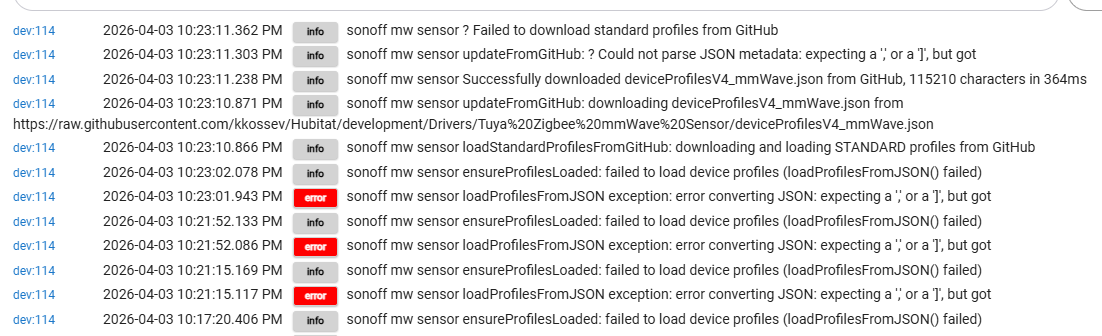
It seems this error is causing my SONOFF SNZB-06P to be shown as UNKNOWN.
Any ideas why the driver is unable to load profile (v4 mmwave) from JSON?
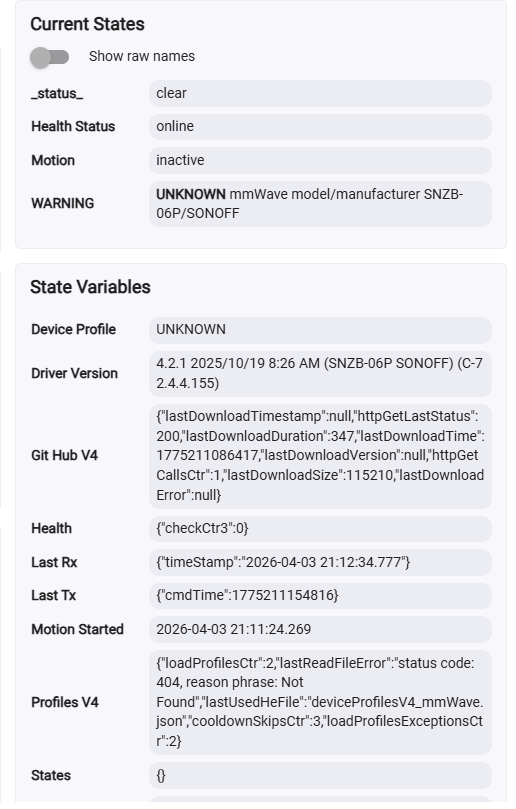
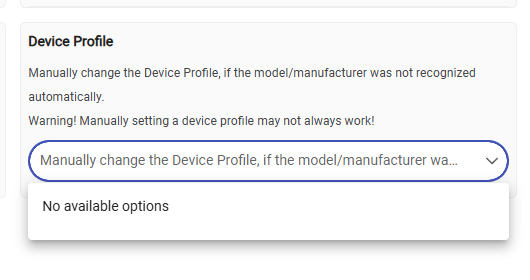
Hi @kkossev ,
It seems this error is causing my SONOFF SNZB-06P to be shown as UNKNOWN.
Any ideas why the driver is unable to load profile (v4 mmwave) from JSON?
Hi @user5504 ,
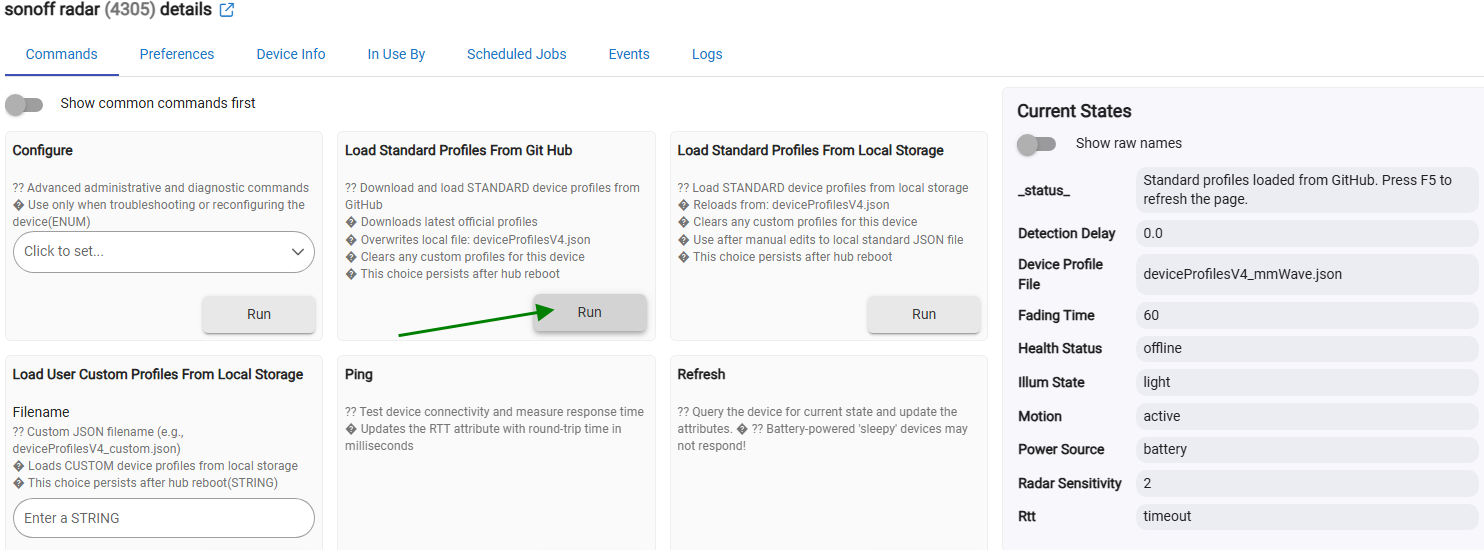
Please click on the 'Load Standard Profiles from GitHub' button first :
Do you see any errors in the live logs?
I believe the driver should automatically load the default JSON file upon initial installation... Do you have Hub security enabled, or is Internet access blocked?
Hi, I don't think it is an internet issue.
Driver is able to download the library from GitHub according to the logs.
Try rebooting the hub, will the error go away?
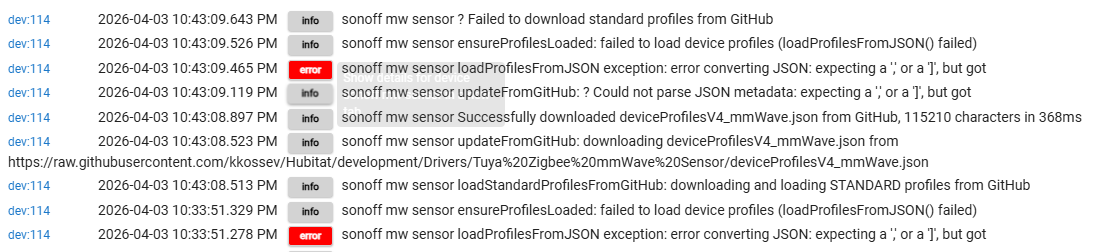
Nope, the problem persists after rebooting and clicking "Load Standard Profile from Git Hub".
Not sure if this is relevant, my hub and drivers have not been updated in a long time ~2 years.
Tried using your driver today and failed multiple times despite installing and reinstalling via HPM.
After that I also updated HPM and Hubitat Platform version. Still does not work after reinstalling the driver.
See the screenshot below.
Platform Version
2.4.4.155
Hardware Version
C-7
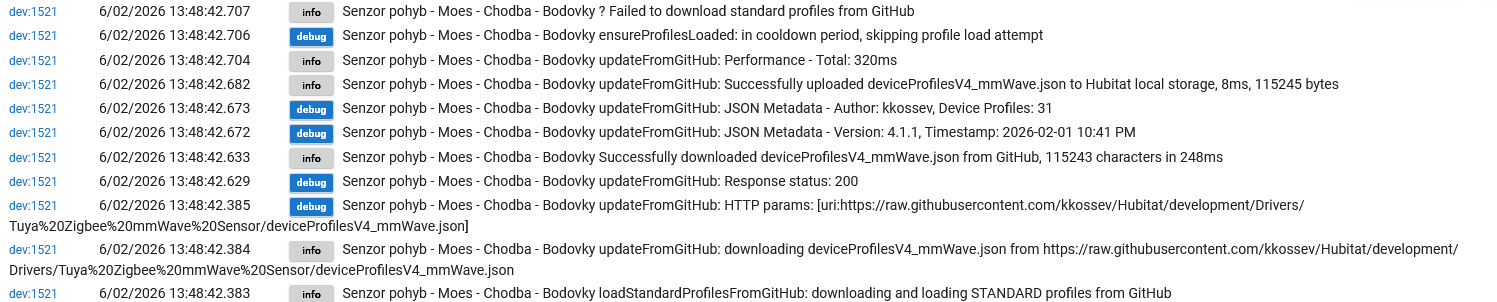
Sorry mate, I don't have many more ideas at the moment what could be wrong ... I have seen this type of exception "error converting JSON: expecting a ....." to happen immediately after the hub reboot - seems like the HE local file storage system needs time to initialize after the drivers are already loaded and running ... or something similar. So that's why there is a rather complex JSON load->parse retry mechanism that hits after a hub reboot.
I suppose you get the same error when you click on the "Load Standard Profiles From Local Storage" button?
Actually, there is a workaround - use the latest 'hardcoded' version of this driver :
Install this driver version 3.5.2 manually; it supports Sonoff SNZB-06P.
The driver name is 'Tuya Zigbee mmWave Sensor ver 3.5.2', so both the old and new drivers can coexist.
Yes, the same error happens when clicking on "load from local storage"
The workaround works perfect for me. I'll keep you updated if the new driver somehow works again.
Cheers!
Suspected bug - The file downloads successfully but then fails to parse. The driver is downloading 115,210 characters just fine, but the JSON parser chokes on a specific character in the file — that version string "v.4.1.3 - WENZHI_MTD285_ZB profile improvements" contains something that breaks the parser.
Successfully downloaded deviceProfilesV4_mmWave.json from GitHub, 115210 characters in 214ms
Could not parse JSON metadata: expecting a ',' or a ']'...
2026-04-21 11:28:00.787 AM
info
Radar1 ? Failed to download standard profiles from GitHub
dev:472026-04-21 11:28:00.714 AM
info
Radar1 ensureProfilesLoaded: failed to load device profiles (loadProfilesFromJSON() failed)
dev:472026-04-21 11:28:00.713 AM
warn
Radar1 startCooldownTimer: starting cooldown timer for 30000 ms to prevent multiple profile loading attempts
dev:472026-04-21 11:28:00.690 AM
warn
Radar1 loadProfilesFromJSON: lastReadFileError = status code: 404, reason phrase: Not Found for deviceProfilesV4_mmWave.json g_OneTimeProfileLoadAttempted=true
dev:472026-04-21 11:28:00.690 AM
warn
Radar1 loadProfilesFromJSON: readFile returned null for deviceProfilesV4_mmWave.json
dev:472026-04-21 11:28:00.688 AM
error
Radar1 Connection Exception: status code: 404, reason phrase: Not Found
dev:472026-04-21 11:28:00.613 AM
debug
Radar1 getProfilesFilename: using STANDARD JSON: deviceProfilesV4_mmWave.json (lastJSONSource=null)
dev:472026-04-21 11:28:00.612 AM
debug
Radar1 ensureProfilesLoaded: loading device profiles...(isEmpty=true, g_profilesLoaded=false)
dev:472026-04-21 11:28:00.572 AM
info
Radar1 updateFromGitHub: ? Could not parse JSON metadata: expecting a ',' or a ']', but got
dev:472026-04-21 11:28:00.568 AM
warn
Radar1 updateFromGitHub: Could not parse JSON metadata: expecting a ',' or a ']', but got
dev:472026-04-21 11:28:00.523 AM
info
Radar1 Successfully downloaded deviceProfilesV4_mmWave.json from GitHub, 115210 characters in 214ms
dev:472026-04-21 11:28:00.520 AM
debug
Radar1 updateFromGitHub: Response status: 200
dev:472026-04-21 11:28:00.309 AM
debug
Radar1 updateFromGitHub: HTTP params: [uri:https://raw.githubusercontent.com/kkossev/Hubitat/development/Drivers/Tuya%20Zigbee%20mmWave%20Sensor/deviceProfilesV4_mmWave.json]
dev:472026-04-21 11:28:00.308 AM
info
Radar1 updateFromGitHub: downloading deviceProfilesV4_mmWave.json from https://raw.githubusercontent.com/kkossev/Hubitat/development/Drivers/Tuya%20Zigbee%20mmWave%20Sensor/deviceProfilesV4_mmWave.json
Hi @sigfreund ,
Thank you for the report!
Yes, there was a bug in the latest standard JSON file (a missing comma). Now it should be fixed - please click on the "Load Standard Profiles From Git Hub" button and let me know if your device is detected and working now.
Working great now. Thanks for all your work and support.
Is this the right driver for the device " WenzhiIoT Smart Motion Sensor Zigbee 5.8 GHz Radar MmWave Presence Sensor Movement Body Motion Detection with illuminance Tuya Smart Life Home Assistant"
Yes
Hi @kkossev,
I’ve not been able to see any profiles in preferences of the driver for a while. I tried to load it from github, local storage. I tried to repair the device, reintstal the driver, tried almost everything. Am I missing something somewhere?
These are the logs:
Running device _TZE200_holel4dk
Driver version 4.2.1
Did you check out the first post of this thread? Krassimir posted an update there late last year about the future of this effort.
Hi @kejin ,
The logs are showing that the ‘device profiles’ are loaded successfully to your hub local storage…. What do you see if you go to the Preferences tab, ‘Device Profiles’?
@kkossev Could you also add Zemismart ZPS-Z1?
fingerprint profileId:"0104", endpointId:"01", inClusters:"0004,0005,EF00,0000,ED00", outClusters:"0019,000A", model:"TS0601", manufacturer:"_TZE284_ft7qqpx3", controllerType: "ZGB"
Mine says failed also(latest Tuya mWave driver) but logs indicate otherwise, very odd
[wrap=Logs]**dev:4**2026-06-09 06:52:27.695 PM
info
Tuya Round Radar ? Failed to download standard profiles from GitHub
**dev:4**2026-06-09 06:52:27.693 PM
info
Tuya Round Radar updateFromGitHub: Performance - Total: 150ms
**dev:4**2026-06-09 06:52:27.644 PM
info
Tuya Round Radar updateFromGitHub: Successfully uploaded deviceProfilesV4_mmWave.json to Hubitat local storage, 8ms, 115245 bytes
**dev:4**2026-06-09 06:52:27.594 PM
info
Tuya Round Radar Successfully downloaded deviceProfilesV4_mmWave.json from GitHub, 115243 characters in 45ms
**dev:4**2026-06-09 06:52:27.544 PM
info
Tuya Round Radar updateFromGitHub: downloading deviceProfilesV4_mmWave.json from https://raw.githubusercontent.com/kkossev/Hubitat/development/Drivers/Tuya%20Zigbee%20mmWave%20Sensor/deviceProfilesV4_mmWave.json
**dev:4**2026-06-09 06:52:27.541 PM
info
Tuya Round Radar loadStandardProfilesFromGitHub: downloading and loading STANDARD profiles from GitHub
**dev:4**2026-06-09 06:52:26.881 PM
info
Tuya Round Radar ? Failed to download standard profiles from GitHub
**dev:4**2026-06-09 06:52:26.880 PM
info
Tuya Round Radar updateFromGitHub: Performance - Total: 114ms
**dev:4**2026-06-09 06:52:26.847 PM
info
Tuya Round Radar updateFromGitHub: Successfully uploaded deviceProfilesV4_mmWave.json to Hubitat local storage, 8ms, 115245 bytes
**dev:4**2026-06-09 06:52:26.801 PM
info
Tuya Round Radar Successfully downloaded deviceProfilesV4_mmWave.json from GitHub, 115243 characters in 34ms
**dev:4**2026-06-09 06:52:26.766 PM
info
Tuya Round Radar updateFromGitHub: downloading deviceProfilesV4_mmWave.json from https://raw.githubusercontent.com/kkossev/Hubitat/development/Drivers/Tuya%20Zigbee%20mmWave%20Sensor/deviceProfilesV4_mmWave.json
**dev:4**2026-06-09 06:52:26.764 PM
info
Tuya Round Radar loadStandardProfilesFromGitHub: downloading and loading STANDARD profiles from GitHub
**dev:4**2026-06-09 06:52:26.013 PM
info
Tuya Round Radar ? Failed to download standard profiles from GitHub
**dev:4**2026-06-09 06:52:26.012 PM
info
Tuya Round Radar updateFromGitHub: Performance - Total: 129ms
**dev:4**2026-06-09 06:52:25.961 PM
info
Tuya Round Radar updateFromGitHub: Successfully uploaded deviceProfilesV4_mmWave.json to Hubitat local storage, 8ms, 115245 bytes
**dev:4**2026-06-09 06:52:25.914 PM
info
Tuya Round Radar Successfully downloaded deviceProfilesV4_mmWave.json from GitHub, 115243 characters in 31ms
**dev:4**2026-06-09 06:52:25.880 PM
info
Tuya Round Radar updateFromGitHub: downloading deviceProfilesV4_mmWave.json from https://raw.githubusercontent.com/kkossev/Hubitat/development/Drivers/Tuya%20Zigbee%20mmWave%20Sensor/deviceProfilesV4_mmWave.json
**dev:4**2026-06-09 06:52:25.879 PM
info
Tuya Round Radar loadStandardProfilesFromGitHub: downloading and loading STANDARD profiles from GitHub
**dev:4**2026-06-09 06:52:24.812 PM
info
Tuya Round Radar ? Failed to download standard profiles from GitHub
**dev:4**2026-06-09 06:52:24.811 PM
info
Tuya Round Radar updateFromGitHub: Performance - Total: 336ms
**dev:4**2026-06-09 06:52:24.770 PM
info
Tuya Round Radar updateFromGitHub: Successfully uploaded deviceProfilesV4_mmWave.json to Hubitat local storage, 10ms, 115245 bytes
**dev:4**2026-06-09 06:52:24.675 PM
info
Tuya Round Radar Successfully downloaded deviceProfilesV4_mmWave.json from GitHub, 115243 characters in 198ms
**dev:4**2026-06-09 06:52:24.474 PM
info
Tuya Round Radar updateFromGitHub: downloading deviceProfilesV4_mmWave.json from https://raw.githubusercontent.com/kkossev/Hubitat/development/Drivers/Tuya%20Zigbee%20mmWave%20Sensor/deviceProfilesV4_mmWave.json
**dev:4**2026-06-09 06:52:24.470 PM
info
Tuya Round Radar loadStandardProfilesFromGitHub: downloading and loading STANDARD profiles from GitHub
**dev:4**2026-06-09 06:52:21.152 PM
info
Tuya Round Radar ? Failed to reload standard device profiles from local storage
**dev:4**2026-06-09 06:52:21.149 PM
info
Tuya Round Radar loadStandardProfilesFromLocalStorage: reloading STANDARD device profiles from Hubitat local storage (deviceProfilesV4_mmWave.json)
**dev:4**2026-06-09 06:52:05.571 PM
info
Tuya Round Radar ensureProfilesLoaded: failed to load device profiles (loadProfilesFromJSON() failed)
[/wrap]
I created this driver with ChatGPT. I have tested most of its functions, and it is working quite well for me. I am using it in a small room.
@Rxich the driver code and the JSON definitions were just updated :
Can you please try again and let me know if you still have problems?
BTW, I don't see what is your device Zigbee model/manufacturer from your post ..