Hey everyone — I’m Jeremy Henderson with JVS Automation.
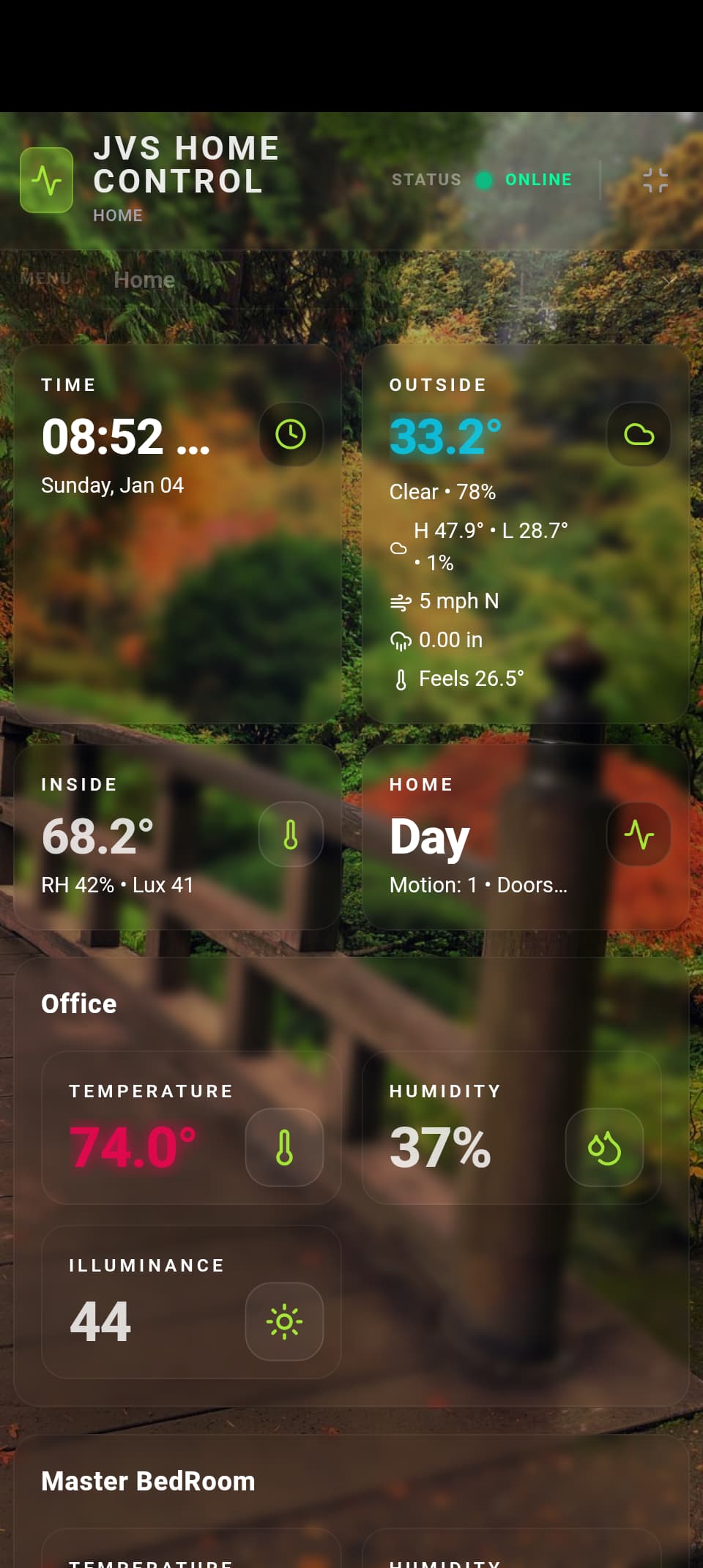
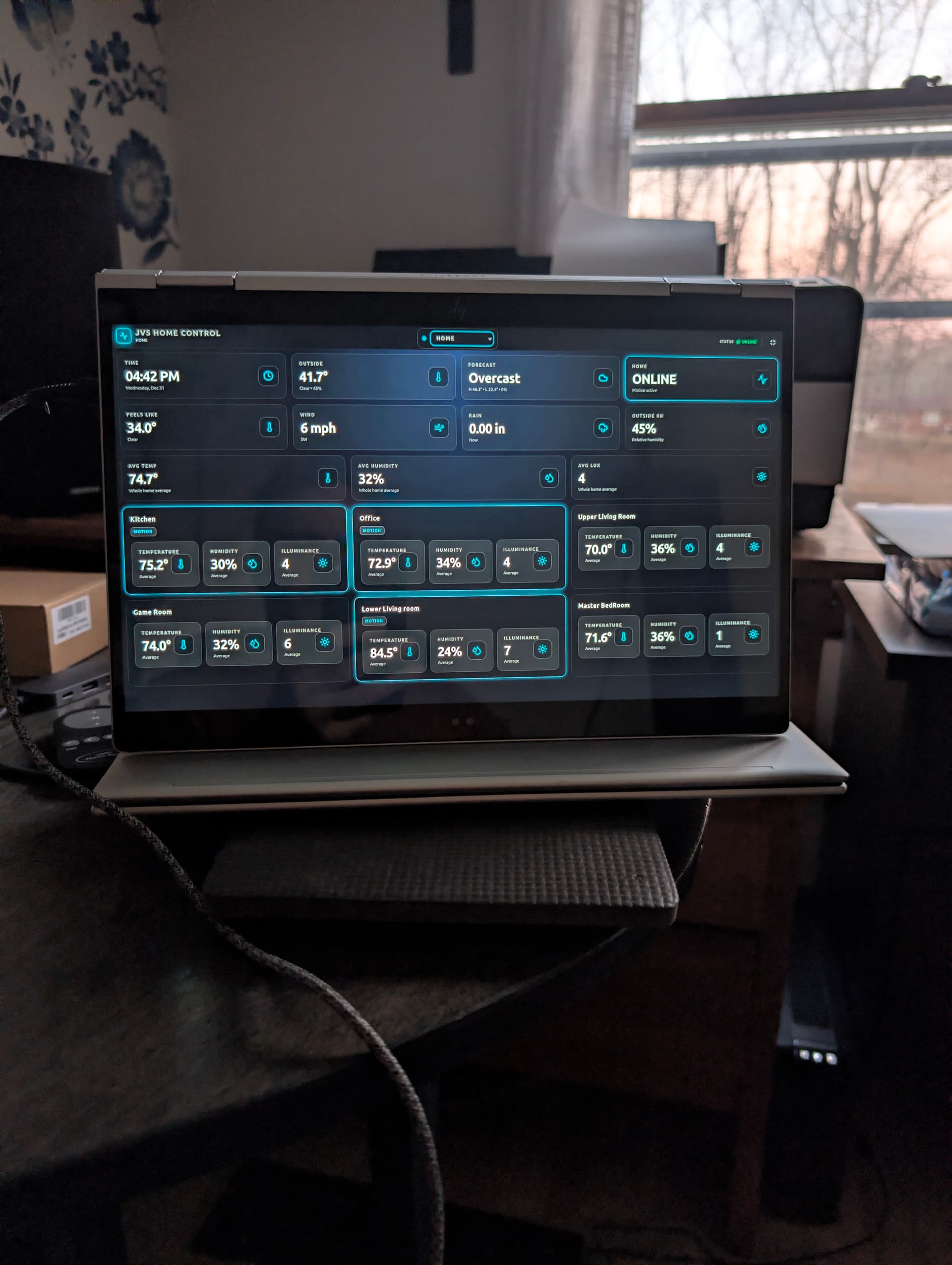
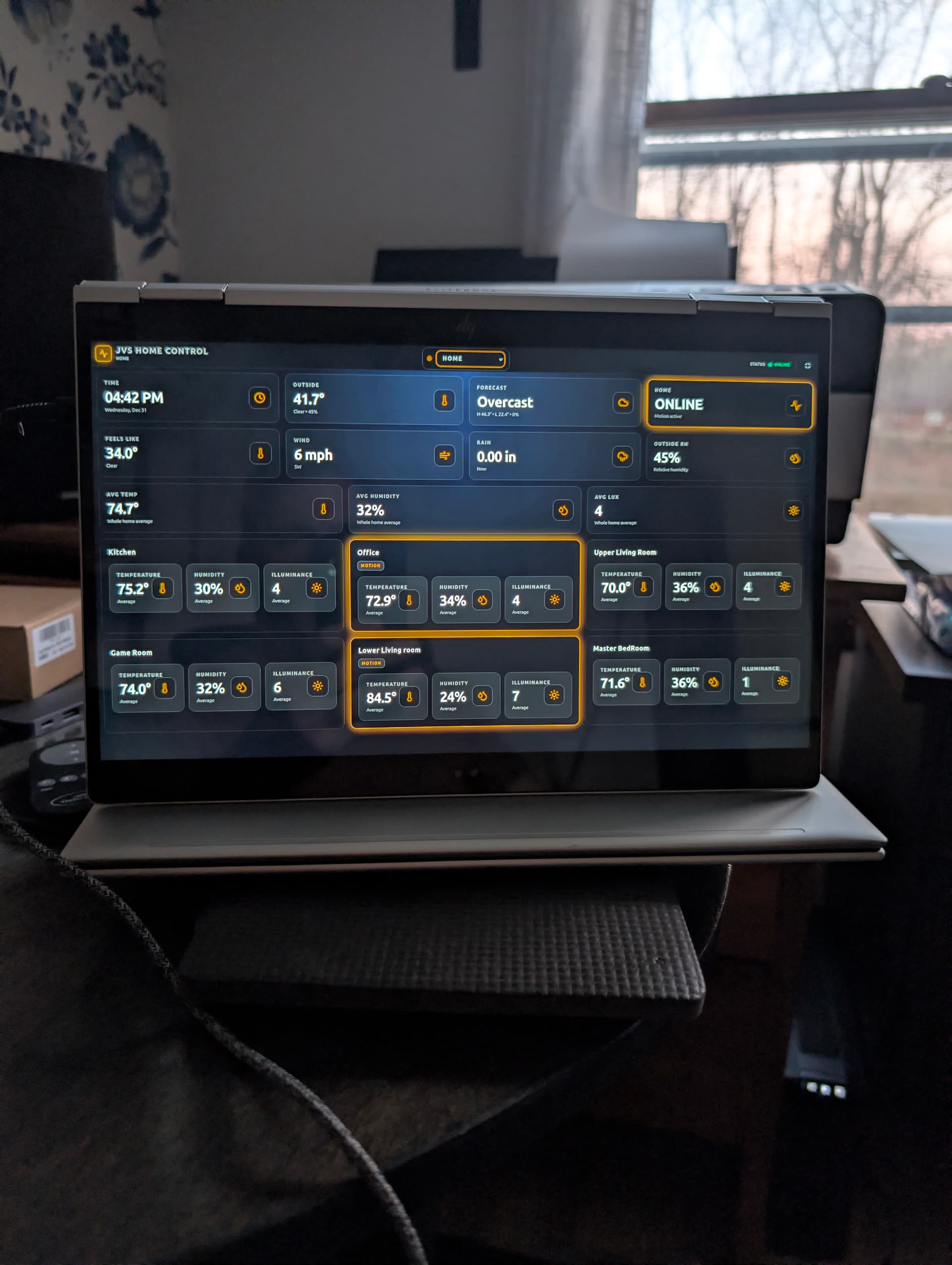
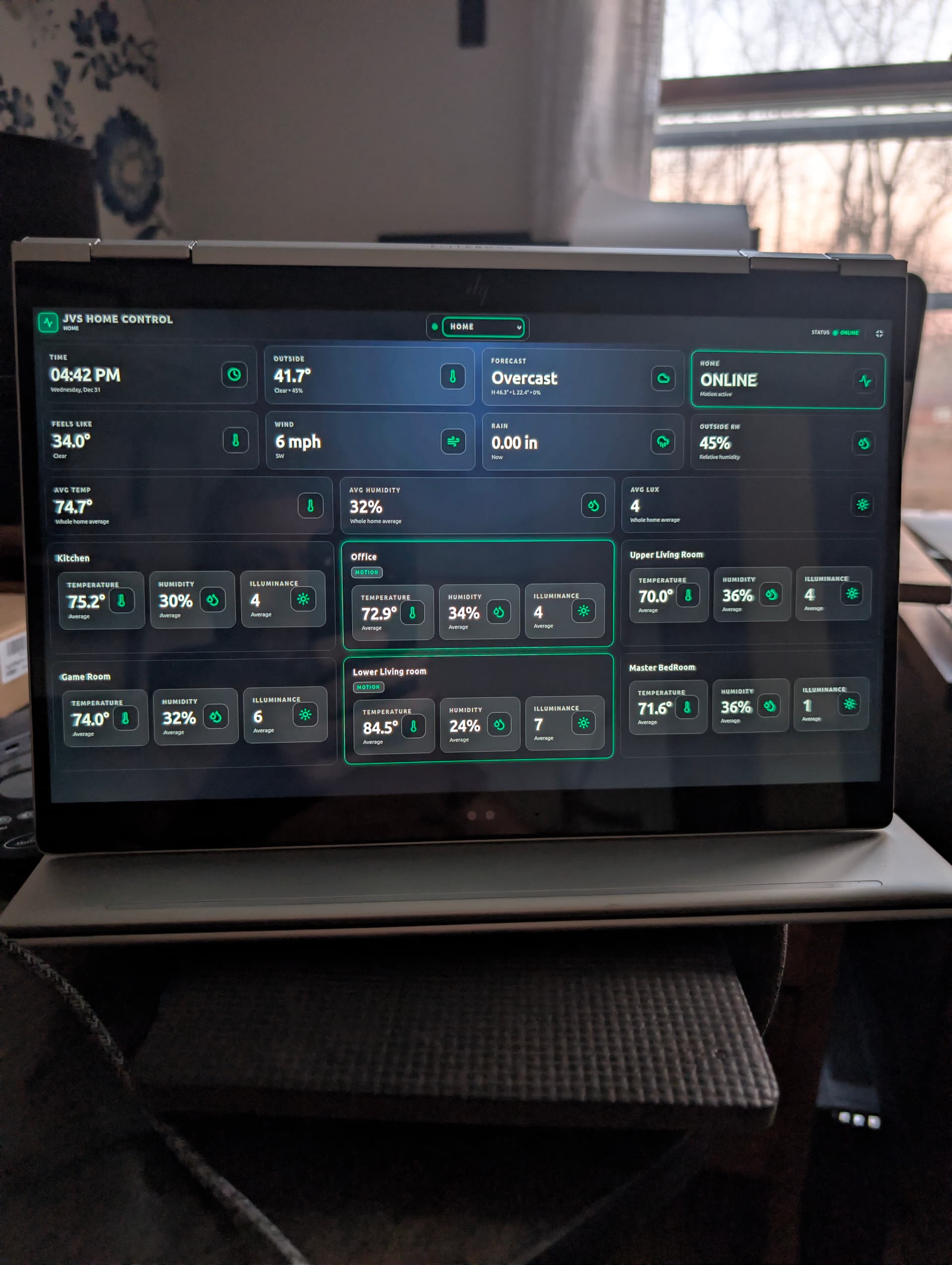
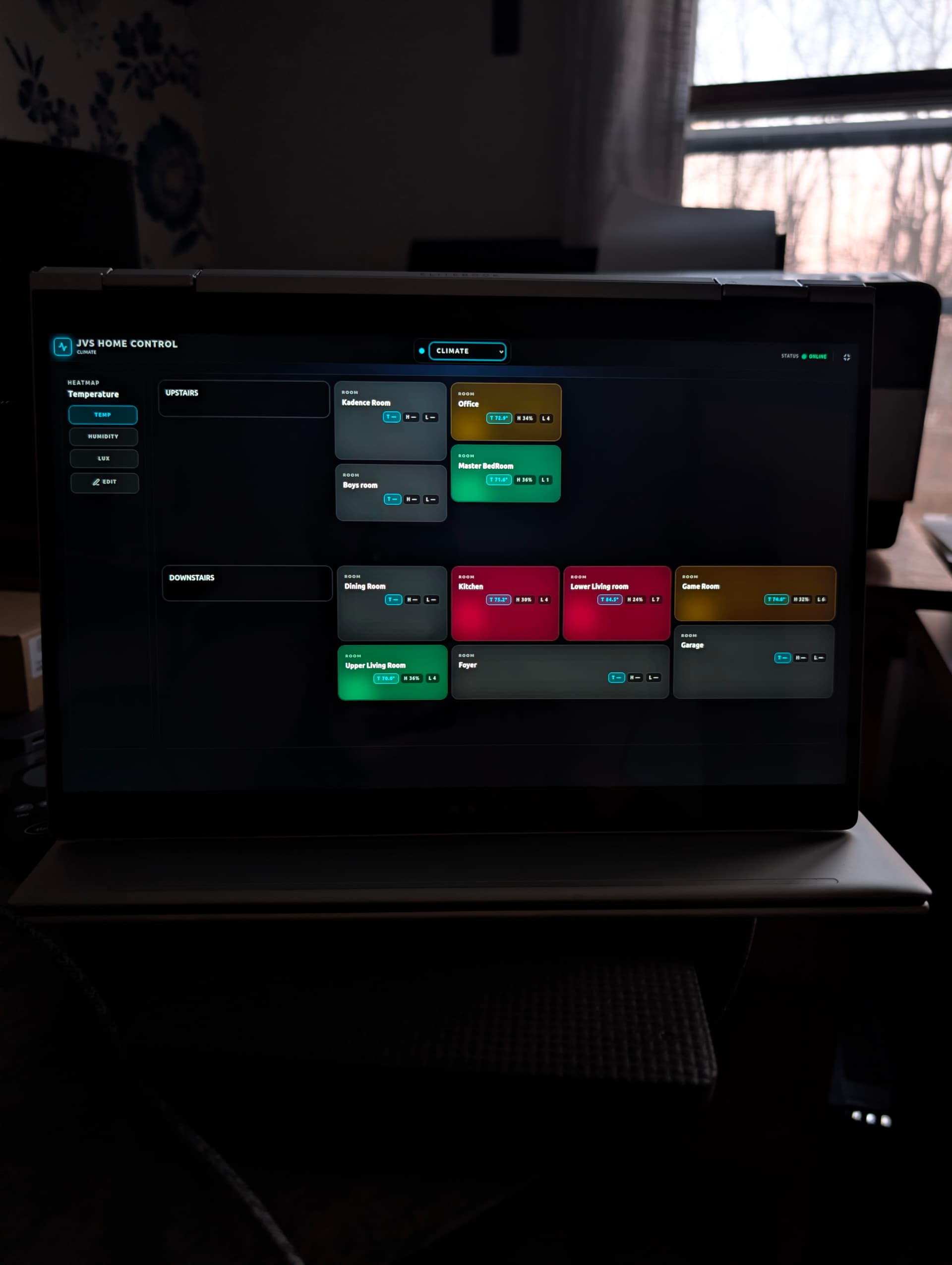
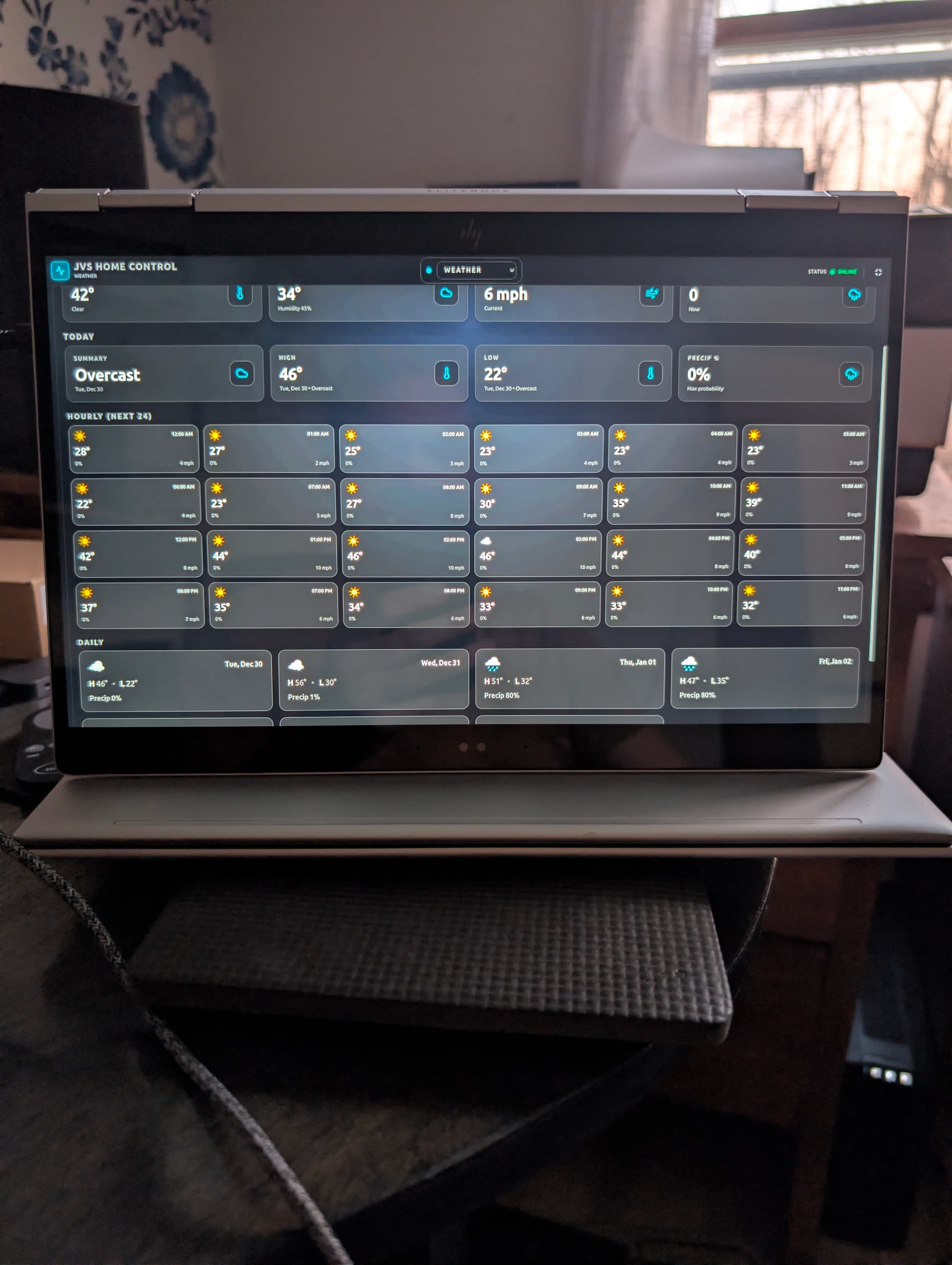
I’m sharing a beta of a custom dashboard I built for Hubitat that will be a wall tablet/kiosk. It’s a single Node/Express service that serves both the API + the built React UI.
Repo: GitHub - jeamajoal/jvshomecontrol: website
What it is
- Firstly, it is a work in progress
- Hubitat-backed control panel (React UI + Node backend + realtime updates)
- Built for kiosk/tablet use (big touch targets, fast refresh)
- Pages include Environment/Home, Climate (heatmap), Weather (built-in Open‑Meteo), Activity, and Controls
Hubitat integration
- Polls Maker API (
devices/all) and normalizes devices into rooms/sensors
- Supports Maker event callbacks (
POST /api/events)
HTTPS (LAN-friendly)
- Optional HTTPS for the dashboard/API (self-signed supported)
- The server uses HTTPS automatically if a cert exists
- The Debian/Ubuntu installer can create/recreate the cert during setup (and preserves your local config/certs on updates)
Included: Virtual Web Request Switch driver (for GAR / local bridges)
This repo ships a Hubitat driver: Virtual Web Request Switch
- Lets you represent a Google Assistant Relay endpoint (or any local HTTP endpoint) as a Hubitat switch
- That makes it controllable by Hubitat automations/dashboards/Maker API and by this panel
Driver source (importUrl is in the metadata):
https://raw.githubusercontent.com/jeamajoal/jvshomecontrol/main/hubitat/driver/virtual-web-request-switch.groovy
Easiest install/update (Debian/Ubuntu)
The simplest path is the installer script — it updates/clones the repo, preserves server/data/config.json + certs, builds, sets up systemd, and guides HTTPS cert prompts:
https://raw.githubusercontent.com/jeamajoal/jvshomecontrol/main/scripts/install-debian.sh
Beta notes / feedback
I’d love feedback on: device mapping, UI flow, and any Maker/GAR edge cases people hit.
3 Likes
Hello.
I'd like to try this out.
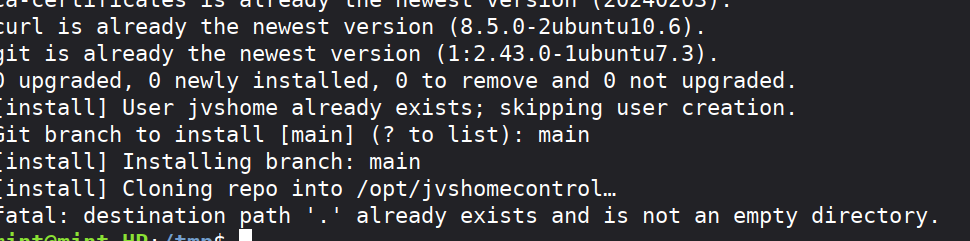
I copied and pasted the install link on my linux mint machine, with the following error:
Am I installing it correctly?
Linux Mint is fine (Debian/Ubuntu-based). Don’t paste the raw script into the terminal—download it to a file and run it with sudo so the prompts work properly.
First install (recommended)
cd /tmp
curl -fsSL https://raw.githubusercontent.com/jeamajoal/jvshomecontrol/main/scripts/install-debian.sh -o install-jvshomecontrol.sh
chmod +x install-jvshomecontrol.sh
sudo bash ./install-jvshomecontrol.sh
What prompts you’ll see
- If Node.js is missing (or too old), it will ask to install/upgrade Node via NodeSource (recommended).
- It may ask about creating an HTTPS self-signed certificate (and if one already exists, whether to overwrite it).
- If creating a cert, it will prompt for the hostname/IP to include in the certificate.
- It may ask which git branch to install (default is
main).
Where it installs
- Installs/updates the app in
/opt/jvshomecontrol (you don’t need to cd /opt first).
- Creates a systemd service named
jvshomecontrol.
How to set/update environment variables after install
-
Edit the env file:
sudo nano /etc/jvshomecontrol.env
-
Set your Hubitat Maker API vars (required for polling/commands):
HUBITAT_HOST=http://192.168.1.50
HUBITAT_APP_ID=30 # This is Maker API device ID
HUBITAT_ACCESS_TOKEN=REPLACE_ME
-
If your Hubitat host is HTTPS with a self-signed cert, add this (otherwise Hubitat polling may fail TLS verification):
HUBITAT_TLS_INSECURE=1
Optional examples:
Poll interval (ms), example: once per minute
HUBITAT_POLL_INTERVAL_MS=60000
Device allowlists (comma-separated Hubitat device IDs)
UI_ALLOWED_MAIN_DEVICE_IDS=24,25
UI_ALLOWED_CTRL_DEVICE_IDS=24,25,26
- Restart to apply changes:
sudo systemctl restart jvshomecontrol
How to update later (after installed)
sudo bash /opt/jvshomecontrol/scripts/install-debian.sh
Quick checks / logs
sudo systemctl status jvshomecontrol --no-pager
journalctl -u jvshomecontrol -f
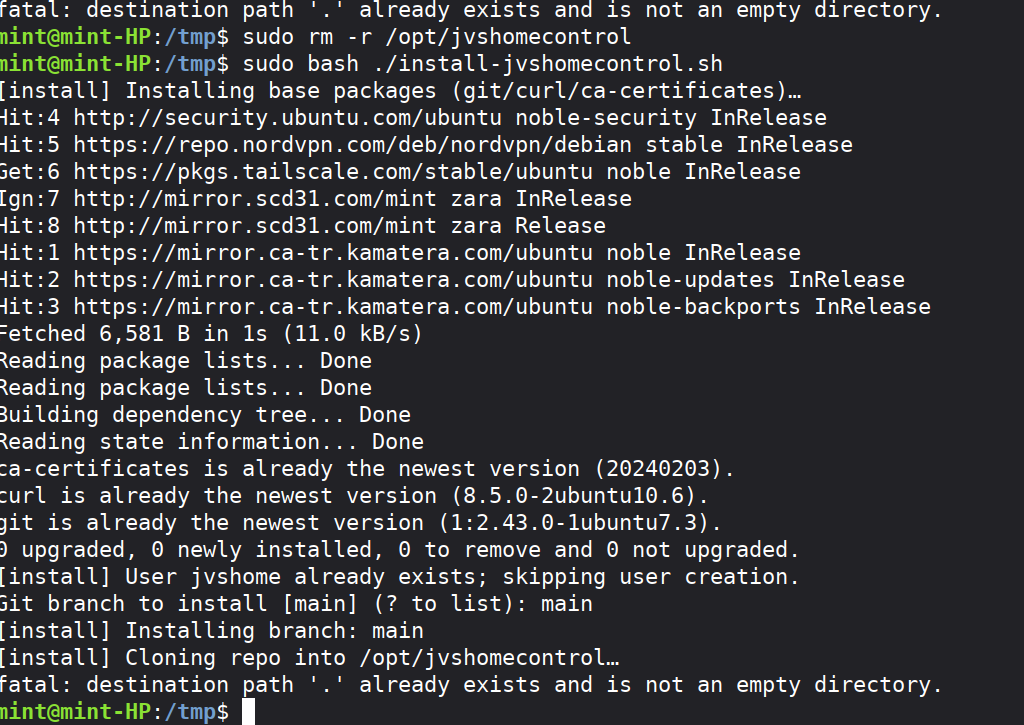
Hello, still having an issue:
It looks like the /opt/jvshomecontrol dir was populated with something but not the .git file so git refuses to clone into it. just sudo rm -r /opt/jvshomecontrol then run the installer again.
I'm sorry you are having issues. I have had no luck replicating the issue. I may have leaned to heavily on the scripted install hoping it would be the one hit wonder. Rm the dir and instead of running the install script please git clone https://GitHub.com/jeamajoal/jvshomecomtrol
Then run the install script from the jvshomecomtrol/scripts dir.
Timing is good though.. I just merged a lot of work into main that makes the dashboard very configurable.
The next release will add device allow lists in the panel profile so panels can be tailored to there location.