What is the best way to update a custom device driver that has devices already attached? It's been a while since I set this up, and a lot has changed since then. I tried pasting the new code over the old and saving, but that did not work. Would appreciate advice. TIA!
Platform Version
2.4.2.160
Hardware Version
C-8 Pro
Is it in Hubitat Package Manager (HPM)? If so, just update it from there.
If not, just a copy/paste of the new code over the old code should work fine -- what exactly "did not work" for you trying that method?
6 Likes
Thanks! Tried again, and it worked. Not sure what I did wrong the first time. Oh, the first time I got a message about "could not save" or similar.
1 Like
To avoid issues down the road, I’d recommend updating your hub.
3 Likes
In case it wasn't clear, @aaiyar is recommending you do a platform update on your hub.
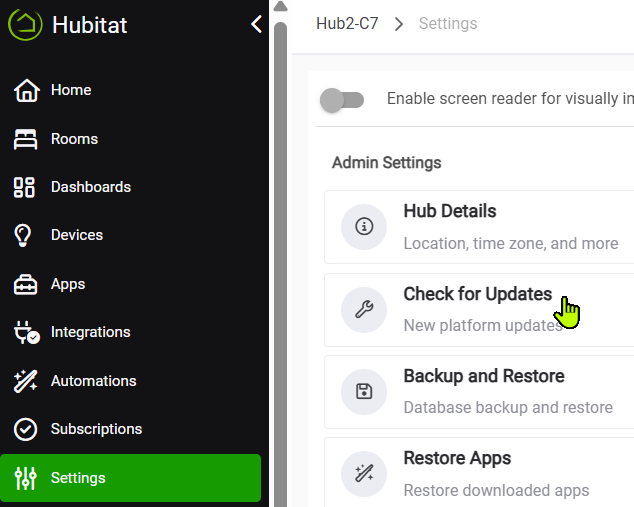
Settings>Check for Updates. Current version is 2.5.0.126.
It generally doesn’t matter whether there are devices using a driver or not when you update the driver code.
The hub won’t let you delete driver code if devices are using the driver, though.
3 Likes
That is generally true, but it is possible if a driver has allot of devices attached to it and those devices are very busy for occasional errors occur with updating the code. Generally though it isn't a issue.
Make sure you read up on changes to drivers considering how long it has been since you updated the Platform firmware. Sometimes new things get added with platform firmware that will be used in drivers/apps and make then incompatiable with older platform firmware. My Govee integration has some platform firmware requirements as a example.
HPM can help manage that as it can keep your apps/drivers updated and then the developer can update the minimum platform for the next release if something changes.
I would suggest you first update to the current platform firmware and then upgrade our drivers/app through HPM if you can.
1 Like
Exactly the cause of my initial failure! I had tried to delete a driver in use by two devices. When I instead pasted the new version over the old, I was able to save it. I didn't know if it was necessary, but I then rebooted the hub. Thank you!
1 Like