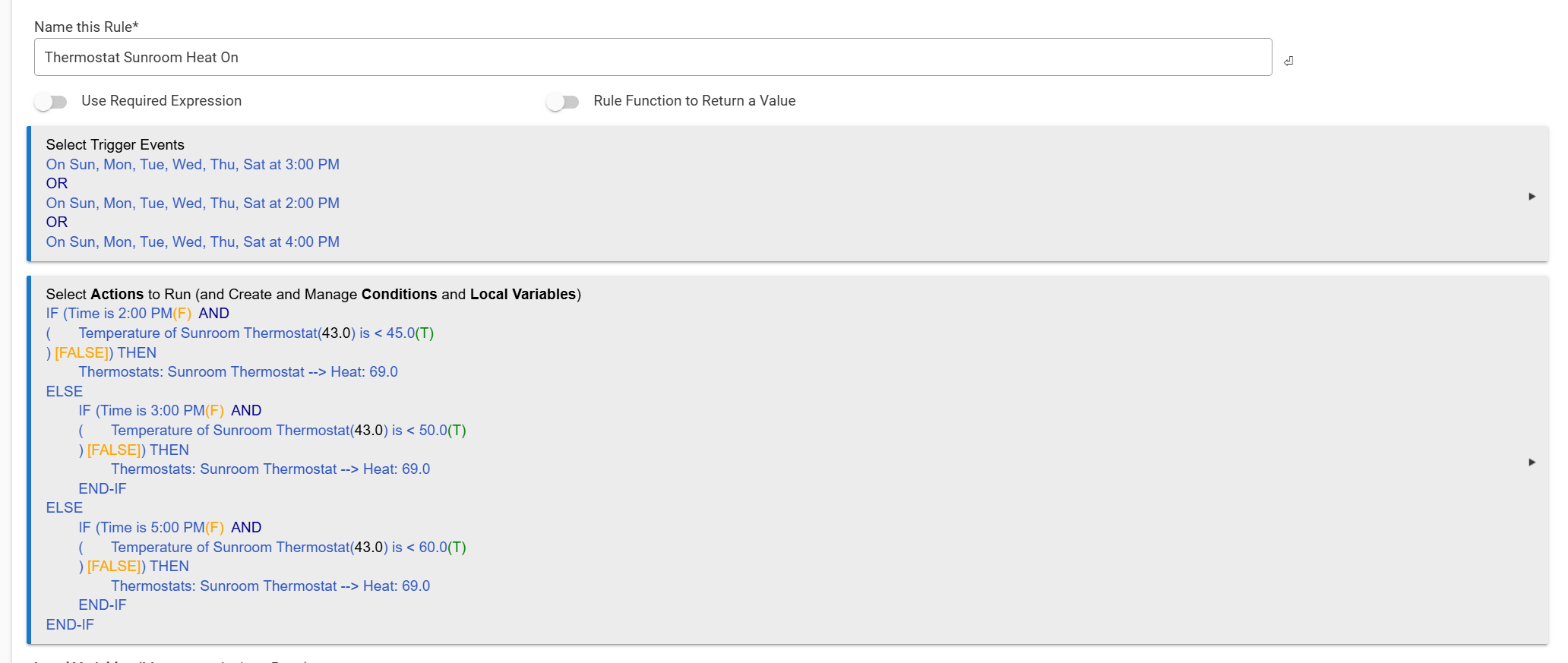
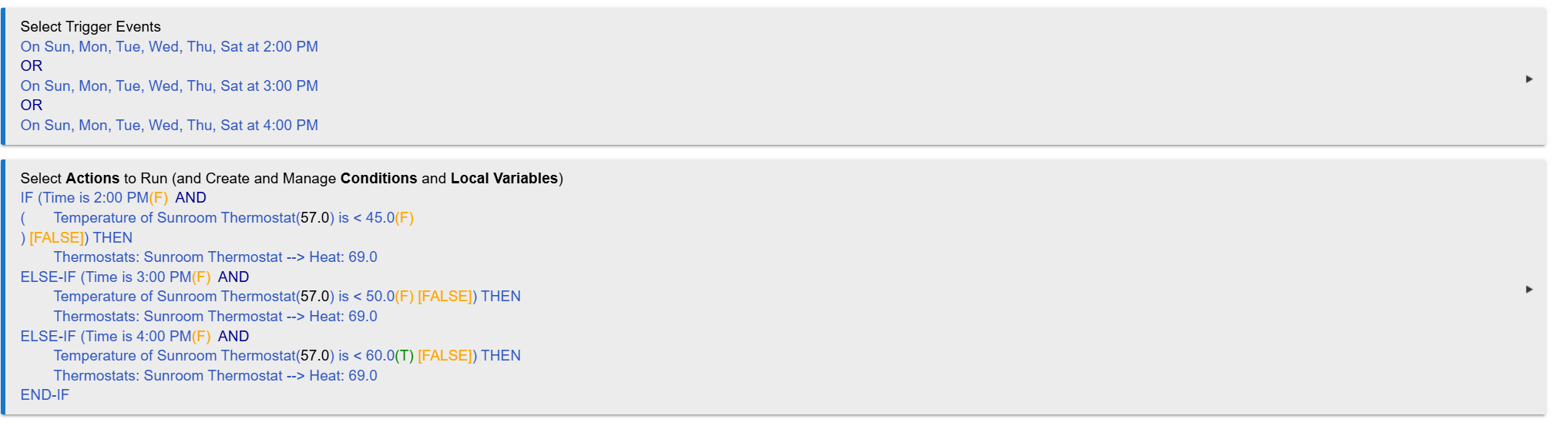
We have a room that's only used a couple hours a day. This room has a seperate heating system so to save energy, we turn it down when not in use.
The coldest the room can be is 41F. When we use the room, we set it to 70F.
The problem is, the colder the room is, the longer it takes to warm up.
So if we want the room to be 70F by 5pm. What's the best way to write something like:
If it's 2pm and the temp is < 45F, start heating to 70.
If it's 3pm and the temp is < 50F, start heating to 70.
If it's 4pm and the temp is < 60F, start heating to 70.
The rule could be activated by multiple instances of either of the trigger events: "Day of The Week Schedule" (select all days, give a specific time, such as 4PM), or "Certain Time (and optional date)", giving a specific time.
There would be 3x trigger events within the same rule with an impied "OR" condition between each event, meaning that whenever the specified time-of-day is reached the rule triggers.
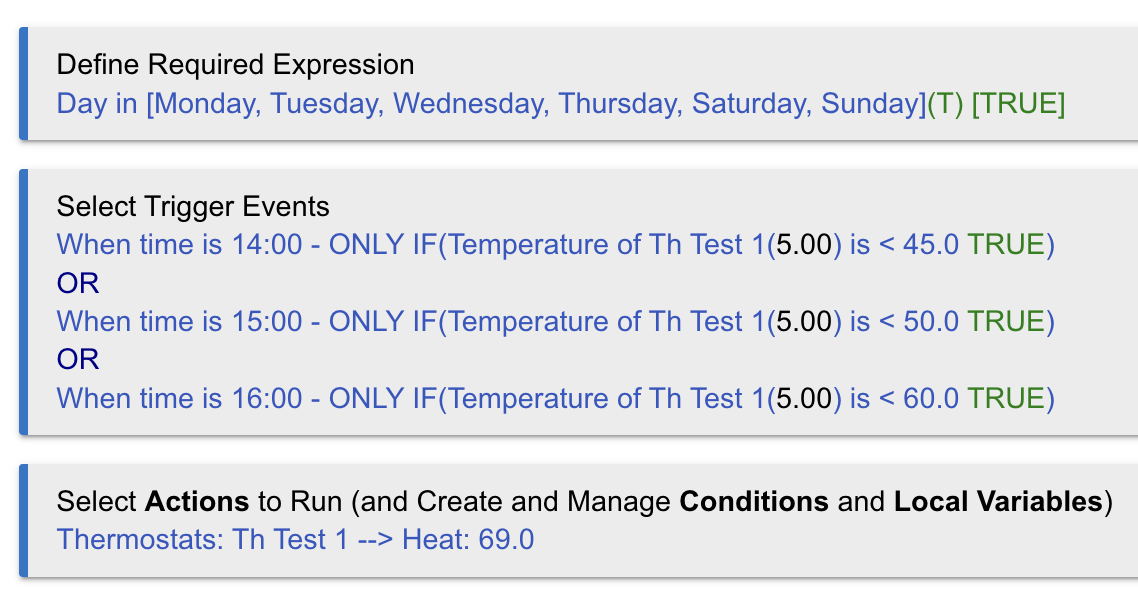
This means that the rule would trigger 3x each day, regardless of the temperature. Within the single rule, there would be 3 "if" conditions to test for both time & temp (ie., 3pm && <50F, 4pm && < 60F, 5PM && < 70F) before initiating the action of turning on the heat.
In pseudo-code:
Trigger: if (3PM || 4PM || 5PM )
    if (3PM && < 40F)
        set heat to 70F
    if (4PM && < 50F)
        set heat to 70F
    if (5PM && < 60F)
        set heat to 70F
Alternatively, it could be triggered once at 3pm with 2 waits for 4 and 5pm, each with the same if condition under them. But I think your current approach is better.
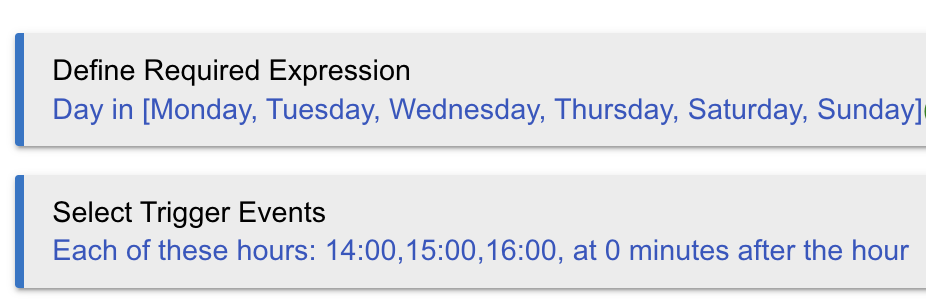
You could set up a required expression to restrict the triggers to certain days using a "Days of week" condition, and trigger on the specific times using a "Periodic Schedule", like so: