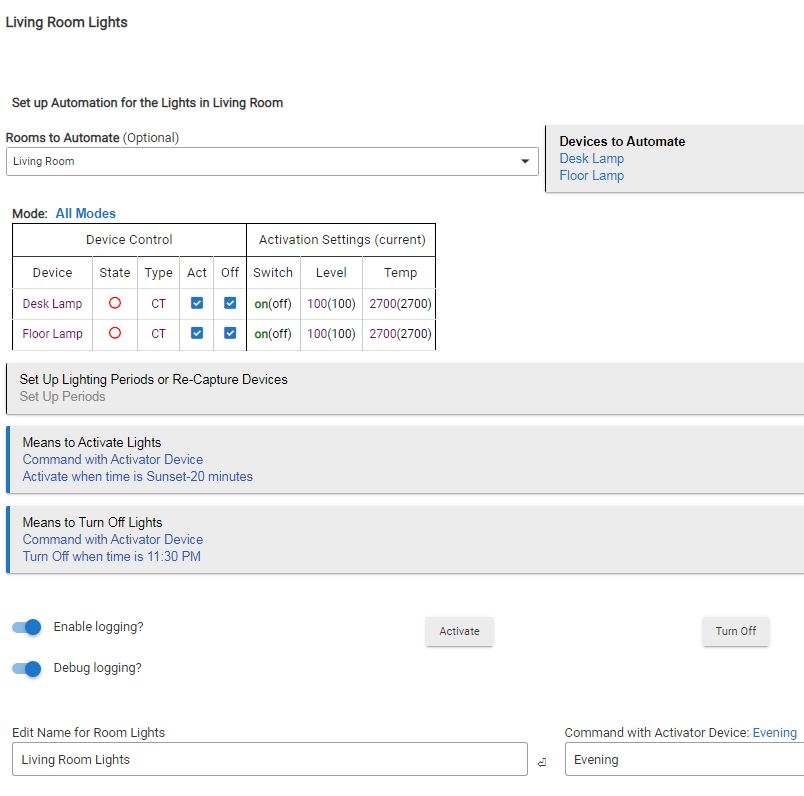
I will begin by saying that I have years of experience with smart home devices using UD ISY and EISY. I felt like my EISY system was getting more difficult to maintain and that Hubitat would be more user friendly. This has not been the case for me personally. It may have to do with the major UI differences in the systems and translating between the two is not as straightforward as I expected.
I am working on my first Hubitat automation which I feel like is the simplest one I have. I was not familiar with having to find and select proper "apps" that are available in the Hubitat Elevation environment. I realize this provide huge flexibility, but I found myself having to search for even this simple task. I initially used Rule Machine for my automation which I successfully built, but reading some posts, it was recommended to use Room Lighting as a better option. My intent was to to build my automations consistently so I am attempting to use what I thought would be the best and simplest app.
WHERE I NEED HELP:
I have two devices for my automation -
Desk Lamp Inovelli RGB bulb
Floor Lamp Inovelli RGB bulb
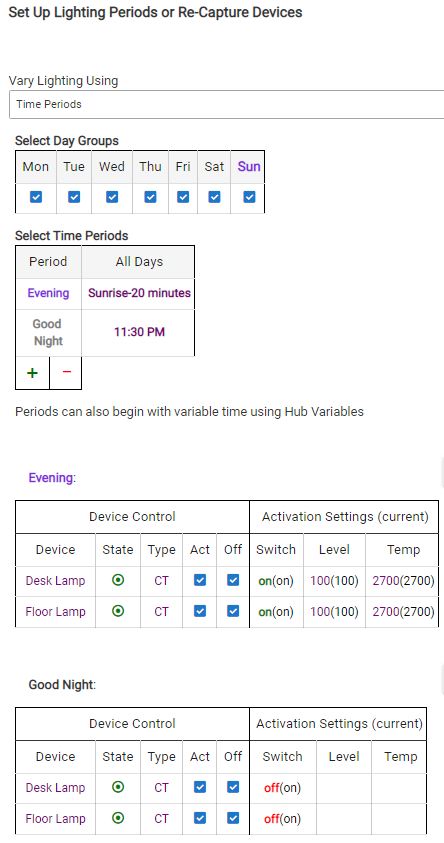
Automation to run everyday of the week to turn both ON in the EVENING at Sunrise-20 minutes
So far this part of the automation worked I think.
I set another time period called Good Night that I intended to be an automation to turn off both bulbs.
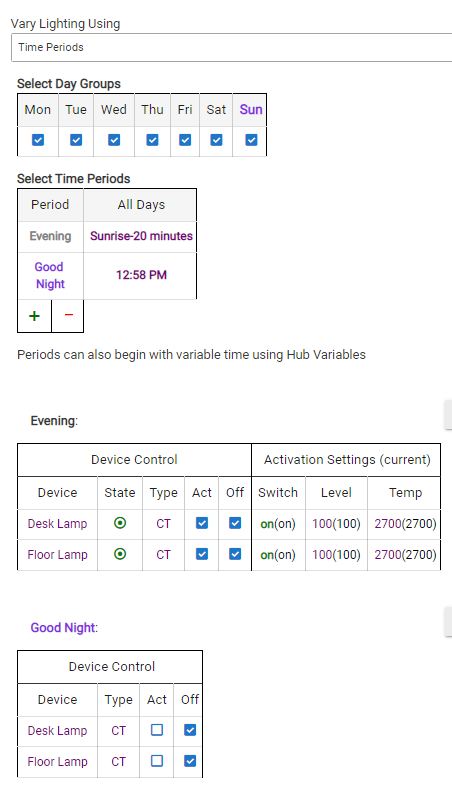
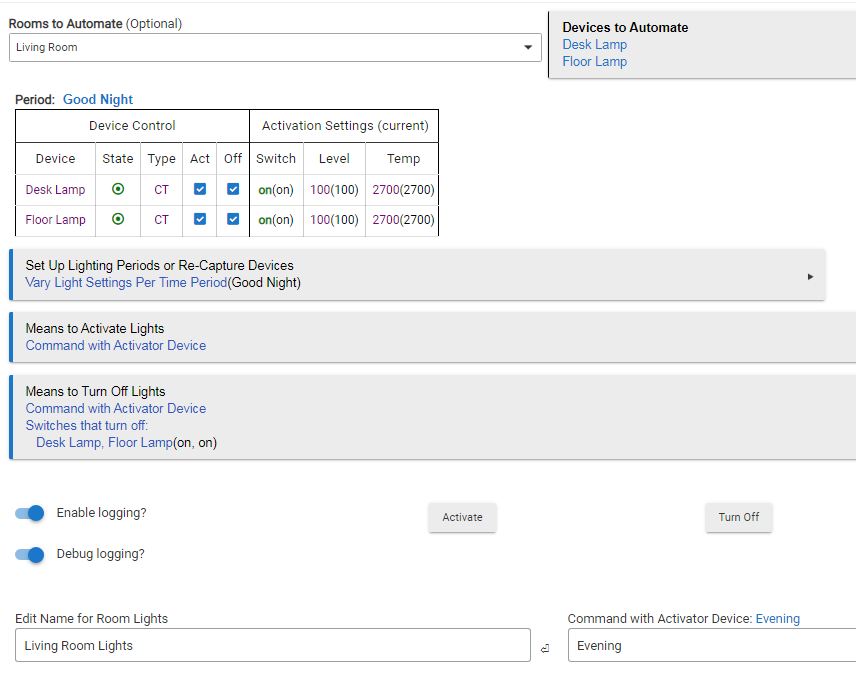
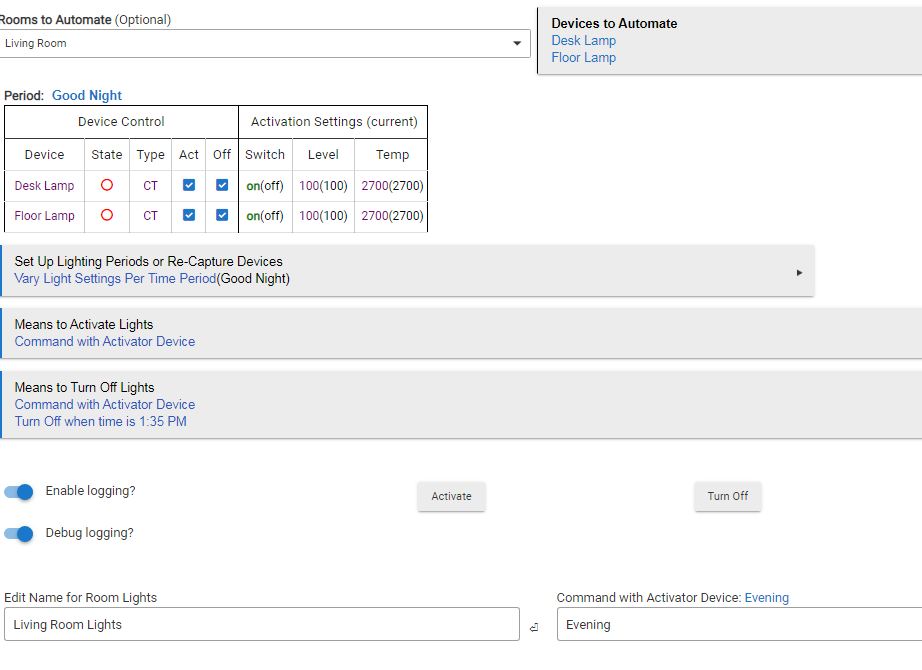
I have tried several variations in the Good Night options with no success. I feel like I have a basic misunderstanding of the Room Lighting UI.
Thanks for your help. It does appear that Basic Rules app will work, however I wanted one automation that would Turn On, Turn Off and expose the automation to Alexa. The RL app appears it has that capability and I am willing to climb the learning curve but at this point I hit a wall. It appears the Basic Rules would require a rule to turn on, a rule to turn off and a virtual switch to expose to Alexa.
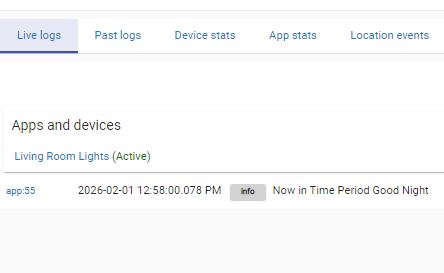
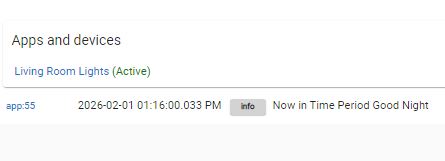
I set the Good Night period for testing and it appears from the log that it triggered. I had previously manually set both lamps on, however they did not turn off even the the ACT column unchecked.
Now I am just trying to understand the logic between the Time Period options and the Means to Activate / Means to Turn Off Lights. Those both having time periods to specify appear to be redundant.
Thanks for all that helped, but if someone could enlighten me on the intent of the two different settings it would help my overall understanding of setting up future and more difficult automations.
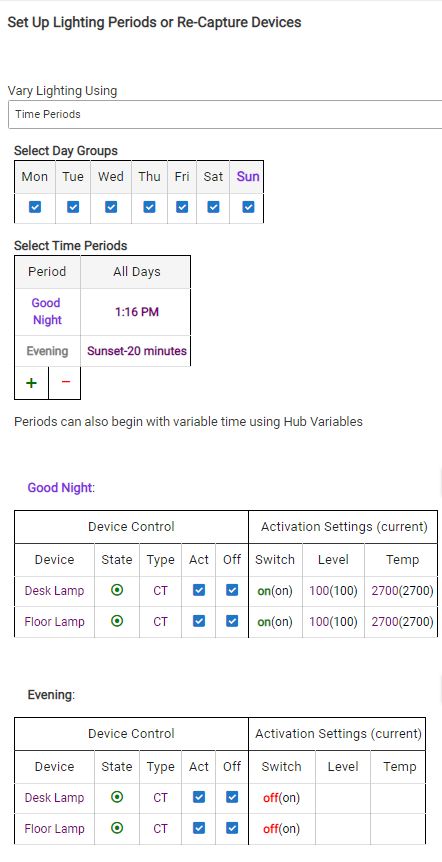
Looking at my previous posts it appears that fatigue set in causing a mess with my logic. Evening and Good Night logic is reversed in some instances as was the Sunrise/Sunset. I probably need to take a break to clear my head.
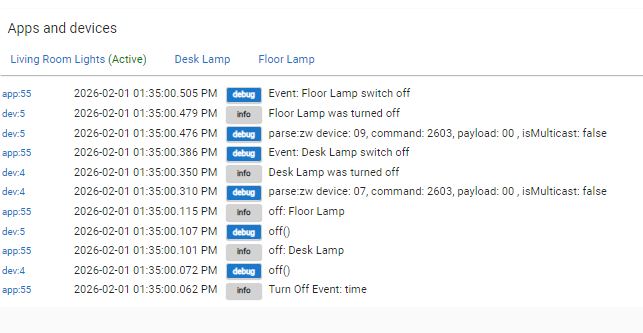
In the attempts to set the "Vary Lighting Using" "Time Periods" options under the "Modes" was apparently not the correct approach for setting time periods as I was attempting. After clearing the Modes and setting time periods on the main page of the automation in the "Means to Activate" and "Means to Turn Off" I got the results I was expecting. The last piece was to expose the automation to Alexa which also works now with the commands "Turn on Evening" and "Turn off Evening" as it was on my previous hub.
I'm still scratching my head about the time period in the "Modes" section.
Was going to ask if you had tried under means to turn off. I think the Vary Lighting Using time periods only affects the lighting when it is active (and if they are made active during a certain time period.... sort of like prestaging)
I use it all the time. I have different lighting based on the mode (mostly subtle color temperature changes). When I turn on the lights during specific modes, they come on with the settings for that mode.
If I understand now, "during specific modes" means during specific times of day as defined in the time periods you define under the "Vary Lighting Using". Also, it appears that you may not be able to change "modes" dynamically? So "scenes" would be an option for calling a specific setting at random times?
The only situation I can think of for "modes" under "Vary Lighting Using" would be like a motion sensor triggering flood lights but only after dark.
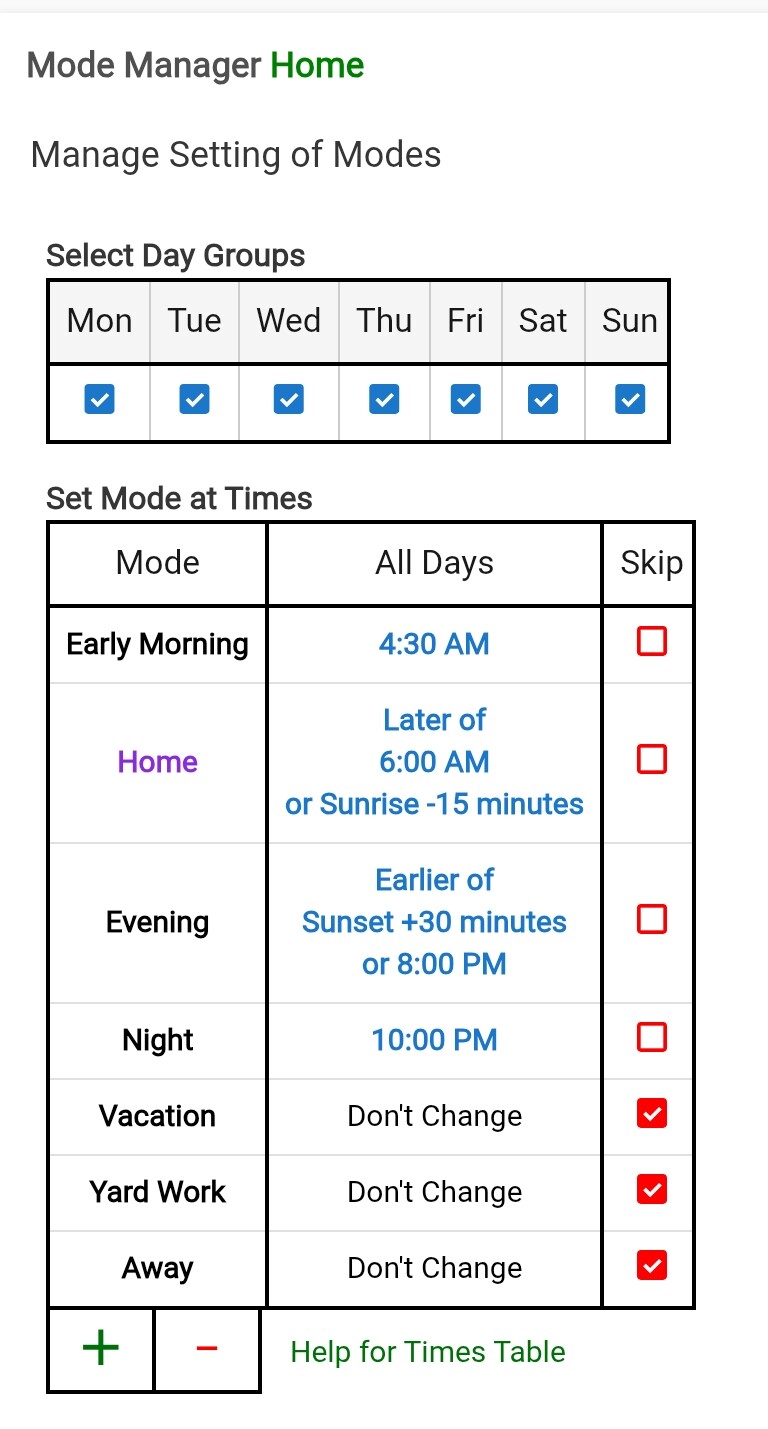
I have it change based on the modes from Mode Manager (which are set by times of day, presence, and/or specific switches that I use for special modes). You can have different settings for each mode. But, they only apply when the Room Lighting App is Active (i.e. the lights are on). If the lights are off, then they turn on to the appropriate settings for the mode.
And yes, the outside lights are limited to activation during Evening and Night mode. That is another use for it