Both my hubs are C7's and they are used with Hub Mesh. I have cloud integrations on my "DEV" hub and then use Hub Mesh use them to my "PROD" hub.
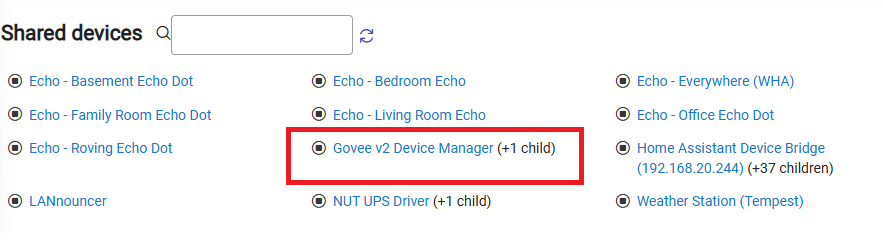
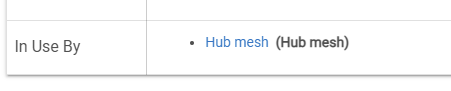
Today I tried added a new device and it's children into Hub Mesh. On the DEV hub the device and child show as being used by Hub Mesh and they are showing as Shared Devices:
You keep saying Hub Connect in your post but I assume you mean hub mesh, as stated in the title of your thread. Hub Connect is a third party app that does the same thing as Hub mesh, but not really required anymore unless you need to connect hubs across different networks.
I had a problem with a Zooz power strip that was very similar. It did the same as you describe, you click the device to connect it to another hub but it would spin and return to the same screen and the device would not be shared with the new hub. It turned out to be an issue with the driver. In my case I was using a third party driver developed by user @jtp10181 . Perhaps he can explain the issue, assuming it's the same.
In my case, I could work around the issue by switching to the HE driver for the device and then share the device with no issues. I could then switch back to the user developed driver and the device would remained shared. Not familiar with the Govee device so not sure if that is an option for you or not.
I will have to find the endpoint that shows the data being send over Hub Mesh.
Ultimately, this is not a driver bug, but an oversight / bug in the Hub Mesh implementation. I just had found a workaround for the major issue my driver was causing, but I suspect there are other issues when devices have a lot of complicated settings.
Thanks for the tips. I was typing this up while being distracted and it is Hub Mesh and fixed it in the post. I will find some free time today to test.
I did notice after I removed the the govee from Hub Mesh last night on the "DEV" hub the child device still shows in use by Hub Mesh which is odd. I use many devices that have complex setting like the Eco Speaks and Ecobee thermostat to the "PROD" hub though Mesh with no issues.
So I removed the entire App and the devices from the Hubitat and re-installed this morning. I was able to get the devices to show up on my "PROD" hub from the "DEV" hub but the child device is showing up "offline". I posed a question on the App developers' thread to see if they can help: