Not very helpful reporting...
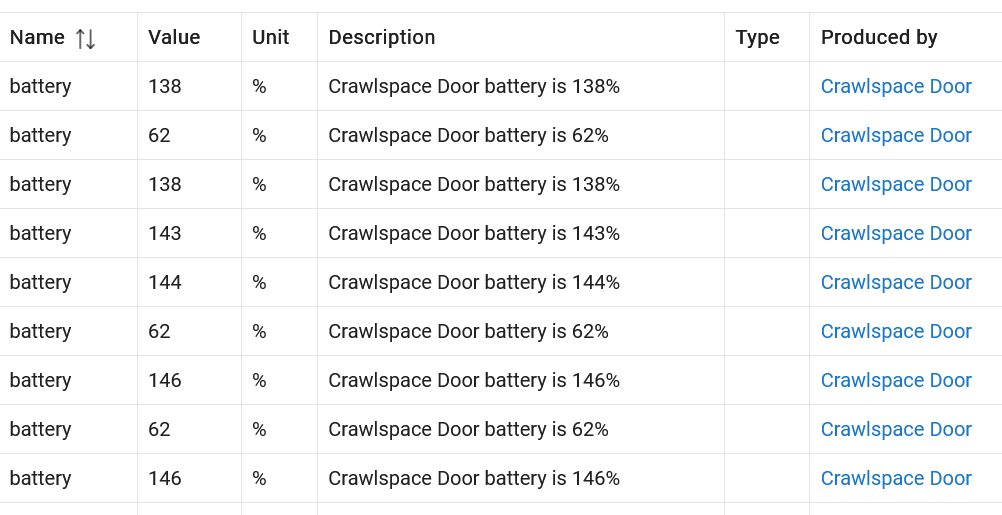
Maybe the 146 is voltage, 1.46v
And 62% is relative level (1.46/2.4)
3 Likes
As above. Recently when I was messing around with ChatGPT creating a driver for a Sonoff Orb button, one of the things that came up was battery reporting. That device only reported voltage, so the driver does some math to express the battery level as a percentage. To do so it has to assume a maximum and minimum voltage in order to scale 0 to 100%.
I wonder if the battery reporting by the driver is using the curve for alkaline batteries rather than lithium. Lithium batteries have a significantly higher initial voltage than alkaline. That could explain the 140% +/- levels. However, I have no clue why it would drop to 62%. That sounds like a voltage sensor issue.
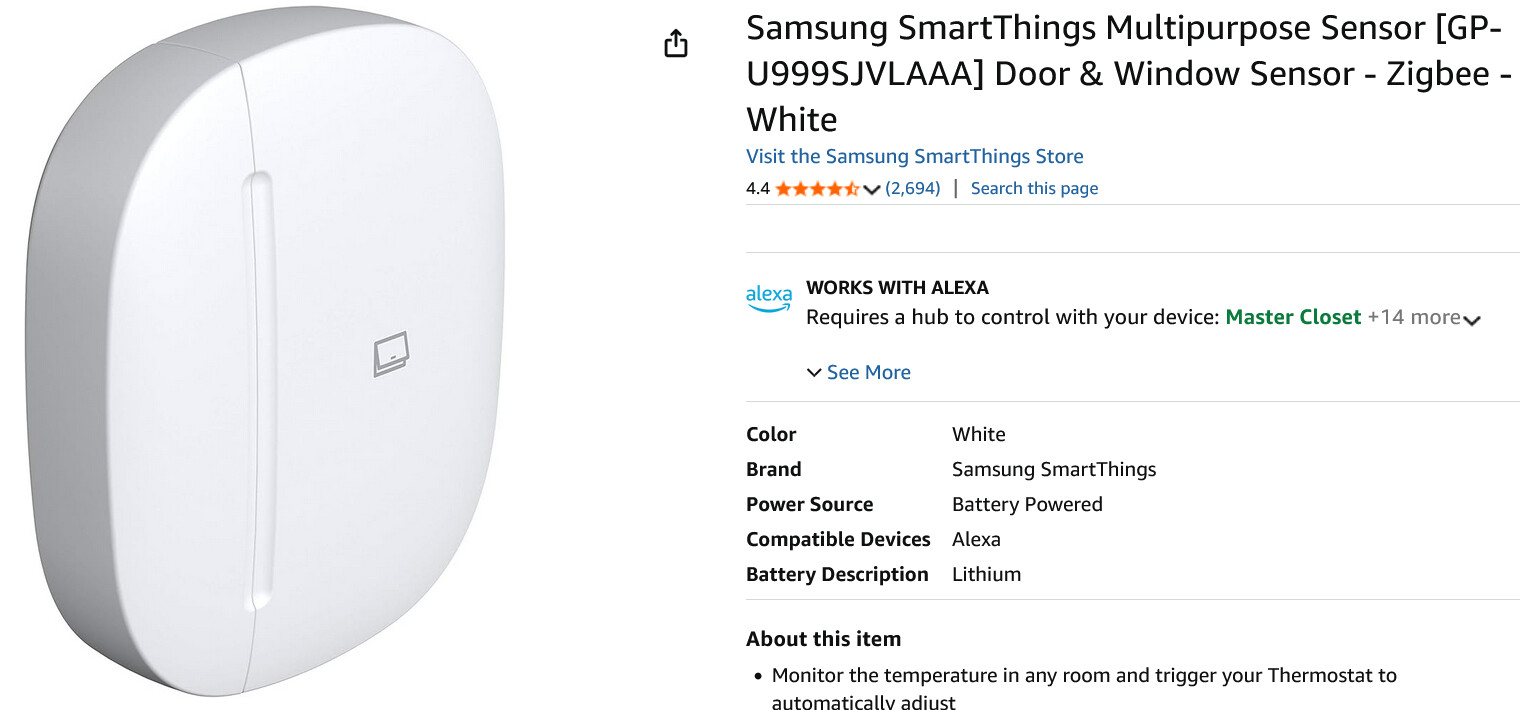
If google search is correct, the battery is a CR2450, so nominal 3 volts (2.95 - 3.2 vdc when new, considered dead at 2.7 vdc)
1 Like
That’s why I said “maybe” 
Can you enable debug logging (and probably delete the scheduled job so it stays on) and see what the debug log that corresponds to each of these events says? That will tell you more about the underlying data that it’s using, which would be the best clue for determining whether it’s a driver issue.
(EDIT: Assuming you are using the built-in driver, or any that follows this convention...)
4 Likes
@Pantheon - Which driver are you using for this device? Built-in? Or a community driver?
3 Likes
What driver did this pair with? I'd suggest "SmartThings Multipurpose Sensor V5" unless you had a specific reason for using something else. If it paired as "Device," could you switch back to that driver and provide the fingerprint from "Get Info"?
3 Likes
Not sure what that means.
"Get Info" is a command the "Device" driver offers. Open "Logs" since that is where it will log its output, then run the command on the device and copy/paste the "fingerprint" log entry it will generate here. (Make sure the device is paired/not reset, has batteries, etc. before doing this as well.)
But I'd also check that the V5 driver I suggested works in the first place.  The thinking is that if it does (I'd expect it to since it was written for this device when Samsung sold them, and I don't think any actual changes were made beyond branding once Aeotec started to) and it paired as "Device" or something else off the bat (which I'm also not sure of given the information provided so far), the fingerprint could be added to this driver to avoid this trouble in the future. Thanks!
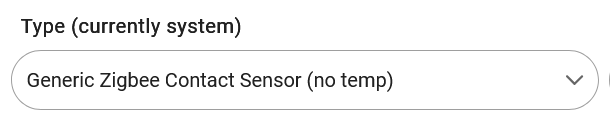
Is this what you are looking for? I am using the Generic Zigbee Contact Sensor (no temp) driver because the temperature was reporting to often.
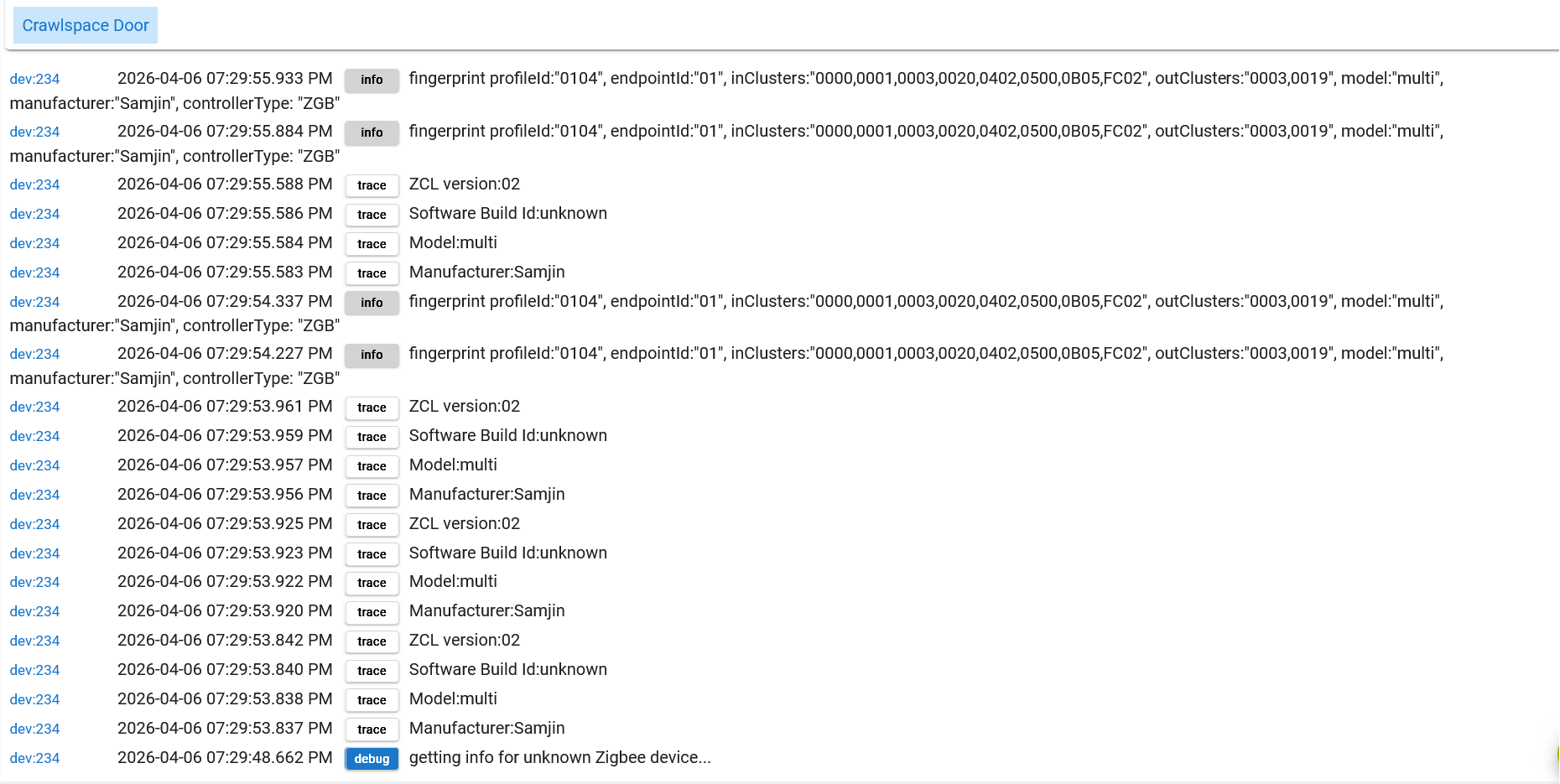
Yes, thanks!
I'm still curious about these:
Also, does battery reporting work as expected on the correct driver? I suppose the answer to:
Any NEW thoughts about why battery devices report invalid battery percentage?
is possibly that you're not using a driver written for that device.  But I suspect there's a resolution somewhere for either case. The debug logging will be the best clue for figuring that out with any driver.
I think that I was using that driver, and the temperature reporting was spamming quite a bit. Someone here (I don't remember who) suggested that I try the Generic Zigbee Contact Sensor (no temp) driver and that seemed to fix the temperature spamming. But the battery value has always been inaccurate, as I have described above.
I used the Generic driver for the debug log above.
Did you have debug logging enabled to see for sure? Generating events is one thing, but it sounds like you're really after eliminating the traffic, and that will show you what is coming in to the driver (based on configuration, which the "no temp" driver should avoid, but there could be something odd with the device or leftover from previous configuration).
The logs in question are the "parse" logs that correspond to Zigbee data you'll see right before the "battery" events. I don't see those anywhere above, but they would be the key to figuring out a problem wither driver. The "fingerprint" logs were for driver matching, which is why I was (and still am but it sounds like it may have been fine?) curious about what driver it paired with.
Is it exact same with both drivers? Debug logs, again, would be key, but I'm curious what the specific issue is behind this in either driver -- could be the same in both if it's both, could be something else, but these should have the necessary information to dig further. Hopefully that clears up what would be helpful for any driver fixes if that's where the issue lies!
I'll gather some info over the next few days and get back to you. Thanks!
I’m wondering if you find battery reporting to be otherwise accurate and/or actually useful with your other battery powered devices?
IME, I have not.
The Third Reality motion sensors used to report 2x. Somewhere along the line the firmware and/or system driver was updated to fix the issue. The gotcha is that you have to fully exclude the device from Hubitat and re-pair to get the proper scale. Changing the driver to "Device" and cleaning the device values did not work. Not sure if that would work for your device.

